Documentation can feel like a never-ending task, full of tedious steps and confusing details. Whether you’re writing manuals, project guides, or reports, it’s easy to get stuck. Wouldn’t it be great if AI could help lighten that load?
Lately, AI tools made specifically for documentation have really changed things. They offer ways to speed up writing, organizing, and editing. These aren’t just helpers; they can truly change how you handle your documentation work.
After spending a good amount of time trying out the latest options, I’ve put together a list of the top AI tools for documentation that you might want to check out. If you need help with structure, style, or just getting things done faster, these tools are here to make your life simpler.
In this article, we’ll look at the standout tools making a splash in documentation, how they can help you be clearer and more efficient, and what to keep an eye on as this field keeps growing. Let’s jump in and find the tools that can really improve your documentation efforts.
- Tenorshare: Great for easily summarizing PDFs for research.
- Mermaid Chart: Perfect for creating code architecture diagrams.
- Git Book: A platform for editing documentation collaboratively.
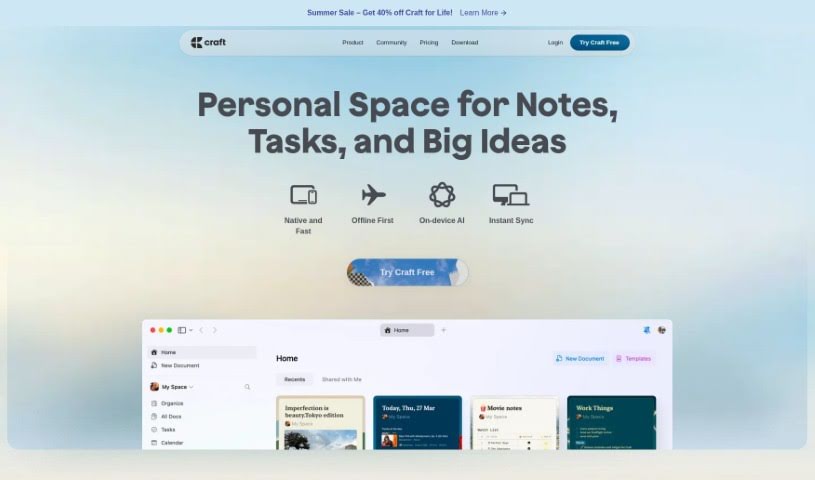
- Craft Docs: Ideal for team collaboration and communication.
- Slite: Use it to centralize all your company’s knowledge.
- Macro.com: Helps you streamline document editing tasks.
- Supernormal: Makes meeting notes easy to access.
- Writingmate.ai: Offers automated documentation with AI help.
- Mentalyc: Provides seamless note-taking for therapists.
- Sembly AI: Generates meeting notes automatically.
- Document360: Helps create user-friendly product manuals.
- Mintlify: Streamlines the creation of developer documentation.
- Trickle AI: Manages project notes more efficiently.
- Single Store: For searching and analyzing documents in real-time.
- Bit.ai: Streamlines how teams manage documentation.
AI documentation tools work much like other AI writing tools, but they’re specifically built to make creating, managing, and updating documents smoother. Basically, they use smart algorithms and large language models to help you generate content, format text, and organize information efficiently.
These tools usually look at what you’ve written and suggest relevant content, making it easier to create thorough documentation. By understanding your questions and prompts, they can produce structured documents that fit specific needs, like technical manuals, user guides, or FAQs.
Plus, AI documentation tools often include features for teamwork, letting multiple people work on a document at the same time. This is super helpful for teams working on projects together, ensuring everyone’s ideas and expertise blend smoothly into one document.
Most of these tools come with templates and best practices learned from huge amounts of data. This means they can suggest styles, formats, and even the right words for your field, making your documentation clearer and more professional.
The technology behind them relies a lot on information from different places, like technical articles, manuals, and other formal documents. This wealth of data lets AI tools act like smart search engines, quickly finding information that can fill in gaps or answer specific questions in your documentation process.
So, in short, AI documentation tools are designed to make your workflow and productivity better when writing and maintaining documents. They help cut down the time spent on repetitive tasks and improve accuracy by using a vast amount of knowledge and understanding context. As these tools keep getting better, their ability to boost efficiency and teamwork in documentation will only grow.
| Rank | Name | Best for | Plans and Pricing | Rating |
|---|
| 1 | Tenorshare | Effortless PDF summarization for research. | N/A | 4.64 (11 reviews) |
| 2 | Mermaid Chart | Code architecture diagrams | N/A | 4.84 (19 reviews) |
| 3 | GitBook | Collaborative documentation editing platform | N/A | 4.76 (25 reviews) |
| 4 | Craft Docs | Team collaboration and communication | Paid plans start at $10/month. | 4.17 (6 reviews) |
| 5 | Slite | Centralizing company knowledge | N/A | 4.00 (15 reviews) |
| 6 | Macro.com | Streamlining document editing tasks | N/A | 4.77 (30 reviews) |
| 7 | Supernormal | Streamline meeting notes for easy access. | Paid plans start at $18/month. | 4.79 (19 reviews) |
| 8 | Writingmate.ai | Automated documentation with AI support | N/A | 4.64 (11 reviews) |
| 9 | Mentalyc | Seamless note-taking for therapists | Paid plans start at $39.99/month. | 4.75 (12 reviews) |
| 10 | Sembly AI | Automated meeting notes generation | Paid plans start at $20/month. | 4.64 (11 reviews) |
| 11 | Document360 | Creating user-friendly product manuals | Paid plans start at $149/month. | 4.82 (11 reviews) |
| 12 | Mintlify | Streamlined developer documentation creation | N/A | 4.17 (6 reviews) |
| 13 | Trickle AI | Streamline project notes management | Paid plans start at $8/month. | 4.67 (6 reviews) |
| 14 | Single Store | Real-time document search and analysis | Paid plans start at $574.9/month. | 4.17 (6 reviews) |
| 15 | Bit.ai | Streamlined team documentation management | Paid plans start at $8/month. | 4.64 (11 reviews) |