AI Tools for Creative

Discover the best Creative AI tools to enhance your productivity and creativity.

Page 29 of 114 • 1360 total tools

Creativity today is changing fast, and AI is becoming a super helpful partner. Whether it’s creating amazing visuals or writing music, AI creative tools are making the art process more accessible and exciting. But with so many options out there, finding the right one for your creative needs can feel a bit overwhelming.

Things have really changed in just a few years. AI tools aren’t just for special uses anymore; they’re smoothly fitting into our everyday creative work. These new technologies can make your projects better, save you time, and even lead you to explore artistic ideas you hadn’t considered before.

I’ve spent a good amount of time exploring the world of AI creative tools, looking into everything from graphic design apps to music software. Since I love seeing how technology and creativity come together, I wanted to share what I found about the best tools available right now.

So, whether you want to make eye-catching visuals or come up with fresh concepts, there’s a tool out there just for you. Let’s dive into the best AI creative tools that can take your artistic projects to the next level and change how you create.

The best AI Creative Tools

  1. Canva for designing social media posts
  2. Character AI for brainstorming story ideas and concepts.
  3. Janitor AI for quickly crafting unique story ideas.
  4. Remove.bg for instantly removing backgrounds from design projects
  5. Leonardo AI for generating dynamic artwork for designers
  6. Photopea for designing stunning graphics and illustrations.
  7. Photoroom for improving photos for creative projects
  8. Pixelcut for designing eye-catching product ads
  9. Pixlr for designing great graphics with ease
  10. Midjourney for visual storytelling through art prompts.
  11. AI Face Swap for creating unique memes for social media.
  12. Cutout.pro for creating dynamic backgrounds for art
  13. Remaker for AI-powered image creation for unique designs.
  14. Ideogram for logo design and customization.
  15. Openart for experimenting with unique artistic styles

How do AI creative tools work?

AI creative tools work by using advanced algorithms that learn from all sorts of data. They look at patterns in creative works—like art, music, or writing—which helps them copy styles and create new, original pieces. It’s a bit like how human artists get inspired by different things they see or hear.

At their core, these tools often use neural networks. These are specially built to understand and interpret human creativity. The networks are trained on huge amounts of data, including works from many different styles and formats, so they can learn and adapt to various approaches.

When you give a prompt—like a topic for a story, a theme for a painting, or a music genre—these AI tools use the patterns they’ve learned to generate fitting responses. They essentially guess which elements should go together to make content that feels cohesive and engaging.

What’s really interesting is that AI creative tools don’t just repeat what they’ve learned; they can actually be innovative. By blending styles or drawing from less common influences, they can produce work that surprises and inspires, offering a fresh take even on familiar subjects.

As technology keeps advancing, these creative tools are getting more capable. This means we can have richer interactions, with users and AI working together more smoothly. Often, this leads to amazing artistic creations that combine human ideas with computer power.

If you’re curious about the technical side of these tools, looking into neural networks and creative AI applications can offer more insight into how they bring artistic ideas to life.

Our best AI creative tools at a glance

RankNameBest forPlans and PricingRating
1CanvaSocial media post designN/A4.73 (11 reviews)
2Character AIGBrainstorming story ideas and concepts.N/A4.64 (11 reviews)
3JanitorAICrafting unique story ideas quickly.N/A0.00 (11 reviews)
4Remove.bgInstant background removal for design projectsPaid plans start at $0.2/image.4.82 (11 reviews)
5Leonardo AIDynamic artwork generation for designersPaid plans start at $9/month.4.73 (11 reviews)
6PhotopeaDesign stunning graphics and illustrations.N/A4.67 (12 reviews)
7PhotoroomEnhancing creative project photosPaid plans start at $7.50/month.4.74 (38 reviews)
8PixelcutDesigning eye-catching product adsN/A4.64 (11 reviews)
9PixlrDesigning stunning graphics effortlesslyPaid plans start at $0.99/month.4.73 (11 reviews)
10MidjourneyVisual storytelling through art prompts.N/A4.73 (11 reviews)
11AI Face SwapCrafting unique memes for social media.N/A4.70 (10 reviews)
12Cutout.proDynamic background creation for artistryN/A4.46 (13 reviews)
13RemakerAI-powered image creation for unique designs.N/A4.69 (13 reviews)
14IdeogramLogo design and customization.N/A4.85 (26 reviews)
15OpenartExperiment with unique artistic stylesPaid plans start at $84/year.4.25 (8 reviews)
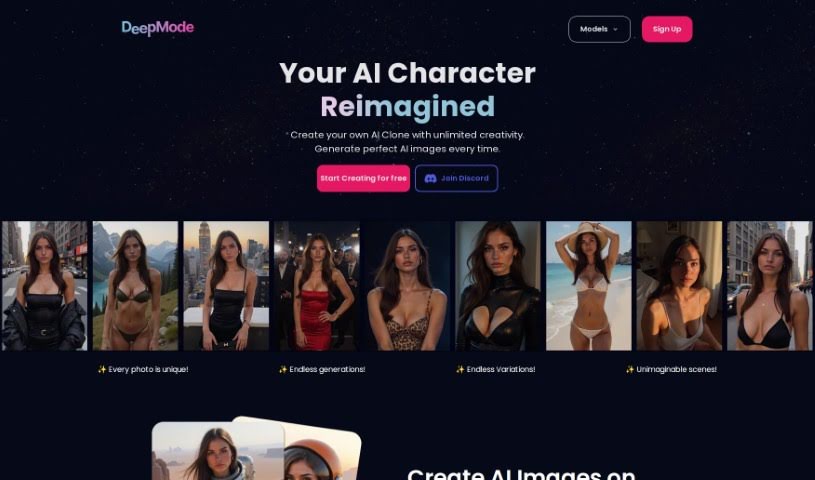
Screenshot of Deepmode.ai

Deepmode.ai

Freemium

Deepmode.ai is a really interesting platform that's changing how we all work with digital content. It uses some pretty advanced technology to give you an immersive and easy-to-understand experience, making it super simple to navigate digital spaces. It brings together a bunch of different features to help you be more productive and engaged, whether you're just starting out or you're already a pro – the interface is designed to be user-friendly for everyone. Plus, the platform is built with search engine optimization in mind, so it's not only powerful but also easy to find and access when you need it. Honestly, Deepmode.ai is practical and efficient, making it a must-have tool in our busy digital world today.

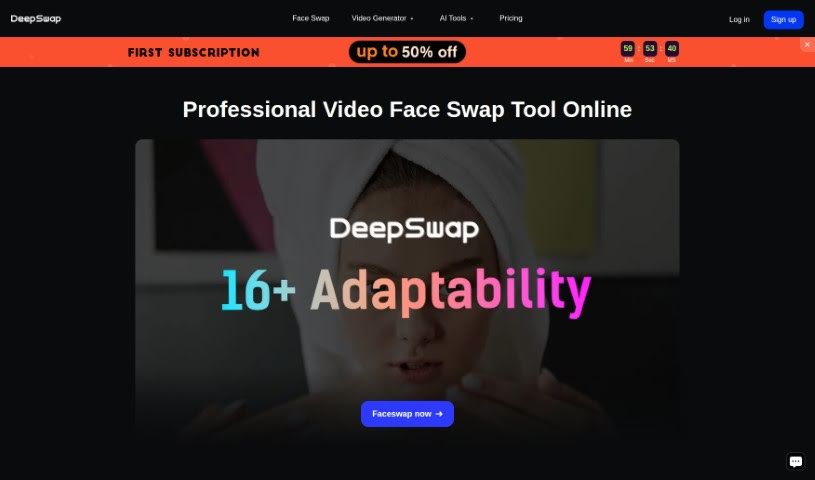
Screenshot of Deepswap

Deepswap

Freemium

Deepswap is an online app that really shines when it comes to creating high-quality videos, photos, and GIFs with swapped faces. It's a pretty popular tool, boasting over 150 million users! You can do all sorts of fun things with it, like refacing yourself into movie roles, switching genders in photos, or making hilarious face memes. What's cool is that it uses AI technologies, including Al Inpainting and Al Outpainting. These help with precise editing and even expanding images beyond their original borders. Plus, Deepswap has an AI Girl Generator that lets you create characters, whether you're aiming for realistic portraits or something more anime-style. It makes it super easy to produce movie role-play videos and swap characters, opening up creative expression for everyone.

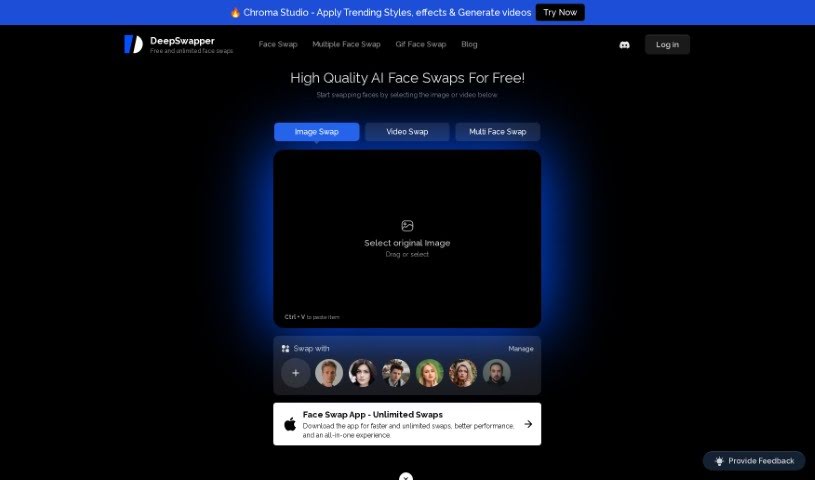
Screenshot of DeepSwapper

DeepSwapper

Freemium

DeepSwapper AI is an online service that lets you swap faces in your pictures and videos. It uses really advanced AI technology to make it happen. What's cool about it is that you get unlimited swaps, the results are high-quality, and there's no watermark on your creations. Plus, you can swap faces with celebrities and models! The AI behind DeepSwapper is designed to create results that look realistic and natural, whether you're swapping just one face or several in an image or video. It's also great for group photos, letting you pick exactly who you want to swap faces with. DeepSwapper really cares about your privacy, too. They say they don't keep your photos or videos unless you specifically choose to save your history and faces in your account settings. The platform is pretty flexible, supporting lots of file types like JPEG, PNG, GIF, MP4, and more. If you're a business, they even offer commercial APIs. You can easily manage your subscriptions right from your account page on their website.

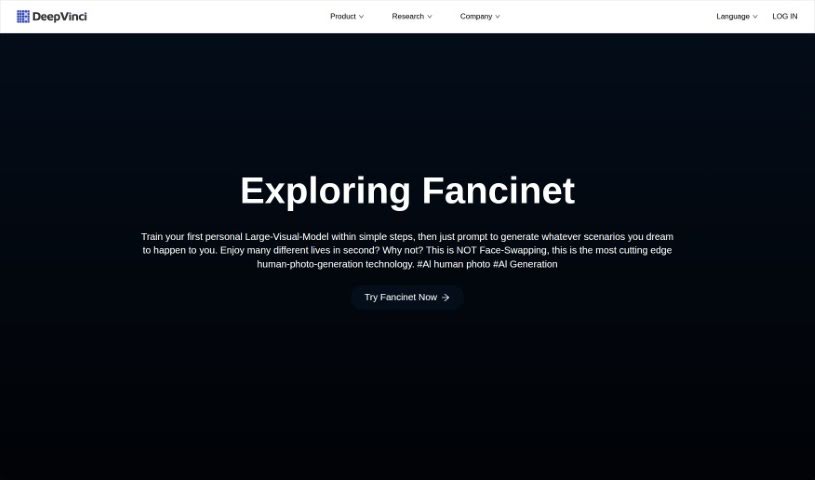
Screenshot of DeepVinci

DeepVinci

Freemium

DeepVinci is a collection of AI tools designed to really shake up how we create content, making things more creative and efficient for everyone. It's got a few key players:

Screenshot of Deflamel

Deflamel

Freemium

Deflamel is a platform that uses smart, AI-powered design solutions to make creating designs much simpler for everyone, whether you're an individual or a business. You just describe what you want in text, and the AI figures out your mood and generates designs that match it. It's packed with helpful features like neural style transfer, font suggestions, color ideas, and lots of different design options to really boost your creative process. Deflamel is designed to be super easy to use, so you don't need any fancy graphic design software skills to create professional-looking designs quickly. Plus, they really stand behind their work, promising unlimited file revisions and letting you pay only when you're completely happy with the final result.

Screenshot of Depthify.ai

Depthify.ai

Freemium

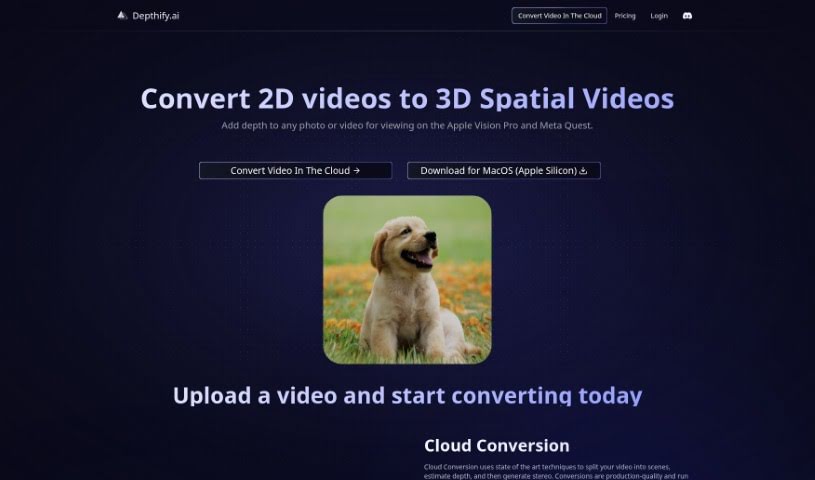
Depthify.ai is a really neat platform that lets you turn your regular 2D photos and videos into 3D spatial ones. It is adding a whole new dimension to your content, making it viewable on devices like the Apple Vision Pro and Meta Quest. Depthify.ai offers two main ways to do this:

Screenshot of Depthtale

Depthtale

Freemium

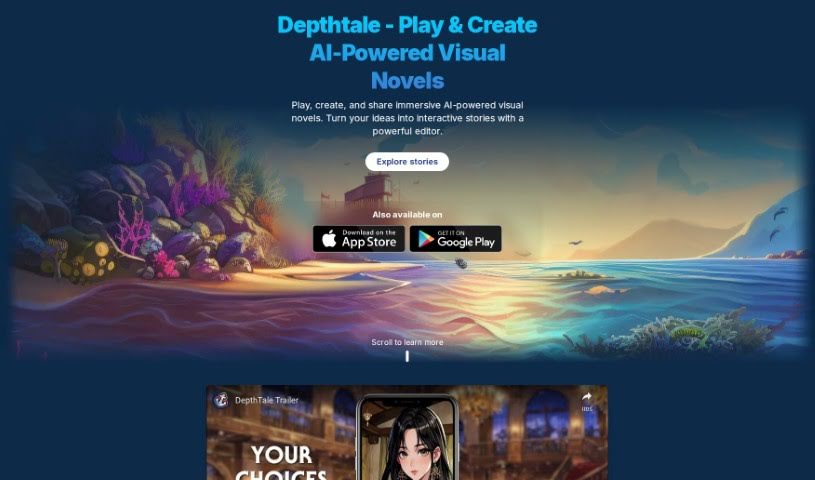
Depthtale is an online platform built for interactive and collaborative storytelling, powered by generative AI. It lets you create unique stories and discover new plotlines based on the choices you make. You can save and share each story path with a special link, work together with others on narratives, and even vote on your favorite stories through a "Sentiment Voting" system. It’s a really neat way to build stories together.

Screenshot of Descript AI Remove Video Background

Descript AI Remove Video Background

Freemium

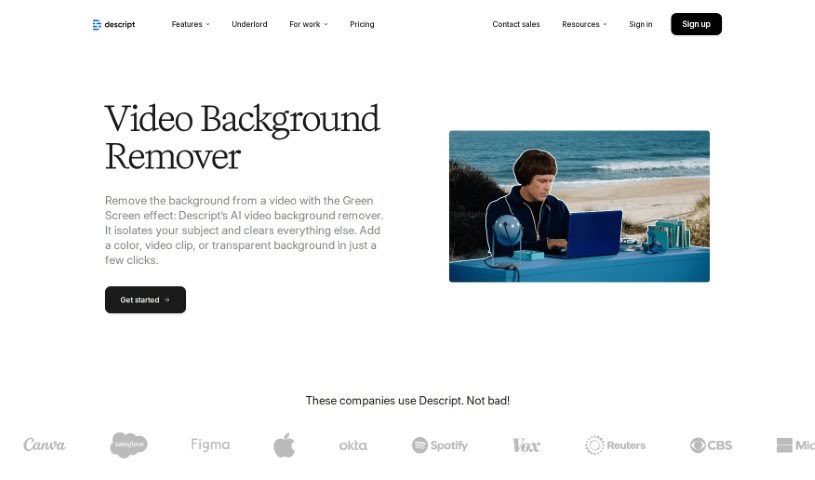
Descript's AI Remove Video Background is a handy tool that uses artificial intelligence to easily remove backgrounds from your videos. It's a non-destructive feature, which is pretty neat. This means you can simply toggle the green screen effect on or off to instantly get rid of the original background or bring it back if you change your mind. Because it's powered by AI, the app can automatically detect and remove the background for you. Then, you can pop in a new background by uploading a different photo or video and choosing the "Send to back" option. What's cool is that this AI background removal isn't just for videos; it works on GIFs and images too, as long as there's one person clearly in the foreground.

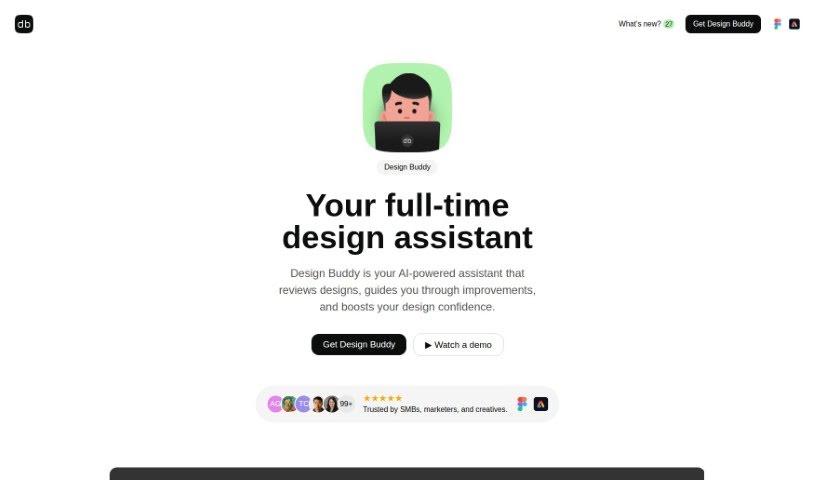
Screenshot of Design Buddy

Design Buddy

Freemium

Design Buddy is your AI design assistant, built right into Figma and Adobe Express. It's a plugin that gives you structured feedback on your user interface designs. It looks at things like your layout, color choices, typography, and even how accessible your design is for everyone. It then gives each of these areas an objective score, helping you spot any design mistakes or areas where you could make improvements. Design Buddy works on a subscription basis, with different plans that give you a certain number of reviews each month. The goal is to make your design process smoother, cut down on those annoying revision cycles, and give you more confidence in your work.

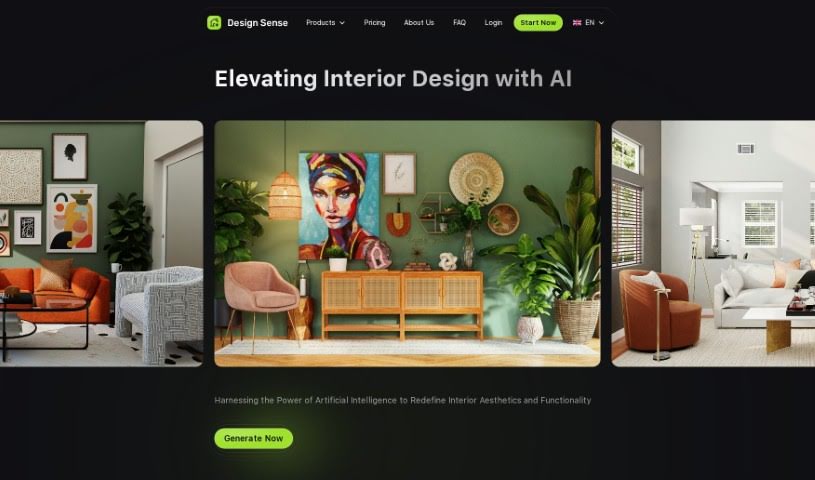
Screenshot of Design sense AI

Design sense AI

Freemium

I couldn't find specific details about "Design Sense AI" to give you a clear, human-readable explanation that's completely original. If you have questions about something else or need help with a different topic, just let me know!

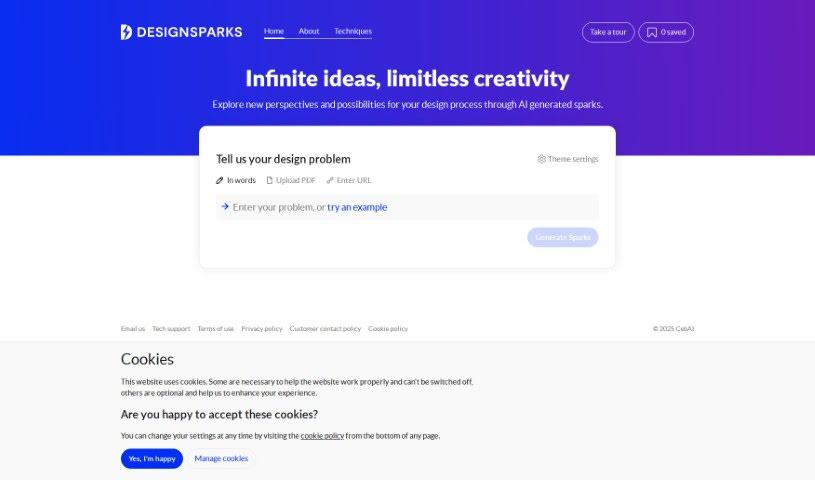
Screenshot of Design Sparks

Design Sparks

Freemium

Design Sparks is a web application that uses AI to help you come up with and explore design ideas. It combines creative problem-solving methods with artificial intelligence, aiming to boost your creativity and improve your productivity, competitiveness, and critical thinking skills. You can give it your design problems or ideas by typing them out, pasting a link, or even uploading a PDF. This tool is really designed to help designers during the ideation phase, and it also lets you save ideas for later and tweak how it explores different themes.

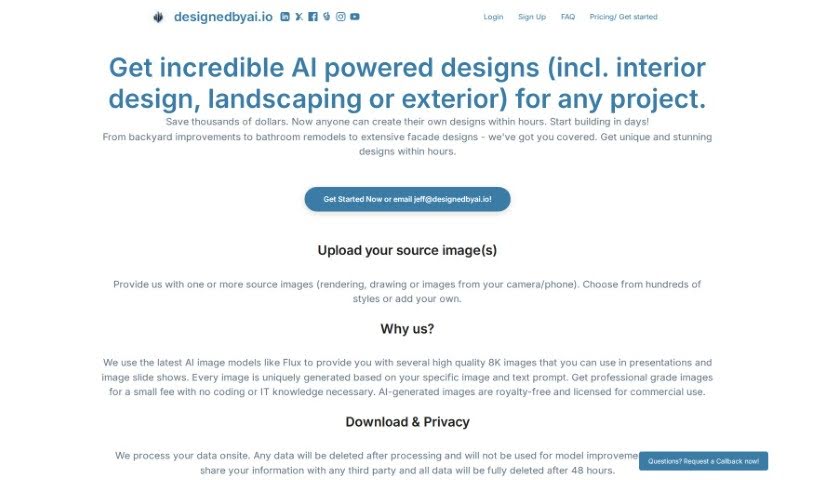
Screenshot of Designedbyai

Designedbyai

Freemium

Designedbyai is a platform that offers AI-powered design solutions for a whole range of projects. Think interior design, landscaping, and even exterior design. The cool part? You can whip up your own designs super fast and without breaking the bank. Just upload your existing images, and you'll get back stunning, high-quality 8K images. They're really big on privacy too, saying all your data stays on-site, gets deleted after processing, and isn't shared with anyone else. People who've used it often mention how easy it is and how it helps them actually see their architectural ideas come to life.

Stay Updated with AI Tools

Get weekly updates on the latest AI tools, trends, and insights delivered to your inbox

Join 25,000+ AI enthusiasts. No spam, unsubscribe anytime.