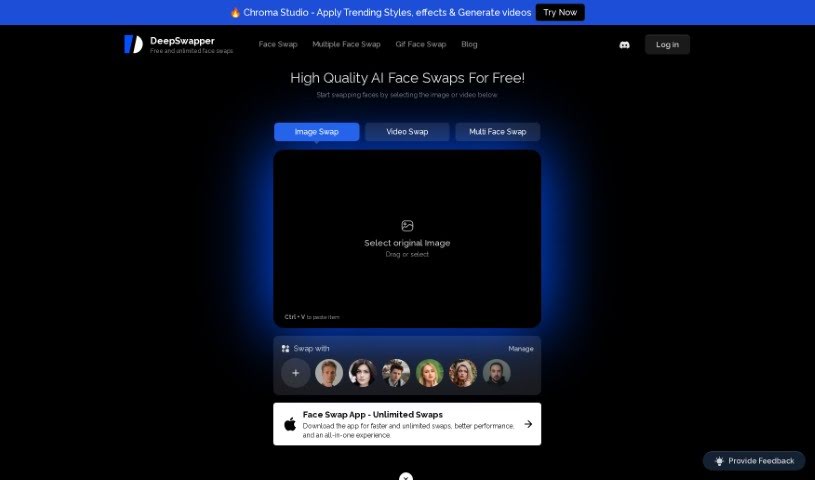
Screenshot of DeepSwapper

DeepSwapper

Discover DeepSwapper, a powerful AI tool for face swapping in images and videos. Learn its features, how to use it effectively in 2025, and compare it to other Deepfake Makers.

Screenshot

What is DeepSwapper?

DeepSwapper AI is an online service that lets you swap faces in your pictures and videos. It uses really advanced AI technology to make it happen. What’s cool about it is that you get unlimited swaps, the results are high-quality, and there’s no watermark on your creations. Plus, you can swap faces with celebrities and models! The AI behind DeepSwapper is designed to create results that look realistic and natural, whether you’re swapping just one face or several in an image or video. It’s also great for group photos, letting you pick exactly who you want to swap faces with. DeepSwapper really cares about your privacy, too. They say they don’t keep your photos or videos unless you specifically choose to save your history and faces in your account settings. The platform is pretty flexible, supporting lots of file types like JPEG, PNG, GIF, MP4, and more. If you’re a business, they even offer commercial APIs. You can easily manage your subscriptions right from your account page on their website.

Who created DeepSwapper?

Deepswapper AI was actually developed by an organization that goes by the name DeepSwapper. They launched this AI tool on May 15, 2024. The company uses a sophisticated AI model, which they call DeepSwapperX, specifically for making very accurate face swaps in both images and videos. This means users get top-notch results, and the company emphasizes privacy and giving users control over their own data.

What is DeepSwapper used for?

DeepSwapper is a pretty versatile tool, and people use it for all sorts of fun and creative things:

  • Social Media Fun: Swapping faces in your photos to make them more interesting for social media posts.
  • Engaging Content: Just creating fun, eye-catching content with face swaps.
  • Group Photos: Making funny or creative edits to group shots with friends, family, or any group.
  • Targeted Edits: You can even pick specific people in a photo or video to swap faces with.
  • Video Edits: Swapping faces directly in videos to change up clips.
  • Unlimited High-Quality Swaps: Get as many high-quality face swaps as you need.
  • Celebrity & Model Swaps: Put your face on or swap faces with celebrities and models.
  • Quick & Realistic Results: Create realistic face swaps in just seconds.
  • Commercial Use: You can use the swapped images for your business needs, though there might be some restrictions.
  • Business APIs: Access commercial APIs if you’re a business looking to integrate this technology.
  • Product Promotions: Use face swaps in images to make product promotions more engaging.
  • Creative Content: Make all sorts of fun and engaging content through face swapping.
  • Movie/TV Clips: You can even change faces in movie or TV show clips.
  • GIFs: Swap faces in animated GIFs too!
  • Single & Multiple Faces: It handles swapping one face or many faces at once.
  • Direct Contact: If you have specific use cases, you can always reach out to the service provider directly.

Who is DeepSwapper for?

This tool is a great fit for a variety of creative professionals and enthusiasts:

  • Photographers: To add a unique touch to their portraits.
  • Content Creators: For making viral or engaging social media content.
  • Social Media Influencers: To create distinctive posts that stand out.
  • Marketing Professionals: For eye-catching campaigns and promotions.
  • Graphic Designers: To incorporate creative face swaps into their designs.
  • Video Editors: To add special effects or humor to video projects.
  • Entertainers: For creating amusing content or performances.
  • Marketers: To develop memorable advertising materials.
  • Advertising Professionals: To craft innovative ad concepts.

How to use DeepSwapper?

Using DeepSwapper AI for face swapping is pretty straightforward. Here’s a simple guide to get you started:

  1. Head to the Tool: First, just go to the DeepSwapper Ai website. That’s where you’ll begin swapping faces in your images or videos.
  2. Pick Your Media: Next, select the image or video you want to work with – the one where you want to swap faces.
  3. Start Swapping: Now, use the tool to swap faces. You can easily swap with celebrities, models, or even within group photos, often with just a single click.
  4. Customize Your Swaps: Take advantage of the advanced AI technology. You can swap single faces or multiple faces in your photos or videos, giving you lots of creative control.
  5. Get Realistic Results: You’ll be impressed with how clear and realistic the face swaps look, whether it’s in a video or a still image. It all happens in just seconds!
  6. Enjoy Free Services: One of the best parts is that you get unlimited face swaps, and there’s no watermark on the results, plus they’re high-quality.
  7. Control Your Privacy: You have control over your privacy. You can choose whether to save your face-swapped images or videos, or delete them, all managed through your settings.
  8. Supported File Types: DeepSwapper is convenient because it supports many common formats like JPEG, PNG, GIF, MP4, and others.
  9. Commercial Use: Yes, you can use the swapped images and videos commercially, just be sure to follow any guidelines for legal and ethical use.

Following these steps should help you easily use DeepSwapper Ai to create those realistic and engaging face swaps for whatever you need!

Related AI Tools

Discover more tools in similar categories that might interest you

123RF AI Image Generator

Creative Image Generation
Learn More

Stay Updated with AI Tools

Get weekly updates on the latest AI tools, trends, and insights delivered to your inbox

Join 25,000+ AI enthusiasts. No spam, unsubscribe anytime.