Deepmode.ai (Creative)
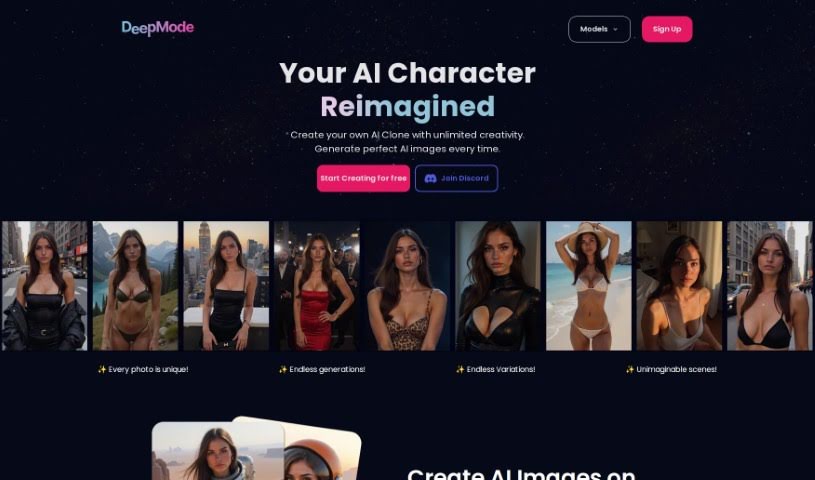
Screenshot of Deepmode.ai

Deepmode.ai

Discover what Deepmode.ai is, a generative AI platform for creating personalized AI models and digital clones, with a free trial and privacy options.

Screenshot

What is Deepmode.ai?

Deepmode.ai is a generative AI platform for creating digital content. It offers an intuitive interface designed to work for both beginners and experienced users, bringing together a set of features aimed at improving productivity and creative output.

Who created Deepmode.ai?

Deepmode.ai was founded by Koby Karp, who serves as both CEO and CTO. Koby has over twenty years of experience working with companies including NASA, Mercedes, and Disney, and holds an MBA from Sorbonne University. The company’s focus is on advancing digital content creation through generative AI, specifically by building virtual AI models for a range of industries.

What is Deepmode.ai used for?

Deepmode.ai lets you:

  • Create your own personalized AI models.
  • Build digital clones or entirely unique models.
  • Access the tool online via cloud infrastructure from anywhere.
  • Try the platform through a free trial.
  • Keep creations private with available privacy options.
  • Request refunds under the platform’s refund policy.
  • Contact the DeepMode team by email for support.
  • Generate NSFW images and train NSFW models.

Who is Deepmode.ai for?

Deepmode.ai suits professionals such as digital marketers, content creators, web developers, SEO specialists, data analysts, social media managers, graphic designers, UX designers, project managers, and business analysts.

How to use Deepmode.ai?

  1. Sign up for an account on the Deepmode.ai website and log in.
  2. Upload your data or input it directly into the tool.
  3. Select a model that fits your needs, or let the tool suggest one based on your data.
  4. Train the model by hitting the “Train” button and monitor its progress.
  5. Evaluate performance using metrics like accuracy, precision, and recall.
  6. Fine-tune the model’s parameters if results need improvement.
  7. Run predictions on new data with your trained model.
  8. Analyze the results to inform your decisions.
  9. Share feedback to help refine the model further.
  10. Export the model for use in production or deeper analysis.

Related

Related AI Tools

Discover more tools in similar categories

123RF AI Image Generator

Creative Image Generation
Learn more
New tools, in your inbox.

Weekly picks of the best AI tools we've researched and added — no spam, unsubscribe anytime.

Join 25,000+ AI enthusiasts. No spam, unsubscribe anytime.