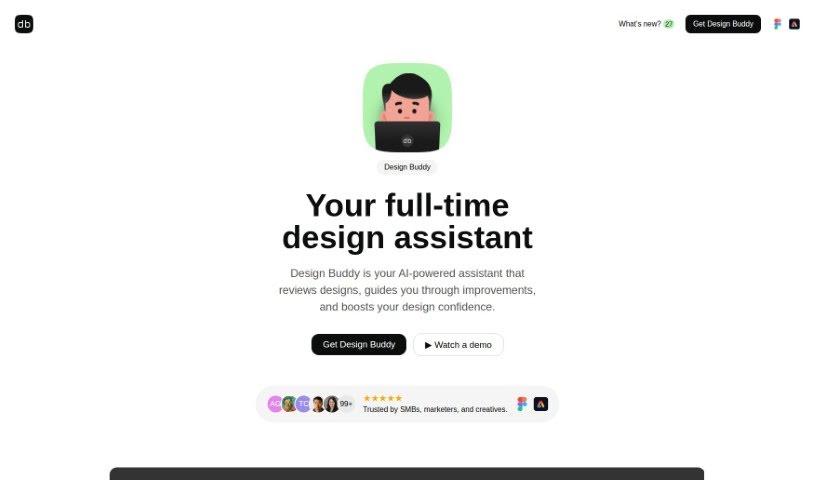
Screenshot of Design Buddy

Design Buddy

Discover what Design Buddy is and how to use it effectively in 2025. We'll explore its features and see how it stacks up against other design generators.

Screenshot

What is Design Buddy?

Design Buddy is your AI design assistant, built right into Figma and Adobe Express. It’s a plugin that gives you structured feedback on your user interface designs. It looks at things like your layout, color choices, typography, and even how accessible your design is for everyone. It then gives each of these areas an objective score, helping you spot any design mistakes or areas where you could make improvements. Design Buddy works on a subscription basis, with different plans that give you a certain number of reviews each month. The goal is to make your design process smoother, cut down on those annoying revision cycles, and give you more confidence in your work.

Who created Design Buddy?

Design Buddy was actually created by Zlatko Najdenovski, who also founded Figarc. He launched the platform on January 6, 2024. As I mentioned, it’s an AI-powered plugin for both Figma and Adobe Express. It’s designed to offer structured feedback on key design elements – things like layout, color, typography, and accessibility – really guiding you through the process of refining your designs.

What is Design Buddy used for?

Design Buddy is pretty versatile. You can use it as:

  • A collaborative tool for your team.
  • A way to get your designs ready for stakeholders.
  • Something to boost your overall design confidence.
  • A tool for detailed typography analysis.
  • A way to check your layout.
  • For color analysis.
  • To check your design’s accessibility.
  • There’s a demo available if you want to see it in action.
  • It offers support for feedback and any inquiries you might have.
  • You can cancel your subscription if needed.
  • Ultimately, it helps speed up your design process.
  • It’s great for polishing your designs.
  • And it really helps when you’re presenting your designs.

Who is Design Buddy for?

This tool is really for anyone involved in the design process. That includes:

  • Designers, of course.
  • Individual professionals working on design projects.
  • Teams of all sizes.
  • Professional Designers who need detailed feedback.
  • Teams that focus heavily on design reviews.
  • Product Managers who need to understand design quality.
  • Clients who want to ensure designs meet standards.
  • And especially teams that do a lot of in-depth and frequent design reviews.

How to use Design Buddy?

Using Design Buddy is pretty straightforward. Here’s how you can get the most out of it:

  1. Activation: First, you’ll need to pick a plan. Once you do, you’ll get an API key right away. You’ll then enter this key into the Design Buddy plugin within Figma, or as an add-on for Adobe Express, to get everything up and running.
  2. Usage: Once it’s active, just select the design you want to review. Then, simply click the ‘Review this design’ button. That’s it – Design Buddy will start giving you feedback.
  3. Monthly Quota: Your monthly review quota works on a 30-day rolling cycle. So, what you’ve used over the last 30 days is what determines your current quota.
  4. Refund Process: If you haven’t used any review credits yet, you can get a refund. Just reach out to [email protected] if you’re eligible.
  5. Managing Subscription: Need to change or cancel your plan? Look for an email from us titled “Your subscription to Mighty Tools.” You’ll find a “Manage subscription” link at the bottom of that email, which lets you update payment details or cancel.
  6. Feedback and Support: Have questions or want to share your thoughts? Feel free to contact us at [email protected].

By following these steps, you can easily fit Design Buddy into your design workflow. You’ll get structured feedback that helps you improve your designs and feel more confident about them.

Related AI Tools

Discover more tools in similar categories that might interest you

123RF AI Image Generator

Creative Image Generation
Learn More

Stay Updated with AI Tools

Get weekly updates on the latest AI tools, trends, and insights delivered to your inbox

Join 25,000+ AI enthusiasts. No spam, unsubscribe anytime.