AI Tools for Automation

Discover the best Automation AI tools to enhance your productivity and creativity.

Page 32 of 40 • 478 total tools

Automation isn’t just a trendy term anymore; it’s fundamentally changing how we work digitally. As businesses and individuals look for ways to be more efficient, the demand for solid automation tools has exploded. These tools promise to transform our operations, from simplifying workflows to cutting down on repetitive tasks.

Just a few years back, automation felt like something only tech experts could handle. But now, there’s a whole host of easy-to-use AI-powered options available. Not only do these tools save you time, but they can also improve the quality of your work by reducing mistakes that humans sometimes make.

As I looked into the best AI automation tools, I explored many different options that fit various needs and situations. Whether you’re running a small business or just a busy professional, there’s definitely a tool out there to make your life simpler.

The world of automation is always changing, so keeping up is key. Here’s a list I’ve put together of some of the most effective AI automation tools you can find right now. They’ll help you work smarter, not just harder. Let’s dive into these game-changers.

The Best AI Automation Tools

  1. Databricks: Great for automating data pipeline workflows.
  2. Cal.ai: Makes scheduling tasks easy.
  3. UiPath: Automates invoice processing.
  4. Glean: Automates insights with custom AI bots.
  5. Kaiber: Streamlines video editing.
  6. Text Blaze: Helps you breeze through repetitive tasks.
  7. Phantom Buster: Automates LinkedIn outreach campaigns.
  8. God of Prompt: Streamlines repetitive tasks effectively.
  9. MyMind: Automates capturing and organizing notes.
  10. SlidesGPT.com: Automates presentation creation.
  11. Carepatron: Streamlines medical documentation.
  12. HiPDF: Automates splitting PDFs by page ranges.
  13. HARPA AI: Automates email replies and notifications.
  14. Fibery: Streamlines task workflows efficiently.
  15. Tome: Streamlines reporting workflows efficiently.

How Do AI Automation Tools Work?

AI automation tools make tasks easier by essentially copying how humans make decisions, using algorithms and machine learning. At their heart, these tools look at data, learn from patterns they see, and then take action based on specific rules you set. You can set them up to handle repetitive jobs that would normally need someone to do them, which really boosts efficiency and productivity.

The technology behind these tools often involves connecting different kinds of data. They can link up with APIs, databases, and various software platforms to grab information and start workflows. This connection allows information to flow smoothly between systems, cutting down the time you’d spend manually entering data or managing processes.

Machine learning is a big part of making automation better. As these tools work with more data, they fine-tune their algorithms, getting smarter and more adaptable over time. For example, they can improve marketing campaigns, manage inventory, or analyze customer feedback with more and more detailed accuracy.

Developers often use platforms like Zapier or Microsoft Power Automate to build custom automations without needing to write a lot of code. By setting up specific triggers and actions, users can automate tasks across different apps and services. This makes complicated workflows manageable and efficient.

Ultimately, AI automation tools save businesses time and money while also reducing human errors. As they keep developing, their uses are growing, making them essential for companies today that want to stay competitive in this fast-paced world.

Our Top AI Automation Tools at a Glance

RankNameBest ForPlans and PricingRating
1DatabricksAutomating data pipeline workflowsN/A4.82 (11 reviews)
2Cal.aiAutomating scheduling tasks effortlesslyPaid plans start at $15/month.4.33 (6 reviews)
3UiPathInvoice processing automation systemN/A4.00 (18 reviews)
4GleanAutomating insights with tailored AI botsN/A4.33 (12 reviews)
5KaiberStreamlining video editing processesPaid plans start at $5/month.4.62 (13 reviews)
6Text BlazeStreamlining repetitive tasks effortlesslyN/A4.76 (25 reviews)
7PhantomBusterAutomating LinkedIn outreach campaignsN/A3.80 (5 reviews)
8God of PromptStreamlining repetitive tasks effectivelyN/A4.00 (11 reviews)
9MyMindAutomating note capturing and organizationPaid plans start at $6.99/month4.69 (39 reviews)
10SlidesGPT.comAutomating presentation creation tasksN/A4.72 (25 reviews)
11CarepatronStreamlined medical documentation processPaid plans start at $12/Month4.78 (81 reviews)
12HiPDFAutomating PDF splitting by page rangesN/A4.73 (22 reviews)
13HARPA AIAutomating email replies and notificationsPaid plans start at $12/month4.27 (11 reviews)
14FiberyStreamlining task workflows efficientlyN/A4.64 (11 reviews)
15TomeStreamlining reporting workflows efficientlyN/A4.82 (11 reviews)
Screenshot of Sessions.us

Sessions.us

Freemium

Sessions.us is a really comprehensive platform built to make virtual meetings and webinars much better. It's packed with features like easy scheduling, the ability to create chat rooms, cloud storage for your files, and even transcription services. The platform uses AI to power interactive virtual meetings and webinars, offering super clear ultra HD video and audio. Plus, it integrates with lots of other tools, has interactive agendas, and provides workspaces so your team can collaborate effectively. Sessions.us also takes data protection seriously, using a consent mechanism and cookies to improve how you interact with the platform and manage its performance.

Screenshot of SessionStack

SessionStack

Freemium

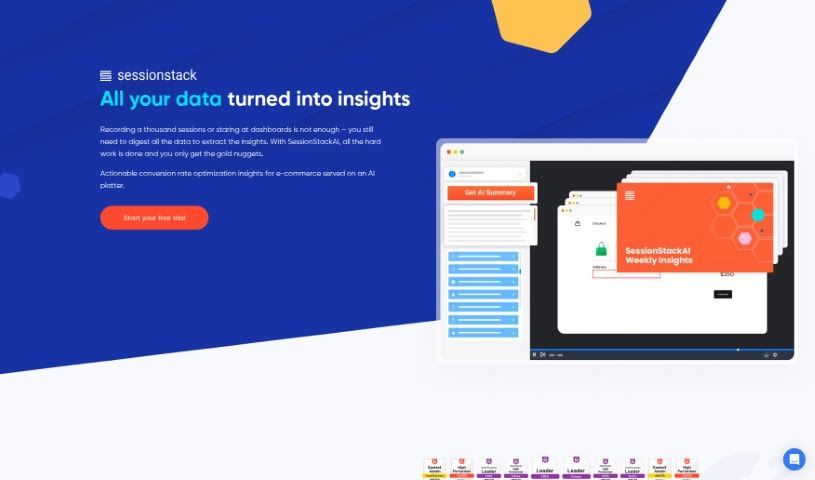
SessionStack is a really neat AI-powered tool that helps you understand how users interact with your website. It is a session replay tool, but with a smart AI twist that makes reviewing user journeys much easier. It can give you quick summaries of long session recordings, so you don't have to watch every single minute. Plus, the AI actually suggests practical ways to fix the frustrating parts users run into, which can really help boost your conversion rates.

Screenshot of Shapemate

Shapemate

Freemium

Shapemate is an AI tool that aims to make healthy living much simpler. It does this by bringing together different fitness apps into a chat conversation on WhatsApp. It is your personal health buddy right on your phone! It helps you keep track of your workouts, manage how many calories you're eating, create custom exercises, suggest healthy meals, give you nutritional advice, and even put together workout plans just for you. Some of the really neat things Shapemate can do include offering personalized ways to eat, having an easy-to-use interface, letting you track workouts and calories, providing flexible meal ideas, acting as a virtual fitness assistant that's available anytime, offering custom recipes, and connecting you with a community of people who share similar health goals. What's great is that Shapemate works through a chat on WhatsApp, which makes it super convenient for anyone to use, no matter their tech skills.

Screenshot of Sheeter

Sheeter

Freemium

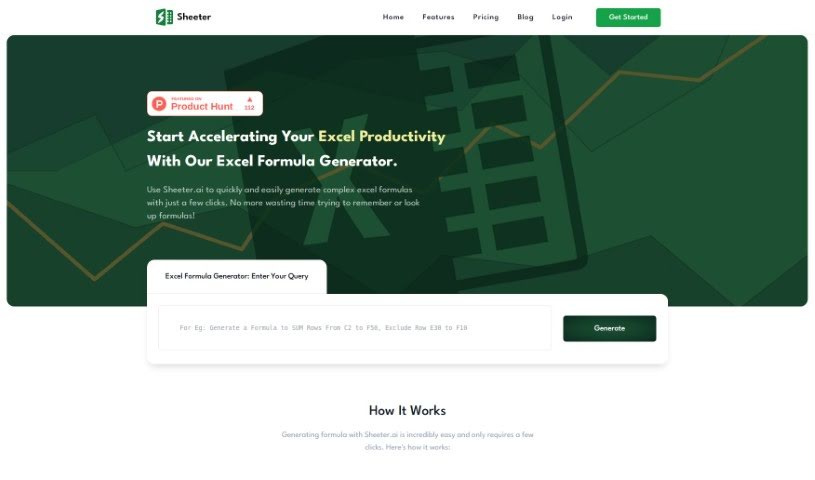
Sheeter.ai is a smart tool that uses AI to help you create complex Excel formulas much faster and easier. Sunny Bundel and Sunny Kumar, both experts in Excel automation, founded it in 2022. Their goal was to completely change how people work with Excel, Google Sheets, and similar platforms. Sheeter.ai offers some great features, like generating advanced formulas, working smoothly with both Excel and Google Sheets, making your workflow much simpler, and saving you valuable time. You can use it to manage your spreadsheets more efficiently, automatically create formulas, and even browse a collection of popular formulas. Just a heads-up, though: Sheeter.ai doesn't work offline and is currently only compatible with Excel and Google Sheets, without support for multiple languages.

Screenshot of SheetGod

SheetGod

Freemium

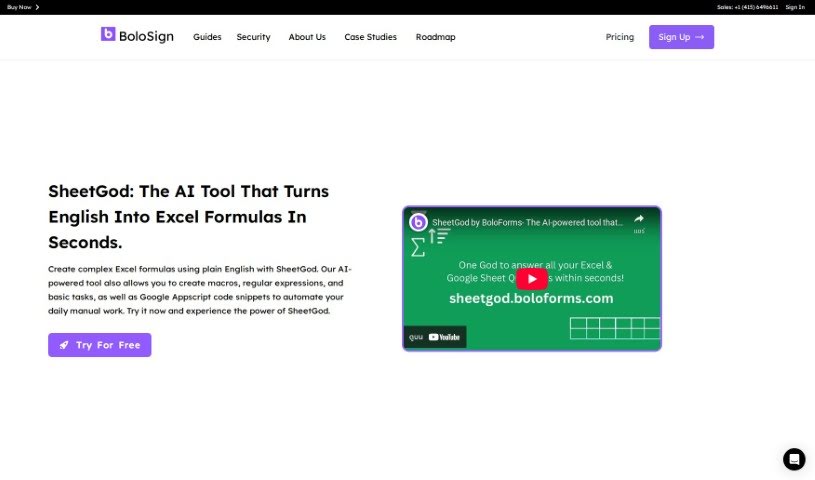
SheetGod is an AI tool built to make working with Excel much easier. It is your personal assistant that turns your plain English descriptions into complex Excel formulas, and it does it quickly! Whether you need to create intricate formulas, write macros, generate regular expressions for data extraction, or handle basic tasks, SheetGod has you covered. It's powered by AI, so it can also generate Google Appscript code snippets to help you automate repetitive manual work efficiently. Plus, SheetGod offers features like automating tasks with code, extracting specific data segments using regular expressions, providing easy-to-follow tutorials for common tasks in both Excel and Google Sheets, and even helping you communicate by generating emails and PDFs. Essentially, SheetGod helps you streamline your Excel tasks and boost your productivity.

Screenshot of SheetSavvy AI

SheetSavvy AI

Freemium

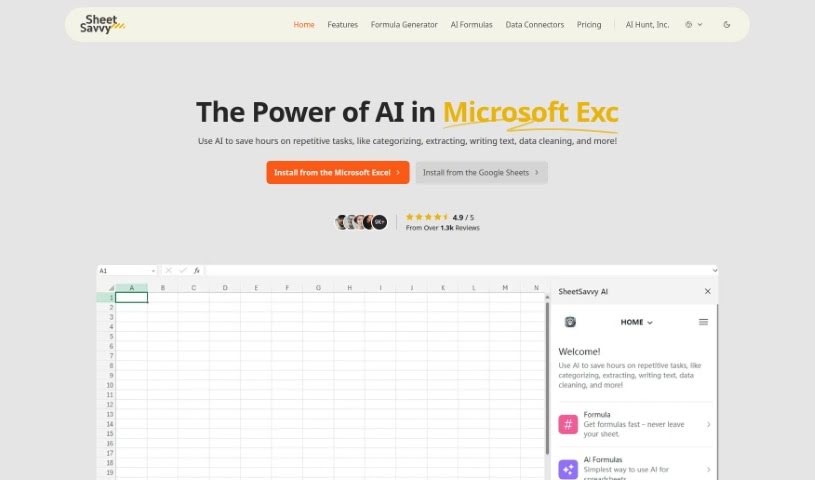
SheetSavvy AI is a smart tool that uses artificial intelligence to make working with spreadsheets much simpler. It is your personal assistant for tasks like organizing data, pulling out specific information, writing text, and cleaning up messy spreadsheets. What's really neat is that you can just tell it what you need in plain English, and it'll whip up the right formulas or even write scripts to automate things for you. You don't need to be a coding whiz to use it! It plays nicely with both Microsoft Excel and Google Sheets, and it can even pull in data as it comes in, which is super handy. They offer different pricing options, so there's likely a plan that fits what you're looking for.

Screenshot of Simpler

Simpler

Freemium

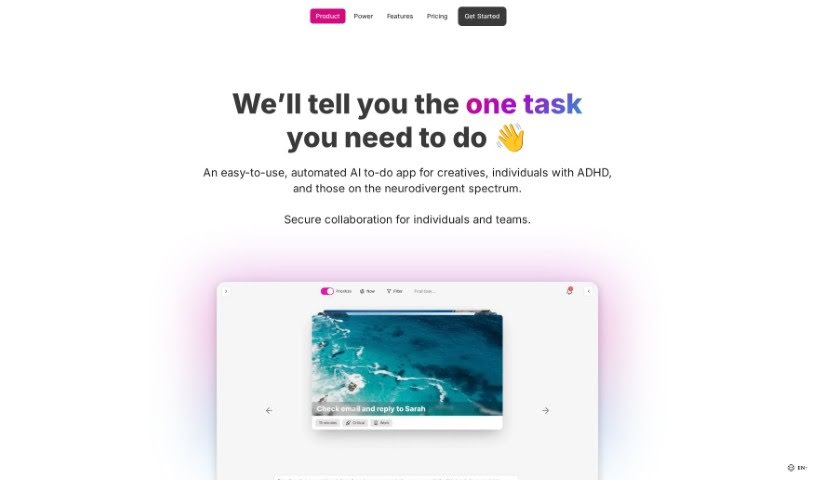
Simpler is an AI-powered to-do app specifically designed for creatives and entrepreneurs. What makes it stand out is its ability to automatically prioritize your tasks for you. People really like it because it has a clean, easy-to-use interface, great task prioritization features, and helpful AI for scheduling. The whole idea behind Simpler is to make managing your tasks much less of a hassle, helping you focus on what's most important right now to get more done. It's really built with creative minds in mind – think visionary artists, neurodivergent thinkers, self-employed innovators, and busy executives. You can try it out for free, or opt for the Pro version, which unlocks more features like advanced task prioritization, the ability to manage multiple workspaces, AI-driven planning, AI document analysis, and generative AI capabilities. Plus, it connects with Google Calendar to help you schedule your tasks more smoothly.

Screenshot of Simplescraper ScrapetoAI

Simplescraper ScrapetoAI

Freemium

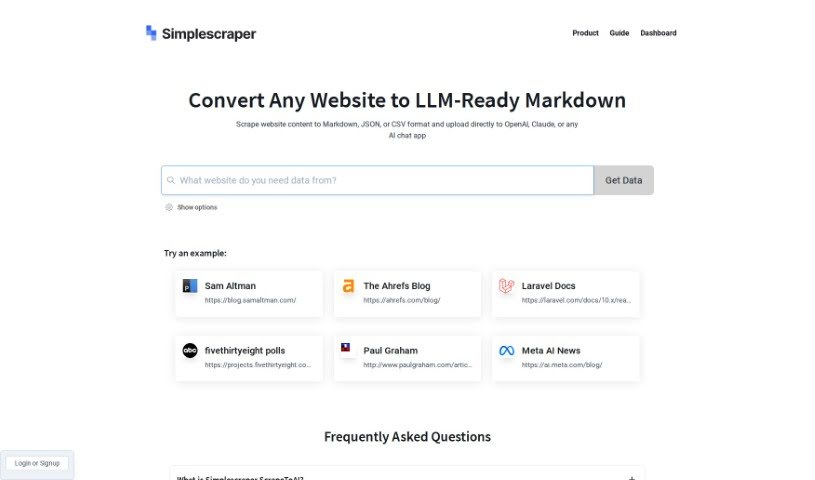
Simplescraper's ScrapetoAI is a handy web scraping tool built to pull data from websites really efficiently. It's got a super easy-to-use interface, meaning you can create your own web scraping agents without needing to write a single line of code. You just tell it what data you're after by clicking on the website elements you want, and it handles the rest. ScrapetoAI makes data extraction a breeze with features like automatic pagination handling, letting you schedule scraping tasks, and exporting your data in all sorts of formats. Basically, it's designed to simplify web scraping and make it accessible to everyone, even if you're not a programmer.

Screenshot of Sitescripter AI

Sitescripter AI

Freemium

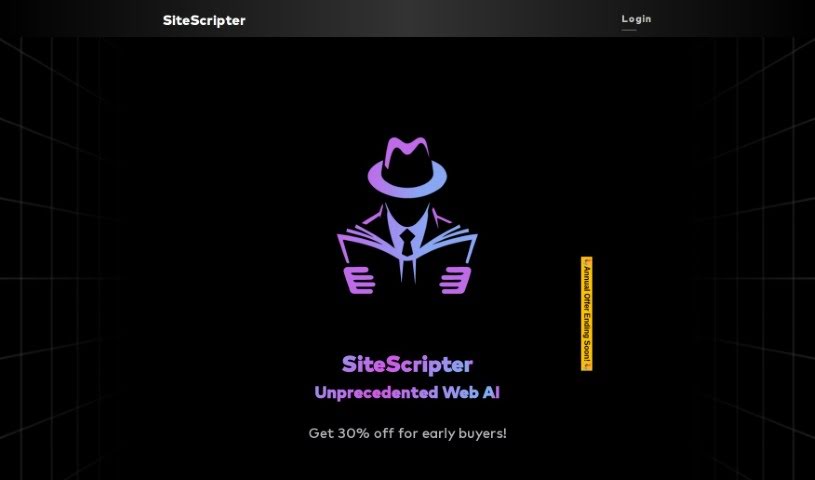
SiteScripter AI is your smart assistant for navigating the web. It's an AI-powered tool built right into your Chrome browser, designed to make online tasks much simpler and faster. Whether you're filling out forms, chatting with a website, or just need a quick summary of a long page, SiteScripter AI has you covered. It really helps boost your browsing efficiency. You can even use a special command, `$sitescripter`, to feed it real-time data and interact directly with web elements. The tool offers a few different plans – Basic, Ultra, and Premium – and there are even discounts for students and universities.

Screenshot of Sixty AI

Sixty AI

Freemium

Sixty AI is your personal assistant, designed to give you back your time. It's an AI tool that handles those everyday tasks that really eat into your day, the ones that artificial intelligence can easily manage. We're talking about things like clearing out your inbox, scheduling meetings, putting together agendas, and getting you prepped with briefings. Sixty AI also offers some neat features to keep you connected and on top of things without all the fuss. You can get personalized snapshots of your day, week, or weekend schedule, filter your emails so the important stuff stands out, and get instant alerts if your schedule changes last minute. Plus, it'll remind you about birthdays or other important milestones for people in your network, even helping you send a quick greeting or gift. Essentially, it lets you stay engaged and connected, freeing you up to focus on what truly matters.

Screenshot of Slate

Slate

Freemium

Slate is a pretty neat mobile keyboard, and it's powered by AI, which really changes how we think about smart typing. Instead of a standard keyboard, Slate treats your phone's screen like an intuitive 2D space. This means you can type accurately, even if your taps aren't perfectly placed. What's really cool about Slate, though, is its knack for turning your everyday chats into actual tasks. It is a personal assistant that works across all your phone apps. You can easily schedule meetings, create to-do lists, or manage your emails without missing a beat, all thanks to Slate's clever features. It’s all about making your mobile life smoother, offering a more intuitive way to type, AI that spots tasks for you, seamless integration with other apps, automatic task management, and a forward-thinking way to handle your digital interactions.

Screenshot of Slidenotes

Slidenotes

Freemium

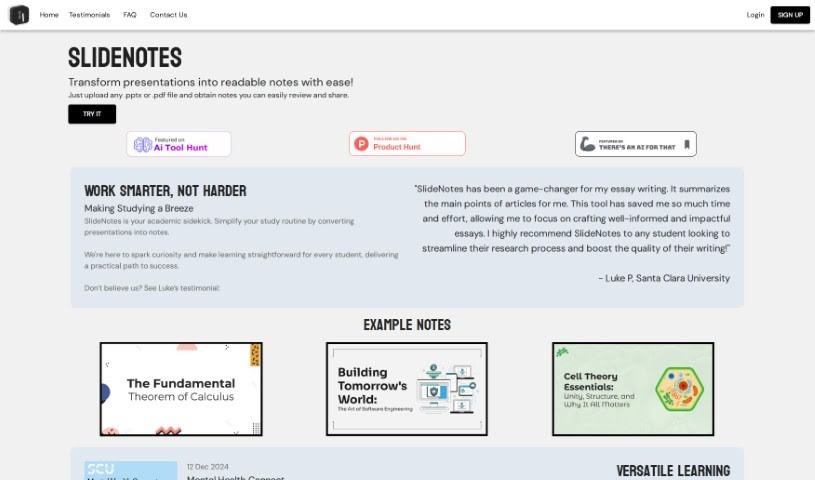
SlideNotes is your personal assistant for turning presentations into easy-to-read notes. You just upload your PowerPoint or PDF file, and SlideNotes does the heavy lifting, creating a set of text notes for you. It's a fantastic way to cut down on the time you spend distilling information, which really helps boost productivity for both students and professionals. The tool is designed to be super adaptable, making learning and handling post-meeting tasks much simpler and more effective. It's really user-friendly, too – it can convert PowerPoint to text, PDF to text, and it even gives you logical summaries of your slides while picking out those important keywords.

Stay Updated with AI Tools

Get weekly updates on the latest AI tools, trends, and insights delivered to your inbox

Join 25,000+ AI enthusiasts. No spam, unsubscribe anytime.