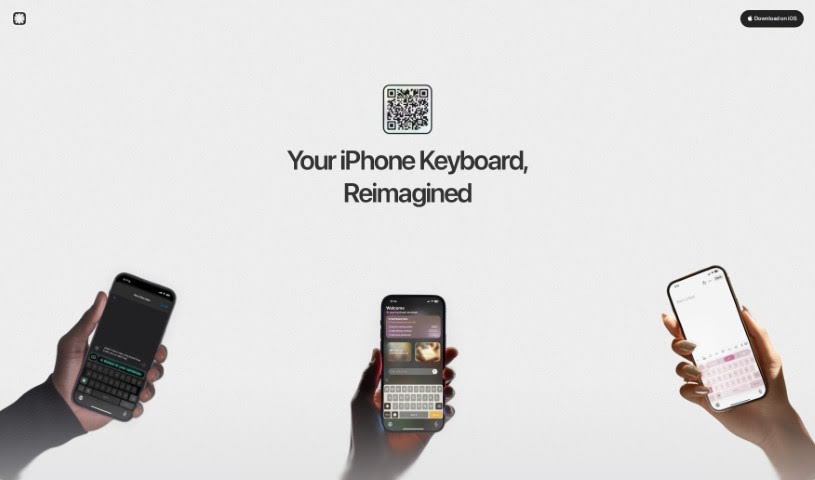
Screenshot of Slate

Slate

Discover what Slate is, a revolutionary AI-powered mobile keyboard, and learn how to use its features to boost productivity in 2025. We'll cover its unique typing approach, task management capabilities, and how it stacks up against other AI note-takers.

Screenshot

What is Slate?

Slate is a pretty neat mobile keyboard, and it’s powered by AI, which really changes how we think about smart typing. Instead of a standard keyboard, Slate treats your phone’s screen like an intuitive 2D space. This means you can type accurately, even if your taps aren’t perfectly placed. What’s really cool about Slate, though, is its knack for turning your everyday chats into actual tasks. It is a personal assistant that works across all your phone apps. You can easily schedule meetings, create to-do lists, or manage your emails without missing a beat, all thanks to Slate’s clever features. It’s all about making your mobile life smoother, offering a more intuitive way to type, AI that spots tasks for you, seamless integration with other apps, automatic task management, and a forward-thinking way to handle your digital interactions.

Who created Slate?

Rishit Patel is the mind behind Slate. His company is all about reinventing typing and task management with this innovative, AI-driven mobile keyboard. Slate truly redefines smart typing by viewing the digital keyboard as a 2D plane, which seriously boosts accuracy and productivity. It fits right into your favorite apps, making tasks like setting up appointments or handling emails much simpler.

Who is Slate for?

  • Project managers
  • Administrative Assistants
  • Business professionals
  • Sales Representatives
  • Customer service agents
  • Teachers
  • Freelancers
  • Content creators
  • Marketers
  • Software developers

How to use Slate?

Ready to get started with Slate? Here’s a simple breakdown of how to use it:

  1. Download and Install: First, head over to the official Slate website. You’ll find a link there to download the app.
  2. Set Up and Permissions: Once it’s installed, just follow the prompts on your screen. You’ll need to set up the keyboard and give it the permissions it needs to work its magic.
  3. Intuitive Typing: Give the 2D keyboard plane a try! It makes typing feel really natural, and you’ll find it’s quite forgiving if your taps aren’t exactly on the mark.
  4. AI-Driven Task Detection: Let the AI do some of the heavy lifting. It’s designed to spot actionable tasks as you type, helping you stay organized and productive.
  5. Cross-App Functionality: Slate works smoothly across many of your phone’s apps. This means you can boost your productivity no matter what you’re doing.
  6. Automated Task Handling: Save yourself time and effort. The keyboard has built-in features that handle tasks automatically as you type.
  7. Enhance Mobile Experience: Want to be one of the first to experience this new way of typing? You can join the waitlist and get early access to Slate’s innovative features.
  8. Get Productivity Boost: You’ll really feel a difference in your productivity, especially with features like the AI that detects tasks for you.
  9. Personalization Options: Feel free to explore the customization settings. You can tweak the app to better suit your personal style and needs.
  10. Stay Updated: Keep an eye out for updates. We’re always working on new features and improvements to make Slate even better.

By following these steps, you’ll be well on your way to getting the most out of Slate and really improving how you type and manage tasks on your digital devices.

Related AI Tools

Discover more tools in similar categories that might interest you

Stay Updated with AI Tools

Get weekly updates on the latest AI tools, trends, and insights delivered to your inbox

Join 25,000+ AI enthusiasts. No spam, unsubscribe anytime.