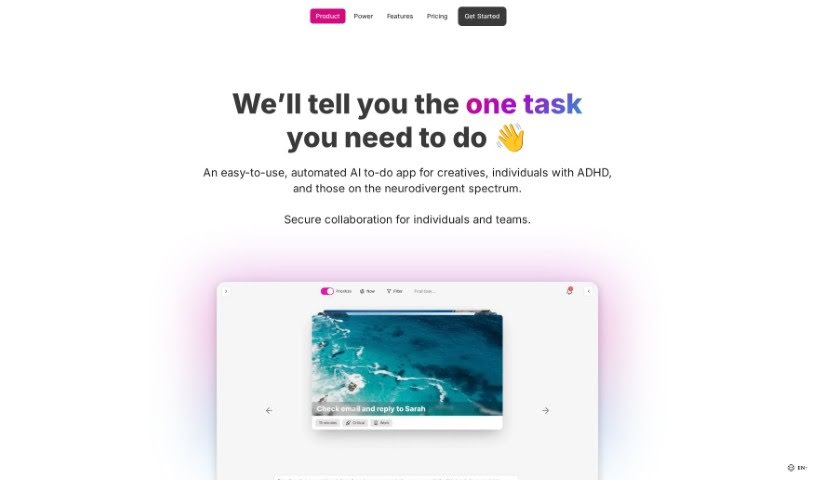
Screenshot of Simpler

Simpler

Discover Simpler, an AI to-do app for creatives and entrepreneurs, in 2025. Learn how its smart prioritization and clean interface can boost your productivity, and see how it stacks up against other project management tools.

Screenshot

What is Simpler?

Simpler is an AI-powered to-do app specifically designed for creatives and entrepreneurs. What makes it stand out is its ability to automatically prioritize your tasks for you. People really like it because it has a clean, easy-to-use interface, great task prioritization features, and helpful AI for scheduling. The whole idea behind Simpler is to make managing your tasks much less of a hassle, helping you focus on what’s most important right now to get more done. It’s really built with creative minds in mind – think visionary artists, neurodivergent thinkers, self-employed innovators, and busy executives. You can try it out for free, or opt for the Pro version, which unlocks more features like advanced task prioritization, the ability to manage multiple workspaces, AI-driven planning, AI document analysis, and generative AI capabilities. Plus, it connects with Google Calendar to help you schedule your tasks more smoothly.

Who created Simpler?

Simpler was developed by Anthony McGrath, a software developer. He created it as an AI to-do app aimed at creatives and entrepreneurs, focusing on automatically prioritizing tasks. The app has quickly become popular, largely thanks to its intuitive design and its fresh, innovative approach to managing what you need to do.

What is Simpler used for?

Simpler is designed to help you in several key ways:

  • Smart Prioritization: It uses AI to help you zero in on the tasks that will have the biggest impact.
  • Simplified Organization: Its user-friendly interface makes organizing your daily responsibilities a breeze.
  • Efficient To-Do Tracking: You can easily keep tabs on all your tasks.
  • Goal Achievement: It helps you set and reach your personal and professional goals.
  • Focus Enhancement: Simpler works to minimize distractions, which really helps boost your productivity.

Essentially, it helps you focus on high-impact tasks, keeps your daily to-dos neatly organized with its easy interface, makes tracking what you need to do simple, supports you in setting and achieving your goals, and cuts down on distractions to keep you productive.

Who is Simpler for?

Simpler is a great tool for a wide range of people, including:

  • Software developers
  • Creatives of all kinds
  • Small business owners
  • Startup founders
  • Employees in Fortune 500 companies
  • Entrepreneurs
  • Neurodivergent thinkers
  • Visionary artists
  • Self-employed innovators
  • Busy executives

How to use Simpler?

To get the most out of Simpler, here’s a simple guide:

  1. Sign Up: Start by heading over to the Simpler website and signing up for a free account. You don’t need a credit card to get started with the free version.
  2. Create Your Tasks: Begin by entering your tasks into the app. Simpler’s AI will then automatically prioritize them based on things like deadlines, how important they are, and your personal preferences.
  3. Leverage Smart Prioritization: Take advantage of Simpler’s AI technology. It’s designed to help you focus on those high-impact tasks, ensuring you’re always working on what truly matters most.
  4. Enjoy the User-Friendly Interface: You’ll find navigating the app really easy thanks to its user-friendly design, which makes organizing your daily responsibilities much simpler.
  5. Manage Tasks Efficiently: Keep track of everything you need to do without any fuss. Simpler is there to help you set and achieve your personal and professional goals.
  6. Achieve Your Goals: Use Simpler as your guide to effectively set and reach your goals, helping you move toward successful completion.
  7. Boost Your Focus: Simpler’s features are built to help you minimize distractions, which in turn can significantly increase your overall productivity.
  8. Stay Organized: Simpler helps you stay on top of your schedule by offering smarter planning and better task organization.
  9. Explore Premium Features (Pro): If you need more, consider upgrading to the Pro version. It offers extra features like custom elements and priority support.

By following these steps, you can really make the most of Simpler. It is your AI personal assistant, ready to help you manage tasks effectively and boost your productivity.

Related AI Tools

Discover more tools in similar categories that might interest you

Stay Updated with AI Tools

Get weekly updates on the latest AI tools, trends, and insights delivered to your inbox

Join 25,000+ AI enthusiasts. No spam, unsubscribe anytime.