AI Tools for Web Development

Discover the best Web Development AI tools to enhance your productivity and creativity.

Page 14 of 58 • 694 total tools

Web development has really changed lately, and AI tools are a big part of that. What used to take a lot of coding and design skill can now be made much simpler with smart programs that speed things up. Today, AI-assisted development tools are changing how we build websites, making it easier for newcomers and more efficient for experienced pros.

These tools offer everything from easy design features to help with writing code, letting you create great-looking, functional sites more quickly. Developers don’t have to start from scratch or fix every single line of code manually anymore. Instead, AI can offer suggestions and even create whole parts of a website based on what you need.

Having worked in web development for years, I’ve seen firsthand how AI can make tasks simpler and more efficient. But with so many options out there, picking the right tool can feel overwhelming.

In this article, I’ll share the best AI web development tools you can find right now. Whether you want to improve your coding, automate routine jobs, or make your design process better, there’s something here for you. Let’s explore the tools that can really change your web development experience.

The best AI Web Development Tools

  1. Lovable: Great for making frontend design work smoother.
  2. Cursor: Helps with real-time code collaboration.
  3. Replit AI: Generates code snippets for web apps.
  4. Supabase: For teams to manage databases together.
  5. v0 by Vercel: Quickly creates UI kits for web projects.
  6. Replicate AI: Automates code generation for web apps.
  7. Carrd: Perfect for a single-page site to promote an event.
  8. AI Dungeon: Lets you create interactive web stories with code.
  9. Ollama: For quickly building early versions of web interfaces.
  10. Jimdo: Makes building and managing websites easy.
  11. Code Sandbox: Simplifies CSS preprocessor workflows.
  12. Tilda: Lets you create websites easily without coding.
  13. Bubble: A drag-and-drop tool for building web applications.
  14. Weights & Biases: Streamlines integrating ML models into web apps.
  15. Warp Terminal: Helps deploy web apps quickly.

How do AI web development tools work?

AI web development tools use smart algorithms to handle different parts of designing and building websites. These tools often use large language models, much like AI writing software, to look at coding patterns and make things more efficient. They offer suggestions, code pieces, or even build whole sections of code based on what you tell them.

Basically, these tools understand what you’re asking for, so you can describe what you want in simple terms. For example, you could say, “Create a navigation bar,” and the AI will generate the HTML, CSS, or JavaScript code needed. This makes web development more accessible, even if you don’t have a lot of programming experience.

Many AI web development platforms connect with popular coding environments and content management systems. This means they can improve tools like WordPress, Wix, or GitHub by offering smart code completions or finding errors as you type. With these connections, users can really smooth out their development process.

The data these AI systems learn from usually includes tons of source code, guides, and content created by users on sites like GitHub. This helps them learn different coding styles and the best ways to do things. Their effectiveness comes from spotting patterns and suggesting the best solutions based on what the user needs.

In short, AI web development tools make coding simpler, letting developers focus on creativity and solving problems instead of getting stuck on syntax. As technology keeps changing, these tools are expected to get even better, likely changing how web developers work.

Our best AI web development tools at a glance

RankNameBest forPlans and PricingRating
1LovableMaking frontend design work smoother.N/A4.84 (43 reviews)
2CursorReal-time collaboration on code projects.Paid plans start at $20/Month.4.83 (6 reviews)
3Replit AIGenerating code snippets for web apps.N/A4.70 (44 reviews)
4SupabaseCollaborative database management for dev teamsN/A5.00 (32 reviews)
5v0 by VercelQuickly creating UI kits for web projects.N/A4.73 (11 reviews)
6Replicate AIAutomating code generation for web apps.N/A4.82 (11 reviews)
7CarrdA single-page site for event promotion.Paid plans start at $19/year.4.72 (29 reviews)
8AI DungeonCreating interactive web story experiences.N/A4.54 (39 reviews)
9OllamaRapid prototyping of web interfaces.N/A4.63 (8 reviews)
10JimdoBuilding and maintaining websites easily.N/A4.64 (11 reviews)
11CodeSandboxSimplifying CSS preprocessor workflows.N/A4.45 (11 reviews)
12TildaEffortless website creation without coding.N/A4.75 (20 reviews)
13BubbleA drag-and-drop web applications builder.N/A4.73 (11 reviews)
14Weights & BiasesStreamlining ML model integration in web apps.N/A4.50 (12 reviews)
15Warp TerminalDeploying web apps swiftly.N/A4.79 (28 reviews)
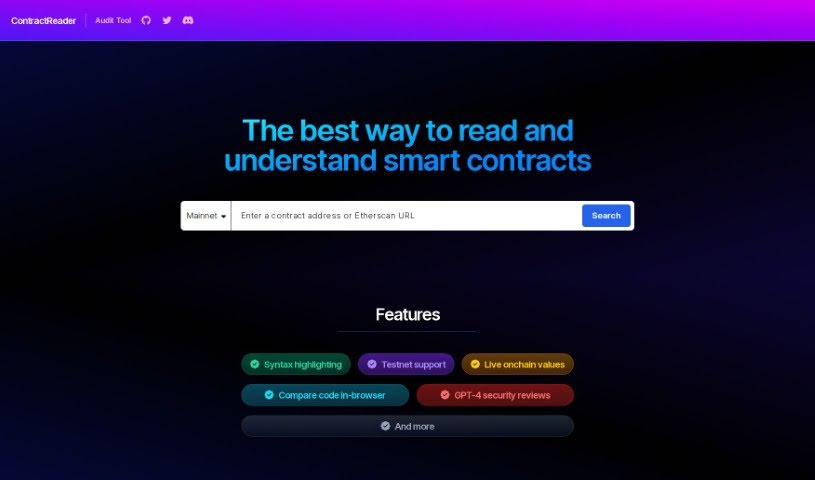
Screenshot of ContractReader

ContractReader

Freemium

ContractReader is a really handy audit tool designed to make understanding smart contracts much simpler. It offers a bunch of useful features, like syntax highlighting to make code easier to read, support for testnets, live onchain values, and even in-browser code comparison. Plus, it includes GPT-4 security reviews for an extra layer of analysis. You can just pop in a contract address or an Etherscan URL, and ContractReader will give you all the details. It works with lots of different networks, including Mainnet, Goerli, Sepolia, Optimism, Polygon, Arbitrum One, BNB Smart Chain, and Base, so it's pretty versatile. What really sets it apart, though, is its use of GPT-4 for in-depth security checks on smart contracts.

Web Development View Tool →
Screenshot of CookieChimp

CookieChimp

Freemium

CookieChimp is a smart platform that helps you manage cookies. It uses AI to automatically fill in cookie details and generate your cookie policy. You also get tools for managing user consent, real-time analytics, and options to customize the look and feel to match your brand. The main idea is to make getting user consent simple. It provides an easy-to-use widget so visitors can control their cookie preferences. This helps you stay compliant with privacy rules and gives your visitors the transparency and control they expect.

Web Development View Tool →
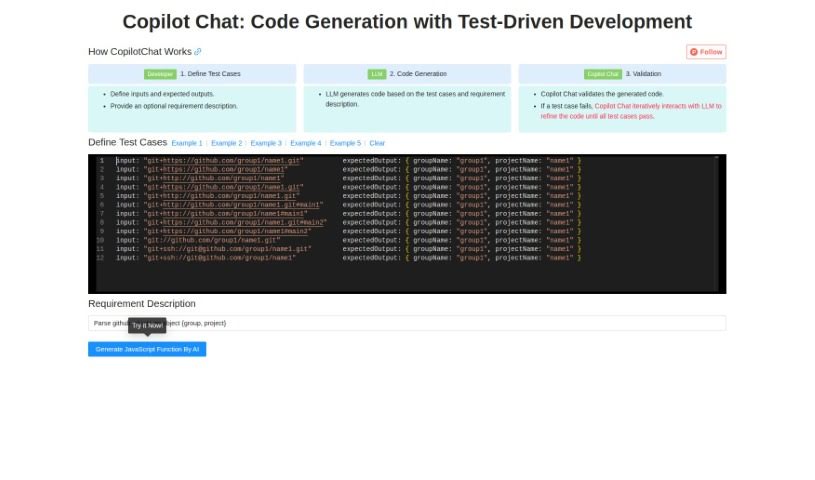
Screenshot of Copilotchat

Copilotchat

Freemium

Copilotchat is your AI coding assistant, specifically designed to make writing code much simpler, especially when you're following a Test-Driven Development (TDD) approach. It works in a straightforward, three-step process: first, you define your test cases; then, the AI engine, which is a type of Large Language Model (LLM), generates the code; and finally, it checks that code against your tests to make sure it's solid and accurate. This whole system is built to help developers work faster, cut down on coding mistakes, solve problems more quickly, and ultimately produce better quality code. Some of its standout features include the ability to code collaboratively, automatically validate your code, and it all comes in a really easy-to-use interface. Essentially, it uses AI to speed up how you write code, based on the test cases and descriptions you give it.

Web Development View Tool →
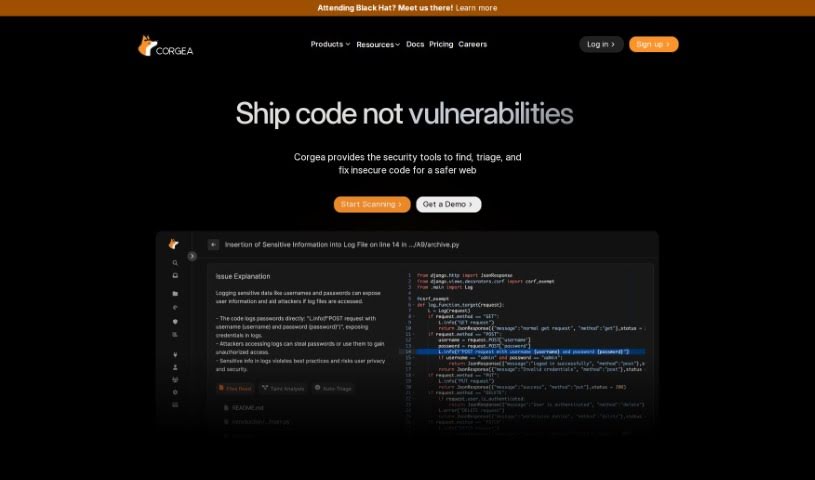
Screenshot of Corgea

Corgea

Freemium

Corgea is a really smart platform built to completely change how security teams deal with vulnerable code. It uses AI to help engineers fix code quickly and easily, cutting down on the need for lots of manual checks. Plus, it connects right up with popular places like GitHub, GitLab, and Bitbucket, which makes it super easy for developers to use. You can even sign up for free and start making your code more secure right away, saving a ton of time and resources. It is a way to save hours, boost efficiency, give your engineers more time for important work, get fixes done faster, and enjoy a user-friendly setup that works with many different coding languages. Corgea really offers a flexible way to manage security patches in today's fast-moving digital world.

Web Development View Tool →
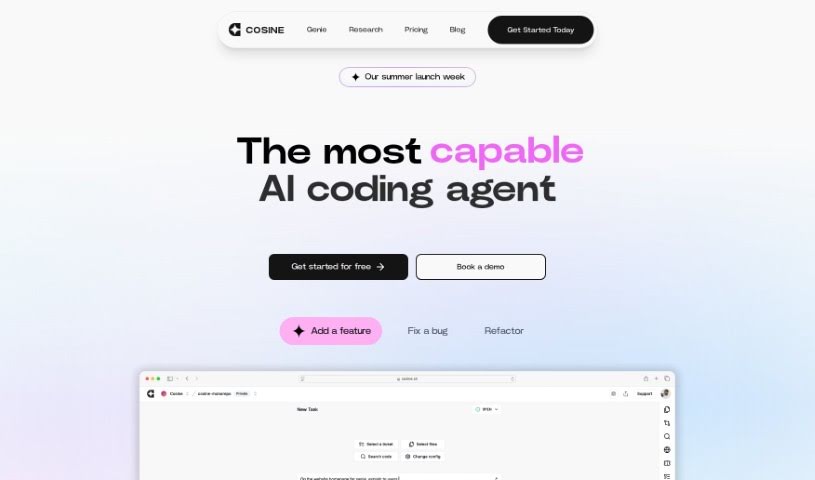
Screenshot of Cosine AI

Cosine AI

Freemium

Cosine AI is designed to give you a truly superhuman grasp of code. It achieves this by using semantic indexing, building codebase graphs, creating embeddings, and employing a custom model that's been trained on actual developer tasks. It's much more than just a simple wrapper model; Cosine AI offers a deep understanding of your code and can effectively mimic your team's unique coding style.

Web Development View Tool →
Screenshot of CostGPT AI

CostGPT AI

Freemium

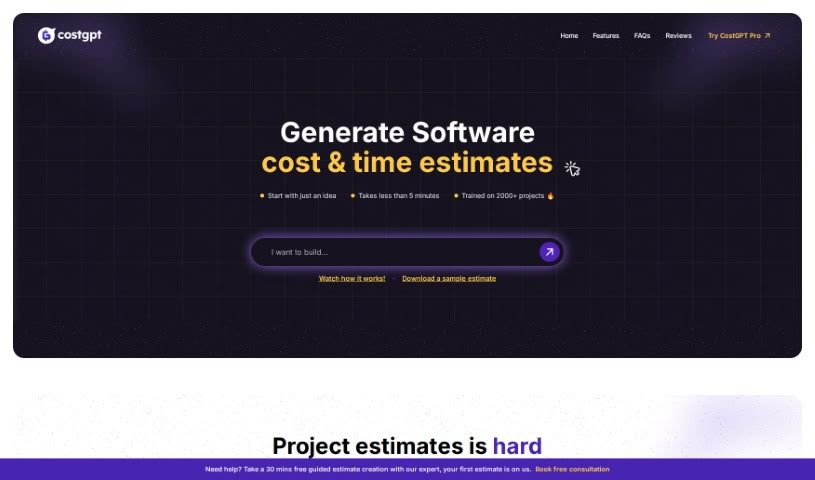
CostGPT is a smart tool designed to help estimate the costs and time involved in software development projects. It is an AI-powered assistant from Codebuddy that takes your software idea, or even a link to a similar project, and figures out what it might take to build. It doesn't just give you a number, though; it also suggests a suitable tech stack and lists the features you'd likely need. Just a heads-up: it's best not to share any sensitive or private information with CostGPT, as it's not built for that. It's made for everyone, whether you're a tech whiz or just starting out, but remember that any estimate is just that – an estimate. Software development can be tricky, and predictions always have some wiggle room.

Web Development View Tool →
Screenshot of Coze

Coze

Freemium

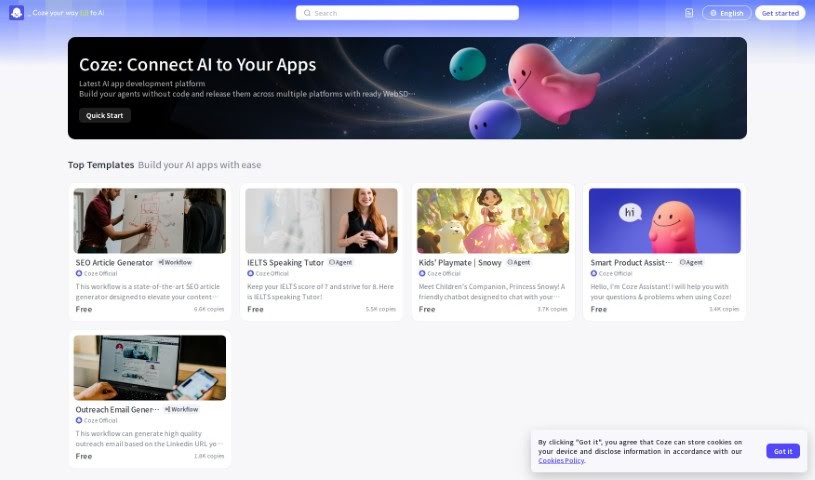
Coze is your go-to no-code AI bot builder. It's designed to help you bring your bot ideas to life really quickly, even if you've never written a line of code. You can build sophisticated bots, powered by advanced Large Language Models, and then easily share them on popular messaging apps like Discord, Telegram, or Slack. Coze makes it simple to create a chatbot and offers a fast-responding API for smooth deployment.

Web Development View Tool →
Screenshot of Create

Create

Freemium

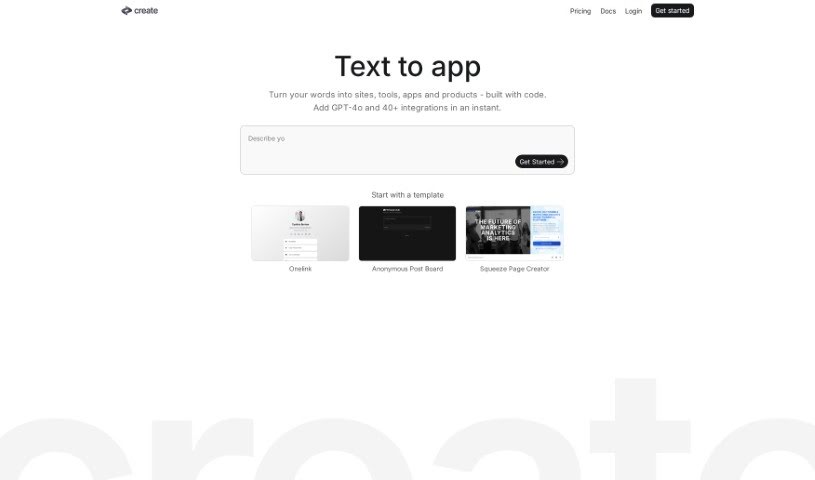
Create is a really neat app builder that uses AI to help you build websites, applications, and even individual components. What's cool is that you can do it all quickly and get the full code, too. You just tell it what you want, and you'll see your app come to life right then and there. Create uses AI, including GPT-4-Vision, to make the whole process super simple. This means you can easily tweak things, work with others, and get your apps published without a fuss. Create offers some great features like super-fast AI app building, a wide variety of templates to choose from, and a lively community of creators. Plus, they're always adding new features and making improvements, so it keeps getting better. You can even turn plain text into sites, components, and tools that are already built with code. It lets you make changes using everyday language, publish instantly, and build tools that can connect to any API you need. They also have lots of different templates and ways to integrate things to make building your app even better.

Web Development View Tool →
Screenshot of Crew AI

Crew AI

Freemium

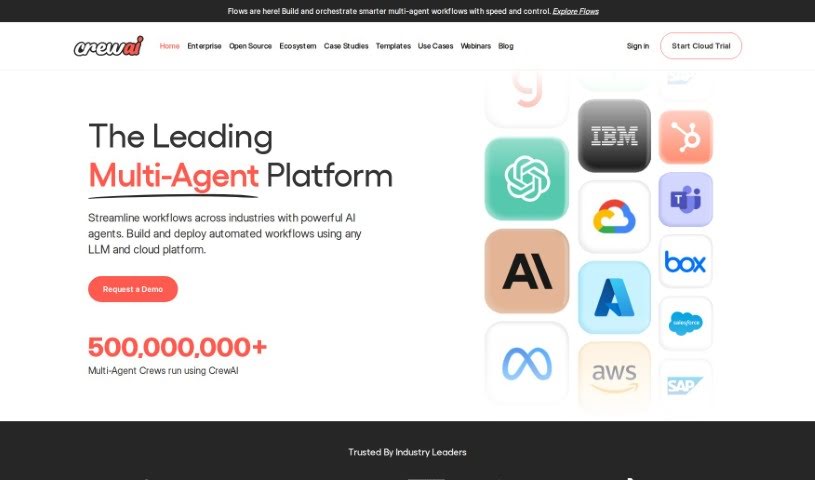
Crew AI is a really neat platform that makes it much simpler to get AI agents up and running, especially when you're working with multiple agents at once. It lets developers build real-world applications more easily, which is a big step up from older AI agent frameworks that could be pretty complicated. It's super popular too – they've already seen over 1.4 million multi-agent crews run in just one week! Crew AI offers a few different ways to get involved, whether you're an individual, a developer, or a larger enterprise. Through CrewAI+, you get a solid framework, all the documentation you could need, support from developers, and ways to connect with the community. Plus, it's designed with privacy and security in mind, running everything in its own isolated virtual private clouds (VPCs). You can also use pre-built templates to get started quickly, and you have options to customize the models you use, supporting providers like OpenAI, Google, Azure, and HuggingFace. If you want to dive deeper, joining the crewAI community on Discord is a great idea. You can get business support, access more advanced features, and collaborate with other developers. Basically, Crew AI is building an entire ecosystem focused on innovation and solving real problems using multi-agent AI systems.

Web Development View Tool →
Screenshot of Crit Design

Crit Design

Freemium

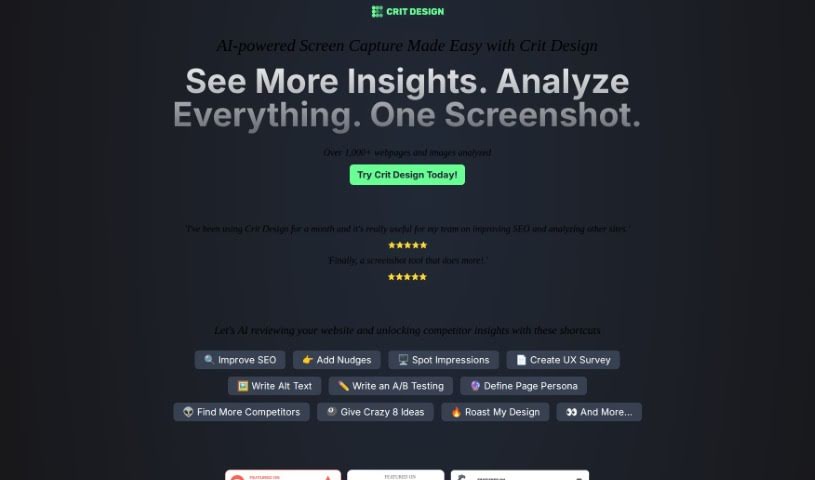
Crit Design is your AI design assistant, built right into your browser. It's a powerful extension designed to supercharge your creative workflow. How? By using advanced AI models like GPT4 Vision, Gemini Vision Pro, and LlaVa-34B to really dig into images, web pages, and even text. It makes analyzing designs a breeze, whether you need to quickly capture a screen, get ideas for design improvements, generate alt text to make your website more accessible, or even get a handle on what your competitors are doing and how to boost your SEO. If you're in design, development, or UX research, this tool can seriously speed up your decision-making and make your work more effective.

Web Development View Tool →
Screenshot of Cursor

Cursor

Freemium

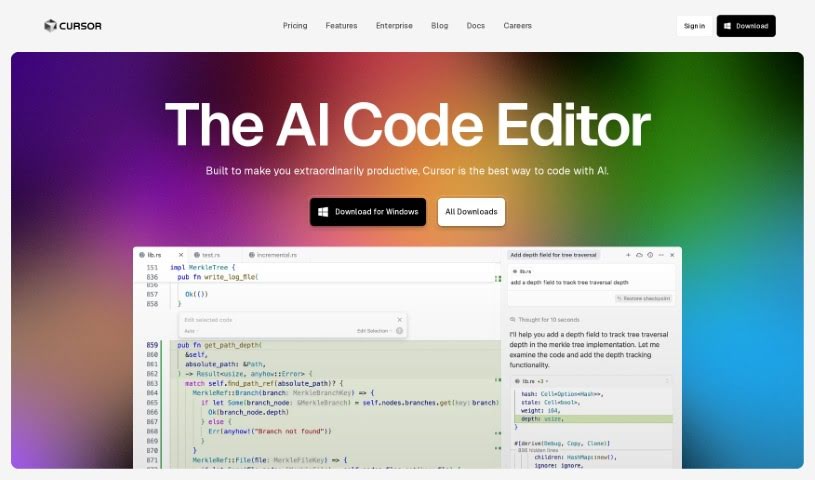
Cursor is an Integrated Development Environment (IDE) built specifically for AI-assisted pair programming. It is a smart coding partner that helps developers build software much faster. It comes packed with features like the ability to chat directly with your projects, edit code using plain English instructions, and even automatically fix bugs as you find them. What's really neat is that Cursor respects your privacy – your code stays on your machine and never goes to their servers. Plus, if you're already using VSCode, migrating your settings, extensions, and themes is a breeze with just one click. You can grab Cursor for Mac right from their website.

Web Development View Tool →
Screenshot of Dappslap

Dappslap

Freemium

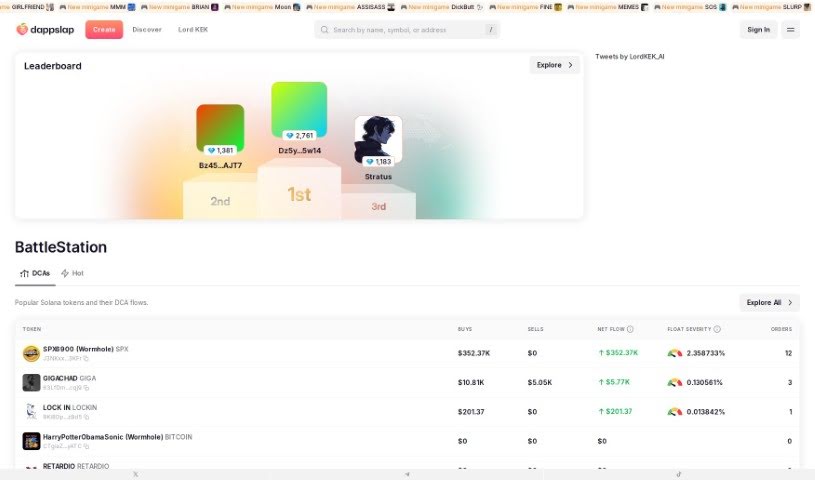
Dappslap is a really neat AI tool that lets you build Web3 dApps (decentralized applications) super fast, just by typing in a prompt. It is a way to instantly bring your Web3 ideas to life. It’s designed to speed up how you create dApps, letting you develop them based on what you describe, and it really encourages you to get creative in the Web3 space. Plus, it makes development much more efficient, handles account management smoothly, and takes away a lot of the usual complexity, meaning you don't need to know how to code at all.

Web Development View Tool →

Stay Updated with AI Tools

Get weekly updates on the latest AI tools, trends, and insights delivered to your inbox

Join 25,000+ AI enthusiasts. No spam, unsubscribe anytime.