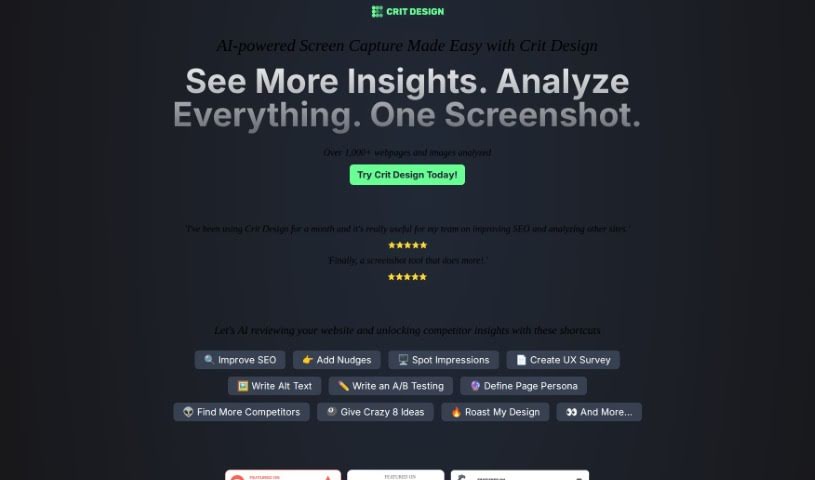
Screenshot of Crit Design

Crit Design

Discover Crit Design, an AI-powered browser extension designed to boost your creative process. Learn its features, how it helps with design analysis, competitor research, SEO, and accessibility in 2025. See how it stacks up against other web design tools.

Screenshot

What is Crit Design?

Crit Design is your AI design assistant, built right into your browser. It’s a powerful extension designed to supercharge your creative workflow. How? By using advanced AI models like GPT4 Vision, Gemini Vision Pro, and LlaVa-34B to really dig into images, web pages, and even text. It makes analyzing designs a breeze, whether you need to quickly capture a screen, get ideas for design improvements, generate alt text to make your website more accessible, or even get a handle on what your competitors are doing and how to boost your SEO. If you’re in design, development, or UX research, this tool can seriously speed up your decision-making and make your work more effective.

Who created Crit Design?

A team of dedicated developers and designers brought Crit Design to life. They launched the company on December 17, 2023, with the goal of creating an AI browser extension that truly helps with design tasks. They’ve integrated powerful technologies like the GPT4 Vision Model, Gemini Vision Pro, and LlaVa-34B to make it happen. Essentially, the tool is all about making your design workflow smoother by offering quick, precise analysis of images, web pages, and text, helping you make better design choices faster and more easily.

What is Crit Design used for?

Crit Design is incredibly versatile and can help you with a bunch of things:

  • Understand Your Competition: Get a feel for what your competitors’ users might be like.
  • Boost Accessibility: Automatically generate ALT text for your images, making your website accessible to more people.
  • Improve SEO: Help your website rank higher by analyzing design elements that impact search engines.
  • A/B Testing: Create different text options for your designs to see what performs best.
  • Analyze Competitors: Dive deep into what your competitors are doing.
  • Enhance Website Accessibility: Make sure everyone can use your site easily.
  • Speed Up Decisions: Get insights quickly so you can move forward faster.
  • Get Design Ideas: Receive suggestions to help you improvise and improve your designs.
  • Competitor Analysis: Get a clear picture of the competitive landscape.
  • UX Research: Support your user experience research with quick, insightful analysis.
  • Image Accessibility: Generate ALT text for images to improve accessibility.
  • SEO Performance: Analyze design elements to boost your search engine ranking.
  • A/B Testing Text: Create variations of text for testing design components.
  • Identify New Competitors: Spot and analyze emerging competitors.
  • Alt Text for Accessibility: Generate alt text to make your website more accessible.
  • Screen Capture for Analysis: Easily capture screens for detailed review.
  • UX Research Support: Analyze images, webpages, and text quickly for your UX research.
  • Webpage Analysis: Get a thorough design assessment of entire webpages.
  • Accessibility Enhancement: Generate alt text to make your site more accessible.
  • SEO Improvement: Analyze design elements to improve your search engine presence.
  • Competitor Research: Conduct in-depth competitor analysis.
  • UX Research Aid: Analyze images, webpages, and text to assist your UX research.

Who is Crit Design for?

Crit Design is a great tool for:

  • Design professionals
  • Developers
  • UX Researchers
  • Anyone working in development or UX research roles

How to use Crit Design?

Using Crit Design is pretty straightforward. Just follow these simple steps:

  1. Capture or Upload an Image: You can either capture your current browser screen or upload an image directly from your computer.
  2. Ask the AI for Assistance: Once you have your image, just ask the AI to review it, offer suggestions, analyze it, or even create ALT text for you. It can handle a variety of requests.
  3. Receive Detailed Analysis: In just a few seconds, you’ll get comprehensive analysis results. This quick process is designed to help you make design decisions faster and create UX reports much more easily.

What really sets Crit Design apart from something like ChatGPT Plus is how streamlined it is. With just three simple steps, it makes design analysis faster and much simpler. It’s a real help for professionals in design, development, and UX research, assisting with things like competitor analysis, improving SEO, creating A/B testing text, and so much more. Just remember, Crit Design is currently a browser extension, which really simplifies capturing, uploading, and analyzing images for immediate, actionable insights.

Related AI Tools

Discover more tools in similar categories that might interest you

Stay Updated with AI Tools

Get weekly updates on the latest AI tools, trends, and insights delivered to your inbox

Join 25,000+ AI enthusiasts. No spam, unsubscribe anytime.