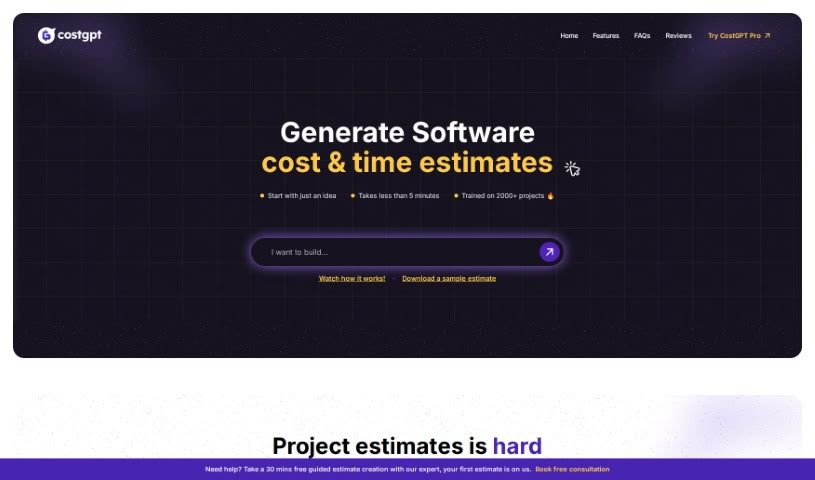
What is CostGPT AI?
CostGPT is a smart tool designed to help estimate the costs and time involved in software development projects. It is an AI-powered assistant from Codebuddy that takes your software idea, or even a link to a similar project, and figures out what it might take to build. It doesn’t just give you a number, though; it also suggests a suitable tech stack and lists the features you’d likely need. Just a heads-up: it’s best not to share any sensitive or private information with CostGPT, as it’s not built for that. It’s made for everyone, whether you’re a tech whiz or just starting out, but remember that any estimate is just that – an estimate. Software development can be tricky, and predictions always have some wiggle room.
Who created CostGPT AI?
CostGPT was developed by Codebuddy, a company that focuses on creating AI-driven solutions. Essentially, it’s an AI tool that acts as a Software Development Cost Estimator. It’s designed to give you a good idea of both the cost and the time needed for your software projects. Beyond just numbers, CostGPT can also recommend a tech stack and outline the features you’ll need to build your software. It first became available on December 7, 2023, and it’s built to be user-friendly for people with all sorts of technical backgrounds.
What is CostGPT AI used for?
CostGPT is really handy for a bunch of things related to planning software projects:
- Estimating Costs: It helps you figure out how much a software project might cost.
- Estimating Time: You can get an idea of how long development might take.
- Tech Stack Suggestions: It can recommend the right technologies to use.
- Feature Lists: It provides a list of features you’ll likely need.
- Cost Breakdowns: You get a detailed look at where the costs come from.
- Timeline Estimates: It helps map out a project timeline.
- Deliverables: You can see what the expected outcomes are.
- Functionality Listing: It outlines what your software will be able to do.
- Dependencies Mapping: It shows how different parts of the software connect.
- Time in Hours: Get estimates for how many hours specific tasks might take.
- Idea to Estimate: It can quickly turn your initial idea into a cost estimate.
- Project Costing: It’s great for estimating the overall costs of software development projects.
- Project Time Requirements: It helps gauge the time needed for development.
- Tech Stack Recommendations: It suggests the best tech stack for your projects.
- Necessary Features: It lists the features essential for building software.
- Cost & Timeline Breakdowns: Offers detailed breakdowns of both costs and timelines.
- Handling Uncertainty: It acknowledges and helps manage the uncertainties that come with predicting software development costs and timelines.
- Analyzing Ideas/URLs: It can analyze your software idea descriptions or even URLs to generate estimates.
- Detailed Estimates: Provides estimates that are based on data from many past projects.
- User-Friendly Platform: It’s designed to be easy for anyone to use when estimating software projects.
- Information Caution: It advises users to be careful with sensitive or confidential information.
- Estimate Costs & Timelines: It’s a go-to for estimating both the cost and timeline of software development projects.
- Comprehensive Breakdowns: Generates detailed breakdowns of project costs.
- Tech Stack Recommendations: Offers suggestions for your tech stack.
- Essential Features: Lists the features that are necessary for building your software.
- Functionality Listing: Details the functions your software will perform.
- Dependencies Mapping: Helps you understand how different components rely on each other.
- Action Recommendations: Suggests next steps after you receive your estimates.
- Timeline Estimation: Provides an estimated timeline for software development.
- Feature Suggestions: Offers ideas for features for your proposed software.
- Prediction Uncertainty: It’s designed to handle the inherent uncertainty in predictions.
Who is CostGPT AI for?
CostGPT is a valuable tool for a variety of professionals in the software development world:
- Software developers
- Front-end developers
- Back-end developers
- UI/UX Designers
- Quality Analysts
How to use CostGPT AI?
Using CostGPT is pretty straightforward. Just follow these steps:
- Provide Your Input: Start by giving CostGPT a good description of your software idea, or you can even share a link to a similar project. The AI will then analyze this information.
- Generate an Estimate: Once CostGPT processes your input, it will give you a comprehensive estimate covering both the cost and the time needed. This will also include a suggested tech stack and a list of features you’ll likely need.
- Review Carefully: It’s important to look at the results with a bit of caution. While CostGPT uses data from many projects, remember that software development predictions can have some uncertainty.
- See the Details: You’ll get a detailed breakdown of costs, a timeline, what deliverables to expect, and recommendations for the tech stack that would suit your project.
- Understand Functionalities: CostGPT will also list the functionalities your software can perform, giving you a clearer picture of its capabilities.
- Map Dependencies: You’ll receive a list that maps out how different features interact and depend on each other.
- Keep it Safe: Remember not to input any sensitive information, as CostGPT isn’t designed to handle that kind of data.
- Plan Your Next Steps: Use the estimate to get a good sense of your project’s scope, time, and cost. If you’re ready to move forward, you can reach out to Codebuddy, the company behind CostGPT.
- It’s User-Friendly: CostGPT is designed to be intuitive, so it’s easy to use no matter your technical skill level.
- Time Estimates Provided: You’ll get time estimates to help you understand the duration required for your software development projects.
Ultimately, when you’re using CostGPT for software development cost estimation, it’s really important to think carefully and analyze the results. It’s a great starting point for planning!