AI Tools for Education

Discover the best Education AI tools to enhance your productivity and creativity.

Page 21 of 63 • 746 total tools

Education is changing fast, and technology is leading the way. From online classes to immersive learning, digital tools are transforming how we teach and learn. Among these, AI tools are really making a difference, offering personalized learning support like never before.

Imagine a classroom where every student gets resources made just for them. Adaptive learning platforms can change content based on how a student is doing, and AI tutors can give instant feedback. The possibilities are huge.

But, not all AI tools are the same. With so many options out there, it can feel overwhelming for teachers and students to find the ones that truly help. That’s why I spent time looking into and testing the best AI tools for education.

In this guide, you’ll find a handpicked list of apps and platforms designed to improve learning and make the educational process smoother. Let’s explore the best AI resources that can make your teaching and learning experience better.

The best AI Education Tools

  1. Grammarly: Helps monitor grammar in student essays.
  2. Duolingo: Offers a personalized language learning experience.
  3. Quill Bot: Aids in paraphrasing for better understanding.
  4. ZeroGPT: Provides AI-based homework assistance.
  5. Duplichecker: Checks student papers for originality.
  6. NotebookLM: Acts as a smart study companion for students.
  7. Turnitin: Helps verify academic integrity.
  8. Chegg: Offers homework help and study resources.
  9. GPTZero: Ensures authenticity in student submissions.
  10. Grammarly AI Plagiarism Checker: Helps maintain academic integrity in assignments.
  11. LanguageTool: Enhances student writing skills.
  12. QuillBot Paraphrasing Tool: Effectively rephrases study materials.
  13. Gauth: Provides STEM-focused live tutoring support.
  14. NoteGPT: Creates flashcards from study materials.
  15. Undetectable AI: Helps create personalized learning resources.

How do AI education tools work?

AI education tools use artificial intelligence to improve learning. Basically, they use algorithms that look at lots of educational content, how students interact, and test results. This lets the software adapt to each student’s learning style and speed, offering personalized help.

These tools often have features like intelligent tutoring systems. They act like one-on-one instruction, giving specific feedback and guidance. By checking how students perform, AI can suggest resources or change lessons to fix any understanding gaps.

Natural language processing (NLP) is also key. It lets these tools understand and respond to student questions right away. By grasping context and intent, AI education platforms can help with discussions, explain concepts, and even grade writing.

Plus, AI education tools collect data on how engaged learners are and how they progress over time. This data analysis not only helps adjust lessons as needed but also gives educators insights into how the class is doing, helping them improve their teaching.

Many AI platforms are made to work smoothly with the educational technology already in place. Whether it’s through learning management systems or online courses, they make learning more accessible and streamlined. They let students learn at their own pace, wherever they are.

As schools continue to adopt technology, AI tools will become even more important and effective in learning environments. These innovations can change traditional teaching methods and make learning more engaging and successful for students everywhere.

Our best AI education tools at a glance

RankNameBest forPlans and PricingRating
1Grammarlymonitoring grammar in student essaysPaid plans start at $12/month.4.81 (27 reviews)
2Duolingopersonalized language learning experienceN/A4.80 (20 reviews)
3QuillBotparaphrasing for better understandingN/A4.68 (19 reviews)
4ZeroGPTAI-based homework assistanceN/A4.75 (12 reviews)
5Duplicheckerchecking student papers for originalityN/A4.73 (11 reviews)
6NotebookLMsmart study companion for studentsN/A4.73 (11 reviews)
7Turnitinverifying academic integrityN/A4.67 (12 reviews)
8Chegghomework help and study resources.N/A4.67 (9 reviews)
9GPTZeroensuring authenticity in student submissions.Paid plans start at $10/month.4.75 (12 reviews)
10Grammarly AI Plagiarism Checkerensuring academic integrity in assignments.N/A4.79 (14 reviews)
11LanguageToolenhancing student writing skillsN/A4.73 (11 reviews)
12QuillBot Paraphrasing Toolrephrasing study materials effectively.N/A4.84 (51 reviews)
13GauthSTEM-focused live tutoring supportN/A4.67 (21 reviews)
14NoteGPTcreate flashcards from study materialsPaid plans start at $2.08/month.4.81 (42 reviews)
15Undetectable AIpersonalized learning resource creationN/A4.64 (11 reviews)
Screenshot of Gimme Summary Ai

Gimme Summary Ai

Freemium

Gimme Summary AI is a handy Chrome extension that uses ChatGPT AI to give you quick, accurate summaries of web articles. It is a way to get the main points of anything you're reading online with just a single click. This really helps save time and makes you more productive. It’s not just pulling out keywords, though; it actually uses ChatGPT to understand the article and create summaries that make sense in context. Plus, you can choose how long you want the summary to be and even save them neatly for later. It’s a really flexible tool for getting through information efficiently.

Screenshot of Ginger Software

Ginger Software

Freemium

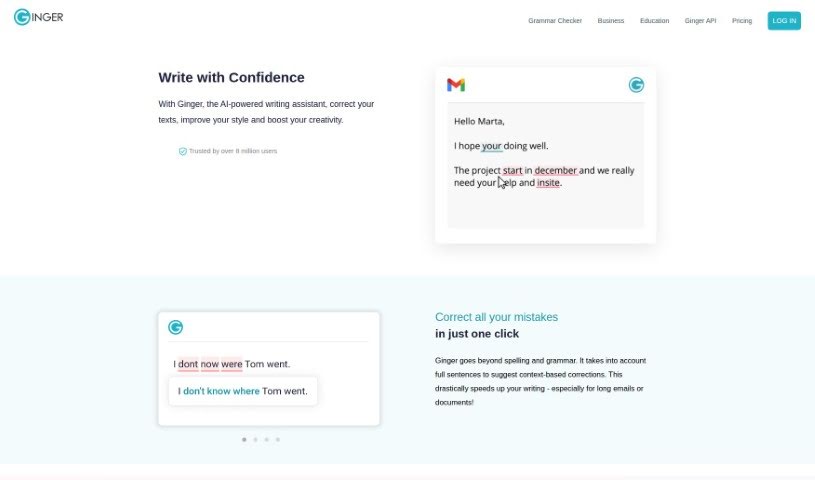
Ginger Software is a popular writing enhancement platform designed to help you improve your writing skills and communicate more effectively. It offers a variety of features, including grammar checking, sentence rephrasing, translation, and a personal dictionary, all aimed at helping you write more clearly and confidently. Thanks to its user-friendly interface and advanced algorithms, Ginger Software can help you catch and fix grammar mistakes, punctuation errors, and other language issues. It's a really useful tool for students, professionals, and really anyone who wants to make their written communication shine. Ultimately, Ginger Software wants to give you the tools and resources you need to create written content that's clear, makes sense, and is completely error-free.

Screenshot of Ginger Software Grammar Check

Ginger Software Grammar Check

Freemium

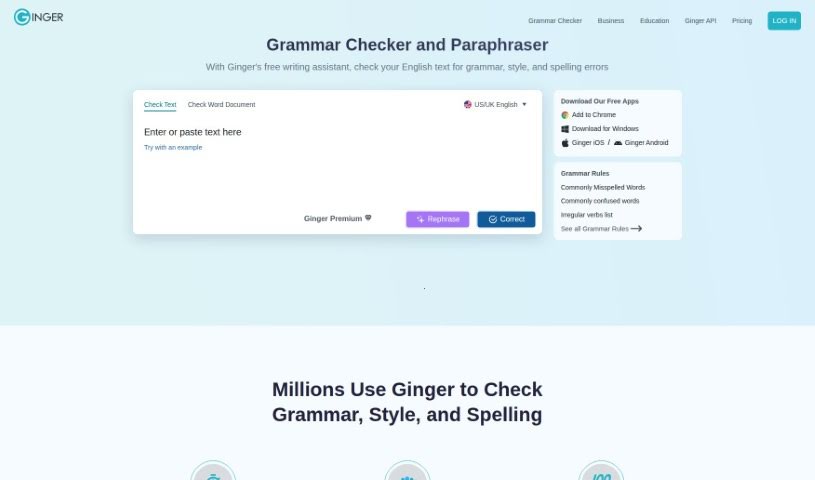
Ginger's Grammar Check is more than just a basic grammar corrector; it's a comprehensive writing assistant. It actually includes features like rephrasing to help you improve your writing quality, going beyond what typical grammar checkers offer. With a user base of over 8 million people, Ginger is designed to help everyone – students, casual writers, professionals, and those learning English – really boost their writing skills. This tool works smoothly across many different applications you might already use, like Microsoft Word, your email client, and even Slack. It provides a focused environment so you can write clearly and with confidence, without distractions. Ginger brings together grammar checking, spell checking, and punctuation correction, all powered by advanced AI. It suggests different ways to phrase things, aiming for more effective and creative writing, making it a truly all-in-one writing tool.

Screenshot of Gist Ai

Gist Ai

Freemium

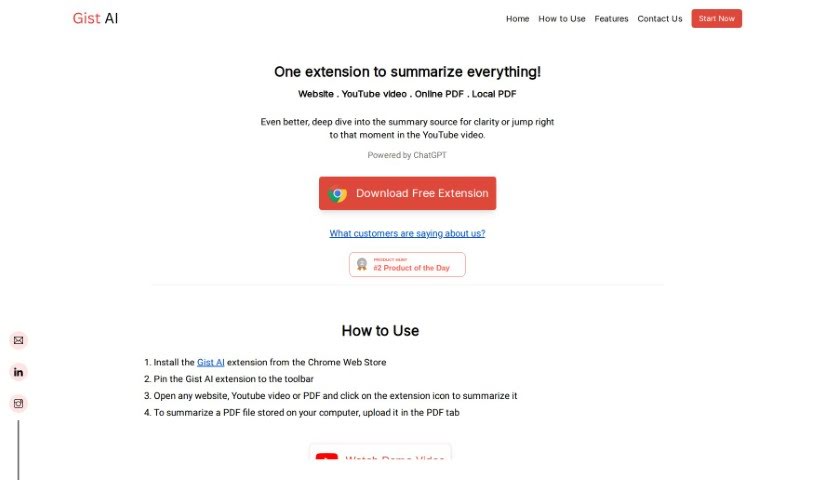
Gist AI is a handy tool that uses ChatGPT to help you quickly get the main ideas from websites, YouTube videos, and PDFs. It is a smart assistant that pulls out the most important points from articles, videos, and documents for you. It really speeds up the process of understanding long texts, especially PDFs, by using smart technology to find and extract key information. Gist AI also makes sure the summaries it creates are original, thanks to ChatGPT, so you don't have to worry about plagiarism. Still, it's always a good idea to give the original content a quick look yourself, just to be sure.

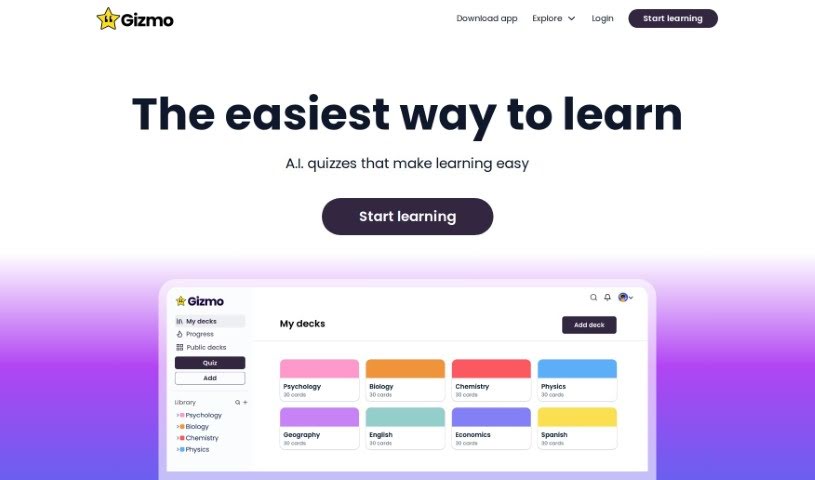
Screenshot of Gizmo

Gizmo

Freemium

Gizmo is an AI tool built to make learning stick. It helps you avoid forgetting what you've learned by giving you structured quizzes over time. How does it do this? Well, it uses smart techniques like spaced repetition and active recall. Basically, it prompts you to pull information from your memory at just the right moments, really strengthening how well you remember things. Gizmo also gets personal; it uses AI to tailor quizzes specifically for you, adapting to your unique learning style and progress. This means it can focus on the areas where you need a little more practice and build on what you already know well. Its smart algorithm even adjusts how tough the questions are based on how you're doing, making sure you're always challenged just enough to keep improving. Plus, you can easily see how you're doing with Gizmo's progress tracking and performance analytics. If you're tired of forgetting things and want to really lock in your knowledge, Gizmo's interactive quizzes and personalized reminders are a great way to go.

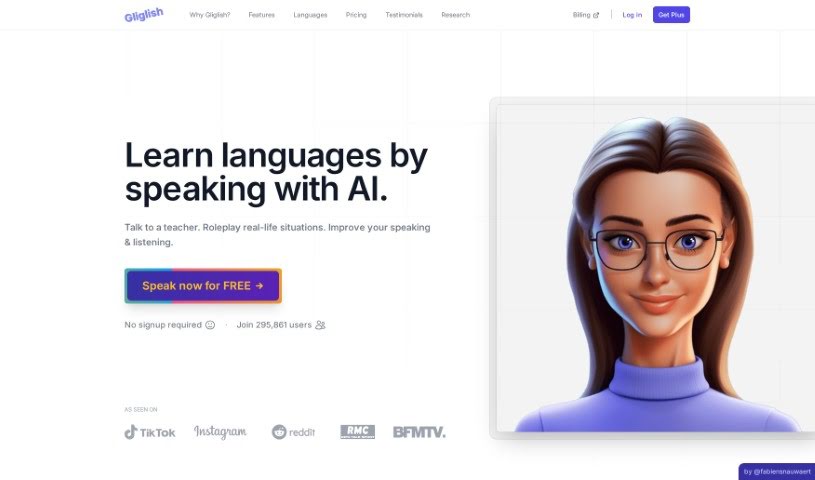
Screenshot of Gliglish

Gliglish

Freemium

Gliglish is a really neat web app, created by Fabien Snauwaert and run by Click & Speak Pte. Ltd., a company based in Singapore. It is your own personal AI language teacher. It's designed to help you learn new languages by having interactive conversations. The app uses smart technology, powered by ChatGPT, to let you practice real-life chats at your own speed. You get instant feedback on your grammar, can ask questions in the language you're learning or your native tongue, use translations when you need them, and even try out different role-playing scenarios. Gliglish supports a bunch of languages, including English (US, UK, Australia), French, German, Italian, Portuguese (both Brazilian and European), and Spanish (both from Spain and Mexico). Best of all, it's free to use on both your phone and computer, though there's a premium subscription if you want even more practice time.

Screenshot of Glosa

Glosa

Freemium

Glosa is a smart language learning tool that uses AI to create personalized, adaptable, and really immersive courses. It’s designed to fit your unique learning style and how fast you pick things up. You get lessons that adjust just for you, instant feedback to help you improve, and cool features like object recognition to boost your vocabulary. You can even learn several languages at once – think Chinese, Spanish, and French – and keep an eye on how you're doing in each one. Glosa really makes language learning personal by adapting to your pace and style, helping you set specific learning goals, and giving you real-time updates on your progress. It uses advanced AI technology to make learning better, with interactive features for practicing conversations and getting instant feedback, plus that neat object recognition tool to help you learn new words.

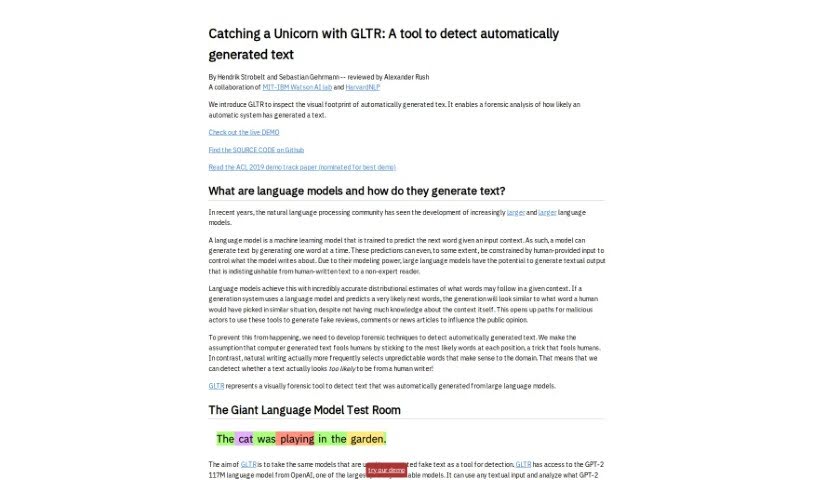
Screenshot of GLTR

GLTR

Freemium

GLTR, or 'Catching Unicorns With GLTR,' is a really interesting tool that came out of the MIT-IBM Watson AI lab and HarvardNLP. Its main job is to spot text that's been automatically generated, specifically using OpenAI's GPT-2 language model. Think of it like a highlighter for AI-written words. It shows you how likely each word in a piece of text is to have been generated by a computer, using a color-coded system. The goal here is to make it easier for everyone, even if you're not an AI expert, to tell artificial text apart from human writing, which really helps with transparency and trusting the information we read.

Screenshot of Goatstack

Goatstack

Freemium

GoatStack is a smart tool that uses Artificial Intelligence to help you get personalized newsletters. It is your personal AI assistant for scientific papers. It scans and analyzes thousands of scientific papers every single day, specifically looking for insights that match what you're interested in. The AI Agent at its core reads over 4000 papers daily, picks out the most crucial ones based on your preferences, and then turns them into easy-to-digest newsletters. The best part? These newsletters are designed so you can get the key information in under three minutes. You can really fine-tune what you receive by telling GoatStack how specific or general you want the topics to be. It covers a whole range of AI topics, from exciting breakthroughs and new techniques to the challenges the field faces and details about different AI models. GoatStack also offers different plans – a Free option, a Pro plan, and a Business tier. The higher tiers give you extras like no ads, the ability to include videos, and integrations with tools like Atlassian and Gitlab. Plus, GoatStack encourages community interaction with AI paper reading events, giving users a chance to learn and chat about scholarly topics together.

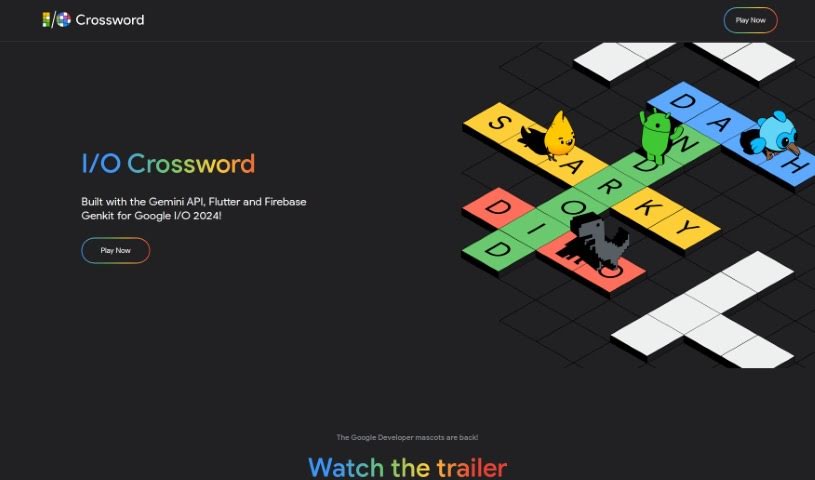
Screenshot of Google I/O Crossword

Google I/O Crossword

Freemium

Google's "I/O Crossword" is a really neat project that was built for Google I/O 2024. It uses the Gemini API, Flutter, and Firebase Genkit to create a fun, interactive crossword puzzle. It's not just a game, though! You can also check out the Learning Pathway to see exactly how it was put together. This pathway gives you all the details you need to build similar projects yourself, using Flutter and Firebase Genkit. You'll find helpful Codelabs, informative blogs, and instructional videos there. Plus, if you're a developer who likes to peek under the hood, the whole project is open source. You can find the code on GitHub and really dig into how it works. Essentially, this project is a fantastic example designed to inspire developers to start building with the Gemini API and explore some really cool, modern development techniques.

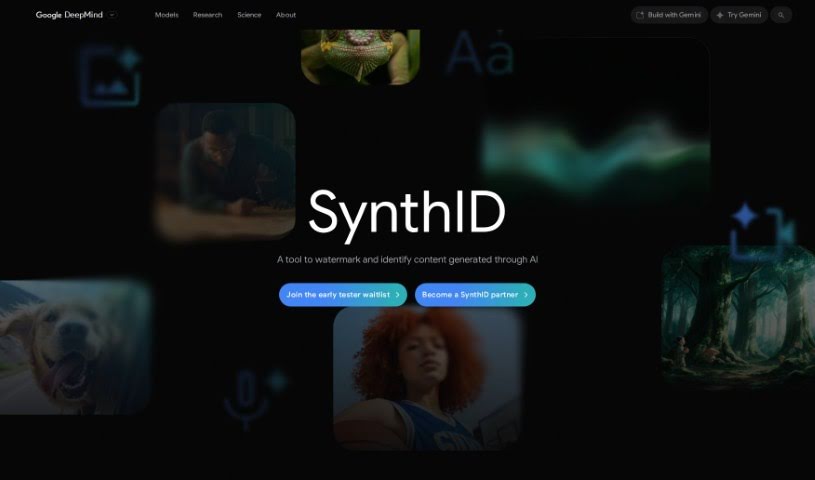
Screenshot of Google SynthID

Google SynthID

Freemium

SynthID is a smart tool for watermarking and identifying content that's been created by AI. It works by embedding digital watermarks directly into AI-generated images, audio, text, or video. This technology helps you figure out if content, or even just a part of it, was made using Google's AI tools. SynthID's watermarking method is pretty clever: it's completely unnoticeable to us humans, but it's easily detectable when you need to identify it. This is a big deal because it tackles the challenge of watermarking AI-generated text without messing with its quality or accuracy. By using deep learning models and clever algorithms, SynthID can scan all sorts of content for these digital watermarks, which really helps ensure authenticity and makes it easier to spot AI-generated material. This innovative toolkit is still in its early stages (beta), but it looks really promising for building more trust in the information we see and for tackling important AI safety concerns.

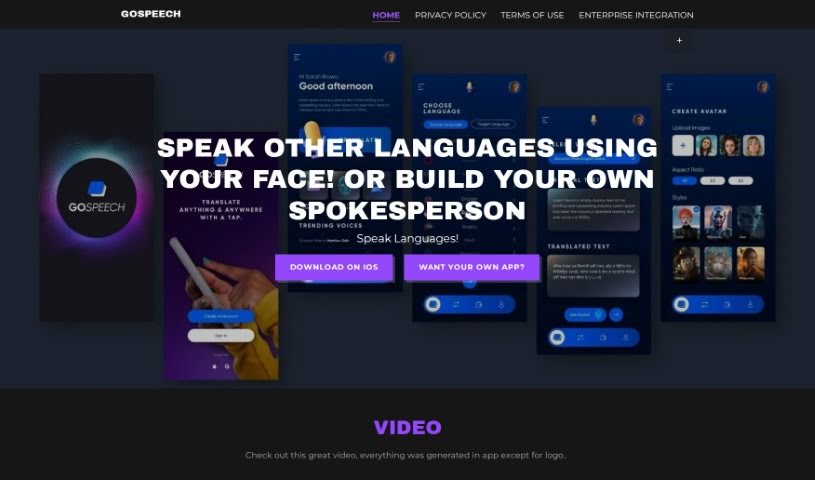
Screenshot of Gospeech

Gospeech

Freemium

GoSpeech is a really neat language translation app that lets you chat with people in different languages. What's cool is you can use your own face, AI avatars, or even AI spokespersons to communicate. This makes talking across cultures much easier and it's a fantastic way to learn languages through actual, interactive conversations. On top of that, GoSpeech is doing some great work for a good cause: a portion of the money made from the app goes towards helping underprivileged children get an education and ensuring they have enough to eat. The app uses some pretty advanced tech for facial recognition in translation, and honestly, it's just plain fun if you're looking to pick up a new language.

Stay Updated with AI Tools

Get weekly updates on the latest AI tools, trends, and insights delivered to your inbox

Join 25,000+ AI enthusiasts. No spam, unsubscribe anytime.