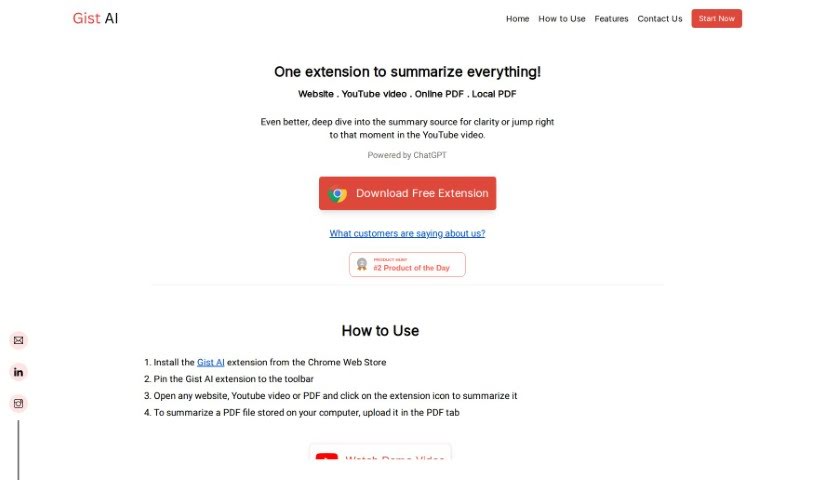
Screenshot of Gist Ai

Gist Ai

Discover what Gist AI is and how to use it effectively in 2025. We'll explore its features and see how it stacks up against other PDF chat tools.

Screenshot

What is Gist AI?

Gist AI is a handy tool that uses ChatGPT to help you quickly get the main ideas from websites, YouTube videos, and PDFs. It is a smart assistant that pulls out the most important points from articles, videos, and documents for you. It really speeds up the process of understanding long texts, especially PDFs, by using smart technology to find and extract key information. Gist AI also makes sure the summaries it creates are original, thanks to ChatGPT, so you don’t have to worry about plagiarism. Still, it’s always a good idea to give the original content a quick look yourself, just to be sure.

What’s great is that Gist AI is completely free and can handle content of any length. Whether it’s a long article, a lengthy YouTube video, or a big PDF, Gist AI can summarize it. You can even “deep dive” into the original material if you want a more thorough understanding, or if you’re watching a YouTube video, you can jump straight to specific parts. People really like Gist AI because it’s so efficient at turning big documents into quick, easy-to-grasp insights, making complex information much more understandable.

Who created Gist Ai?

Gist AI is a free tool developed by a team that really cares about your privacy and keeping your data safe. They don’t collect any personal information, so you can use the tool with confidence. Gist AI uses ChatGPT to do its summarizing, making it easy for you to get accurate summaries from websites, YouTube videos, and PDFs. A standout feature is its ability to pull out the key points from all sorts of sources, and you can also explore the original content more deeply if you need to.

What is Gist Ai used for?

Here’s a rundown of what Gist AI is great for:

  • Summarizing YouTube videos: Get the gist of a video without watching the whole thing.
  • Summarizing websites: Quickly understand articles and web pages.
  • Summarizing online PDFs: Access key information from documents found on the web.
  • Summarizing PDFs on your device: Easily get summaries of files you’ve saved.
  • Deep-diving into summaries: Explore the source material for more context and clarity.
  • Jumping to specific moments in YouTube videos: Skip ahead to the parts that matter most.
  • Improving comprehension: Break down long content into smaller, more manageable chunks.
  • No length restrictions: Summarize content of any size.
  • Privacy-focused: It’s safe to use, with respect for your privacy.
  • Completely free: An AI summarizer that costs nothing.
  • Extracting key points: Get the most important information from long articles, essays, blogs, contracts, research papers, and even resumes.
  • Reading more details: Access further information about the summary’s source.
  • Saving time: Quickly identify and extract the most crucial details from PDFs and other content.
  • Avoiding plagiarism: Create original summaries.
  • Enhancing understanding: Split long content into smaller, digestible blocks.
  • Quickly skimming: Get through video summaries efficiently.

Who is Gist Ai for?

Gist AI is a fantastic tool for:

  • Students: Perfect for quickly understanding lecture notes, research papers, and textbook chapters.
  • Professionals: Helps in processing reports, industry articles, and business documents efficiently.
  • Business analysts: Great for summarizing market research, competitor analyses, and financial reports.
  • Research students: Ideal for condensing lengthy academic papers and studies.
  • Consultants: Useful for quickly grasping client documents, case studies, and industry trends.

How to use Gist Ai?

Using Gist AI is straightforward. Just follow these simple steps:

  1. Install the Extension: First, add the Gist AI extension to your Chrome browser from the Chrome Web Store.
  2. Pin for Easy Access: Once installed, pin the extension to your browser’s toolbar so you can get to it quickly.
  3. Open Your Content: Navigate to any website, YouTube video, or PDF document you want to summarize.
  4. Click to Summarize: Simply click on the Gist AI extension icon. It will instantly provide a summary of the content you’re viewing.
  5. Upload Local PDFs: If you have a PDF file saved on your computer, go to the PDF tab within the extension and upload it for summarization.

Key Features of Gist AI:

  • Save Time: Get the main points from long articles, YouTube videos, or PDFs with just one click.
  • Read More: Want more detail? You can easily dive deeper into the original source of the summary to get a better understanding.
  • Jump to Core Segments: When summarizing YouTube videos, you can quickly navigate through the summary and jump directly to the relevant parts of the video.
  • Summarize Any PDF: Get summaries for PDFs, whether they’re online or stored on your computer, with no limits on size or length.

Gist AI is a free and versatile tool that’s great for summarizing all sorts of content. It’s also designed with your privacy in mind, as it doesn’t collect any user data, ensuring a safe experience. This tool is perfect for students, professionals, and really anyone who needs to get through information more efficiently.

By following these steps and using Gist AI’s features, you can make consuming content much smoother, understand things better, and save a lot of valuable time. Why not give Gist AI a try today and instantly improve how you read and learn?

Related AI Tools

Discover more tools in similar categories that might interest you

Academic Help Free Essay Generator

Education Academic Writing
Learn More

Stay Updated with AI Tools

Get weekly updates on the latest AI tools, trends, and insights delivered to your inbox

Join 25,000+ AI enthusiasts. No spam, unsubscribe anytime.