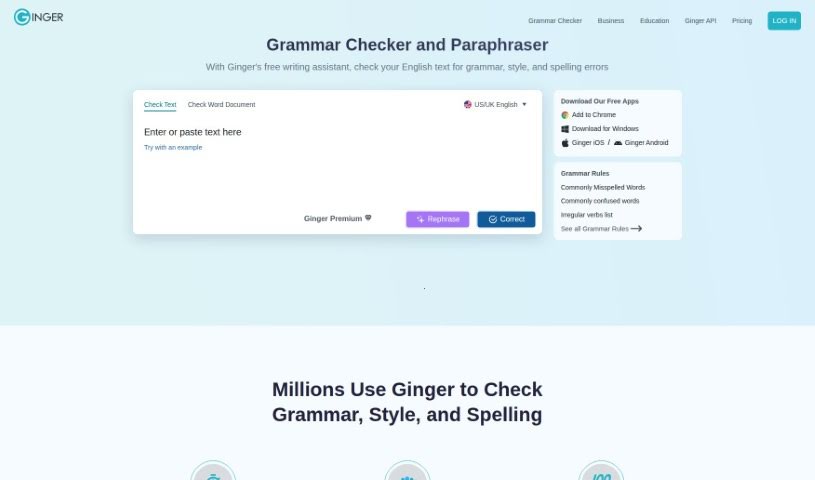
Screenshot of Ginger Software Grammar Check

Ginger Software Grammar Check

Discover what Ginger Software Grammar Check is and how to use it effectively in 2025. We'll explore its features and see how it stacks up against other paraphrasing tools.

Screenshot

What is Ginger Software Grammar Check?

Ginger’s Grammar Check is more than just a basic grammar corrector; it’s a comprehensive writing assistant. It actually includes features like rephrasing to help you improve your writing quality, going beyond what typical grammar checkers offer. With a user base of over 8 million people, Ginger is designed to help everyone – students, casual writers, professionals, and those learning English – really boost their writing skills. This tool works smoothly across many different applications you might already use, like Microsoft Word, your email client, and even Slack. It provides a focused environment so you can write clearly and with confidence, without distractions. Ginger brings together grammar checking, spell checking, and punctuation correction, all powered by advanced AI. It suggests different ways to phrase things, aiming for more effective and creative writing, making it a truly all-in-one writing tool.

Who created Ginger Software Grammar Check?

Ginger’s Grammar Check was actually developed by Yael Karov. She’s the one who founded Ginger Software, the company that brought Grammar Check to life. Ginger Software itself offers both a grammar checker and a paraphrasing tool that millions of users rely on to improve their writing, no matter their skill level. Yael Karov started Ginger Software with a focus on innovative technology that corrects grammar and spelling mistakes with impressive accuracy. Their goal is to help people write with confidence and clarity.

How to use Ginger Software Grammar Check?

To really get the most out of Ginger’s Grammar Check, here’s a simple step-by-step guide:

  1. Get the Tool: First, download the Grammar Check tool. You can get it for your desktop (Windows or Mac) or as a browser add-in directly from their official website.
  2. Integrate with Word: If you use Microsoft Word a lot, install the Grammar Check add-in. This will really boost your document proofreading capabilities.
  3. Proofread Your Work: Start using the tool to go over your text. It’ll catch all sorts of mistakes, from grammar slip-ups to punctuation errors.
  4. Apply Corrections Easily: When Ginger suggests a fix, you can usually apply it with just a single click. This makes the process of correcting errors smooth and helps you write with more confidence.
  5. Catch Specific Errors: Pay attention to how it helps identify things like subject-verb agreement issues, problems with singular and plural nouns, and tricky punctuation mistakes.
  6. Experience the Speed: You’ll notice Ginger is pretty fast. It’s designed to correct about five times more mistakes than Microsoft Word can find on its own, which can really speed up your writing process.
  7. Write Error-Free Anywhere: You can even improve your writing skills on the go. Use the Grammar Check tool for your texts, emails, and even tweets on tablets and mobile devices to ensure everything is error-free.
  8. Check Writing on Social Media & More: Ginger offers browser extensions that are super handy. Use them to check your writing on platforms like Facebook, Gmail, and LinkedIn, making sure your content always looks polished.
  9. Customize Your Style: You can actually tailor the tool to your needs by selecting your preferred tone and style. Plus, you can use its built-in synonyms and definitions to really refine your ideas and word choices.
  10. Avoid Plagiarism: Ginger can also help protect your writing from accidental plagiarism. It offers ways to reword sentences, helping you produce original work with clarity and precision.

By following these steps, you’ll be well on your way to making the most of the Grammar Check tool. It’s a great way to efficiently and effectively improve the overall quality of your writing.

Related AI Tools

Discover more tools in similar categories that might interest you

Academic Help Free Essay Generator

Education Academic Writing
Learn More

Stay Updated with AI Tools

Get weekly updates on the latest AI tools, trends, and insights delivered to your inbox

Join 25,000+ AI enthusiasts. No spam, unsubscribe anytime.