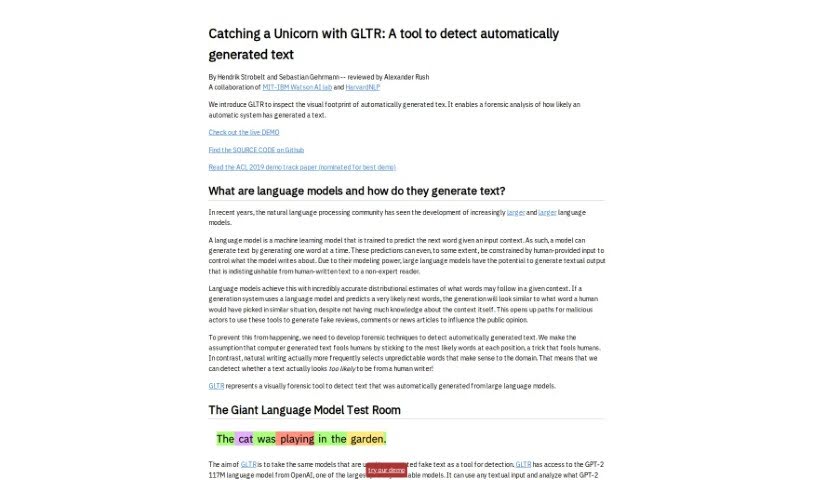
Screenshot of GLTR

GLTR

Discover what GLTR is and how to use it effectively in 2025. We'll explore its features and compare it to other AI detectors.

Screenshot

What Exactly is GLTR?

GLTR, or ‘Catching Unicorns With GLTR,’ is a really interesting tool that came out of the MIT-IBM Watson AI lab and HarvardNLP. Its main job is to spot text that’s been automatically generated, specifically using OpenAI’s GPT-2 language model. Think of it like a highlighter for AI-written words. It shows you how likely each word in a piece of text is to have been generated by a computer, using a color-coded system. The goal here is to make it easier for everyone, even if you’re not an AI expert, to tell artificial text apart from human writing, which really helps with transparency and trusting the information we read.

The tool works by using statistical methods that look at word probabilities. It then puts a colored overlay on the text. This color tells you the probability that a word was generated by a model. Green means the word was among the top 10 most likely predictions, yellow for the top 100, red for the top 1,000, and purple means it was less likely to be predicted by the model.

GLTR is also a great educational tool. It offers examples of both real and AI-generated texts, which is super helpful for understanding how language models actually behave. It’s freely available online, giving you a peek into how text is generated and allowing for forensic analysis of text created by these models.

Who’s Behind GLTR?

The “Catching Unicorns With GLTR” tool was developed by Hendrik Strobelt and Sebastian Gehrmann. They teamed up with the MIT-IBM Watson AI lab and HarvardNLP to create this innovative resource. It’s essentially a forensic analysis tool designed to detect automatically generated text. It provides a visual ‘footprint’ that helps distinguish between text written by humans and text produced by AI models.

What Can You Do With GLTR?

  • GLTR acts as a forensic tool to help you figure out if a text was written by a human or generated by a language model.
  • It gives you a visual way to see AI outputs and helps spot artificial text using statistical detection methods.
  • The tool uses OpenAI’s GPT-2 117M language model to compare predictions with the actual text, analyzing how likely each word was to be automatically generated.
  • GLTR shows you histograms that break down word categories by probability ratios and prediction entropies, which is really useful for forensic analysis.
  • It’s a fantastic educational resource for learning about how language models work, offering samples of both real and fake texts.
  • You can paste your own text into GLTR for analysis, and it will visually show you the probabilities of each word being generated by a model using its color-coded overlay.
  • This tool is designed to help people who aren’t AI specialists identify automatically generated text, boosting transparency and reliability in how we process language.
  • You can access GLTR online for free, and there’s a live demo where you can try it out with your own text inputs.
  • It’s built to work with OpenAI’s GPT-2 117M language model, offering insights into the text generation process of these models.
  • GLTR helps combat the misuse of language models for creating fake content by making it easier to detect computer-generated text.
  • It’s useful for detecting automatically generated text in general.
  • It aids in the forensic analysis of text.
  • It promotes transparency and reliability in language processing.
  • It helps detect automatically generated text from large language models.
  • It’s great for forensic analysis to determine if text was written by a human or a language model.
  • It uses statistical detection based on word probability rankings.
  • It visualizes the likelihood of each word being automatically generated by a model.
  • You get access to OpenAI’s GPT-2 117M language model to check predictions against actual text.
  • It’s an educational resource for understanding language model behaviors with real and fake text samples.
  • It provides insights into text generation systems, like analyzing articles written by algorithms.
  • It can help identify complex words in texts for advanced reading comprehension assessments.
  • It detects things like word predictability and uncertainty in text generated by language models.
  • It can inspire similar ideas for forensic analysis of generated text.
  • It’s useful for identifying fake news articles.
  • It helps analyze language model outputs.
  • It serves as an educational resource for understanding language model behaviors.
  • It fosters transparency and reliability in language processing.
  • It uses statistical detection of generated text.
  • It provides visual footprint analysis of language model outputs.
  • You can analyze the likelihood of text being computer-generated.
  • It helps non-experts identify artificial text.

Who is GLTR Meant For?

  • People who work in forensic linguistics.
  • Language experts.
  • Data scientists.
  • Software developers.

How Do I Use GLTR?

Using “Catching Unicorns With GLTR” is pretty straightforward. Here’s how you can do it:

  1. First, head over to the website and access the live demo of GLTR.
  2. Next, paste the text you want to analyze into the tool. GLTR will then check how likely each word is to have been automatically generated.
  3. You’ll see a color-coded overlay on the text. Green means the word was among the top 10 most likely predictions, yellow for the top 100, red for the top 1,000, and purple for words that were less likely predictions.
  4. If you hover your mouse over any word, you can see the top 5 words that the model predicted and their probabilities.
  5. Take a look at the three histograms the tool displays. One shows different word categories, another illustrates probability ratios, and the last one shows prediction entropies.
  6. By looking at the color distribution in the text, you can start to identify whether the content is generated or human-written. Generally, green and yellow colors might suggest generated text, while purple and red colors point towards human-written text.
  7. You can also use GLTR as an educational tool. By looking at the samples of real and fake texts it provides, you can get a better understanding of how language models behave.
  8. Feel free to experiment with GLTR using your own text via the live demo on the website. This is a great way to get more insights and do your own analysis.

GLTR offers statistical detection, visual footprint analysis, access to the GPT-2 117M model, histograms for data summaries, and insightful examples for learning. It’s a really valuable tool for spotting automatically generated text and making language processing more transparent.

You can dive deeper into what the tool can do and its potential uses by trying out different kinds of text inputs and carefully analyzing the color-coded results that GLTR provides.

Related AI Tools

Discover more tools in similar categories that might interest you

Academic Help Free Essay Generator

Education Academic Writing
Learn More

Stay Updated with AI Tools

Get weekly updates on the latest AI tools, trends, and insights delivered to your inbox

Join 25,000+ AI enthusiasts. No spam, unsubscribe anytime.