AI Tools for Data Visualization

Discover the best Data Visualization AI tools to enhance your productivity and creativity.

Page 7 of 15 • 178 total tools

Data’s everywhere these days, but just having it doesn’t really help. To turn that raw information into useful insights, you need the right tools. And with AI becoming so common, we now have some really powerful data visualization tools. They can take complicated data and turn it into simple, eye-catching visuals without much fuss.

You know, gone are the days when you needed a ton of technical skill just to make a basic graph. Today’s AI-powered platforms let anyone—whether you’re a business analyst or just curious—create visuals that quickly get the main points across. The best part? They make the whole process feel natural and straightforward.

I’ve spent a good chunk of time playing around with different AI data visualization tools to see which ones really stand out. From real-time updates to fancy charting options, these tools are ready to tackle all sorts of data challenges.

So, whether you want to make your presentations pop or just get a better handle on your own data, these tools have you covered. Let’s jump into some of the most impressive AI data visualization tools out there right now.

The best AI Data Visualization Tools

  1. Databricks: Great for interactive dashboards that give you sales insights.
  2. Visme: Helps you turn data into stunning visuals.
  3. Julius AI: Lets you craft dynamic graphs for clear insights.
  4. Scale AI: Useful for visualizing security threat patterns efficiently.
  5. Text Cortex: Streamlines creating visuals for reports, effortlessly.
  6. Dataminr: Offers visual analytics tools for crisis response.
  7. Rapidminer: Provides interactive dashboards for sales performance.
  8. KNIME: Offers interactive dashboards for sales analysis.
  9. Kanaries: Delivers streamlined visual insights for data trends.
  10. Piktochart AI Infographic Maker: Perfect for data dashboard infographics.
  11. Strawpoll: Lets you create engaging visual reports from polls.
  12. Powerdrill: Helps with dynamic data dashboard creation.
  13. Quadratic: Ideal for visualizing quadratic regression trends.
  14. Insightjini: Generates dynamic charts from your datasets.
  15. Aitable: Transforms data into insightful charts.

How do AI data visualization tools work?

AI data visualization tools are built to make it simple to turn complex data into visuals that are easy to understand. They use algorithms and machine learning to look at data, finding patterns, trends, and insights you might not spot otherwise. By sifting through lots of information, these tools help you grasp important findings quickly.

Basically, these tools often use different statistical methods to make sense of data. They pull information from databases or spreadsheets and use these methods to change raw numbers into useful visuals like charts, graphs, and infographics. This makes it much easier to intuitively understand what the data is telling you.

Many of these apps have smart systems that automatically suggest visualizations based on the type of data you give them. For example, if your data shows a trend over time, the tool might suggest a line chart. This flexibility makes them accessible even if you don’t have a deep background in data analysis.

AI data visualization tools also get better with user feedback. They learn from how people use the visuals they create, constantly improving their accuracy and relevance. This ongoing process makes the insights they offer more precise and tailored to what you need.

By integrating AI, these tools can even offer predictive analytics. This means they can forecast future trends based on past data, giving businesses a heads-up on potential opportunities or problems. So, they don’t just show you the past; they help you plan for the future, too.

Ultimately, AI’s strength in data visualization is making data more accessible and actionable. With more and more information being generated every day, these tools will keep playing a key role in helping us make decisions more smoothly.

Our best AI data visualization tools at a glance

RankNameBest forPlans and PricingRating
1Databricksinteractive dashboards for sales insightsN/A4.82 (11 reviews)
2Vismetransform data into stunning visuals.N/A4.50 (12 reviews)
3Julius AIcraft dynamic graphs for clear insightsN/A4.84 (61 reviews)
4Scale AIvisualizing security threat patterns efficientlyN/A4.73 (11 reviews)
5TextCortexstreamlining report visuals effortlessly.Paid plans start at $23.99/month.4.50 (10 reviews)
6Dataminrcrisis response with visual analytics toolsN/A3.80 (5 reviews)
7Rapidminerinteractive sales performance dashboardsN/A4.69 (39 reviews)
8KNIMEinteractive dashboards for sales analysisN/A4.73 (26 reviews)
9Kanariesstreamlined visual insights for data trendsN/A4.54 (24 reviews)
10Piktochart AI Infographic Makerdata dashboard infographicN/A4.60 (10 reviews)
11Strawpollcreate engaging visual reports from polls.Paid plans start at $10/mo.4.73 (33 reviews)
12Powerdrilldynamic data dashboards creationN/A4.71 (28 reviews)
13Quadraticvisualizing quadratic regression trendsN/A4.78 (27 reviews)
14Insightjinigenerate dynamic charts from datasetsN/A4.00 (6 reviews)
15Aitabletransform data into insightful charts.N/A4.09 (11 reviews)
Screenshot of Insightjini

Insightjini

Freemium

InsightJini is a handy analytical tool designed specifically for digging into your Excel data. It is your go-to assistant for understanding what your spreadsheets are really telling you. It makes it super convenient to get insights, spot trends, and make smarter decisions based on the information you’ve got stored away. The whole idea behind InsightJini is to boost your productivity and make data analysis feel less like a chore and more like a straightforward process. It offers features like data visualization, trend spotting, and pattern recognition, all aimed at helping you get the most out of your data and draw meaningful conclusions to help your business goals.

Screenshot of Instachart

Instachart

Freemium

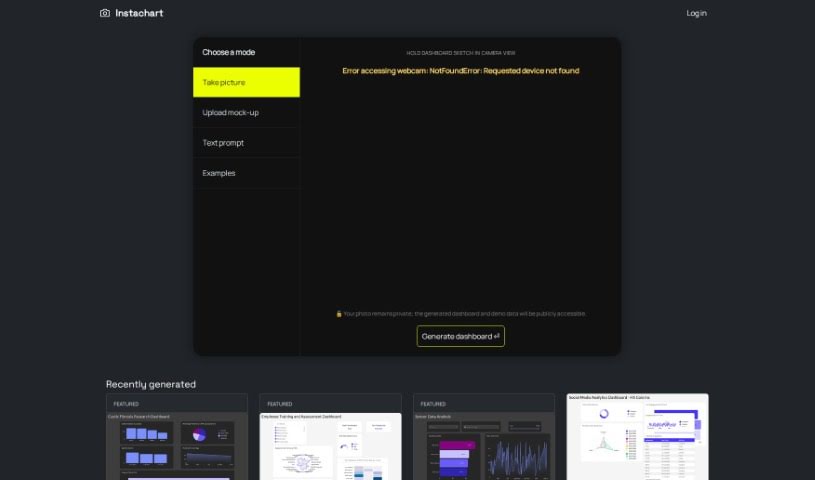
Instachart is a neat tool that helps you turn your sketches, mockups, and even screenshots into interactive dashboards, specifically for Luzmo. You can upload visuals directly on their website or even snap a picture with your device's camera. This makes it super handy for digging into data and understanding it better, whether you're looking at cystic fibrosis research, employee training progress, sensor data, or retail sales figures. It's designed to be easy to use, with a straightforward sign-up process and dashboards packed with features. You can convert your mockups right into dashboards, which is great for many different uses. However, it's worth noting that it's currently limited to creating Luzmo dashboards only. We didn't see any mention of an API, it can't handle video inputs, and while it uses your device's camera, it doesn't offer multiple types of dashboards, real-time data feeds, or extensive customization options.

Screenshot of InstaGraph

InstaGraph

Freemium

InstaGraph is a really neat project started by Yohei Nakajima. You might know him as the venture capitalist who also invented BabyAGI. Essentially, InstaGraph is a web service that takes your everyday language prompts and turns them into visual knowledge graphs – think of it as turning text into graphs (text2graph). It’s super easy to use; you just type in a question, like asking about the "Solar System" or "Queen and its ten popular songs," and GPT does the heavy lifting to create the graph for you. You can then share these graphs with others.

Screenshot of Insummary – Intelligent Status Reports

Insummary – Intelligent Status Reports

Freemium

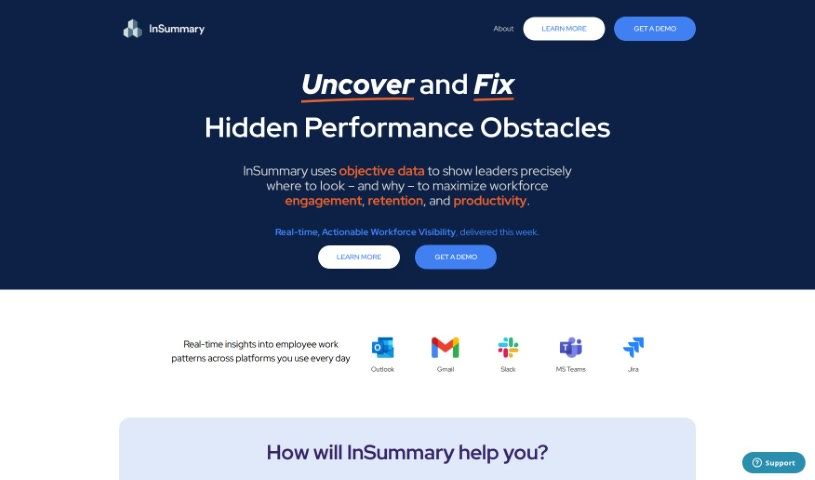
InSummary – Intelligent Status Reports is your AI assistant for creating status reports. It's built to save you precious time and make your workday flow much smoother by automatically putting together detailed reports from your calendar events. You get to decide exactly what information goes into these reports and how much detail you want. Beyond just text, InSummary uses cool visuals like charts and graphs, which really help you spot trends and make smarter decisions. Plus, it plays nicely with project management tools you probably already use, like Trello and Asana. This means your tasks and projects can sync up effortlessly, boosting productivity and making teamwork a breeze. Because it's so easy to use, InSummary is a great fit for professionals across all sorts of industries looking to get a better handle on tasks, improve how they communicate, and save valuable time.

Screenshot of Intellize

Intellize

Freemium

While the provided files don't offer specific details about Intellize, we can get a good sense of what it likely is based on common industry trends. Intellize is probably a technology company focused on areas like data analytics, artificial intelligence, or software development. Companies like this typically help businesses run smoother, make smarter decisions, and improve how they interact with customers. Intellize likely uses the latest technologies to create unique solutions for its clients, helping them stay ahead of the competition. They might build custom software, create tools for analyzing data, or develop AI algorithms designed for different industries. Even without exact details, Intellize sounds like a forward-thinking company that's right at the cutting edge of technology.

Screenshot of Interzoid

Interzoid

Freemium

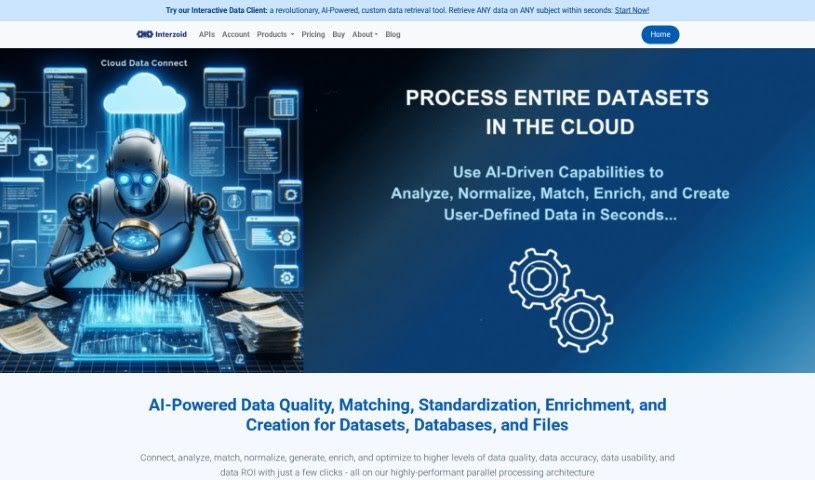
Interzoid Cloud Data Connect is a handy cloud-based tool designed to really boost the quality and consistency of your data. It works by connecting to all sorts of different database platforms. You can link it up with various cloud databases, plain text files like CSV/TSV, and even Excel spreadsheets, whether they're stored online or on your own computer. The system comes with a super easy-to-use wizard that guides you through setting up database connections. Plus, it lets you run match reports, build new tables with similarity keys, and use smart, AI-powered algorithms to make your data cleaner and more consistent. They also offer matching API Products and direct drivers for all the major cloud database types, which really helps with managing your data smoothly. People often mention how simple the connection wizard is, how it helps spot data that doesn't quite match up, how it improves data quality, makes data engineering simpler, and connects to different cloud databases without a fuss. It's great at finding duplicate, inconsistent, or improperly formatted data, making your information more accurate and useful, which is a big win for good data management. You can get the results in different formats too, like text files, JSON, or HTML, so you can review and analyze them however you like best. The Cloud Data Connect Wizard really simplifies the whole process of connecting to your data sources and running those match reports, taking you through it step-by-step.

Screenshot of IvyCheck

IvyCheck

Freemium

IvyCheck is a generative analytics platform that really lets you connect your databases to AI. This means you can get answers and insights super fast. It's packed with features designed for everyone, whether you're just starting out or you're a seasoned pro. Thanks to Deekard's natural language data access, you can just type your questions in plain English and get quick replies. If you prefer a more visual approach, there's a graphical query builder to help you refine your requests. And for those who like to get hands-on, an AI-powered SQL editor lets you write and tweak queries like a pro. Plus, IvyCheck makes creating dashboards from your databases a breeze, so you can share what you find with your team in just minutes. It also handles data extraction and analysis automatically, making complex queries accessible to all users. Basically, IvyCheck makes getting, analyzing, and sharing data much simpler, helping you get the insights you need from your databases efficiently.

Screenshot of Jeda.ai

Jeda.ai

Freemium

Jeda.ai is a really interesting platform. It's described as the world's first all-in-one AI Visual Workspace. It is a place where Generative AI meets advanced visualization tools. This combination is designed to help you create, visualize, and analyze your data in a much more efficient and effective way. What does that mean for businesses? It means you can make decisions faster. Jeda.ai comes packed with a bunch of AI-powered features. You'll find things like AI Use Cases, Template Analysis, Mind Map, Flowchart, Wireframe, Text Writer, Sticky Notes, Art generation, Data Analysis powered by DataGPT, and Document Analysis with DocumentGPT. Plus, it offers cool features like Interactive AI Charts and Filters, and Freeform AI Data Analysis. And if you need to, you can easily download your filtered data as a CSV file. Users have been sharing some pretty impressive feedback, really highlighting how much it boosts productivity and makes data analysis much more powerful.

Screenshot of Jua

Jua

Freemium

Jua is a really innovative weather forecasting technology. It's at the forefront of what's possible because it offers incredibly precise and accurate predictions, all thanks to its unique "Large Physics Model." Think of it this way: Jua uses millions of primary data points, pulls in innovative data sources, and combines them with state-of-the-art artificial intelligence. The result? Highly precise weather predictions specifically designed for the energy sector. This advanced forecasting capability gives users a significant edge in both timing and local accuracy, which means quicker, more informed decisions in energy trading. Jua's special AI actually learns from massive amounts of data, giving it exclusive insights that you just won't find with older weather models. It's truly changing how we make decisions about weather's impact on energy operations.

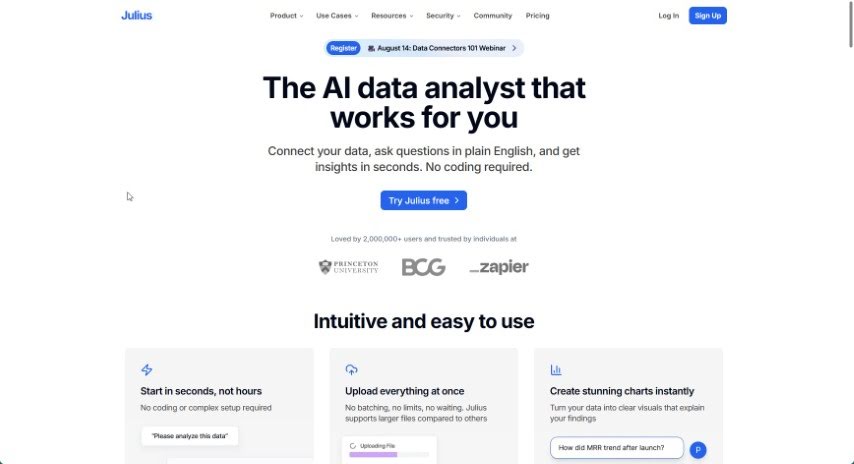
Screenshot of Julius AI

Julius AI

Freemium

Julius AI is a smart data analyst that really makes working with your data much simpler. It lets you chat with your datasets, opening up new ways to explore and understand your information. You can have interactive conversations with your data, create dynamic graphs, use advanced forecasting, and it's all wrapped up in an easy-to-use interface. This means anyone, whether you're a pro or just curious about data, can get valuable insights without needing to be an expert.

Screenshot of Jumpboost

Jumpboost

Freemium

JumpBoost is a really smart mobile app that uses AI to accurately measure how high you jump, right from your smartphone or other compatible devices. It's pretty neat! The app uses your phone's camera to record your jump. Then, it applies advanced AI algorithms to quickly analyze the video. This gives you detailed jump metrics like height, how long you're in the air (flight time), your knee and hip angles, and even your velocity.

Screenshot of June Ai

June Ai

Freemium

June Ai is a product designed to tackle common hurdles in product management, offering unique value and fresh insights for businesses with just a few clicks. It's a straightforward, fast analytics platform packed with useful features. Think auto-generated reports, a way to query data using plain English instead of complex code (English-based SQL), a super-simple two-click analytics approach, and support for popular tools like Segment and Mixpanel. You can even implement its SDK, and easily save and share your queries.

Stay Updated with AI Tools

Get weekly updates on the latest AI tools, trends, and insights delivered to your inbox

Join 25,000+ AI enthusiasts. No spam, unsubscribe anytime.