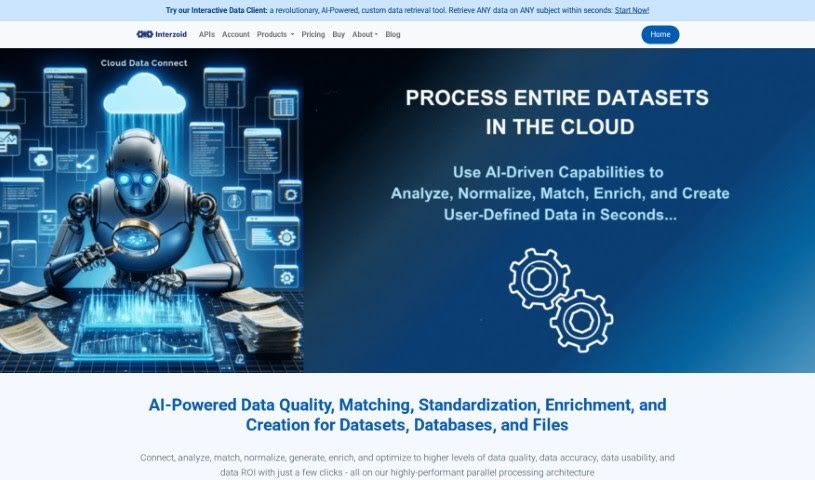
Screenshot of Interzoid

Interzoid

Discover what Interzoid is and how to use it effectively in 2025. We'll explore its features and see how it stacks up against other Data Analytics Tools.

Screenshot

What is Interzoid?

Interzoid Cloud Data Connect is a handy cloud-based tool designed to really boost the quality and consistency of your data. It works by connecting to all sorts of different database platforms. You can link it up with various cloud databases, plain text files like CSV/TSV, and even Excel spreadsheets, whether they’re stored online or on your own computer. The system comes with a super easy-to-use wizard that guides you through setting up database connections. Plus, it lets you run match reports, build new tables with similarity keys, and use smart, AI-powered algorithms to make your data cleaner and more consistent. They also offer matching API Products and direct drivers for all the major cloud database types, which really helps with managing your data smoothly. People often mention how simple the connection wizard is, how it helps spot data that doesn’t quite match up, how it improves data quality, makes data engineering simpler, and connects to different cloud databases without a fuss. It’s great at finding duplicate, inconsistent, or improperly formatted data, making your information more accurate and useful, which is a big win for good data management. You can get the results in different formats too, like text files, JSON, or HTML, so you can review and analyze them however you like best. The Cloud Data Connect Wizard really simplifies the whole process of connecting to your data sources and running those match reports, taking you through it step-by-step.

Who created Interzoid?

David B. Booth, the founder, is the person behind Interzoid. The company got its start on December 1, 2023, and they offer services like the Cloud Data Connect Wizard. This wizard makes it much simpler to connect to different data sources, which is key for better data matching and analysis. Interzoid uses a credit-based system for its pricing; every time you use an API, a credit is taken from your account. You can either pay as you go or sign up for a subscription. The company’s main focus is on giving you tools to improve data quality, make data management better, and connect to various databases with ease.

What is Interzoid used for?

  • You can create brand new database tables that include similarity keys, which really helps with matching and analyzing your data.
  • It helps you optimize how you match data, thanks to their SmartMatchAI technology.
  • You can buy credits for API calls, with options to pay as you go or subscribe.
  • It uses API keys to keep your account secure and give you access to Cloud Data Connect features.
  • You can easily connect to cloud databases and work with text files or Excel spreadsheets, whether they’re stored locally or in the cloud.
  • It lets you generate match reports, see groups of similar data, and analyze those similarity keys.
  • It’s great for improving data quality by finding data that’s duplicated, inconsistent, or not formatted correctly.
  • It handles matching company and individual names really efficiently.
  • You can even build the Wizard into your existing data pipelines to automatically check data quality.
  • It can be integrated into scheduled tasks or ongoing processes for regular data quality checks.
  • It connects to all sorts of data sources, including cloud databases, CSV/TSV text files, and Excel spreadsheets.
  • You can run match reports and pinpoint any data inconsistencies.
  • It helps you generate match reports, visualize data clusters, and analyze similarity keys.
  • It improves your data’s accuracy, reliability, and overall usefulness by finding duplicate, inconsistent, or non-normalized data.
  • It’s efficient at matching company and individual names.
  • You can integrate it into your data pipelines using APIs or SDKs for automatic data quality checks and improvements.
  • It supports running tasks on a schedule or as part of ongoing processes to automate and maintain data quality.
  • It enhances data quality, accuracy, and efficiency through simple connections, analysis, observation, and optimization.
  • You can create new database tables with similarity keys for better matching and analysis.
  • It provides results in various formats like text files, JSON, and HTML, making review and further analysis straightforward.

Who is Interzoid for?

  • Data Analysts
  • Database administrators
  • Data engineers
  • Data scientists
  • Business analysts
  • Business Intelligence Analysts
  • Data Quality Analysts

How to use Interzoid?

To get the most out of Interzoid Cloud Data Connect, here’s a simple, step-by-step guide:

  1. Sign Up: First, create your account. You’ll get an API key when you sign up, which you’ll need to securely access all the features.
  2. Connect Your Data: Use the Cloud Data Connect Wizard. It makes connecting to different data sources a breeze, whether it’s cloud databases, CSV/TSV text files, or Excel spreadsheets.
  3. Generate Reports: Go ahead and run match reports. You can also view groups of similar data, analyze similarity keys, and find any data inconsistencies. This really helps improve your data quality all around.
  4. Clean Up Your Data: The Wizard is your friend here. Use it to spot any duplicate, inconsistent, or improperly formatted data. This makes your data much more accurate and reliable.
  5. Fit it into Your Workflow: If you’re already using data pipelines, you can integrate the Wizard using APIs or SDKs. This means you can automate data quality checks and improvements right within your existing processes.
  6. Set Up Scheduled Tasks: You can set up the system to run automatically on a schedule or as part of ongoing processes. This is a great way to automate your data quality checks and keep things consistent as part of your overall data strategy.
  7. Create Similarity Keys: Use the Wizard to build new database tables that include similarity keys. These keys help link related data entries together, making matching and analysis much more effective.
  8. Understand API Usage: Keep in mind the credit-based pricing. Each API call uses up a credit from your account. You have options like pay-as-you-go, or you can choose monthly or annual subscriptions.

By following these steps, you’ll be able to effectively use Interzoid Cloud Data Connect to make your data better, more consistent, and improve your overall data management.

Related AI Tools

Discover more tools in similar categories that might interest you

Stay Updated with AI Tools

Get weekly updates on the latest AI tools, trends, and insights delivered to your inbox

Join 25,000+ AI enthusiasts. No spam, unsubscribe anytime.