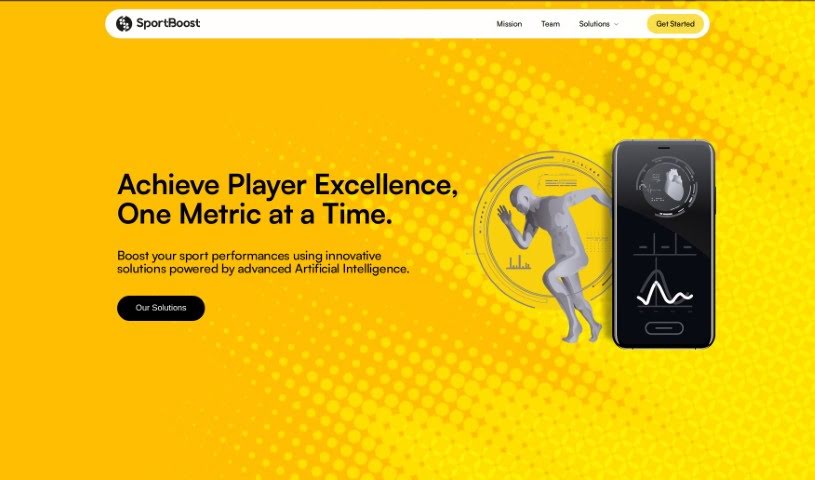
Screenshot of Jumpboost

Jumpboost

Discover what Jumpboost is and how to use it effectively in 2025. We'll explore its features and compare it to other data analytics tools.

Screenshot

What is Jumpboost?

JumpBoost is a really smart mobile app that uses AI to accurately measure how high you jump, right from your smartphone or other compatible devices. It’s pretty neat! The app uses your phone’s camera to record your jump. Then, it applies advanced AI algorithms to quickly analyze the video. This gives you detailed jump metrics like height, how long you’re in the air (flight time), your knee and hip angles, and even your velocity.

JumpBoost works on both iOS and Android phones. There’s a free version that covers the basics, and you can upgrade to a premium version for more features. It’s designed to be super easy to use, whether you’re an individual athlete looking to improve or using it for professional sports. It offers insights and suggestions to help you jump better. Athletes can really benefit from personalized analytics, store their data in the cloud, and access a variety of performance metrics specific to different movements. Plus, JumpBoost takes data privacy seriously – it doesn’t store your videos, keeps your data secure, and lets you easily export what you collect. You can use it in all sorts of sports settings, and it even has a feature to help you manage your athletes and analyze their individual performances right within the app.

Who created Jumpboost?

Yassine Kassis and Selim Gilon are the minds behind Jumpboost. They launched it on November 3, 2023. Yassine, who used to play volleyball professionally and even competed in the Olympics for Tunisia, teamed up with Selim, an AI enthusiast who was doing AI research in Montreal. Together, they decided to blend their passions for athletics and artificial intelligence, which led to the creation of SportBoost AI Inc., the company that makes Jumpboost.

What is Jumpboost used for?

Here’s a look at what you can do with Jumpboost:

  • Track your jump improvements over time.
  • Enhance your physical training with detailed feedback.
  • Use it in various sports thanks to its versatility.
  • Benefit from on-board data storage for convenience.
  • Manage athletes easily with one-click athlete management.
  • Get metrics beyond just jump height.
  • Receive instant performance insights.
  • Utilize the team management feature.
  • Get jump optimization suggestions tailored to you.
  • Access a personalized analytics dashboard.
  • Measure all your key jump metrics.
  • Calculate your jump velocity accurately.
  • Track your flight time during jumps.
  • Monitor your knee and hip angles.
  • Use the athlete management feature for organizing your team.
  • Assign and analyze data effectively.
  • Take advantage of cloud storage for your data.
  • Improve your physical training routines.
  • Use it for professional sports applications.
  • It’s perfectly suitable for individual athletes.

Who is Jumpboost for?

Jumpboost is a great tool for:

  • Athletes looking to improve their performance.
  • Coaches who want to track and guide their athletes.
  • Sports scientists needing precise data for analysis.
  • Physical trainers aiming to optimize training programs.

How to use Jumpboost?

To get the most out of Jumpboost, just follow these simple steps:

  1. Installation: First, download the Jumpboost tool. You can usually find it on the official website. Just follow the installation instructions carefully. Make sure it’s compatible with your computer’s operating system.
  2. Launching the Tool: Once installed, find the Jumpboost icon and double-click it to open the application. Give it a moment to load up.
  3. Navigation: Take a minute to look around the interface. You’ll likely see options like “Start,” “Settings,” and “Help.” These will guide you through everything you need to do.
  4. Input Data: You’ll need to enter some information into the designated fields. Be sure to put in accurate details so the results you get are precise.
  5. Selecting Features: Jumpboost offers a range of features. Explore them and pick the ones you need for your specific tasks, whether that’s analyzing data, creating visualizations, or generating reports.
  6. Running Analysis: When you’re ready, just click the “Run” or “Analyse” button. The tool will then process your data and give you the results.
  7. Interpreting Results: After the analysis finishes, take a good look at the output. Try to understand what the findings mean so you can draw useful conclusions.
  8. Saving and Exporting: Don’t forget to save your work so you don’t lose your results! If you need to share your data or analyze it further elsewhere, use the export function to save it in different formats.
  9. Troubleshooting: If you run into any problems or have questions, check the tool’s documentation or look for help online. Often, common issues can be fixed easily, ensuring everything runs smoothly.
  10. Regular Updates: Keep an eye out for new versions or updates to Jumpboost. Checking for updates periodically means you’ll get access to new features and improvements.

By following these steps, you’ll be able to use Jumpboost effectively for all your data analysis and visualization needs.

Related AI Tools

Discover more tools in similar categories that might interest you

Stay Updated with AI Tools

Get weekly updates on the latest AI tools, trends, and insights delivered to your inbox

Join 25,000+ AI enthusiasts. No spam, unsubscribe anytime.