AI Tools for Data Visualization

Discover the best Data Visualization AI tools to enhance your productivity and creativity.

Page 11 of 15 • 178 total tools

Data’s everywhere these days, but just having it doesn’t really help. To turn that raw information into useful insights, you need the right tools. And with AI becoming so common, we now have some really powerful data visualization tools. They can take complicated data and turn it into simple, eye-catching visuals without much fuss.

You know, gone are the days when you needed a ton of technical skill just to make a basic graph. Today’s AI-powered platforms let anyone—whether you’re a business analyst or just curious—create visuals that quickly get the main points across. The best part? They make the whole process feel natural and straightforward.

I’ve spent a good chunk of time playing around with different AI data visualization tools to see which ones really stand out. From real-time updates to fancy charting options, these tools are ready to tackle all sorts of data challenges.

So, whether you want to make your presentations pop or just get a better handle on your own data, these tools have you covered. Let’s jump into some of the most impressive AI data visualization tools out there right now.

The best AI Data Visualization Tools

  1. Databricks: Great for interactive dashboards that give you sales insights.
  2. Visme: Helps you turn data into stunning visuals.
  3. Julius AI: Lets you craft dynamic graphs for clear insights.
  4. Scale AI: Useful for visualizing security threat patterns efficiently.
  5. Text Cortex: Streamlines creating visuals for reports, effortlessly.
  6. Dataminr: Offers visual analytics tools for crisis response.
  7. Rapidminer: Provides interactive dashboards for sales performance.
  8. KNIME: Offers interactive dashboards for sales analysis.
  9. Kanaries: Delivers streamlined visual insights for data trends.
  10. Piktochart AI Infographic Maker: Perfect for data dashboard infographics.
  11. Strawpoll: Lets you create engaging visual reports from polls.
  12. Powerdrill: Helps with dynamic data dashboard creation.
  13. Quadratic: Ideal for visualizing quadratic regression trends.
  14. Insightjini: Generates dynamic charts from your datasets.
  15. Aitable: Transforms data into insightful charts.

How do AI data visualization tools work?

AI data visualization tools are built to make it simple to turn complex data into visuals that are easy to understand. They use algorithms and machine learning to look at data, finding patterns, trends, and insights you might not spot otherwise. By sifting through lots of information, these tools help you grasp important findings quickly.

Basically, these tools often use different statistical methods to make sense of data. They pull information from databases or spreadsheets and use these methods to change raw numbers into useful visuals like charts, graphs, and infographics. This makes it much easier to intuitively understand what the data is telling you.

Many of these apps have smart systems that automatically suggest visualizations based on the type of data you give them. For example, if your data shows a trend over time, the tool might suggest a line chart. This flexibility makes them accessible even if you don’t have a deep background in data analysis.

AI data visualization tools also get better with user feedback. They learn from how people use the visuals they create, constantly improving their accuracy and relevance. This ongoing process makes the insights they offer more precise and tailored to what you need.

By integrating AI, these tools can even offer predictive analytics. This means they can forecast future trends based on past data, giving businesses a heads-up on potential opportunities or problems. So, they don’t just show you the past; they help you plan for the future, too.

Ultimately, AI’s strength in data visualization is making data more accessible and actionable. With more and more information being generated every day, these tools will keep playing a key role in helping us make decisions more smoothly.

Our best AI data visualization tools at a glance

RankNameBest forPlans and PricingRating
1Databricksinteractive dashboards for sales insightsN/A4.82 (11 reviews)
2Vismetransform data into stunning visuals.N/A4.50 (12 reviews)
3Julius AIcraft dynamic graphs for clear insightsN/A4.84 (61 reviews)
4Scale AIvisualizing security threat patterns efficientlyN/A4.73 (11 reviews)
5TextCortexstreamlining report visuals effortlessly.Paid plans start at $23.99/month.4.50 (10 reviews)
6Dataminrcrisis response with visual analytics toolsN/A3.80 (5 reviews)
7Rapidminerinteractive sales performance dashboardsN/A4.69 (39 reviews)
8KNIMEinteractive dashboards for sales analysisN/A4.73 (26 reviews)
9Kanariesstreamlined visual insights for data trendsN/A4.54 (24 reviews)
10Piktochart AI Infographic Makerdata dashboard infographicN/A4.60 (10 reviews)
11Strawpollcreate engaging visual reports from polls.Paid plans start at $10/mo.4.73 (33 reviews)
12Powerdrilldynamic data dashboards creationN/A4.71 (28 reviews)
13Quadraticvisualizing quadratic regression trendsN/A4.78 (27 reviews)
14Insightjinigenerate dynamic charts from datasetsN/A4.00 (6 reviews)
15Aitabletransform data into insightful charts.N/A4.09 (11 reviews)
Screenshot of Propellor

Propellor

Freemium

Propellor is a powerful data analysis tool that helps you bring together, examine, and use data for all sorts of business challenges. What's really neat is how customizable it is – you can build your own charts and dashboards that fit exactly what you need. It is a flexible system for understanding your business data. Some of its standout features include connecting to over 200 different data sources without a hitch, being able to handle terabytes of data every single day, those handy customizable charts and dashboards we mentioned, and special 'data apps' that let you really dive deep into your information. Propellor is built with business leaders, marketing pros, growth managers, and product managers in mind, offering specific solutions that make sense for each role. Essentially, it's looking to change the game for decision-making dashboards by giving you a really adaptable way to work with your data.

Screenshot of Quadratic

Quadratic

Freemium

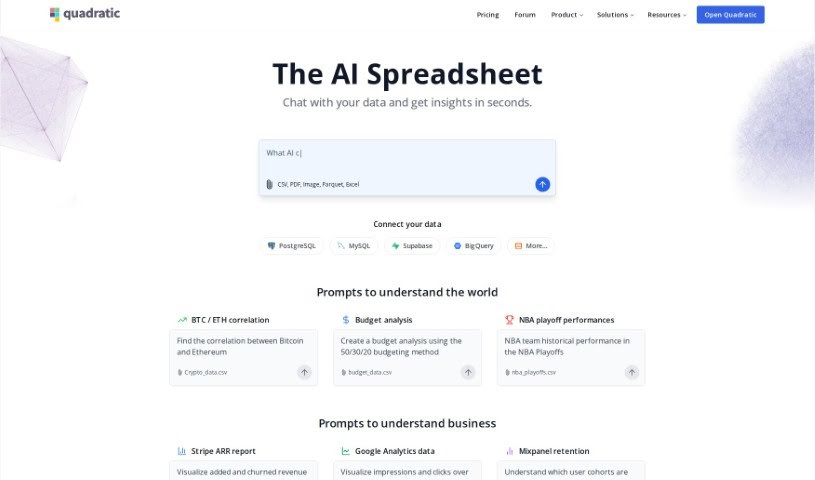
Quadratic is a really neat, modern data spreadsheet. It is a blend – it's got the familiar simplicity of traditional spreadsheets, but it also packs in the advanced power you'd expect from programming languages and database management systems. It all happens right in your web browser, giving you a huge, expansive canvas to work with even really large datasets, and it handles them efficiently. This tool is built for people who work with data every day, like data scientists, business analysts, and engineers. It even offers AI-enhanced autocomplete suggestions, powered by GPT 4.0, to make writing code and formulas a breeze. Quadratic currently supports Python, and they're planning to add SQL and JavaScript soon, which will make manipulating and analyzing your data even more seamless. You can also collaborate with others in real-time, thanks to its multiplayer functionality. Plus, it includes data visualization tools like Plotly, and direct SQL queries are on the way. The team really focused on performance, so you get a smooth, fast user experience thanks to technologies like Web Assembly and WebGL.

Screenshot of Querio

Querio

Freemium

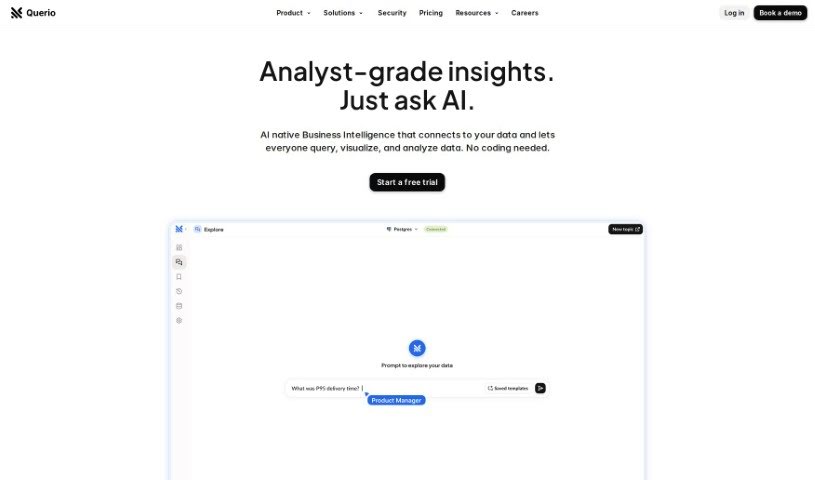
Querio is your go-to data assistant, built specifically for folks who aren't deep into coding or complex spreadsheets. It’s a data analytics tool that makes asking questions of your data incredibly simple, even if you don't know SQL, Python, or advanced Excel. You can easily link up your data sources, like HubSpot or your app's database, and then just ask for the information you're looking for. The whole idea is to cut down on the time you spend wrestling with queries, so you can actually spend more time digging into what the data means and coming up with new ideas. People seem to really like Querio because it's easy to use, it can handle pretty complicated questions, and it gives you back accurate, clear results without a fuss.

Screenshot of Quills AI

Quills AI

Freemium

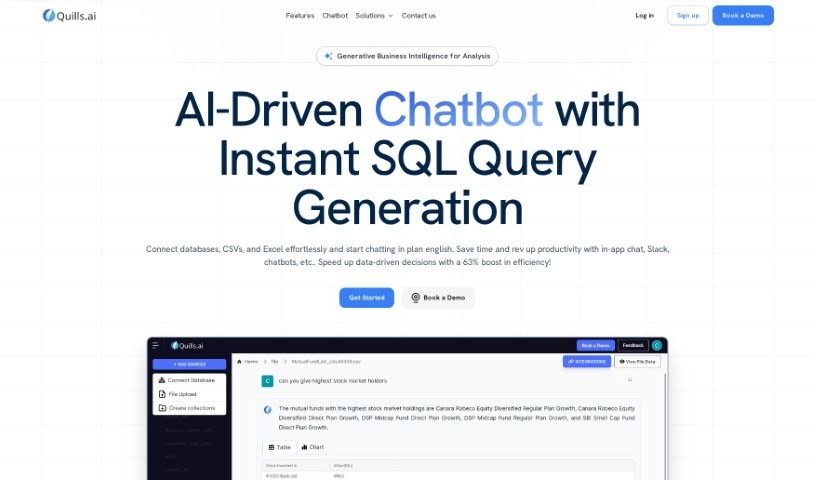
Quills AI is your smart assistant for diving into data. It's an AI tool built to help you analyze and visualize information without all the usual hassle. What's really neat is how it lets you ask questions about your data using everyday language. It can even figure out and write the complex SQL queries for you, and it offers personalized prompts to guide you. Quills AI is designed to be useful across many different industries. It can connect with chatbots, making data access even smoother, and you can easily export your findings in common formats like CSV and PDF. Ultimately, Quills AI helps you make better decisions by uncovering key insights from your data, which really boosts how productive you are and how quickly you can make those important choices.

Screenshot of Quriosity

Quriosity

Freemium

Quriosity is your go-to platform for really digging into your business data. It’s packed with tools that make understanding and visualizing your information feel much more approachable. Essentially, it helps you explore your data easily, so you can pull out those crucial insights that guide smart decisions. Quriosity’s whole aim is to take the headache out of data analysis, giving your organization the power to use data more effectively for planning and growth. By providing a variety of tools and features, Quriosity helps you spot trends, uncover patterns, and see connections in your data. This ultimately leads to better decision-making and helps your business thrive.

Screenshot of Rapidminer

Rapidminer

Freemium

RapidMiner is a powerful data science software platform developed by the company of the same name. It is an all-in-one workbench for anyone working with data. It provides a unified environment where you can handle a wide range of data-related tasks. This includes everything from getting your data ready for analysis (data preparation), to building sophisticated machine learning models, diving into deep learning, exploring text data (text mining), and making predictions (predictive analytics).

Screenshot of Raw Query

Raw Query

Freemium

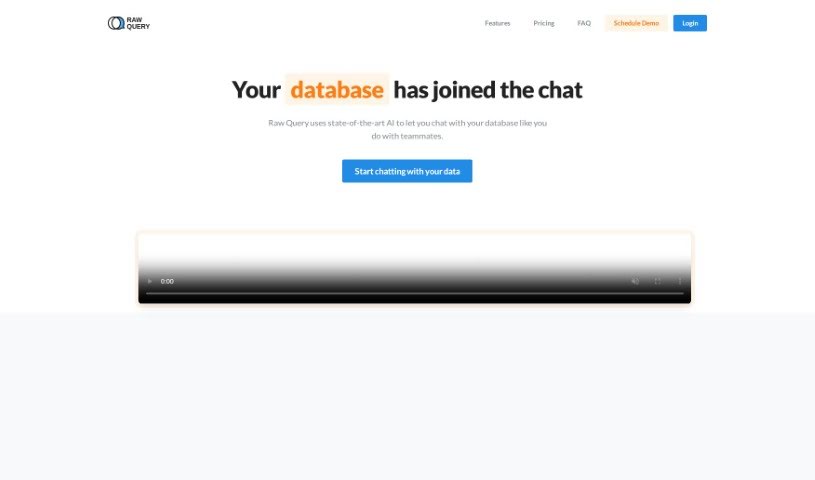
Raw Query is a really neat tool that makes talking to databases much simpler, all by using plain English. Think of it like chatting with a colleague to get the information you need. You can easily ask for things like client email addresses, add new sales figures, or update existing data without any hassle. It means you don't have to build your own internal tools or learn complicated software. Plus, it works with databases like Postgres, MySQL, and MariaDB, and they offer affordable plans that even work on your phone. Its best features are definitely chatting with it in plain language, supporting lots of different databases, saving you tons of time, having flexible plans, and being secure and mobile-friendly.

Screenshot of Rawbot

Rawbot

Freemium

Rawbot is a really helpful tool that gives you deep dives into performance, pinpointing exactly where things are strong and where they could be better. It also looks at costs and efficiency, which is great for saving you time and resources. You'll find it super easy to use, and it even lets you compare different options side-by-side. Plus, it's designed to be tailored to what you specifically need and is always getting updated and improved. Just a heads-up, prompts are capped at 140 characters, and it generates up to 100 tokens. It's built for researchers and developers who need to do comparative analysis and get unbiased evaluations, making it much simpler to pick the right model. While it does need JavaScript to run, its straightforward interface really helps when you're trying to make decisions, assessing performance, efficiency, and overall suitability, all while cutting down on complexity.

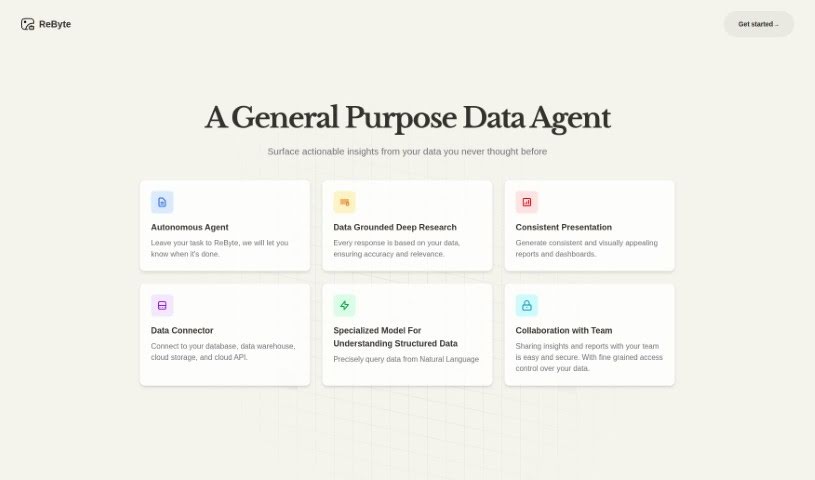
Screenshot of ReByte

ReByte

Freemium

ReByte is a really interesting AI tool from RealChar AI. Think of it like editing a document, but for tools! It lets you tweak and adjust them easily. One of its standout features is an Internet Connected Assistant. This means you can ask it questions, and it'll fetch factual, up-to-date information for you. You can ask in any language, and it usually gets back to you in English in about 5 seconds. Beyond that, ReByte offers a bunch of other cool stuff: you can visualize data, chat with a Virtual Girlfriend, use voice commands, talk with Mistral 7B, analyze bank statements, and even try out a simulated Airline Ticket Seller. It's also customizable and voice-enabled, making it super versatile for all sorts of AI projects.

Screenshot of Renumics

Renumics

Freemium

Renumics is a company that really knows its stuff when it comes to Machine Learning (ML) for the engineering world. They create custom AI solutions designed specifically to analyze test and simulation data. What's cool about their approach is how they integrate AI early on, really lean into domain knowledge, and work with open-source development. This all helps them build AI systems that are reliable and that you can actually trust. Renumics offers a range of services, from checking your data and building proof-of-concept projects to developing complete AI systems that fit exactly what your industry needs. They've also developed a handy open-source tool called Spotlight. It's all about making machine learning models better by making it easier for both the experts who know the field and the data pros to work together.

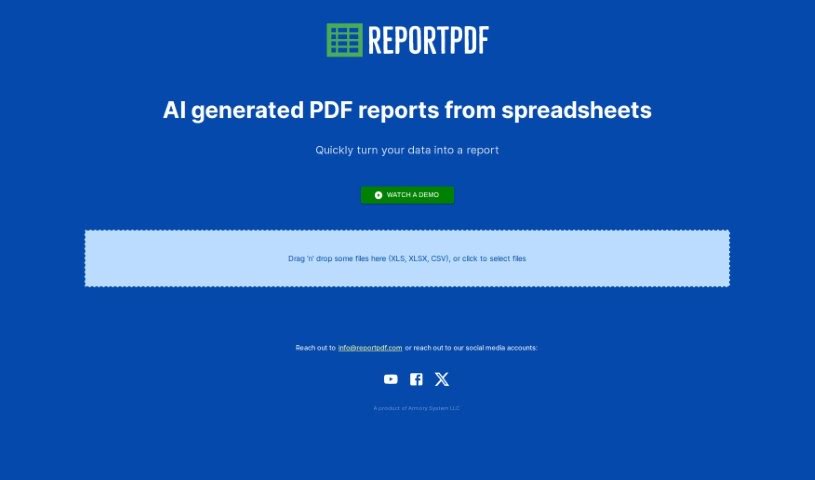
Screenshot of ReportPDF

ReportPDF

Freemium

ReportPDF is a handy tool from Armory System LLC that helps you transform your data into clear, comprehensive PDF reports. It is a bridge between your raw numbers and easy-to-understand documents. You can simply drag and drop files like CSV, XLS, and XLSX right into the tool. What's really neat is its AI technology. It doesn't just convert your data; it actually helps you visualize it first, making the information much more digestible before it even becomes a PDF. Plus, it's designed to be super user-friendly, and if you ever get stuck, you can reach out to their customer support via email at [[email protected]](/cdn-cgi/l/email-protection#b2c1d7c0c4dbd1d7f2c0d7c2ddc0c6c2d6d49cd1dddf). Whether you're in finance, marketing, or any field that relies on data, ReportPDF can really help you speed up how you process and report on information.

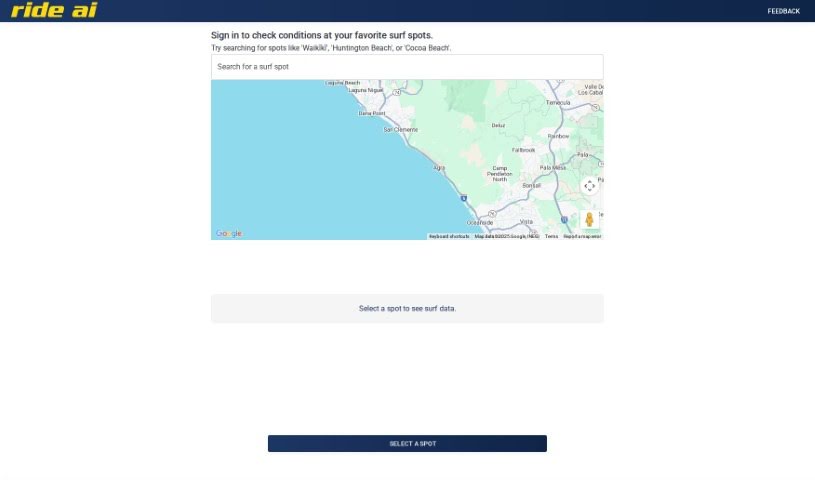
Screenshot of Rideai

Rideai

Freemium

RideAI is a really handy AI tool built specifically for surfers. It helps you check out the surf conditions at all sorts of popular spots, like Waikīkī, Huntington Beach, or Cocoa Beach. The interface is super straightforward, making it easy to use. You can navigate the map using your arrow keys, zoom in and out with the plus and minus buttons, and even switch between metric and imperial units for measuring distances. A neat feature is that you can drop the little Pegman icon from Google Street View right onto the map to get a visual of the surf spot. Plus, it has keyboard shortcuts to make getting around the map even quicker. Basically, RideAI blends AI smarts with mapping tech to give surfers up-to-date info so they can plan their surf sessions based on the latest conditions.

Stay Updated with AI Tools

Get weekly updates on the latest AI tools, trends, and insights delivered to your inbox

Join 25,000+ AI enthusiasts. No spam, unsubscribe anytime.