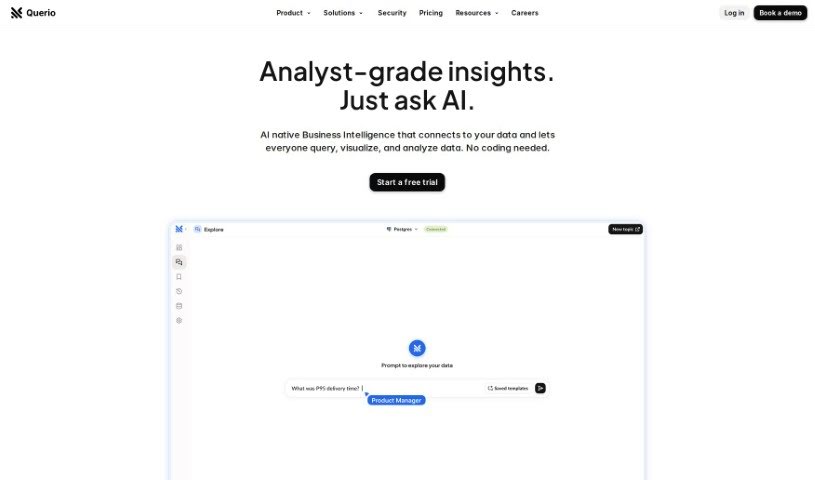
Screenshot of Querio

Querio

Discover Querio, a user-friendly data analytics tool for 2025. Learn its features, how it simplifies data querying for non-tech users, and how it stacks up against other data analytics tools.

Screenshot

What is Querio?

Querio is your go-to data assistant, built specifically for folks who aren’t deep into coding or complex spreadsheets. It’s a data analytics tool that makes asking questions of your data incredibly simple, even if you don’t know SQL, Python, or advanced Excel. You can easily link up your data sources, like HubSpot or your app’s database, and then just ask for the information you’re looking for. The whole idea is to cut down on the time you spend wrestling with queries, so you can actually spend more time digging into what the data means and coming up with new ideas. People seem to really like Querio because it’s easy to use, it can handle pretty complicated questions, and it gives you back accurate, clear results without a fuss.

Who created Querio?

Aurelio Lopez Malo is the mind behind Querio. He’s a Sr. Product Data Analyst at Glovo, and he built Querio with a clear vision: to make analytics accessible to everyone, not just the tech wizards. His goal was to create a tool that lets non-tech users easily analyze data without needing to learn SQL, Python, or Excel. Querio’s purpose is to simplify how we query and analyze information, freeing up analysts to do more in-depth discovery work instead of getting bogged down in scripting. Aurelio really wanted to streamline data tasks and help analysts focus on innovation.

What is Querio used for?

  • Making data analysis easy for everyone: It’s perfect for those who aren’t data experts.
  • Connecting and asking questions of your data: You can link up sources like HubSpot, app databases, and more, then simply ask for what you need.
  • Creating reports without the technical headaches: No need to be a pro in SQL, Python, or Excel to get the insights you want.
  • Answering specific business questions: For example, you can easily analyze sales figures broken down by country and month.
  • Handling tricky calculations: It can even compute complex queries, like comparing how much customers spend on average per order.
  • Enabling deep dives into data: Querio helps you explore your data thoroughly.
  • Organizing and viewing information productively: It presents your data in ways that make sense and are easy to work with.
  • Getting results quickly and when you need them: You can generate reports on demand.
  • Simplifying the whole data process: It makes working with data feel much less complicated.
  • Empowering users: It makes getting the information you need straightforward and conversational.

Who is Querio for?

  • Product Data Analysts
  • Presidents

How to use Querio?

Getting started with Querio is pretty straightforward. Here’s a quick rundown:

  1. Connect Your Data Sources: First off, Querio lets you link up all sorts of places where your data lives – think HubSpot, various databases, and other common sources.
  2. Just Ask for Your Data: Once connected, you can simply type out what information you’re looking for. Seriously, no need to know SQL, Python, or get fancy with Excel formulas.
  3. Handle All Kinds of Queries: Querio is up for the job, whether you’re asking something simple like “show me sales by country and month” or tackling more complex requests, such as comparing customer order values.
  4. Visualize Your Data Easily: Querio helps you organize and see your data in ways that are actually useful, making it simple to create graphs and dashboards without a lot of fuss.
  5. It’s Built for Non-Techies: The whole interface is designed with people who aren’t data experts in mind, making data analysis accessible to everyone.
  6. Save Time and Boost Efficiency: You can expect to get clear, useful results quickly, which means less time spent digging for data and more time actually using it.

By following these simple steps, you can easily use Querio to make your data analysis tasks smoother and uncover valuable insights for whatever you’re working on.

Related AI Tools

Discover more tools in similar categories that might interest you

Stay Updated with AI Tools

Get weekly updates on the latest AI tools, trends, and insights delivered to your inbox

Join 25,000+ AI enthusiasts. No spam, unsubscribe anytime.