AI Tools for Automation

Discover the best Automation AI tools to enhance your productivity and creativity.

Page 7 of 40 • 478 total tools

Automation isn’t just a trendy term anymore; it’s fundamentally changing how we work digitally. As businesses and individuals look for ways to be more efficient, the demand for solid automation tools has exploded. These tools promise to transform our operations, from simplifying workflows to cutting down on repetitive tasks.

Just a few years back, automation felt like something only tech experts could handle. But now, there’s a whole host of easy-to-use AI-powered options available. Not only do these tools save you time, but they can also improve the quality of your work by reducing mistakes that humans sometimes make.

As I looked into the best AI automation tools, I explored many different options that fit various needs and situations. Whether you’re running a small business or just a busy professional, there’s definitely a tool out there to make your life simpler.

The world of automation is always changing, so keeping up is key. Here’s a list I’ve put together of some of the most effective AI automation tools you can find right now. They’ll help you work smarter, not just harder. Let’s dive into these game-changers.

The Best AI Automation Tools

  1. Databricks: Great for automating data pipeline workflows.
  2. Cal.ai: Makes scheduling tasks easy.
  3. UiPath: Automates invoice processing.
  4. Glean: Automates insights with custom AI bots.
  5. Kaiber: Streamlines video editing.
  6. Text Blaze: Helps you breeze through repetitive tasks.
  7. Phantom Buster: Automates LinkedIn outreach campaigns.
  8. God of Prompt: Streamlines repetitive tasks effectively.
  9. MyMind: Automates capturing and organizing notes.
  10. SlidesGPT.com: Automates presentation creation.
  11. Carepatron: Streamlines medical documentation.
  12. HiPDF: Automates splitting PDFs by page ranges.
  13. HARPA AI: Automates email replies and notifications.
  14. Fibery: Streamlines task workflows efficiently.
  15. Tome: Streamlines reporting workflows efficiently.

How Do AI Automation Tools Work?

AI automation tools make tasks easier by essentially copying how humans make decisions, using algorithms and machine learning. At their heart, these tools look at data, learn from patterns they see, and then take action based on specific rules you set. You can set them up to handle repetitive jobs that would normally need someone to do them, which really boosts efficiency and productivity.

The technology behind these tools often involves connecting different kinds of data. They can link up with APIs, databases, and various software platforms to grab information and start workflows. This connection allows information to flow smoothly between systems, cutting down the time you’d spend manually entering data or managing processes.

Machine learning is a big part of making automation better. As these tools work with more data, they fine-tune their algorithms, getting smarter and more adaptable over time. For example, they can improve marketing campaigns, manage inventory, or analyze customer feedback with more and more detailed accuracy.

Developers often use platforms like Zapier or Microsoft Power Automate to build custom automations without needing to write a lot of code. By setting up specific triggers and actions, users can automate tasks across different apps and services. This makes complicated workflows manageable and efficient.

Ultimately, AI automation tools save businesses time and money while also reducing human errors. As they keep developing, their uses are growing, making them essential for companies today that want to stay competitive in this fast-paced world.

Our Top AI Automation Tools at a Glance

RankNameBest ForPlans and PricingRating
1DatabricksAutomating data pipeline workflowsN/A4.82 (11 reviews)
2Cal.aiAutomating scheduling tasks effortlesslyPaid plans start at $15/month.4.33 (6 reviews)
3UiPathInvoice processing automation systemN/A4.00 (18 reviews)
4GleanAutomating insights with tailored AI botsN/A4.33 (12 reviews)
5KaiberStreamlining video editing processesPaid plans start at $5/month.4.62 (13 reviews)
6Text BlazeStreamlining repetitive tasks effortlesslyN/A4.76 (25 reviews)
7PhantomBusterAutomating LinkedIn outreach campaignsN/A3.80 (5 reviews)
8God of PromptStreamlining repetitive tasks effectivelyN/A4.00 (11 reviews)
9MyMindAutomating note capturing and organizationPaid plans start at $6.99/month4.69 (39 reviews)
10SlidesGPT.comAutomating presentation creation tasksN/A4.72 (25 reviews)
11CarepatronStreamlined medical documentation processPaid plans start at $12/Month4.78 (81 reviews)
12HiPDFAutomating PDF splitting by page rangesN/A4.73 (22 reviews)
13HARPA AIAutomating email replies and notificationsPaid plans start at $12/month4.27 (11 reviews)
14FiberyStreamlining task workflows efficientlyN/A4.64 (11 reviews)
15TomeStreamlining reporting workflows efficientlyN/A4.82 (11 reviews)
Screenshot of Broadcast

Broadcast

Freemium

Broadcast is a really helpful platform designed to make sending out weekly updates much simpler. It uses AI and automation to turn what could be a boring chore into something efficient and even enjoyable. It connects with tools you probably already use, like Slack, Email, JIRA, Looker, GitHub, and Linear. This means it can gather and share project information for you, so you don't have to do it manually. With Broadcast, you get help drafting updates automatically, you can easily assign sections to team members for collaborative updates, see who's actually reading your messages, and generally make your workflows smoother, all in one place. It's great for making communication clearer, more concise, and consistent across your organization. Managers, leaders, and teams working across different departments will find it especially useful for tidying up communication and freeing up time to focus on the important stuff.

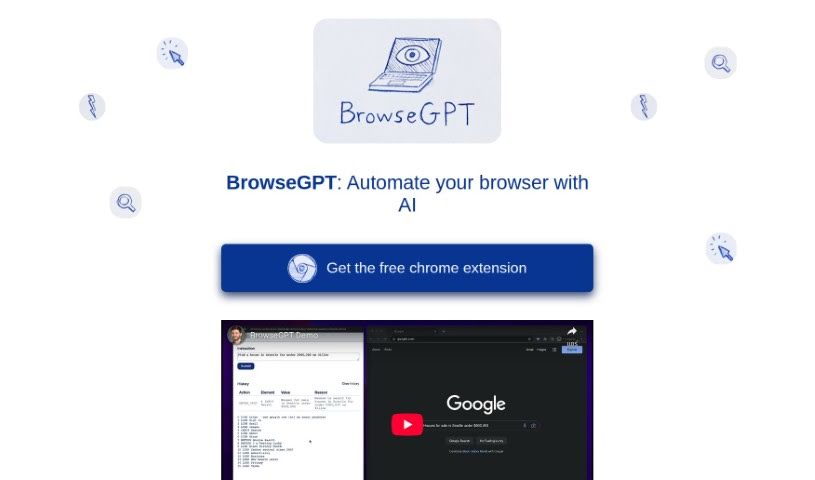
Screenshot of BrowseGPT

BrowseGPT

Freemium

So, what exactly is BrowseGPT? Think of it as a really smart Chrome extension that uses AI, specifically OpenAI's GPT-3 model, to handle tasks for you right in your browser. You can give it simple instructions, like telling it to find you a place to stay in a specific city or to buy something online. Then, the AI goes to work, trying to click buttons, move around web pages, and fill in text fields all by itself. It's a pretty powerful tool, but it's important to remember it's still experimental. This means it might sometimes get a bit stuck, maybe in a loop, or it could end up on the wrong page. The cool thing is, every single thing BrowseGPT does comes with an explanation. This way, you can actually see how the AI is thinking and step in to fix things if it goes off track. Because it's experimental, it's a good idea to use it carefully. Definitely avoid using it on pages where you have sensitive or private information, as a wrong click could lead to some pretty serious issues.

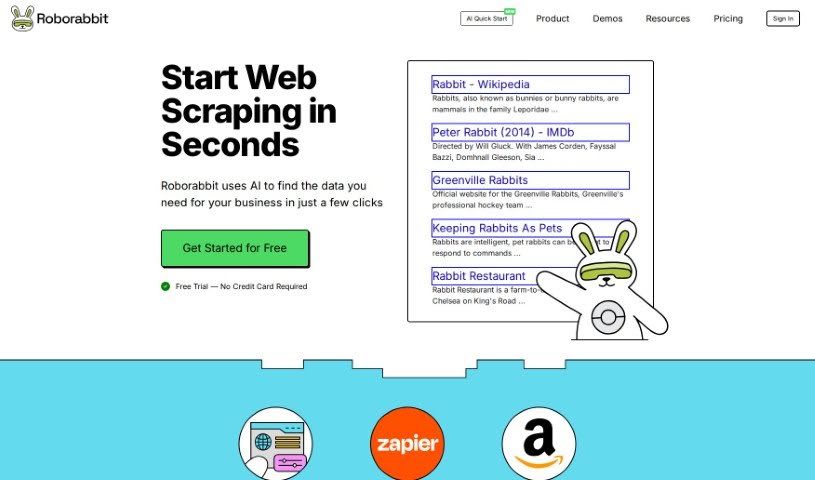
Screenshot of Browserbear

Browserbear

Freemium

Browserbear is a platform that offers a really handy AI Web Scraper tool. It's designed to automate tasks in your browser, and the best part? You don't need to know any code to use it! You can set up custom tasks, pull data right from websites, and even automate testing processes. Plus, it plays nicely with other apps through integrations like Custom Feeds and Zapier, so you can connect it to pretty much anything. To help you get the most out of it, they've included interactive demos, tutorials, and an API reference. Basically, Browserbear makes automation and web scraping super accessible, no matter your tech background.

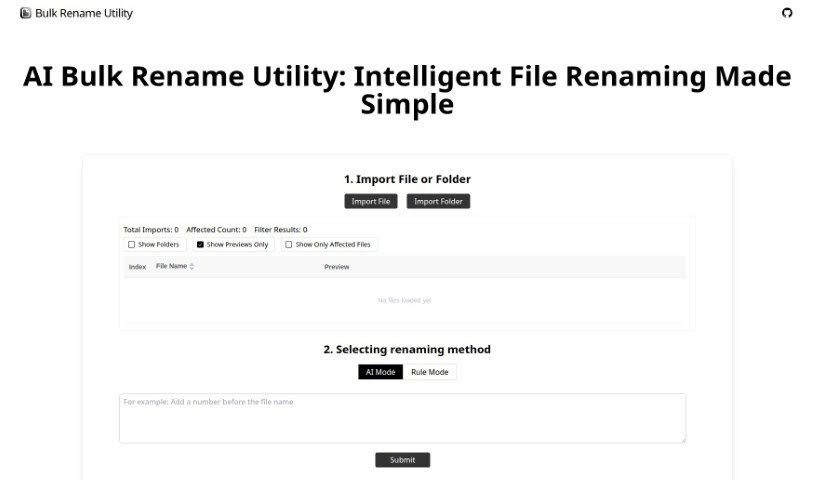
Screenshot of Bulk Rename Utility

Bulk Rename Utility

Freemium

Bulk Rename Utility is a really handy tool that lets you rename files online, and the best part? You don't need to upload anything or install any software. It offers two main ways to rename your files: an AI Mode and a Rule Mode. With the AI mode, you can simply describe what you want to do with your file names, and the AI figures out how to generate the new names for you. If you prefer more control, the Rule Mode lets you apply all sorts of specific changes. You can swap out characters, add numbers in sequence, set up entirely new naming patterns, or even use custom JavaScript for some really advanced renaming. It's designed to work right on your computer, only looking at your file directory, name, and size to keep your privacy safe. What makes Bulk Rename Utility stand out is how easy it is to use, the wide range of file operations it supports, and that it works on both Windows and Mac through your Chrome or Edge browser.

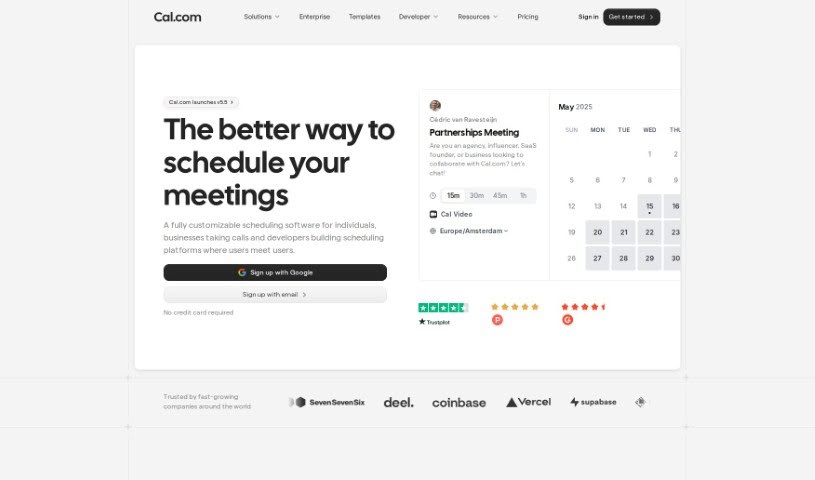
Screenshot of Cal.ai

Cal.ai

Freemium

Cal.ai is your personal scheduling assistant, designed to make managing your calendar a whole lot easier. It really simplifies the whole process of booking meetings, rescheduling things when life happens, and figuring out when everyone is actually free. You can just send commands via email to your AI assistant, and it'll handle all the scheduling details for you. Plus, Cal.ai can forward emails to automate scheduling, give you summaries of your Cal video meetings, and it comes with different pricing plans for individuals, teams, organizations, and even larger enterprises. Essentially, it's all about making your scheduling smoother, taking that burden off your shoulders, and helping you manage your time much more effectively, all within the broader Cal.com family of tools.

Screenshot of Calendarscan

Calendarscan

Freemium

CalendarScan is a smart tool that uses artificial intelligence to help you manage your calendars more easily. It is a digital assistant for your schedule. It's designed to take your paper calendars, schedules, or event details and turn them into a digital format. All you have to do is snap a photo of your calendar or schedule, and the AI figures out the information from the image. Then, it imports it right into your mobile phone's calendar. You can grab CalendarScan from Google Play and the App Store right now, and they're planning to launch a web version soon. It works great on both Android and iOS devices, making schedule management a breeze by cutting out all that tedious manual data entry. It’s a fantastic way to save time and boost your efficiency, no matter where your schedules come from.

Screenshot of Call An Ai

Call An Ai

Freemium

Call An AI is a really interesting project from the Toolkit AI team. Essentially, it's a service that gives you access to a variety of AI bots you can talk to on the phone. They are specialized assistants for all sorts of things – whether you need a therapist, help planning your day, a parenting coach, someone for tech support, a partner to bounce ideas off of, or even just a journaling buddy. What's neat is that you can even create your very own AI bot and give it its own phone number! These bots are available around the clock, 24/7, and they're planning to add even more cool features down the line, like making them learn and adapt as they talk to you, and letting you schedule calls. They're also working on letting you customize the voices.

Screenshot of Calorieasy

Calorieasy

Freemium

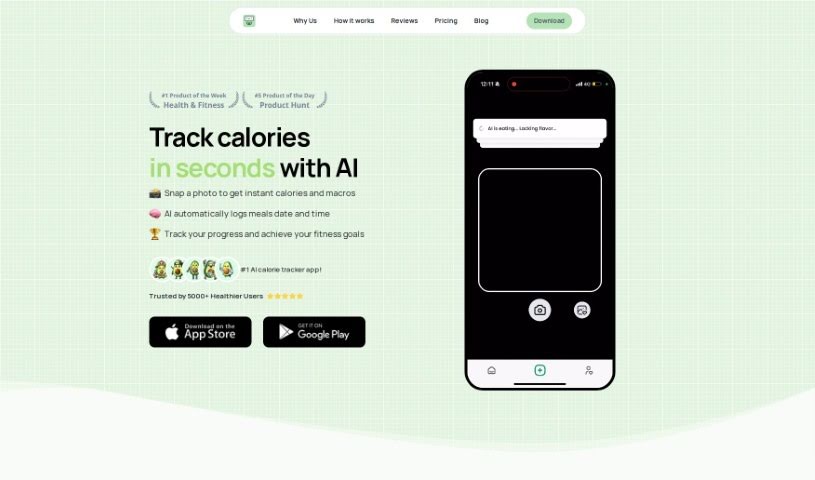
Calorieasy is an AI-powered app designed to make calorie tracking simple and help you live a healthier life. Forget typing everything in – you can just snap a photo of your meal, and the app handles the rest! It offers really quick and accurate food tracking, gives you detailed calorie information, and sets personalized daily calorie goals based on your lifestyle and fitness aims. Some of its main features include an automatic food diary, a breakdown of your macronutrients (proteins, carbs, and fats), and a nutritional timeline to keep your meals organized.

Screenshot of Camp

Camp

Freemium

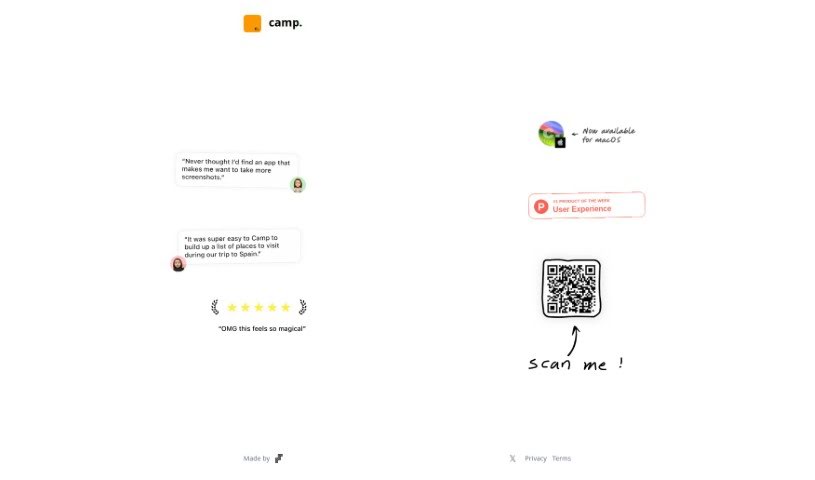
Camp is a neat tool that really boosts what your phone screenshots can do. It is an upgrade for your screenshots. It automatically spots and pulls out key details like text, people, and locations right from your images. There's even a music feature coming soon! This means your screenshots become much more than just static pictures stored away; they gain extra abilities, making them way more useful and interactive.

Screenshot of Cape Privacy

Cape Privacy

Freemium

Cape Privacy is a platform built with privacy as its core principle. It cleverly integrates AI technology to offer a range of useful features. Think agentic workflows, AI-driven knowledge retrieval, and a handy chat interface called CapeChat. The company really stands by its values: trust, innovation that has a real purpose, working together, acting ethically, and making sure users succeed. Cape Privacy aims to deliver solutions that put data privacy first. This includes things like automatic encryption, automatically redacting sensitive information, using powerful language models, OCR capabilities, voice features, NDA tools, secure enclaves, and automating your workflows.

Screenshot of CapSolver

CapSolver

Freemium

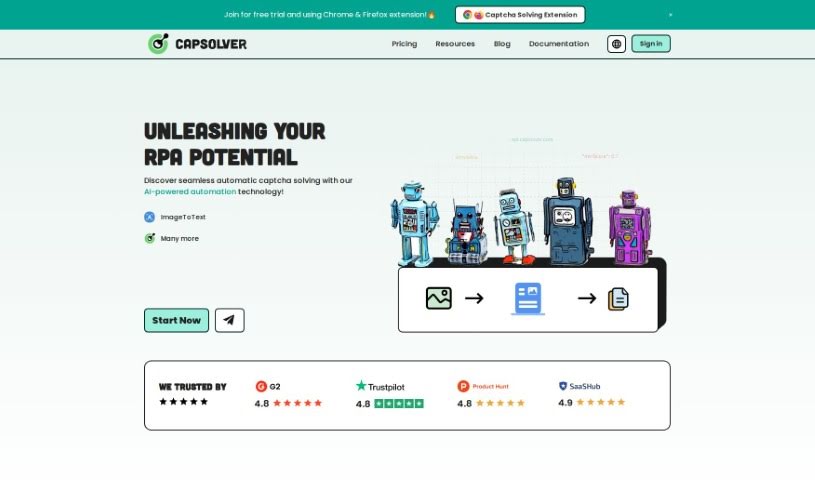
CapSolver is a really smart, AI-driven tool built to tackle and get past all sorts of captchas. Think reCAPTCHA, hCaptcha, FunCaptcha – you name it, it can often handle it. It's known for being a fast captcha solving service, and you can even try it out for free. It's super handy as a Google Chrome browser extension, which means it can automatically solve those common captchas you run into on pretty much any website. It's got a good handle on a variety of captcha types, including reCAPTCHA v2 and v3, hCaptcha, FunCaptcha, Cloudflare Turnstile, and even AWS WAF. For those who build things, CapSolver also offers an API, making it easy to plug into your own systems. Plus, it speaks multiple languages and gives you ready-to-go code examples, along with thorough documentation for developers. At its core, CapSolver uses AI and machine learning for image recognition, aiming to boost how we use artificial intelligence in all sorts of tech environments.

Screenshot of Carepatron

Carepatron

Freemium

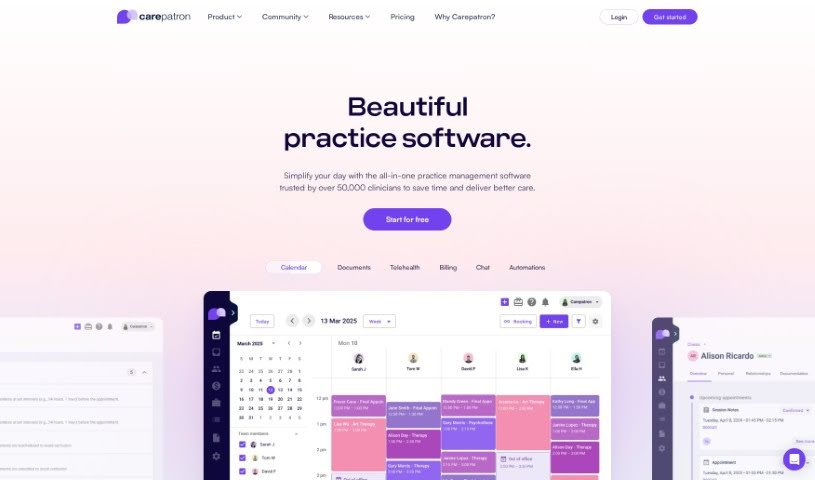
Carepatron is a free tool that uses Artificial Intelligence to accurately and efficiently transcribe medical notes. It is a smart assistant for your medical documentation. It fits right into your daily clinical work, cutting down the time and hassle of manual transcriptions. This means you, as a healthcare provider, can spend more time actually caring for your patients. The AI is really good at minimizing transcription errors, capturing what you say quickly and turning it into text with impressive accuracy. This really boosts the reliability and precision of your patient records. Plus, Carepatron gets the context and the subtle meanings in medical terms, making sure your transcribed notes are clear and clinically sound. You can even customize it for your specific medical vocabulary and use your own templates, so it works for pretty much any medical practice.

Stay Updated with AI Tools

Get weekly updates on the latest AI tools, trends, and insights delivered to your inbox

Join 25,000+ AI enthusiasts. No spam, unsubscribe anytime.