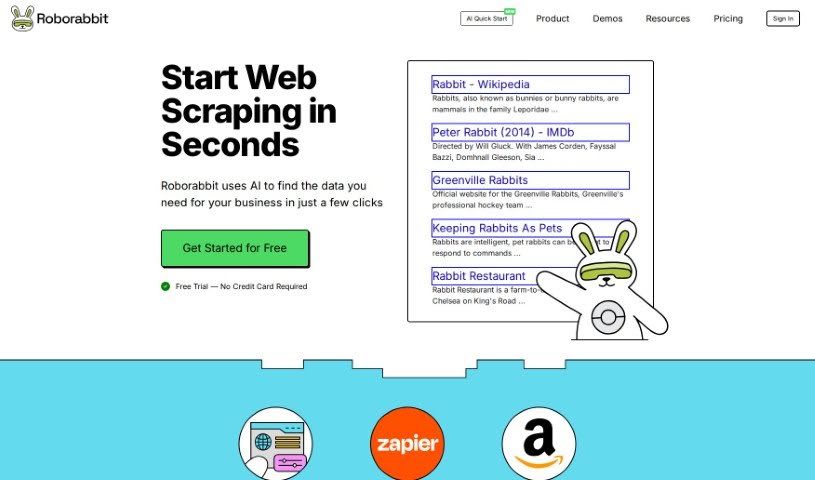
What is Browserbear?
Browserbear is a platform that offers a really handy AI Web Scraper tool. It’s designed to automate tasks in your browser, and the best part? You don’t need to know any code to use it! You can set up custom tasks, pull data right from websites, and even automate testing processes. Plus, it plays nicely with other apps through integrations like Custom Feeds and Zapier, so you can connect it to pretty much anything. To help you get the most out of it, they’ve included interactive demos, tutorials, and an API reference. Basically, Browserbear makes automation and web scraping super accessible, no matter your tech background.
Who created Browserbear?
Browserbear was actually created by a company called Roborabbit. They launched the platform back on October 18, 2023. Roborabbit is the team behind all the cool features you’ll find, like REST API access, the ability to create Custom Feeds, Zapier integration, and a handy Team Members feature for working together. The AI Web Scraper, which is a core part of Browserbear, is designed to be super user-friendly for automating browser tasks, scraping the web, and running automated tests. This means it’s a great tool for anyone, regardless of their technical skill level. To start using it, you just need to sign in to your Browserbear account.
What is Browserbear used for?
Browserbear is incredibly versatile! You can use it for:
- Automated Testing: Streamline your testing processes.
- Automating Browser Tasks: Let the tool handle repetitive actions.
- Web Scraping: Easily extract data from websites.
- Creating Custom Tasks: Build specific workflows with the Task Builder.
- Connecting with Other Apps: Use Custom Feeds and Zapier to link with thousands of other services.
- API Access: Leverage the REST API for integration into external services or custom applications.
- Running Tasks Simultaneously: No limits on how many tasks you can run at once.
- Team Collaboration: Add multiple team members to a single account with the Team Members feature.
- Optimized JSON Feeds: Create clean, ready-to-use JSON feeds from your scraped data using Custom Feeds.
- Automated Workflows: Build fully automated processes with Zapier.
- Data Extraction: Specifically for pulling information from websites.
- API Triggers: Automate browser tasks and kick them off using an API.
- Developer Resources: Access NOCODE tutorials and developer tutorials to boost your knowledge.
- Interactive Demos: Explore examples like taking screenshots or scraping job data.
- App Integration: Connect with platforms like Make.com and Integromat.
Essentially, if you need to automate browser actions, pull data from the web, or connect different online tools, Browserbear has you covered.
Who is Browserbear for?
Browserbear is a fantastic tool for a wide range of professionals and users:
- Web Developers
- Data Analysts
- Engineers
- Data Scientists
- Researchers
- IT Professionals
- Developers
- Automation Testers
- Business Analysts
- Entrepreneurs
- Marketers
- Automation Engineers
- Web Scraping Practitioners
- API Developers
It’s also perfect for anyone with varying technical expertise who needs to automate tasks or extract data from the web.
How to use Browserbear?
Getting started with Browserbear is straightforward. Here’s a quick rundown:
- Sign In: First, just log in to the Browserbear platform.
- Create Tasks: Define a series of instructions for your task. This could be anything from visiting a specific website and capturing data to clicking buttons or filling out forms.
- Trigger Your Tasks: You can set your tasks to run automatically based on a schedule, trigger them manually via an API, or connect them with Zapier for automated workflows.
- Run Simultaneously: Don’t worry about limits – you can run as many tasks as you need at the same time.
- API Integration: Use the REST API to access task running capabilities and easily integrate Browserbear into your external services or custom apps.
- Custom Feeds: Generate optimized JSON feeds from your scraped data. This feature is great for cleaning and compiling your data before you use it.
- Zapier Integration: Connect Browserbear with Zapier to link up with thousands of other apps without needing any code.
- Team Members: If you’re working with others, you can add multiple team members to a single account using the Team Members feature.
- Credit System: Browserbear uses a credit system to track usage. Actions like loading pages or capturing data will consume credits.
- Need Help? If you run into any issues or have questions, you can reach out to their support team at [email protected]. For quicker responses, consider opting for their priority support.
- Explore Resources: Dive into helpful resources like NOCODE and developer tutorials, the API Reference, and interactive demos available directly on the platform.
This guide should give you a solid understanding of how to effectively use Browserbear for all your automation and web scraping needs, whether you’re a seasoned pro or just starting out!