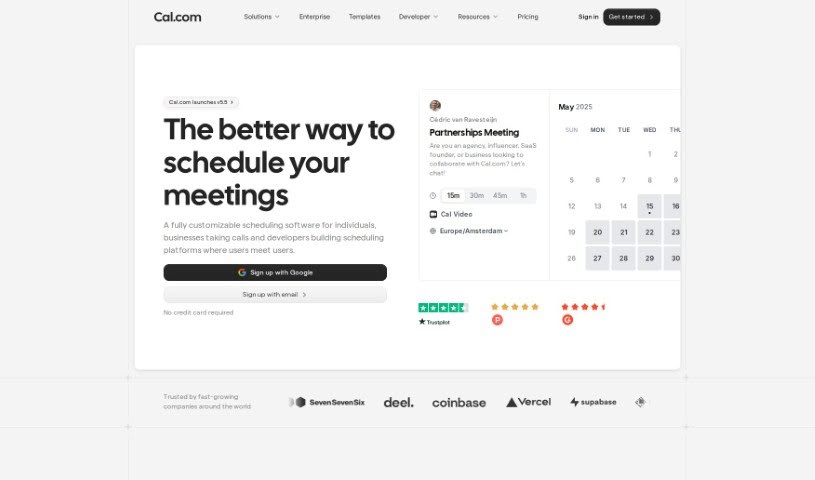
Screenshot of Cal.ai

Cal.ai

Discover what Cal.ai is and how to make the most of it in 2025. We'll dive into its features, compare it to other meeting assistants, and show you exactly how to get started.

Screenshot

What is Cal.ai?

Cal.ai is your personal scheduling assistant, designed to make managing your calendar a whole lot easier. It really simplifies the whole process of booking meetings, rescheduling things when life happens, and figuring out when everyone is actually free. You can just send commands via email to your AI assistant, and it’ll handle all the scheduling details for you. Plus, Cal.ai can forward emails to automate scheduling, give you summaries of your Cal video meetings, and it comes with different pricing plans for individuals, teams, organizations, and even larger enterprises. Essentially, it’s all about making your scheduling smoother, taking that burden off your shoulders, and helping you manage your time much more effectively, all within the broader Cal.com family of tools.

Who created Cal.ai?

Bailey Pumfleet is the mind behind Cal.ai, launching it on October 15, 2023. The company’s whole mission is to simplify scheduling tasks with its smart AI assistant. Cal.ai makes booking meetings, rescheduling events, and keeping track of availability much more straightforward. The team has some serious backing too, with lead investors like Alexis Ohanian and James Joaquin.

What is Cal.ai used for?

Here’s a quick rundown of what Cal.ai can do for you:

  • Book meetings without the back-and-forth.
  • Easily reschedule events when plans change.
  • Quickly find out when participants are available.
  • Automate a lot of those tedious scheduling tasks.
  • Get suggestions for new meeting times if your first choice doesn’t work.
  • Claim your own personal Cal.ai email address.
  • Forward emails directly to your AI assistant to get scheduling done.
  • Find out when other people are free.
  • Get transcriptions and summaries of your Cal video meetings.
  • Send simple email commands to interact with your AI assistant.

Who is Cal.ai for?

  • Individuals looking to save time on scheduling.
  • Teams needing to coordinate meetings efficiently.
  • Organizations aiming to streamline their overall scheduling processes.

How to use Cal.ai?

To really make Cal.ai work for you, here’s a simple step-by-step guide:

  1. Connect Your Calendars: First things first, link up your Google Calendar, Microsoft Outlook, CalDav, Cal Video, Zoom.us, Google Meet, and any other apps you use. This keeps everything synced and prevents those annoying double bookings.
  2. Set Your Availability: Tell Cal.ai when you’re generally free for meetings on different days and times. This makes it super easy for others to find a slot that works for you.
  3. Claim Your Personal Link: Grab your personalized cal.com link. It’s a simple way for people to book meetings with you at times that suit both of you.
  4. Forward Emails: Got a scheduling request via email? Just forward it to your AI assistant. It’ll handle the task efficiently for you.
  5. Utilize AI Features: Dive into the AI capabilities! Use them to automate scheduling, get smart suggestions for alternative times, find out when others are available, and even get transcriptions of your Cal video meetings.
  6. Explore Pricing Plans: Take a look at the different plans – individual, team, organization, and enterprise. Pick the one that best fits your needs for advanced features and the level of support you’re looking for.
  7. Utilize Support and Documentation: Don’t hesitate to check out the documentation, read the blog, or reach out to customer support if you need any help. They’re there to assist you.

Ultimately, Cal.ai is all about making scheduling simpler. By automating tasks, offering AI-powered help, and providing various plans, it’s designed to meet different user needs within the Cal.com ecosystem.

Related AI Tools

Discover more tools in similar categories that might interest you

Stay Updated with AI Tools

Get weekly updates on the latest AI tools, trends, and insights delivered to your inbox

Join 25,000+ AI enthusiasts. No spam, unsubscribe anytime.