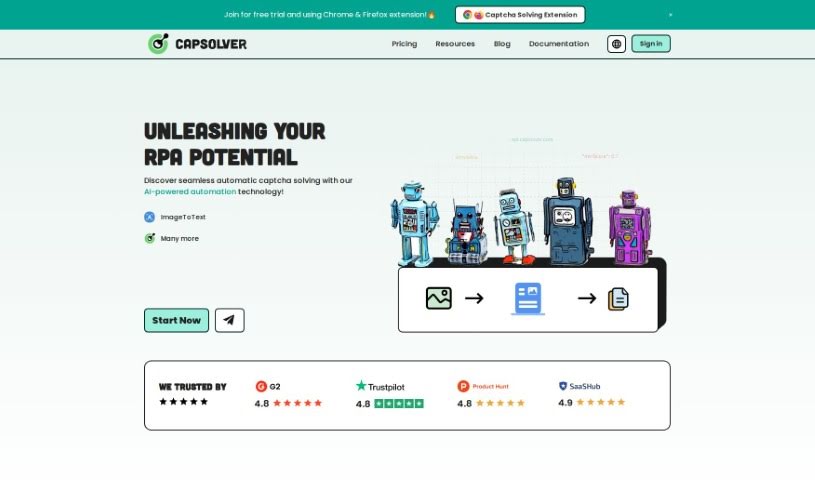
Screenshot of CapSolver

CapSolver

Discover CapSolver, an AI-powered tool for bypassing captchas like reCAPTCHA and hCaptcha. Learn how to use its Chrome extension and API in 2025, compare it with other automation tools, and explore its features.

Screenshot

What is CapSolver?

CapSolver is a really smart, AI-driven tool built to tackle and get past all sorts of captchas. Think reCAPTCHA, hCaptcha, FunCaptcha – you name it, it can often handle it. It’s known for being a fast captcha solving service, and you can even try it out for free. It’s super handy as a Google Chrome browser extension, which means it can automatically solve those common captchas you run into on pretty much any website. It’s got a good handle on a variety of captcha types, including reCAPTCHA v2 and v3, hCaptcha, FunCaptcha, Cloudflare Turnstile, and even AWS WAF. For those who build things, CapSolver also offers an API, making it easy to plug into your own systems. Plus, it speaks multiple languages and gives you ready-to-go code examples, along with thorough documentation for developers. At its core, CapSolver uses AI and machine learning for image recognition, aiming to boost how we use artificial intelligence in all sorts of tech environments.

Who created CapSolver?

We don’t have specific creator information for CapSolver; it was developed by a team that prefers to remain anonymous. This AI-powered tool first launched on February 26, 2023. It’s designed as a speedy service for solving various kinds of captchas. You can try it out with a free trial, and it’s also available as a convenient Google Chrome browser extension. For developers, CapSolver provides an API that can be integrated into their existing infrastructure. The overall goal here is to help expand the use of artificial intelligence across different technology-focused fields.

Who is CapSolver for?

CapSolver is a great tool for a variety of users and tasks, including:

  • Web Testing: Making sure websites function correctly.
  • Social Media: Managing accounts and interactions.
  • Data Collection: Gathering information efficiently from the web.
  • Market Research: Understanding trends and consumer behavior.
  • SEO: Optimizing website visibility.
  • Online Shopping: Streamlining browsing and purchasing.
  • Online Gaming: Enhancing gaming experiences.
  • Financial Services: Automating tasks and data handling.

How to use CapSolver?

Here’s a straightforward guide to using CapSolver effectively:

  1. Get CapSolver Set Up: First off, CapSolver is this AI tool that’s really good at solving different captchas. It offers a fast service, and you can even get a free trial to see how it works.
  2. Use the Google Chrome Extension: CapSolver has a handy Chrome extension. This lets you automatically solve common captchas, like reCAPTCHA v2, v3, hCaptcha, FunCaptcha, Cloudflare Turnstile, and AWS WAF, right on any webpage you visit.
  3. Integrate with the API: If you’re a developer, you can easily connect CapSolver’s API into your own applications or systems to handle captcha solving automatically.
  4. Leverage Language Support and Documentation: CapSolver supports several languages, and they provide code examples that are ready to use, which makes integrating it into your web projects much quicker. Plus, there’s plenty of detailed documentation available for developers.
  5. Explore Pricing Options: CapSolver offers flexible pricing. You can pay as you go, or you can buy packages which can save you money – sometimes up to 60% compared to paying for each captcha individually. The exact cost depends on the type of captcha you need to solve.
  6. See the Use Cases: People use CapSolver for all sorts of things! It’s common in web testing, managing social media, collecting data, doing market research, SEO tasks, online shopping, online gaming, and even in financial services.
  7. Benefit from Image Recognition Services: CapSolver uses AI and machine learning for its image recognition capabilities. The idea is to help bring more artificial intelligence into technology-driven environments.

By following these steps, you’ll be able to use CapSolver efficiently to solve captchas and make your web interactions smoother.

Related AI Tools

Discover more tools in similar categories that might interest you

Stay Updated with AI Tools

Get weekly updates on the latest AI tools, trends, and insights delivered to your inbox

Join 25,000+ AI enthusiasts. No spam, unsubscribe anytime.