AI Tools for Productivity

Discover the best Productivity AI tools to enhance your productivity and creativity.

Page 109 of 114 • 1361 total tools

In today’s busy world, staying productive can feel like a real challenge. With so much to do, constant notifications, and distractions everywhere, having the right tools to manage your time well is more important than ever. That’s where AI productivity tools come in—they’re designed to make your work smoother, handle repetitive tasks for you, and keep you organized.

These smart solutions have come a long way recently. They’ve gone from simple task managers to complete systems that can adapt to what you need. Whether you’re trying to organize your day better, improve how your team works together, or finally tackle that huge inbox, the right AI tools can make a big difference.

As I looked into the best AI productivity tools out there, I tried out several apps that promise to make you more efficient and focused. From smart schedulers to new project management systems, there are tons of options to help you get your time back.

So, if you’re ready to boost your productivity and make the most of your workday, you’re in the right place. Here’s a list of great AI productivity tools that are definitely worth checking out. Let’s explore how to work smarter together!

The best AI Productivity Tools

  1. Perplexity for automating tasks and helping with management.
  2. Small PDF.com for smoother document management for teams.
  3. Gamma for document creation tools that save time.
  4. Odoo for a task management and collaboration app.
  5. Zoom for analyzing and summarizing meeting content.
  6. N8N for smoother team onboarding processes.
  7. Prezi for engaging team collaboration sessions.
  8. Tableau for creating reports and dashboards more easily.
  9. Data Camp for efficient team collaboration workflows.
  10. Otter.ai for getting action items from meetings without the fuss.
  11. Tenorshare for easily summarizing long PDF documents.
  12. Slidesgo for creating professional presentations efficiently.
  13. Facecheck Id for streamlining identity verification tasks.
  14. HIX.AI for boosting writing speed with smart tools.
  15. Tactiq for automating meeting notes for teams.

How do AI productivity tools work?

AI productivity tools use machine learning to look at how you work and make your tasks more efficient. These tools are built to handle lots of information, spotting patterns and your preferences to help smooth out your workflows. By understanding how you use different apps, AI can suggest personal improvements to boost your productivity.

Basically, these tools use natural language processing (NLP) to understand and respond to what you ask. For example, they can schedule meetings, set reminders, or create reports just by understanding simple requests. This saves you time and cuts down on manual work.

Many AI productivity apps connect with popular tools like calendars, email, and project management software. This connection lets them gather information and automate tasks across different places. As a result, you get a smooth, connected experience that improves how you work day-to-day.

AI productivity tools also learn from how you use them to get better over time. The more you use a tool, the better it gets at guessing what you need and offering helpful suggestions. This ability to adapt is what makes AI tools increasingly valuable for improving productivity for both individuals and teams.

Plus, these tools can look at data about how you complete tasks and suggest ways to improve. For instance, if you often miss deadlines, the AI might suggest better ways to manage your time. By giving you useful insights, AI productivity tools help you work smarter, not just harder.

In the end, AI productivity tools show how technology can change everyday tasks into more efficient processes. By automating routine jobs and offering personal insights, they help you focus on what’s most important—hitting your goals and being more effective overall.

Our best AI productivity tools at a glance

RankNameBest forPlans and PricingRating
1PerplexityAutomating tasks and helping with management.N/A4.70 (10 reviews)
2SmallPDF.comSmoother document management for teams.Paid plans start at $9/month.4.73 (11 reviews)
3GammaDocument creation tools that save time.N/A4.79 (19 reviews)
4OdooA task management and collaboration app.N/A4.67 (6 reviews)
5ZoomAnalyzing and summarizing meeting content.Paid plans start at $15.99/month.4.73 (11 reviews)
6N8NSmoother team onboarding processes.Paid plans start at $50/month.4.58 (12 reviews)
7PreziEngaging team collaboration sessions.Paid plans start at $19/month.4.18 (11 reviews)
8TableauCreating reports and dashboards more easily.N/A4.70 (43 reviews)
9DataCampEfficient team collaboration workflows.Paid plans start at $25/month.4.71 (24 reviews)
10Otter.aiGetting action items from meetings without the fuss.Paid plans start at $13.59/month.4.73 (11 reviews)
11TenorshareEasily summarizing long PDF documents.N/A4.64 (11 reviews)
12SlidesgoCreating professional presentations efficiently.N/A4.68 (22 reviews)
13Facecheck IdStreamlining identity verification tasks.N/A4.42 (19 reviews)
14HIX.AIBoosting writing speed with smart tools.N/A4.36 (11 reviews)
15TactiqAutomating meeting notes for teams.N/A4.64 (11 reviews)
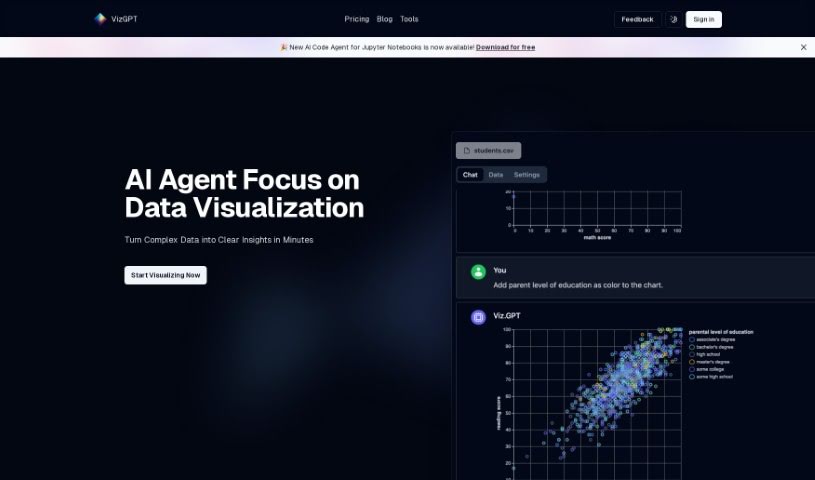
Screenshot of vizGPT

vizGPT

Freemium

VizGPT is a really smart tool that completely changes how we create data visualizations. It makes it super easy to turn complex data into clear, insightful visuals, all through a simple chat interface. You just talk to the chatbot, and it converts your data into charts and graphics. This platform uses clever algorithms to understand what you're describing and then generates accurate visuals, which is a fast way to make decisions based on your data.

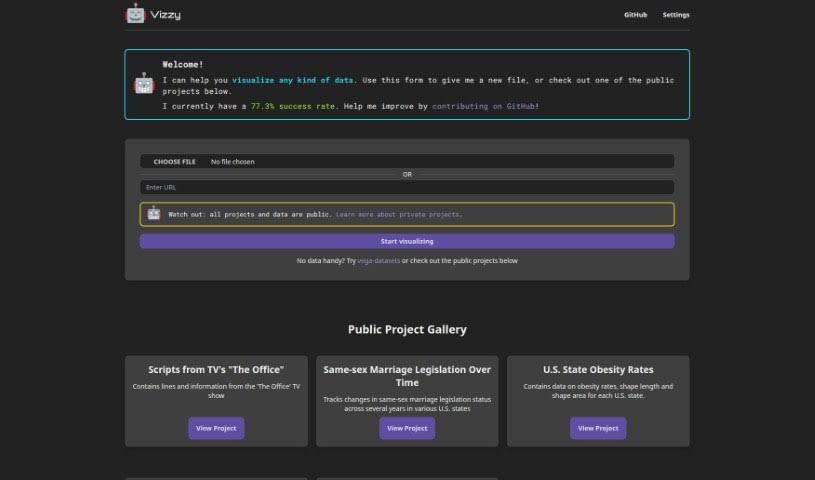
Screenshot of Vizzy

Vizzy

Freemium

Vizzy is a neat AI-powered tool that helps you create data visualizations really fast. You can connect it to OpenAI using an API token, which lets you tap into various AI tools. This means you can visualize all sorts of data, like public health stats, geographical information, legislative updates, media scripts, and much more. Vizzy also makes it easy to collaborate on public projects, and you have the option to keep your projects private too. Just a heads-up, you're responsible for any costs that come up when you use it. Typically, it costs less than $1 per project, but this can change depending on how you use it and if there are any bugs.

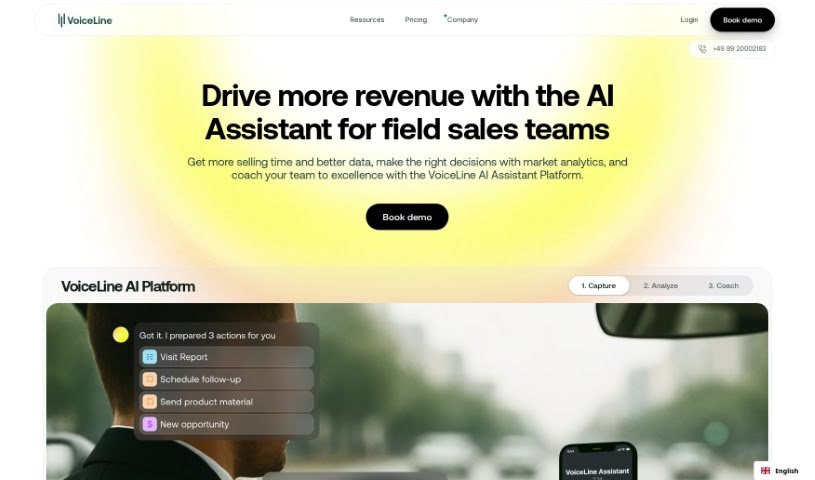
Screenshot of VoiceLine

VoiceLine

Freemium

VoiceLine is a really smart communication tool designed to make talking to people easier and more efficient. It offers high-quality voice calls, so you can make and take calls without any hassle. Plus, it has handy extras like call forwarding, voicemail, and call recording, which really boost your communication game. The interface is super easy to use, and you can tweak the settings to fit exactly what you need, whether you're an individual or a business. It’s a flexible platform that keeps your voice communication smooth and reliable, making it a great asset for staying connected in our busy world.

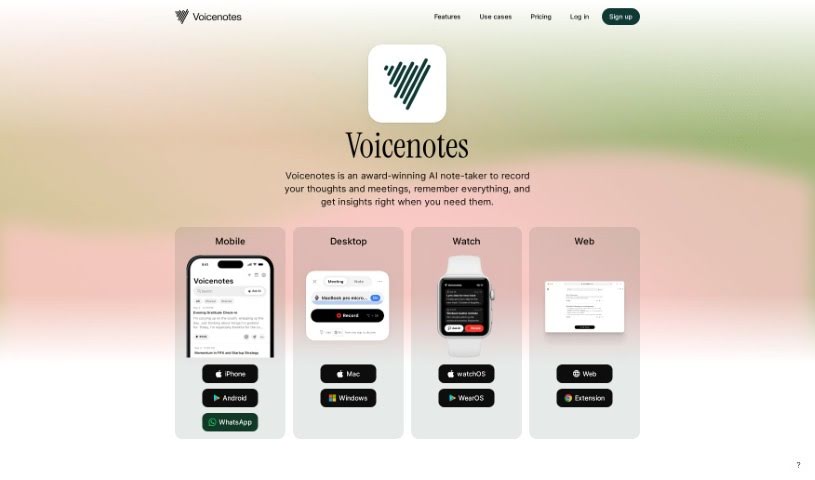
Screenshot of Voicenotes

Voicenotes

Freemium

Voicenotes is a handy digital tool built for capturing and keeping all sorts of notes – think fleeting thoughts, brilliant ideas, precious family moments, or even important lectures. What's really neat is that it can take these recordings and turn them into summaries, blog posts, tweets, and to-do lists. Plus, it's got this smart AI that you can chat with; you can ask it questions or get its feedback. Voicenotes really cares about keeping your data safe and private, storing your voice records securely and making sure your privacy is protected.

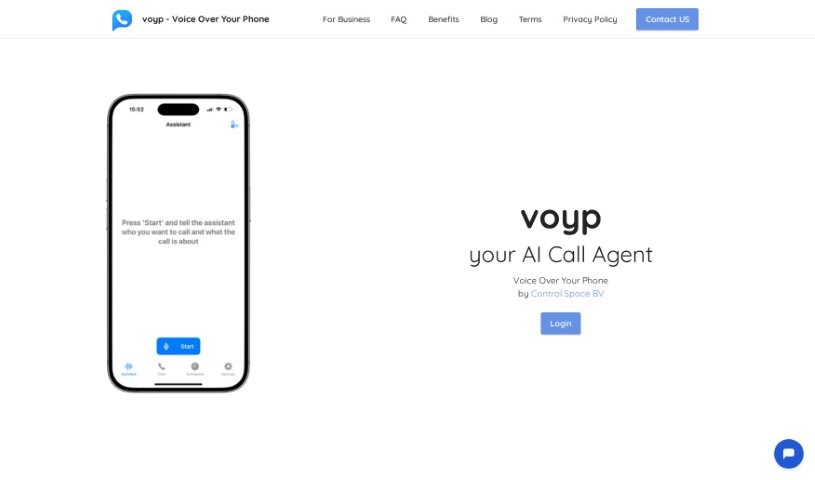
Screenshot of Voyp

Voyp

Freemium

VOYP, which stands for "Voice Over Your Phone," is an AI-powered app designed to make booking appointments and reservations much simpler. You can talk to the app using your voice or type messages on your phone, and a smart AI assistant handles everything else. This is a real game-changer for people who have trouble with phone calls, whether it's due to speech impairments, social anxiety, or other challenges. It gives them more independence and makes life a lot more convenient.

Screenshot of Vtiger CRM

Vtiger CRM

Freemium

Vtiger Calculus AI is a powerful analytics and business intelligence tool built right into the Vtiger CRM platform. It is your smart assistant for sales data. It uses machine learning to sift through your sales information, spot trends, and give you predictions that help you make smarter business decisions. This tool is great for keeping an eye on important numbers like sales forecasts, how much your deals are worth, and your win rates. Plus, it helps you connect better with customers and keep them around longer. It also works to automate and improve your sales tasks, from managing leads and contacts to designing your sales funnel and processes.

Screenshot of Waitroom

Waitroom

Freemium

Waitroom is an online platform built for structured micro-meetings, aiming to really boost how teams communicate and get things done. It comes packed with features like different meeting formats, emoji reactions for quick feedback, screen sharing, and seamless integration with Slack and Google Calendar. Plus, it can handle quite a crowd – up to 2,000 participants! The whole idea is to fight meeting fatigue by keeping things focused and timed using a clever queue and timer system. Waitroom also has a handy AI meeting assistant called Summa, which helps make meetings more efficient by providing AI summaries and transcripts. You can hop on through your browser or use the mobile app, which makes it super convenient for everyone.

Screenshot of Walling

Walling

Freemium

Walling is a platform built to help people and teams organize and present their ideas really quickly and effectively. It is a smart assistant that uses AI to whip up ideas, tasks, images, tables, and all sorts of content in just seconds. This means you can go from a simple idea to a fully fleshed-out project in no time at all. Walling gives you a visual canvas where you can gather everything related to your project – notes, context, pictures, videos, files, links, tables, calendars, and so much more. It’s all about bringing your project pieces together in one place that’s easy and nice to look at. You can create these beautiful, interactive 'walls' to collect, organize, and show off your work without ever needing to jump between different pages or apps. Plus, Walling makes teamwork a breeze with features for collaboration and task management. You can leave comments, vote on ideas, assign tasks, set deadlines, and it even works great on your phone or tablet, so it’s always accessible.

Screenshot of Waspnote

Waspnote

Freemium

Waspnote is an AI-powered app built for students and professionals who want to take better notes. It’s packed with features designed to make your life easier. You can easily capture ideas using your voice, get quick AI-generated summaries of your notes, and find anything you need in seconds with its super-fast search. Plus, it syncs your notes across all your devices so you can access them anywhere, anytime. It also lets you scan documents, keeps your information secure, and lets you export notes as PDFs, which is great for sharing and working with others. Waspnote even offers clear pricing plans that work for teams of any size. Basically, Waspnote uses AI to help you be more productive and organized with your notes.

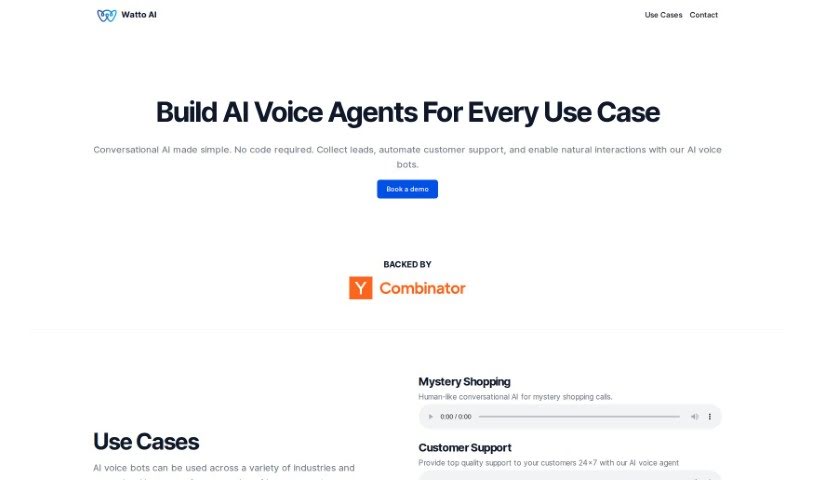
Screenshot of Watto AI

Watto AI

Freemium

Watto AI is a platform designed to really speed things up for product teams. It does this by automating the creation and review of documents, which can cut down your time-to-market by a solid 40%. Imagine turning user feedback and research into high-quality PRDs and 1-pagers almost instantly – that's what Watto AI does! The big goal here is to help teams become more dynamic storytellers and leaders. Plus, Watto AI also offers services related to AI chatbots, note-taking and writing apps, knowledge base software, automation tools, user research, and tracking product status.

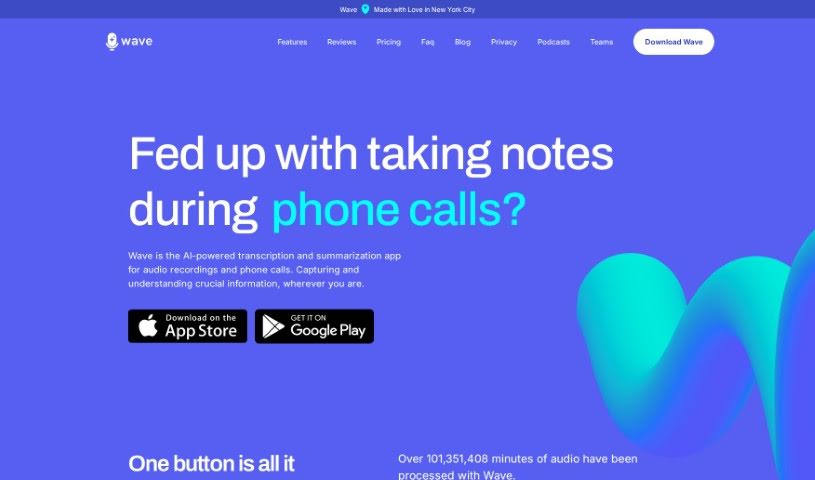
Screenshot of Wave AI Note Taker For Ios

Wave AI Note Taker For Ios

Freemium

Wave AI Note Taker for iOS is a really smart app for your iPhone and Android devices. It's designed to make recording, transcribing, and summarizing audio super easy. It is your go-to for capturing meetings, phone calls, or even importing podcasts and YouTube videos. Wave records the audio, turns it into text, and then gives you a neat, concise summary that you can tweak just how you like it. There's a free version that gives you 30 minutes of recording time each month, and you can always upgrade if you need more. Wave really cares about your privacy and uses an open-source transcription model, which helps make sure the transcriptions are accurate. Plus, it can record in the background and works with Siri shortcuts, which is pretty handy. You can even adjust how long the summaries are and what format they're in right within the app. Wave is available for both iOS and Android, and they're also working on a web dashboard so you can easily get to your transcripts and summaries from any device.

Screenshot of WaveAI

WaveAI

Freemium

WaveAI is a company that's really at the forefront of AI technology, creating smart solutions for businesses in all sorts of industries. They're known for their fresh approach to building AI tools that help companies work more efficiently, grow faster, and give their customers a better experience. Basically, WaveAI's tools are built to harness the power of data analysis, machine learning, and natural language processing. This helps organizations make smarter decisions, automate tasks, and really dig into their data to find valuable insights. They're big on research and development, always pushing what AI can do to create solutions that keep up with what their clients need.

Stay Updated with AI Tools

Get weekly updates on the latest AI tools, trends, and insights delivered to your inbox

Join 25,000+ AI enthusiasts. No spam, unsubscribe anytime.