AI Tools for Photographers

Discover the best Photographers AI tools to enhance your productivity and creativity.

Page 5 of 5 • 59 total tools

Photography has always been about capturing that perfect shot, but technology is really changing how photographers shoot, edit, and share their work these days. With AI tools becoming more common, photographers can speed up their workflow, get more creative, and really improve their skills. No matter if you’re a pro or just starting out, there’s an AI tool out there to help you take your photography to the next level.

You’ve got everything from smart editing software that automatically fixes your photos to apps that can create amazing images from just a simple description. The possibilities feel endless! These tools don’t just save you time; they also spark new artistic ideas, letting your unique vision really stand out in every picture.

I’ve spent a good amount of time checking out the newest AI tools for photographers, looking at what they offer, how easy they are to use, and how much they actually help with the craft. While some of the claims might sound a bit much, the best tools genuinely help your creative process instead of taking over.

Wondering which AI tools can really improve your photography experience? You’ve come to the right place. Here’s a list of the top options that can help you capture and refine your visual stories. Let’s get started!

The Best AI Photographers Tools

  1. Topaz Labs for enhancing photos with AI precision
  2. Skylum for AI-driven photo enhancement tools
  3. Phot Ai for professional photo editing and design tools
  4. Deep Image AI for enhancing photos for portfolio presentation
  5. ON1 for creative photo editing essentials
  6. Retouchme for quick portrait enhancement for photographers
  7. Aftershoot for easy photo selection and editing.
  8. Retouch4me for easy batch retouching for photographers
  9. Portrait Art for editing and retouching photos
  10. Heyphoto for advanced photo retouching
  11. Profile Picture AI for enhancing portfolio imagery
  12. Upscalepics for high-quality image enlargement for photographers
  13. Hama for seamless object removal
  14. Reeflex Store for essential tools for stunning imagery
  15. Lucidpic for creating lifelike backdrops for portraits

How Do AI Photography Tools Work?

AI photography tools use smart algorithms and neural networks to create and improve images. Basically, these tools use big generative models, often built with techniques like Generative Adversarial Networks (GANs) or diffusion models. These models are trained on huge amounts of images, learning to recognize patterns, styles, and how to compose shots.

When you give the AI a prompt or an image, it looks at that data and figures out the best way to create a new image. This involves breaking down things like lighting, color, and texture. By using what it learned during training, AI tools can make completely new images or change existing ones based on what you want.

Just like with AI writing software, many photography tools on the market are built on similar core models. They often have a different interface or extra features to stand out, but they mostly work using the same basic technology. This similarity means there are tons of creative possibilities across different platforms.

Companies like Adobe and Canva have quickly added these AI features to their photo editing software. They either partner with top AI development companies or create their own models to give users advanced editing options, like removing backgrounds, changing styles, or making images look better.

If you want to learn more, there are lots of resources that explain computer vision and how these AI models actually work. In short, AI photography tools capture the huge range of human visual creativity, making artistic projects more accessible and innovative than ever before.

Our Best AI Photographers Tools at a Glance

RankNameBest forPlans and PricingRating
1Topaz LabsEnhancing photos with AI precisionN/A4.70 (10 reviews)
2SkylumAI-driven photo enhancement toolsN/A4.75 (24 reviews)
3Phot AiProfessional photo editing and design toolsN/A4.77 (13 reviews)
4Deep Image AIEnhance photos for portfolio presentationN/A4.75 (8 reviews)
5ON1Creative photo editing essentialsN/A4.17 (6 reviews)
6RetouchmeRapid portrait enhancement for photographersPaid plans start at $0.99/one-time purchase.4.69 (26 reviews)
7AftershootEffortless photo selection and editing.N/A4.74 (53 reviews)
8Retouch4meEffortless batch retouching for photographersN/A4.83 (12 reviews)
9PortraitArtEditing and retouching photosPaid plans start at $7.99/one-time.4.20 (5 reviews)
10HeyphotoAdvanced photo retouchingN/A4.70 (10 reviews)
11Profile Picture AIEnhancing portfolio imageryN/A4.04 (28 reviews)
12UpscalepicsHigh-quality image enlargement for photographersPaid plans start at $3/month.4.73 (11 reviews)
13HamaSeamless object removalN/A4.71 (24 reviews)
14Reeflex StoreEssential tools for stunning imageryN/A4.70 (10 reviews)
15LucidpicCreate lifelike backdrops for portraitsPaid plans start at $0.03/each.3.20 (5 reviews)
Screenshot of Rupert Ai

Rupert Ai

Freemium

Rupert AI is all about using artificial intelligence to make product photography better. They offer high-quality AI product photography services that use advanced AI tech to create professional-looking photos. These images are designed to grab attention, boost conversion rates, and work for all sorts of products, from clothes to electronics. Rupert AI's really smart AI algorithms create visuals that pack a punch, helping online stores and marketers make their product shots more engaging in the digital world.

Screenshot of Scan My Golf Ball

Scan My Golf Ball

Freemium

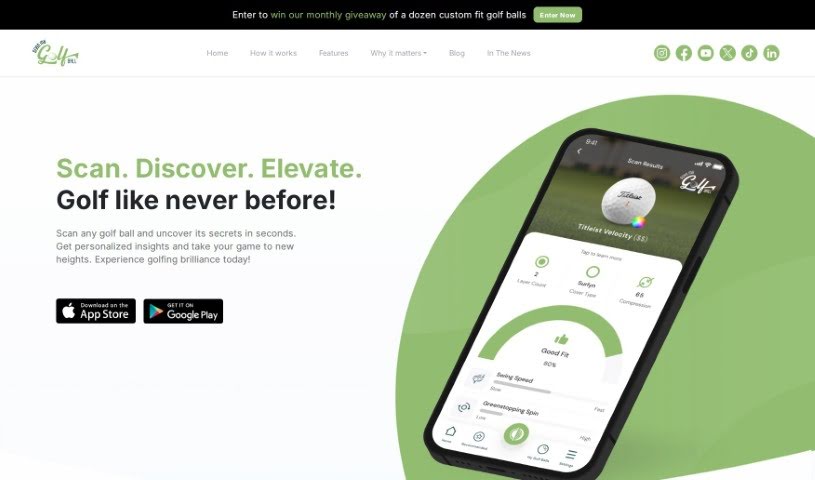
ScanMyGolfBall (SMGB) is a really neat AI tool built for golfers. It lets you scan and check out golf balls right from your smartphone camera. Just point your phone at the ball, and this smart tool gives you instant details and insights about its characteristics. SMGB uses AI to figure out things like the cover type, how many layers it has, its compression, spin, swing speed, how it feels, and even the dimple pattern. Plus, you can get personalized recommendations for golf balls that match how you like to play. It's designed to be super easy to use, so navigating it is a breeze. They also really care about your privacy – no sign-in or personal info needed, which is great. Ultimately, SMGB helps golfers make smarter choices to improve their game. It works on both iOS and Android, so pretty much everyone can use it.

Screenshot of Skylum

Skylum

Freemium

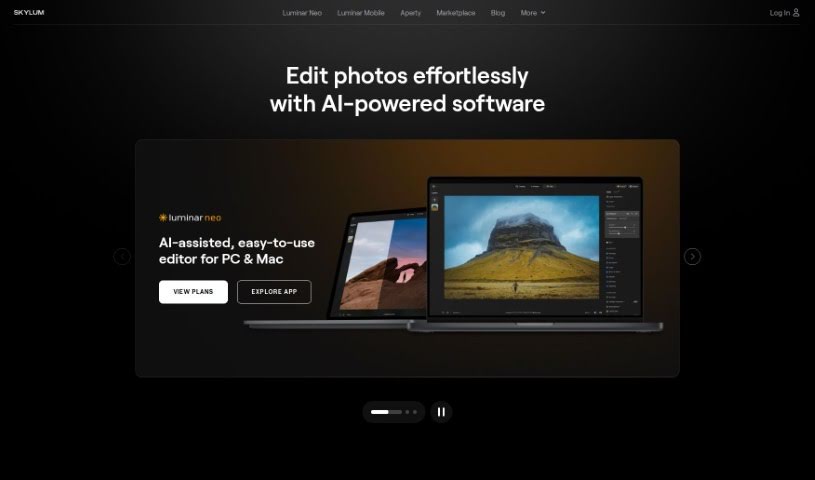
Skylum is a really advanced photo editing tool that uses smart artificial intelligence to completely change how you edit pictures. It's designed to help you get professional-quality results quickly and easily. It is a way to automate a lot of the tedious editing work, freeing up your time. It offers several automatic modes that can apply all sorts of cool effects and adjustments to your photos with just a few clicks. Some of its standout features include EnhanceAI, RelightAI, SkyAI, StructureAI, and Portrait Background. Whether you're just starting out or you're a seasoned pro, Skylum has something for you. You can get access to all its features and updates through either a subscription or a one-time lifetime purchase.

Screenshot of Sommel-Ai

Sommel-Ai

Freemium

Sommel-Ai is a smart tool that uses AI to help you easily find the best wine to go with your food. It works by looking at pictures of your meal or the ingredients you list, then suggesting the perfect wine. You don't even have to list everything – just upload a photo, and Sommel-Ai will give you recommendations! There are a few subscription options to choose from: 'Small Plates' costs $4 a month and gives you 10 pairings, 'Tasting Menu' is $12 a month for unlimited pairings, and 'Main Course' is $8 a month for 20 pairings. The tool is big on responsible drinking and protecting your data, making sure it follows all the rules about legal drinking ages and data privacy. If you have any issues or complaints, you can sort them out through the app or website, and you can change or cancel your subscription whenever you need to. Ultimately, Sommel-Ai wants to make exploring food and wine fun, whether you're out at a restaurant or cooking at home.

Screenshot of Spectre

Spectre

Freemium

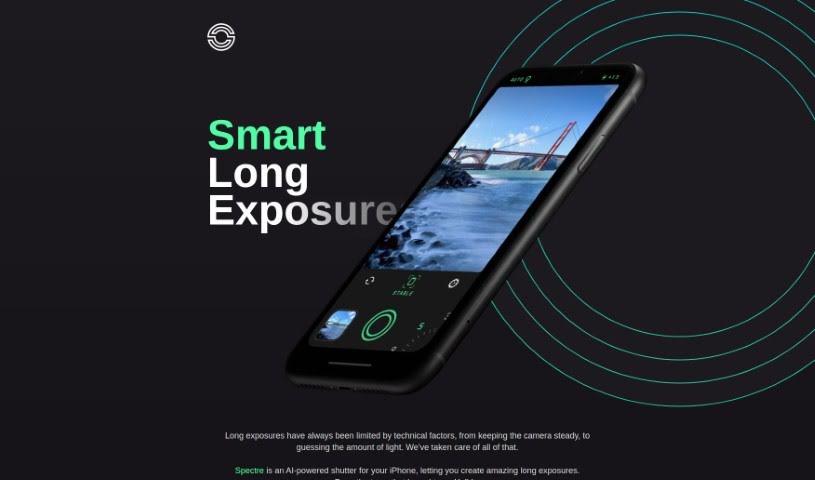
Spectre is a really neat AI-powered photography app that makes taking long exposure photos on your iPhone super simple. It uses some pretty advanced computational photography tricks, like AI that figures out what's in the scene and automatically stabilizes your shot. This really helps with the tricky parts of long exposure photography. You might know Spectre for its cool features, like creating magical light trails when you shoot at night, or its ability to remove crowds from busy places so you get a clear shot. Plus, it can save the whole process as a Live Photo, letting you replay it later. The app comes from the same team that made Halide, and they've designed it with a thoughtful dark interface, which is perfect for shooting in low light. It's also really easy to use, even on those bigger iPhones.

Screenshot of Spot AI

Spot AI

Freemium

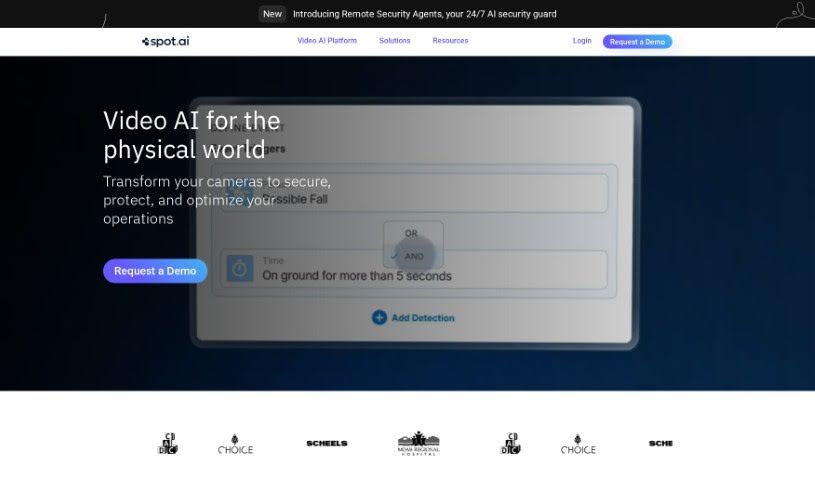
Spot AI is a company that's built a modern AI Camera System. Their goal is to help all sorts of organizations create safer workplaces and run their operations more smoothly. Basically, their system makes video footage useful, letting you quickly find and fix any issues. It's designed to help businesses really see, understand, and manage what's going on, keeping everything running like a well-oiled machine.

Screenshot of Stockfill

Stockfill

Freemium

Stockfill is a really smart tool designed to make tagging stock images much simpler for photographers, designers, and anyone creating content. It uses AI technology to automatically create the necessary metadata for your image files, like JPG, PNG, and WEBP. It is your AI assistant for generating relevant, SEO-friendly titles and keywords. This helps your photos or illustrations get found more easily online. Basically, Stockfill handles the tedious metadata work for you, saving you time and making sure your images have the right information to be searchable. Its main features include automatically generating metadata, making it SEO-friendly, saving you time with AI, having an easy-to-use interface, and supporting common image formats.

Screenshot of Sus Technology

Sus Technology

Freemium

SUS Technology is behind the SUS Gallery, an AI Mobile Gallery that's really designed to help you manage and improve your photo collections. It is a smart assistant for your pictures. It uses AI to make your photos better, shrink them down to save space, and generally make editing a breeze. What's great is that all this AI magic happens right on your phone, offline, so your photos and data stay private and secure.

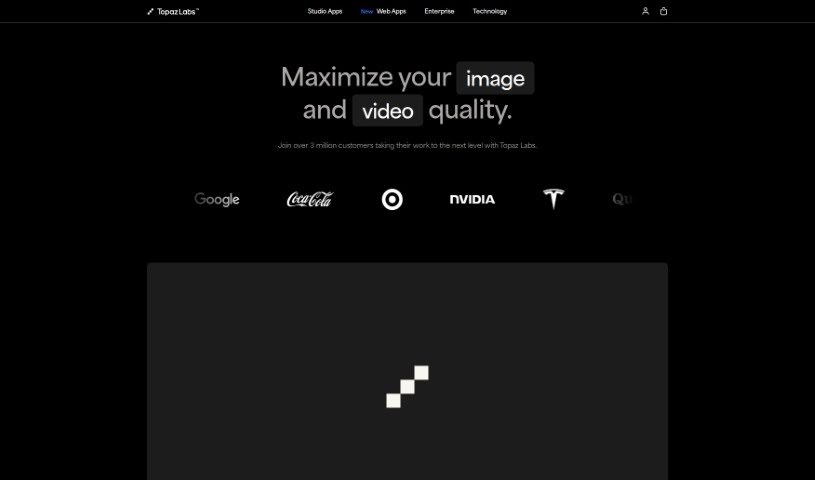
Screenshot of Topaz Labs

Topaz Labs

Freemium

Topaz Labs is a suite of photo enhancement tools packed with features designed to make your images look their absolute best. Think sharpening, upscaling, de-noising, de-blurring, and even texture adjustments – it's all there. What's really neat is how it uses AI. This technology is smart enough to tell the difference between actual image detail and distracting noise. It can also tackle blurriness head-on and boost your image resolution with its upscaling capabilities, ultimately improving your photos. Plus, it offers some pretty advanced editing options and plays nicely with popular photo editors like Photoshop and Lightroom Classic. For photographers and graphic designers looking to really polish their images, Topaz Labs is a fantastic asset.

Screenshot of Upscalepics

Upscalepics

Freemium

UpscalePics is a handy online tool that uses smart AI, specifically advanced convolutional neural networks and machine learning, to make your images look better and bigger. What's really neat is that it keeps your images private and secure because it does all the processing right on your own device – nothing gets sent to outside servers. The Super Resolution AI algorithm is designed to make images clearer, sharper, and larger, all while cleaning up any noise or unwanted artifacts.

Screenshot of Wallpea

Wallpea

Freemium

Wallpea is your go-to spot for royalty-free stock images. What makes it special? You get exclusive, high-quality pictures without any hidden costs or copyright headaches. The whole idea is to help creative folks and businesses make their projects really pop and grab people's attention. They've built it with features like easy licensing, no ads, no need to sign up, and a real focus on quality – not just a massive quantity of images. It's a much simpler, more refreshing way to get your stock visuals.

Previous 5 of 5 Next

Stay Updated with AI Tools

Get weekly updates on the latest AI tools, trends, and insights delivered to your inbox

Join 25,000+ AI enthusiasts. No spam, unsubscribe anytime.