AI Tools for Photo Editors

Discover the best Photo Editors AI tools to enhance your productivity and creativity.

Page 8 of 23 • 273 total tools

In today’s world of social media and instant sharing, everyone wants stunning visuals. We take so many photos every day, so making yours stand out is really important. But, not everyone has the time or the skills to learn complicated photo editing software. That’s where AI photo editors come in—they’re your new best friends for creating beautiful pictures.

These smart tools have completely changed how we improve and work with our photos. Instead of spending hours tweaking every little detail, you can now get professional-quality results with just a few clicks. Thanks to AI advancements, many of these editors can automatically adjust colors, fix blemishes, and even add artistic effects, all customized for you.

I’ve spent time checking out and testing the best AI photo editing tools out there right now. Each platform has its own special features, from simple automatic fixes to more detailed creative options. So, whether you’re just looking to touch up family photos or you’re a photographer wanting to add that extra something, I’ve got you covered.

Come along as we explore the best AI photo editors that can make your images shine while saving you precious time. Let’s find out what makes editing easier and more enjoyable.

The best AI Photo Editors

  1. Canva for quick photo enhancements and edits online.
  2. Photopea for easy photo retouching and improvements.
  3. Photoroom for efficient batch editing for photographers.
  4. Pixlr for simple photo enhancement and retouching.
  5. Cutout.pro for smooth background removal for portraits.
  6. Pic Wish AI Photo Editor for easy background removal for photos.
  7. Freepik Pikaso for adding details to images.
  8. Adobe Firefly for advanced photo improvements.
  9. BeFunky to easily enhance and retouch portraits.
  10. SnapEdit to effortlessly improve and edit images.
  11. Recraft for consistent edits for brand visuals.
  12. Icons8 for removing tricky photo backgrounds.
  13. Dewatermark for quick watermark removal for editors.
  14. Topaz Labs to refine and improve image quality.
  15. AirBrush for simple, precise photo retouching.

How do AI photo editors work?

AI photo editors use smart algorithms powered by machine learning to improve and change images. Basically, these tools look at your photos, identifying things like colors, lighting, and textures. By comparing these elements to data they’ve learned from, they can suggest edits or create new features that make the picture look better overall.

Most AI photo editing software uses deep learning, especially something called convolutional neural networks (CNNs). These networks are trained on tons of images, which helps them spot patterns and tell different visual parts apart. This training lets the software do things like recognize objects, remove backgrounds, and retouch photos automatically, without you having to do it manually.

When you upload a picture, the AI checks its parts and makes them better based on what it’s learned. For instance, if a photo is too dark, an AI photo editor can brighten it up naturally. It does this by understanding the photo’s context, not just by applying a generic filter.

Lots of popular editing tools now include AI features so users can do complex edits easily. This includes automatically improving photos, suggesting styles, or even copying the editing choices professional photographers make. Because these tools learn and adapt, they keep getting better at their suggestions over time.

AI photo editors aren’t just for basic tweaks. They can also get creative, adding new features like textures or artistic effects. Using generative models, some AI tools can even create whole new backgrounds or elements that fit perfectly with the original photo. As technology keeps advancing, what these editors can do keeps growing.

If you’re curious about how AI works in photography, there are plenty of tutorials and resources available. They can help you learn how to use these tools well, whether for your personal projects or your professional work. AI has huge potential in photo editing, offering new solutions for both beginners and experts.

Our best AI photo editors at a glance

RankNameBest forPlans and PricingRating
1Canvaquick photo enhancements and edits online.N/A4.73 (11 reviews)
2Photopeaeasy photo retouching and improvements.N/A4.67 (12 reviews)
3Photoroomefficient batch editing for photographers.Paid plans start at $7.50/month.4.74 (38 reviews)
4Pixlrsimple photo enhancement and retouching.Paid plans start at $0.99/month.4.73 (11 reviews)
5Cutout.prosmooth background removal for portraits.N/A4.46 (13 reviews)
6PicWish AI Photo Editoreasy background removal for photos.N/A4.65 (43 reviews)
7Freepik Pikasoadding details to images.N/A4.67 (21 reviews)
8Adobe Fireflyadvanced photo improvements.N/A4.67 (6 reviews)
9BeFunkyeasily enhance and retouch portraits.Paid plans start at $83.88/year.4.69 (13 reviews)
10SnapEditeffortlessly improve and edit images.N/A4.73 (11 reviews)
11Recraftconsistent edits for brand visuals.N/A4.67 (3 reviews)
12Icons8removing tricky photo backgrounds.N/A3.64 (11 reviews)
13Dewatermarkquick watermark removal for editors.N/A4.67 (18 reviews)
14Topaz Labsrefine and improve image quality.N/A4.70 (10 reviews)
15AirBrushsimple, precise photo retouching.N/A4.78 (23 reviews)
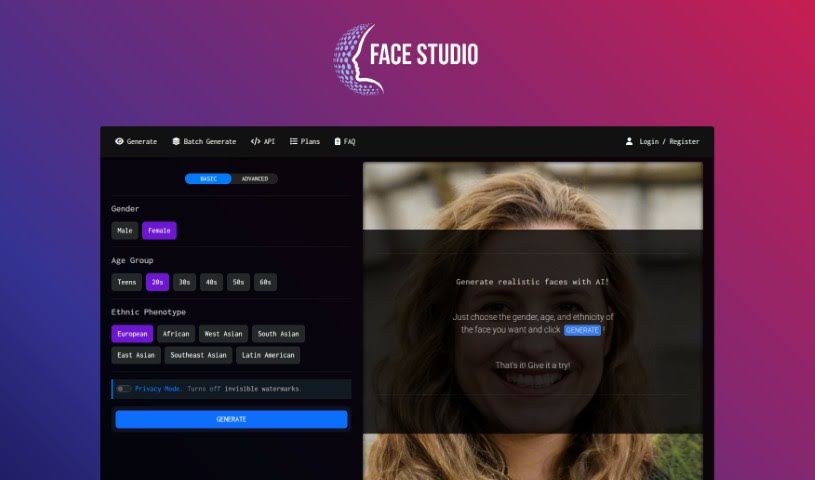
Screenshot of Face Studio

Face Studio

Freemium

Face Studio is a neat online tool that uses AI to help you quickly create realistic human face avatars for all sorts of creative projects. You can tell it the gender, age group, and even the ethnic background you're looking for, and it whips up a lifelike photo in no time. It's free to use, and you can sign up for a free account if you want faster results. Plus, it offers handy features like API access, batch face generation, and ways to customize face properties, all wrapped up in an easy-to-use interface that works for both AI pros and beginners. Bluereach.ai, an AI company, backs this tool. Face Studio's AI technology means it can generate all sorts of unique faces without needing to pull from existing image libraries, so you always get something fresh.

Screenshot of Faceaiswap

Faceaiswap

Freemium

FaceAiSwap is a really neat tool that lets you swap your face onto any image you like. Think of putting your face on a favorite celebrity, actor, or sports star! All you do is upload a clear picture of your face and follow a few simple steps. The best part? You get unlimited swaps for life with just a one-time payment of $9.97.

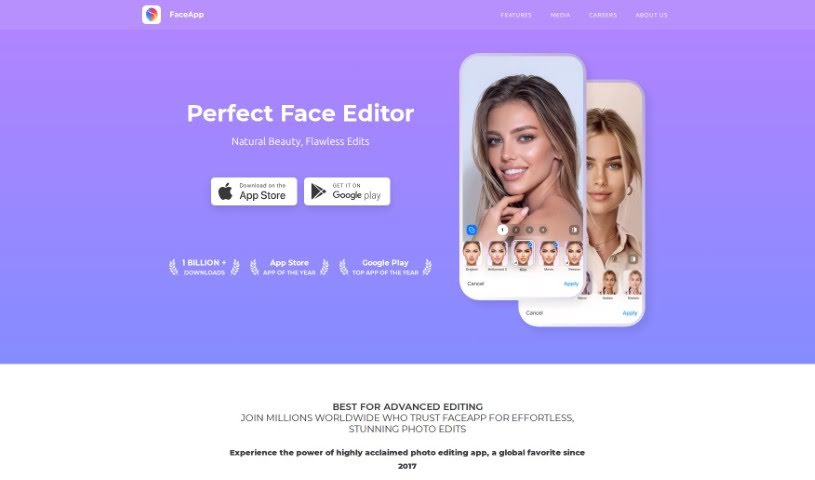
Screenshot of Faceapp

Faceapp

Freemium

FaceApp is a really popular photo editing app that uses some pretty advanced Artificial Intelligence (AI) to make your facial features look better and change your pictures with just a quick tap. It's packed with over 60 different filters. You can use it to make yourself look more attractive, try out realistic makeovers, play around with beard styles, or even see how you might look when you're older. It's super easy to use, and honestly, it's become the top app on both the Apple App Store and Google Play Store worldwide. FaceApp's main goal is to give you a simple yet powerful way to edit your selfies and portraits, blending advanced AI with a really user-friendly design.

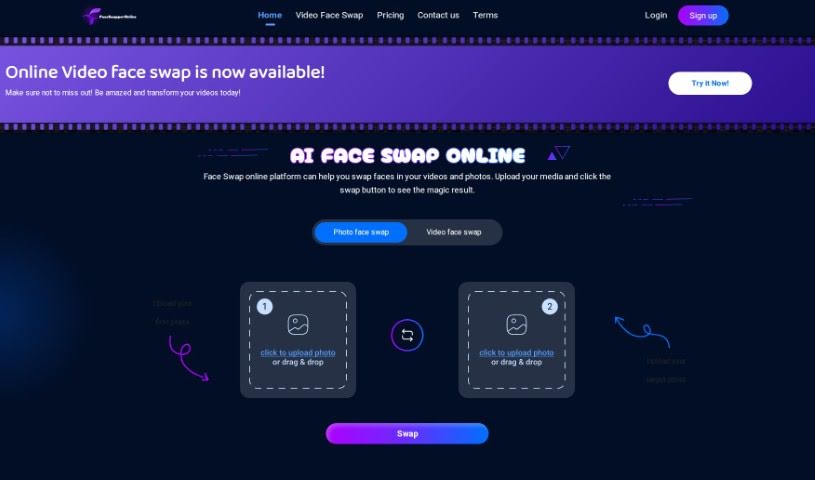
Screenshot of Faceswapperonline

Faceswapperonline

Freemium

Faceswapperonline is a handy online platform that lets you swap faces using AI, offering some really neat advanced editing features too. It uses the latest AI tech to make face swaps look incredibly realistic and smooth. You'll get fast performance and top-notch results, thanks to smart algorithms that keep your images looking great while making these impressive transformations happen quickly and efficiently. It's really designed to spark your creativity and make your projects pop with its speed, accuracy, and excellent AI power.

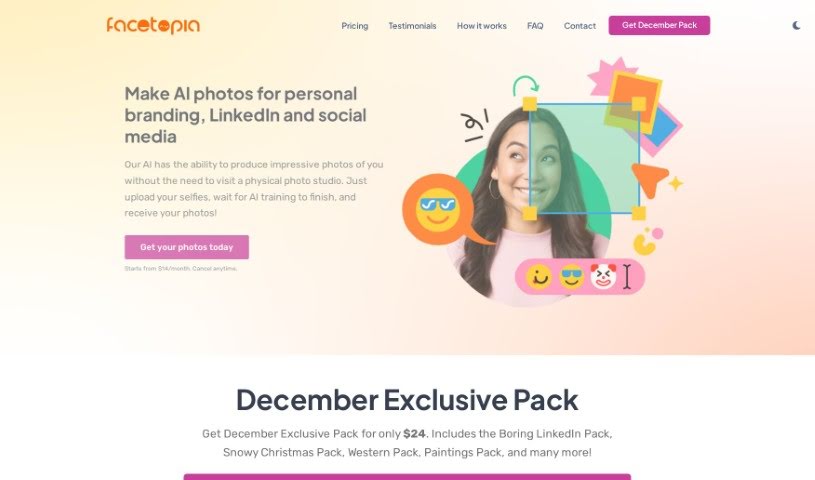
Screenshot of Facetopia

Facetopia

Freemium

Facetopia is an online service that uses AI to create unique, stylish photos from your selfies. You upload your selfies, and the AI trains itself to recognize you, which usually takes about 10 minutes. Once it's ready, the AI will generate random photos of you. You'll get these daily via email, and you can also find them on the Facetopia website and app. If you're not thrilled with the results, don't worry! You can request adjustments and retrains until you're completely happy. Plus, Facetopia takes your data protection seriously. Your original selfies and the AI-generated photos are stored securely and won't be shared without your clear permission. The service also offers various theme packs, personalized photo options, and a strong commitment to making sure you're satisfied while keeping your privacy intact.

Screenshot of Facetune

Facetune

Freemium

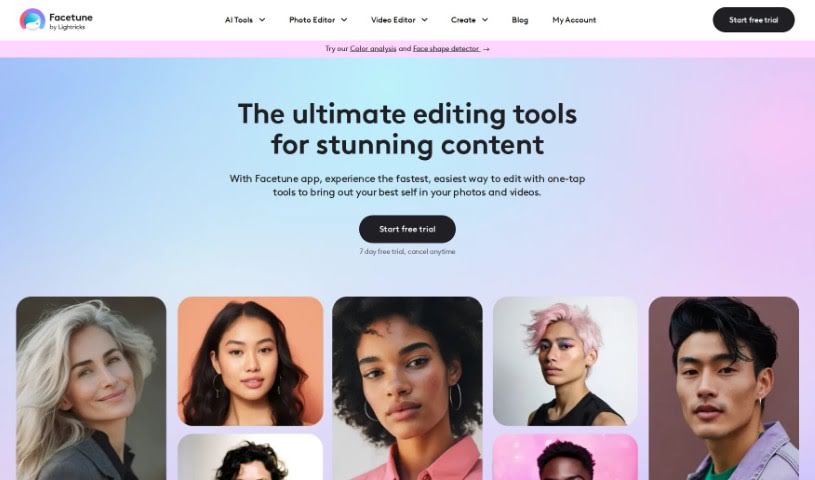
Facetune, developed by Lightricks, is a really popular app for editing selfies. It first came out back in 2014 and has since become one of the leading apps for self-editing. It's not just a photo editor, though; it also includes a selfie video editor, so you can tweak your content right from your phone. Facetune is all about helping you make your photos and videos look their absolute best, whether that means enhancing them, reshaping them, or just getting creative. Lightricks, the company behind it, is focused on using technology to push the boundaries of content creation and self-expression.

Screenshot of FamousFace app

FamousFace app

Freemium

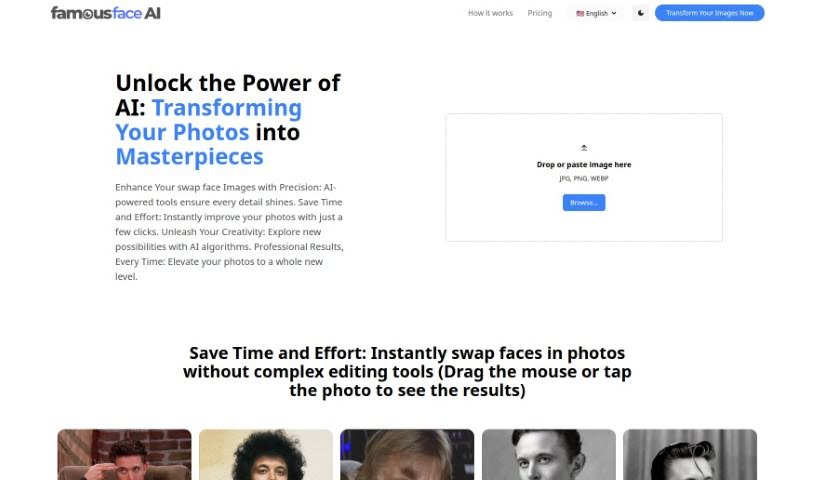
FamousFace.app is a really neat AI tool. It uses advanced artificial intelligence to look at the faces in one picture and then smoothly blend them with another. This means you can swap faces with celebrities or anyone else you like! When you sign up, you get 1 free credit to try out a face swap. Credits are your ability to change faces in photos – each swap uses one credit. The platform is super flexible with payments, accepting over 45 methods and 100 currencies, including popular ones like Visa, Mastercard, PayPal, and Apple Pay, plus many local options. For the best results, make sure your images are in JPG, JPEG, or PNG format, and importantly, they should actually have faces in them. We're committed to keeping things safe and friendly, so we have a strict policy against content that shows sexual, violent, political, or criminal scenes. Plus, if you're interested in earning, FamousFace.app has an affiliate program. Partners can earn a 30% commission on every sale they refer, and you even get recurring revenue from subscriptions! We pay out commissions monthly, as long as you've earned at least $100. You'll get a special referral link to share, and you'll earn commissions whenever someone buys something through it.

Screenshot of Fashionai

Fashionai

Freemium

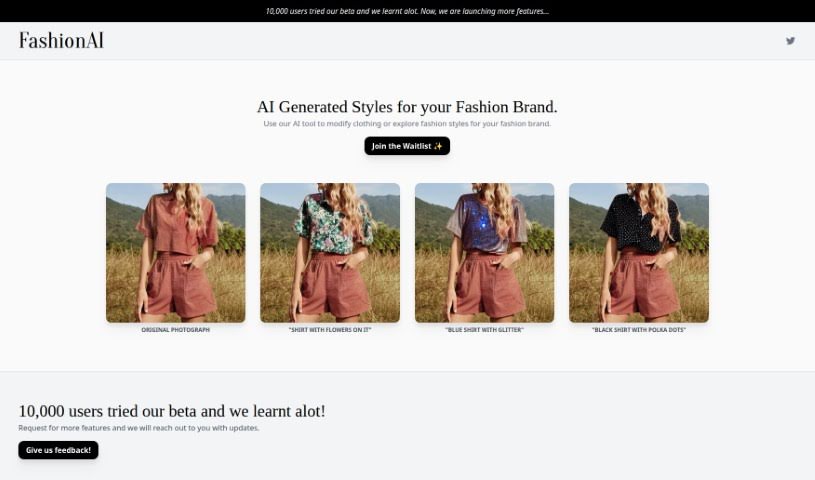
Fashionai is a really interesting Fashion Editing Tool that comes from NOTPINK, an art studio based in Amsterdam. What makes it special is its use of AI technology to completely change how we look at fashion photos. It is a way to try out different looks for your brand without needing to do a whole new photoshoot. You can easily add things like floral patterns or even glitter to garments, giving you a fantastic way to explore new style directions. They've been working on it for a while, and during the beta phase, they got feedback from about 10,000 users. This input has been super helpful in adding new features specifically for fashion brands that want to boost their style offerings. Fashionai really focuses on letting you customize fashion with AI, keeping users engaged, helping you explore styles that are just right for you, and even letting you help shape how the tool develops by giving feedback. If you join their waitlist, you'll be kept in the loop about new features and get to try out the latest AI fashion advancements before anyone else.

Screenshot of Fill App

Fill App

Freemium

The Fill App, specifically known as Fill - AI Portrait Generator, is an online tool that uses artificial intelligence to turn your photos into really striking AI portraits. You can upload your pictures, and the tool uses advanced image processing and deep learning models to create detailed, beautiful artworks that really focus on your facial expression and overall look. It's super easy to use, letting you play around with different art styles, filters, and effects to make your portraits just how you like them. These AI-generated artworks are perfect for all sorts of creative projects – think profile pictures, social media posts, your own digital art collection, or even unique personalized gifts. Plus, Fill gives you some free credits to try it out, so you don't have to pay anything upfront. They really want to make it easy for everyone to explore their artistic side and transform everyday photos into something truly special.

Screenshot of filmfaceAI

filmfaceAI

Freemium

FilmfaceAI is a really cool platform that uses artificial intelligence to transform your everyday photos into famous movie scenes. Basically, it lets you become a movie star in your own right! With advanced AI, FilmfaceAI gives you the unique chance to star in personalized movie scenes, adding a touch of Hollywood magic to your own pictures. This innovative use of AI technology opens up so many creative possibilities, letting you experience the thrill of being part of iconic movie moments using your own images. So, why not step into the spotlight and create some memorable movie-inspired visuals with FilmfaceAI?

Screenshot of FilterPixel

FilterPixel

Freemium

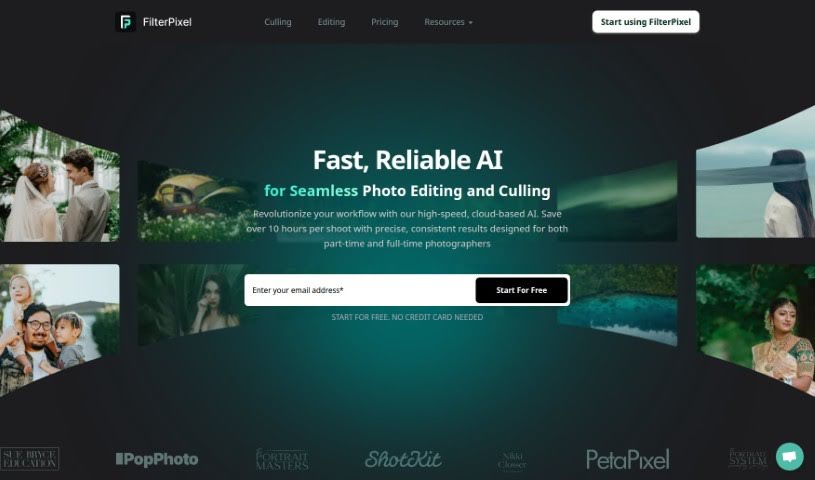
FilterPixel is a smart, AI-driven tool that helps photographers sort and edit their photos much faster. It is your intelligent assistant for sifting through large batches of images, automatically picking out the best ones, and even flagging any potential problems. It's designed for all kinds of photography, whether you shoot weddings, portraits, or anything in between. Plus, it works with common file types like RAW, DNG, and JPG, and you can use it on both Windows and Mac. Photographers around the world have shared great feedback, saying FilterPixel really changes how they work and makes them much more productive. People love that it can adapt to different shooting styles, let them create their own editing preferences, and offer super-fast ways to cull and edit photos. It's really known for saving time and letting photographers customize their editing. Many testimonials specifically mention how much time FilterPixel saves, helping photographers speed up their processes so they can focus on the creative side of things.

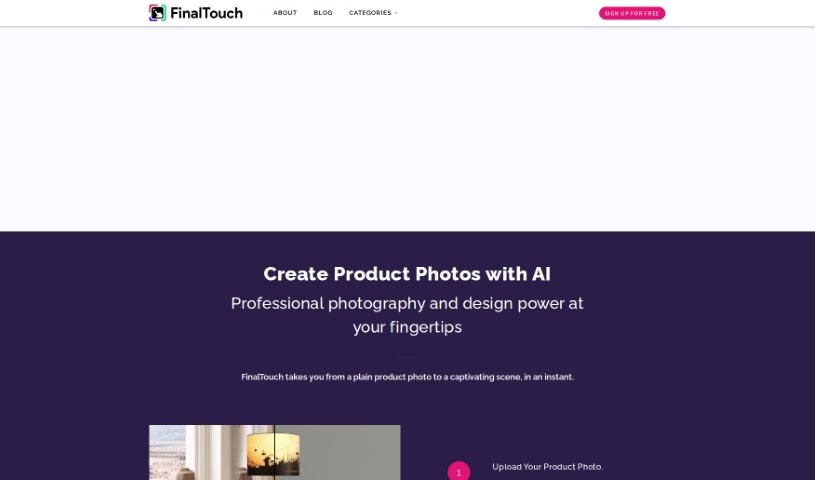
Screenshot of FinalTouch

FinalTouch

Freemium

FinalTouch is an AI-powered tool built to help marketers, brand managers, and e-commerce businesses easily create professional-looking product scenes. You don't need any design skills to use it! Just upload your product photos, and the tool will suggest AI-generated scenes. This makes it super quick and simple to create eye-catching visuals. Plus, it offers advanced editing controls, generates unique images that are copyright-free, and is currently free during its beta phase. They're asking for feedback to make it even better.

Stay Updated with AI Tools

Get weekly updates on the latest AI tools, trends, and insights delivered to your inbox

Join 25,000+ AI enthusiasts. No spam, unsubscribe anytime.