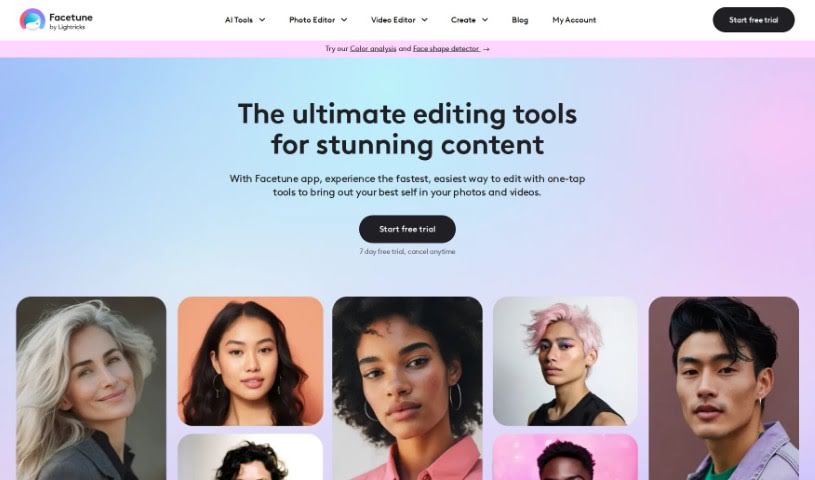
What is Facetune?
Facetune, developed by Lightricks, is a really popular app for editing selfies. It first came out back in 2014 and has since become one of the leading apps for self-editing. It’s not just a photo editor, though; it also includes a selfie video editor, so you can tweak your content right from your phone. Facetune is all about helping you make your photos and videos look their absolute best, whether that means enhancing them, reshaping them, or just getting creative. Lightricks, the company behind it, is focused on using technology to push the boundaries of content creation and self-expression.
Who created Facetune?
Facetune was actually created by Lightricks, a company that started in 2013. Their whole mission is to rethink how we create content by using technology. They’ve built a platform with tools that make it easy for anyone to create unique content on their phones, covering everything from photo retouching to video editing. Facetune itself launched in 2014 and quickly became a top choice for people editing their own photos and videos, even adding a selfie video editor along the way.
What is Facetune used for?
Facetune is incredibly versatile, letting you:
- Make your selfies shine by smoothing skin, removing blemishes, whitening teeth, and subtly reshaping facial features.
- Edit both photos and videos with a wide array of tools that help you enhance, reshape, and get creative with your digital content.
- Enjoy a mix of free features, with more advanced tools available if you opt for a VIP subscription.
- Essentially, ‘Facetune’ your photos and videos to perfectly match your personal style.
- Tackle any editing need, from quick touch-ups to complete makeovers, trying out new hairstyles, or even removing unwanted objects from your shots.
- Serve as a go-to app for influencers, creators, or anyone who wants to keep their social media looking fresh and engaging.
- Empower you to keep your social media feed dynamic and interesting by letting you experiment with different styles and looks for every selfie.
- Offer editing tools that are suitable for everyone, whether you’re just starting out or you’re a seasoned pro.
- Make editing on-the-go super easy, so you can capture and edit photos whenever and wherever inspiration strikes.
- Be trusted by a huge global community, providing features that really make your Instagram and other social media content pop.
- Enhance those selfies, making them look just how you want.
- Reshape facial features to achieve your desired look.
- Easily remove blemishes that distract from your photo.
- Smooth out skin for a more polished appearance.
- Whiten teeth for a brighter smile.
- Apply a variety of creative effects to make your photos stand out.
- Get your content looking perfectly Instagram-worthy.
- Edit photos and videos with precision.
- Try out different styles or looks with every selfie you take.
- Help you think creatively and keep your inspiration flowing.
- Enhance selfies by removing blemishes and smoothing skin.
- Whiten teeth in your photos for a brighter smile.
- Reshape facial features in selfies to your liking.
- Use a wide range of tools and filters to make your photos look better.
- Make your photos truly Instagram-worthy.
- Adjust brightness, contrast, and saturation to get the perfect look.
- Create collages by combining multiple photos.
- Apply real-time filters and effects as you shoot.
- Preview filters before you even take your selfies.
- Utilize essential editing tools like crop, rotate, brightness, and contrast adjustments.
Who is Facetune for?
Facetune is particularly popular among:
- Influencers
- Creators
- Celebrities
How to use Facetune?
Using Facetune by Lightricks is pretty straightforward. Here’s a simple guide:
- First, download the Facetune app. Then, pick a photo or video you want to edit.
- Once you’re in the Facetune editor, you can easily use the tools to enhance, reshape, retouch, and add creative effects.
- Feel free to experiment with the different features to see how your selfies and videos can be transformed with the enhancements you choose.
- If you’re a VIP user, you get to edit without any watermarks, which keeps your edits looking clean and professional. It’s definitely worth considering an upgrade for unlimited access.
Facetune really lets you edit your content effortlessly to match your unique style. It offers tools for enhancing, reshaping, and creatively transforming your digital creations. The app is designed to bring out the best in your photos and videos. You’ll find a good mix of free features, plus more advanced tools available through a VIP subscription, which even comes with a 7-day free trial.