Faceapp (Creative)
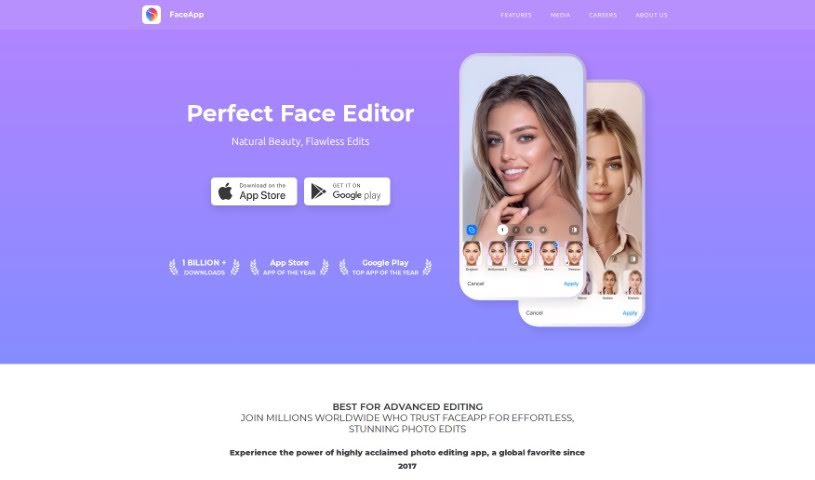
Screenshot of Faceapp

Faceapp

Discover what FaceApp is, its AI-powered photo editing features, and how it compares to other photo editors.

Screenshot

What is FaceApp?

FaceApp is a photo editing app that uses AI to enhance facial features and transform pictures with a single tap. It includes over 60 filters that let you improve your appearance, try realistic makeovers, experiment with beard styles, or preview how you might look as you age. The app is easy to use and has reached the top spot on both the Apple App Store and Google Play Store worldwide. Its goal is to provide a simple yet powerful way to edit selfies and portraits, combining advanced AI with a user-friendly design.

Who created FaceApp?

FaceApp was created by Yaroslav Goncharov, Founder and CEO of FaceApp Technology Limited. Goncharov has over 15 years of experience working with artificial neural networks and holds a Master’s degree in Computer Science. The company is based in Limassol, Cyprus, and aims to offer an easy-to-use editor for selfies and portraits powered by machine learning technology and a strong sense of aesthetics.

What is FaceApp used for?

  • Enhance photos on the go with AI filters
  • Apply one-tap transformations to selfies
  • Personalize portraits with more than 60 AI-powered filters
  • Edit selfies for a clear, blemish-free complexion
  • Try out different beard and facial hair styles
  • Preview aging effects to see how you might look when older
  • Smooth out skin imperfections
  • Apply realistic makeovers to improve your appearance
  • Create shareable edits that have made aging and other physical changes popular on social media

Who is FaceApp for?

  • Photographers
  • Social media influencers
  • Makeup artists
  • Digital artists
  • Models
  • Content creators
  • Graphic designers
  • Branding specialists

How to use FaceApp

  1. Download FaceApp from the Apple App Store or Google Play Store.
  2. Open the app and grant it permission to access your photos and camera.
  3. Pick a photo from your gallery or take a new selfie within the app.
  4. Explore the editing categories, such as AI Transformation, Selfie Editor, and Advanced Filters.
  5. Select a filter or tool, then adjust the effect strength with a slider to fine-tune the result.
  6. Save the edited photo to your device or share it directly to your social media platforms.

Related

Related AI Tools

Discover more tools in similar categories

123RF AI Image Generator

Creative Image Generation
Learn more
New tools, in your inbox.

Weekly picks of the best AI tools we've researched and added — no spam, unsubscribe anytime.

Join 25,000+ AI enthusiasts. No spam, unsubscribe anytime.