123RF AI Image Generator
Creative Image Generation
Learn more
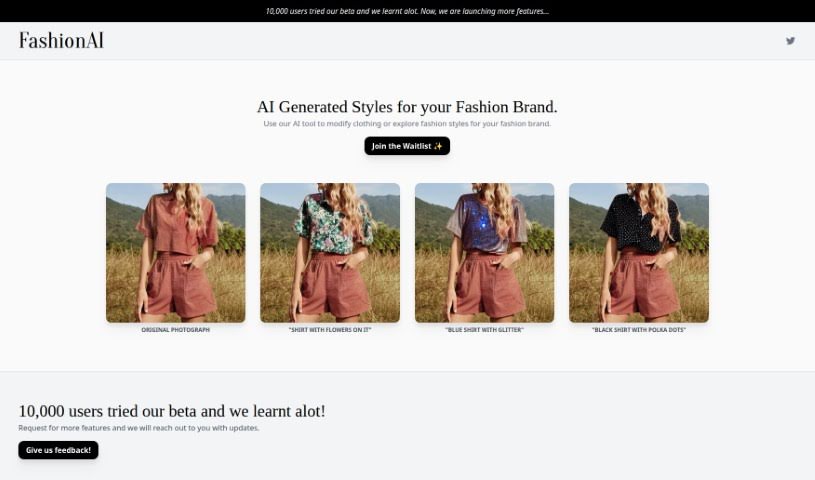
Fashionai is an AI-powered fashion editing tool from NOTPINK that lets brands customize clothing styles in photos without a new photoshoot.
Fashionai is a fashion editing tool from NOTPINK, an art studio based in Amsterdam. It uses AI to modify fashion photos, letting brands try out different looks without organizing a new photoshoot. You can add elements like floral patterns or glitter to garments, making it easy to explore new style directions.
During its beta phase, Fashionai gathered feedback from around 10,000 users. That input shaped new features aimed at fashion brands looking to expand their style offerings. The tool emphasizes customization, user engagement, and community feedback — users can suggest features and help guide how the product develops. Joining the waitlist keeps you informed about new features and gives early access to upcoming AI fashion capabilities.
Fashionai was developed by NOTPINK, an online art studio based in Amsterdam, Netherlands. The studio ran a beta test with 10,000 users and used the resulting insights to refine the platform, particularly for fashion brands seeking new creative options.
Related
Discover more tools in similar categories
Weekly picks of the best AI tools we've researched and added — no spam, unsubscribe anytime.
Join 25,000+ AI enthusiasts. No spam, unsubscribe anytime.