AI Tools for Photo Editors

Discover the best Photo Editors AI tools to enhance your productivity and creativity.

Page 2 of 23 • 273 total tools

In today’s world of social media and instant sharing, everyone wants stunning visuals. We take so many photos every day, so making yours stand out is really important. But, not everyone has the time or the skills to learn complicated photo editing software. That’s where AI photo editors come in—they’re your new best friends for creating beautiful pictures.

These smart tools have completely changed how we improve and work with our photos. Instead of spending hours tweaking every little detail, you can now get professional-quality results with just a few clicks. Thanks to AI advancements, many of these editors can automatically adjust colors, fix blemishes, and even add artistic effects, all customized for you.

I’ve spent time checking out and testing the best AI photo editing tools out there right now. Each platform has its own special features, from simple automatic fixes to more detailed creative options. So, whether you’re just looking to touch up family photos or you’re a photographer wanting to add that extra something, I’ve got you covered.

Come along as we explore the best AI photo editors that can make your images shine while saving you precious time. Let’s find out what makes editing easier and more enjoyable.

The best AI Photo Editors

  1. Canva for quick photo enhancements and edits online.
  2. Photopea for easy photo retouching and improvements.
  3. Photoroom for efficient batch editing for photographers.
  4. Pixlr for simple photo enhancement and retouching.
  5. Cutout.pro for smooth background removal for portraits.
  6. Pic Wish AI Photo Editor for easy background removal for photos.
  7. Freepik Pikaso for adding details to images.
  8. Adobe Firefly for advanced photo improvements.
  9. BeFunky to easily enhance and retouch portraits.
  10. SnapEdit to effortlessly improve and edit images.
  11. Recraft for consistent edits for brand visuals.
  12. Icons8 for removing tricky photo backgrounds.
  13. Dewatermark for quick watermark removal for editors.
  14. Topaz Labs to refine and improve image quality.
  15. AirBrush for simple, precise photo retouching.

How do AI photo editors work?

AI photo editors use smart algorithms powered by machine learning to improve and change images. Basically, these tools look at your photos, identifying things like colors, lighting, and textures. By comparing these elements to data they’ve learned from, they can suggest edits or create new features that make the picture look better overall.

Most AI photo editing software uses deep learning, especially something called convolutional neural networks (CNNs). These networks are trained on tons of images, which helps them spot patterns and tell different visual parts apart. This training lets the software do things like recognize objects, remove backgrounds, and retouch photos automatically, without you having to do it manually.

When you upload a picture, the AI checks its parts and makes them better based on what it’s learned. For instance, if a photo is too dark, an AI photo editor can brighten it up naturally. It does this by understanding the photo’s context, not just by applying a generic filter.

Lots of popular editing tools now include AI features so users can do complex edits easily. This includes automatically improving photos, suggesting styles, or even copying the editing choices professional photographers make. Because these tools learn and adapt, they keep getting better at their suggestions over time.

AI photo editors aren’t just for basic tweaks. They can also get creative, adding new features like textures or artistic effects. Using generative models, some AI tools can even create whole new backgrounds or elements that fit perfectly with the original photo. As technology keeps advancing, what these editors can do keeps growing.

If you’re curious about how AI works in photography, there are plenty of tutorials and resources available. They can help you learn how to use these tools well, whether for your personal projects or your professional work. AI has huge potential in photo editing, offering new solutions for both beginners and experts.

Our best AI photo editors at a glance

RankNameBest forPlans and PricingRating
1Canvaquick photo enhancements and edits online.N/A4.73 (11 reviews)
2Photopeaeasy photo retouching and improvements.N/A4.67 (12 reviews)
3Photoroomefficient batch editing for photographers.Paid plans start at $7.50/month.4.74 (38 reviews)
4Pixlrsimple photo enhancement and retouching.Paid plans start at $0.99/month.4.73 (11 reviews)
5Cutout.prosmooth background removal for portraits.N/A4.46 (13 reviews)
6PicWish AI Photo Editoreasy background removal for photos.N/A4.65 (43 reviews)
7Freepik Pikasoadding details to images.N/A4.67 (21 reviews)
8Adobe Fireflyadvanced photo improvements.N/A4.67 (6 reviews)
9BeFunkyeasily enhance and retouch portraits.Paid plans start at $83.88/year.4.69 (13 reviews)
10SnapEditeffortlessly improve and edit images.N/A4.73 (11 reviews)
11Recraftconsistent edits for brand visuals.N/A4.67 (3 reviews)
12Icons8removing tricky photo backgrounds.N/A3.64 (11 reviews)
13Dewatermarkquick watermark removal for editors.N/A4.67 (18 reviews)
14Topaz Labsrefine and improve image quality.N/A4.70 (10 reviews)
15AirBrushsimple, precise photo retouching.N/A4.78 (23 reviews)
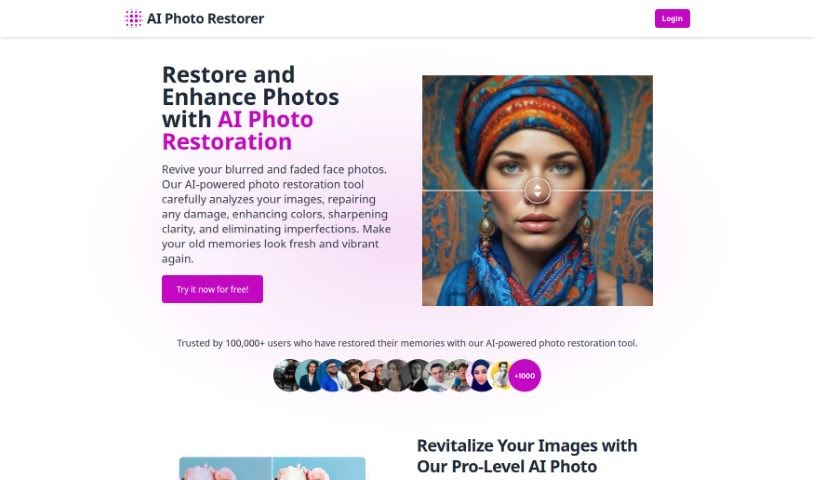
Screenshot of AI Photo Restorer

AI Photo Restorer

Freemium

AI Photo Restorer is a really neat tool that uses smart artificial intelligence to bring old, faded, or damaged photos back to life. It is a digital magic wand for your pictures! It's designed to fix common problems like blurriness, scratches, and fading. It can bring back color, sharpen things up, and just make your photos look so much better overall. This tool uses the latest AI technology to upscale images, meaning it can increase their resolution by up to 4 times. This is fantastic if you want to print photos, use them in ads, or create really sharp wallpapers.

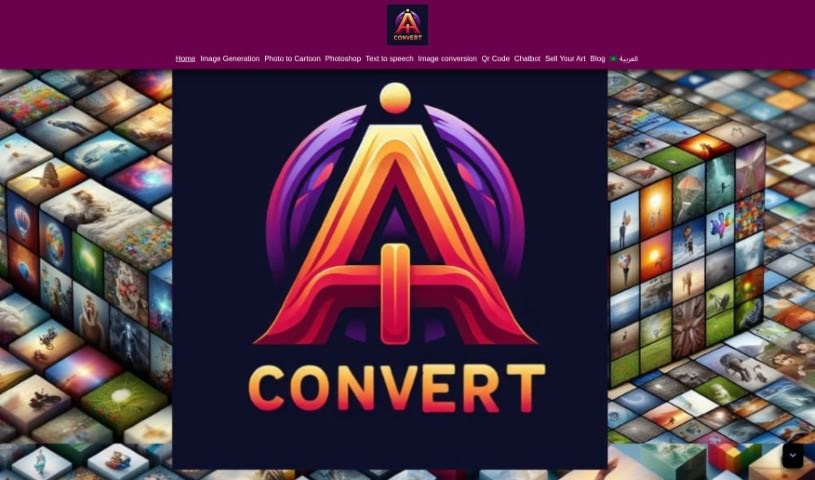
Screenshot of Aiconvert Online

Aiconvert Online

Freemium

Aiconvert Online is a fantastic platform packed with a variety of AI tools and services, all available for free! Think of it as your go-to spot for things like turning text into images, editing photos, and even creating AI characters. You can jump right in and use tools for text-to-image conversion, applying different image styles, using image filters, and downloading your creations instantly – no sign-up needed. Beyond that, Aiconvert Online also offers ways to create realistic photos, generate AI characters, do Photoshop-like edits with AI, and a whole host of other image processing tools.

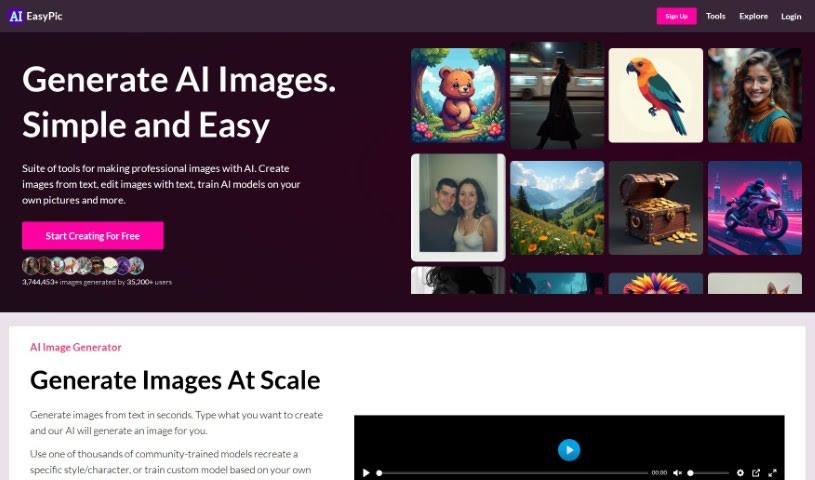
Screenshot of AIEasyPic

AIEasyPic

Freemium

AIEasyPic is a really user-friendly tool that connects with the latest AI image technology. It makes it super simple for you to process and create all sorts of images. You can generate things like Instagram-ready models, classic black and white photos, professional headshots, or even fun selfies with famous landmarks, like posing in front of the Eiffel Tower. It's also great for crafting unique dating profile pictures. The process is straightforward: you upload your own images, tweak the settings to get exactly what you want, and you can easily look back at anything you've made before in the 'RECENT CREATIONS' section. Just a heads-up, you'll need to sign in to use AIEasyPic, and generating images uses credits. It offers a good range of ways to customize your prompts and the final look of your images, and it handles different image sizes well. Plus, there's a handy drag-and-drop feature and an interactive way to select your prompts. On the flip side, you do need to sign in, the exact number of images you get and how much they cost aren't always clear, customization has its limits, and you can't use it offline or integrate it with other tools via an API.

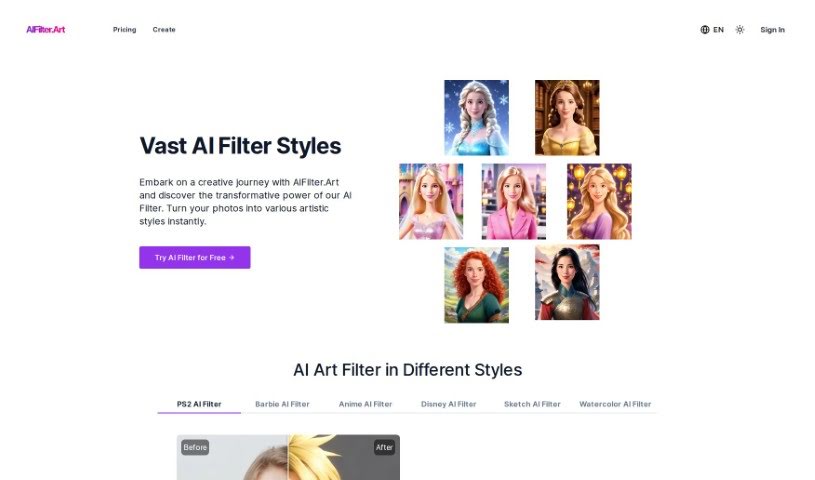
Screenshot of Aifilter.art

Aifilter.art

Freemium

AIFilter.Art is a really cool AI platform that takes your selfies and turns them into unique AI Art Portraits. It's got over 500 different artistic filter styles you can play with! If you want to create personalized art for your profile picture, social media posts, or just to have a cool digital gallery, this is the place. You just upload a clear, front-facing selfie, pick an artistic AI filter style, and the platform quickly transforms your photo into a piece of AI-crafted art. You can then save and share your amazing creations. People like AIFilter.Art because it respects your privacy and delivers these detailed, AI-crafted portraits in all sorts of styles – from classic and elegant to bold and edgy pop art.

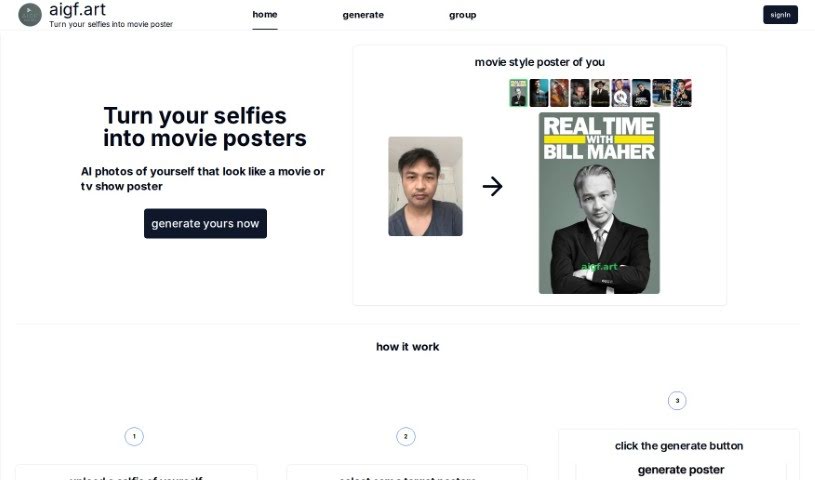
Screenshot of Aigf

Aigf

Freemium

Aigf is a neat AI tool that lets you turn your selfies into movie posters. It uses smart artificial intelligence to make your uploaded selfies look like they were designed by professionals for movie or TV show posters. You just upload your selfie, pick the poster style you like, hit 'Generate,' and then download your cool new image. It's a fun way to make your everyday selfies look like eye-catching movie posters. Aigf aims for realistic results that really capture that movie poster vibe, and it's super easy to use – you can create awesome movie-style posters in just a few clicks.

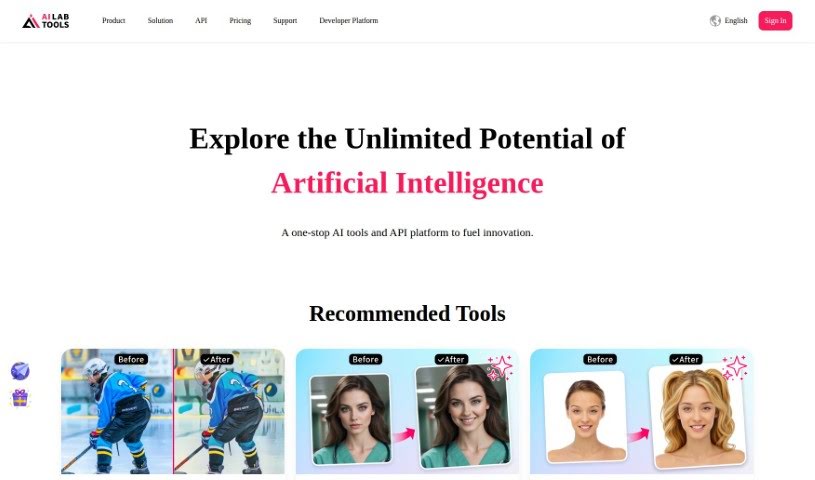
Screenshot of AILab Tools

AILab Tools

Freemium

AILab Tools is a really versatile platform packed with image editing features. You can do things like remove backgrounds, clear up hazy images, restore old photos, turn pictures into paintings, retouch portraits, enhance faces, and even erase parts of an image – the list goes on! It's designed for everyone, whether you're just editing personal photos or working on professional projects. It offers a whole suite of tools to make your images look better and do more with them. For developers, there's also an API that lets you build your own custom image processing tools, integrating AI capabilities right into your own apps. Plus, it has some neat portrait editing options: you can change facial expressions, swap hairstyles, adjust age and gender, and even transform portraits into cartoons with a variety of artistic styles to pick from.

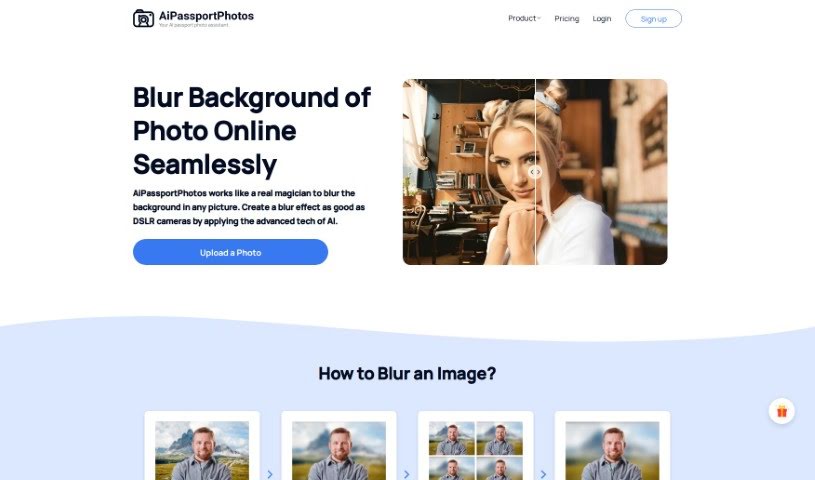
Screenshot of AiPassportPhotos Blur Background

AiPassportPhotos Blur Background

Freemium

A blurred background is a really common photography technique. It's used to create that smooth, out-of-focus look behind your main subject. When you blur the background, your subject really pops, naturally drawing the viewer's eye right to it. It's a go-to for portrait shots, product photos, and all sorts of visual content because it just makes the subject stand out so much better. You can get this effect with special camera lenses, by tweaking camera settings like aperture, or by using editing software like Photoshop after you've taken the picture. Essentially, a blurred background adds a sense of depth and makes your photo more visually interesting overall.

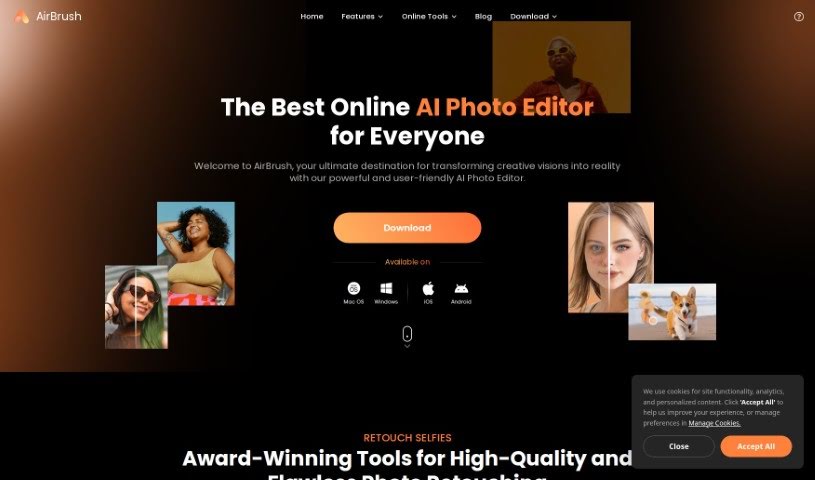
Screenshot of AirBrush

AirBrush

Freemium

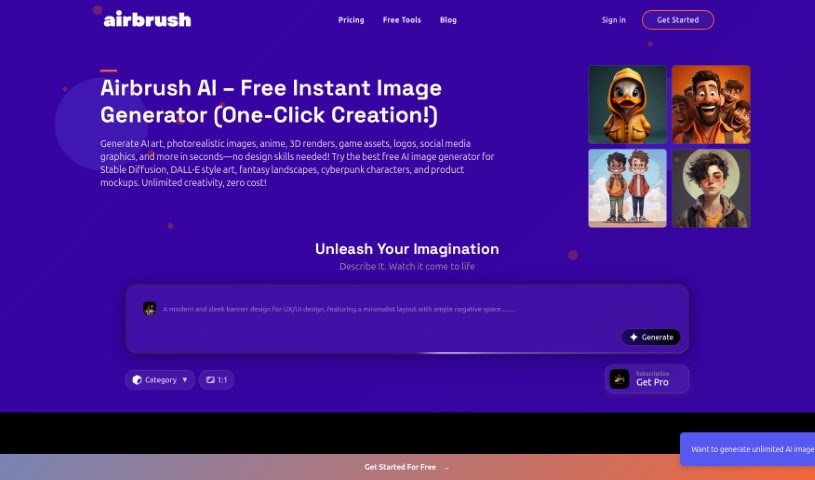
AirBrush has a cool feature called AI Headshots. It lets you take your regular selfies and turn them into all sorts of AI-generated avatars. Just upload a selfie, and you can create unique avatars perfect for platforms like Instagram or your favorite messaging apps. It's a super quick and easy way to give your online profiles a personal touch or just boost your digital look with a single click. Why not try out the AI Avatar Generator in the AirBrush app? It's a really fun tool for creative transformations.

Screenshot of Airbrush AI

Airbrush AI

Freemium

Airbrush AI is a really cool AI tool that totally changes how we create things. It uses advanced AI to help everyone – from pro photographers and digital artists to folks just wanting to make cool visuals – easily create amazing stock photos, unique NFTs, and mesmerizing artwork in just seconds. Because it uses artificial intelligence, Airbrush has a super simple and user-friendly interface. This makes the whole creative process smoother, so you don't have to worry about editing manually or starting from scratch. It's packed with automated tools and features that can enhance your images, add artistic flair, and really bring your ideas to life. What's more, Airbrush is fantastic for making stock photos. You can generate an endless supply of original stock photos that are exactly what you need, all with just a few clicks. It also taps into the growing NFT trend, making it simple to create unique digital assets you can sell on different NFT marketplaces. Beyond stock photos and NFTs, Airbrush offers a variety of artistic styles and filters. Whether you love the look of classic oil paintings, modern pop art, or something more avant-garde, you can express your unique vision.

Screenshot of AIShoot Img-Cut

AIShoot Img-Cut

Freemium

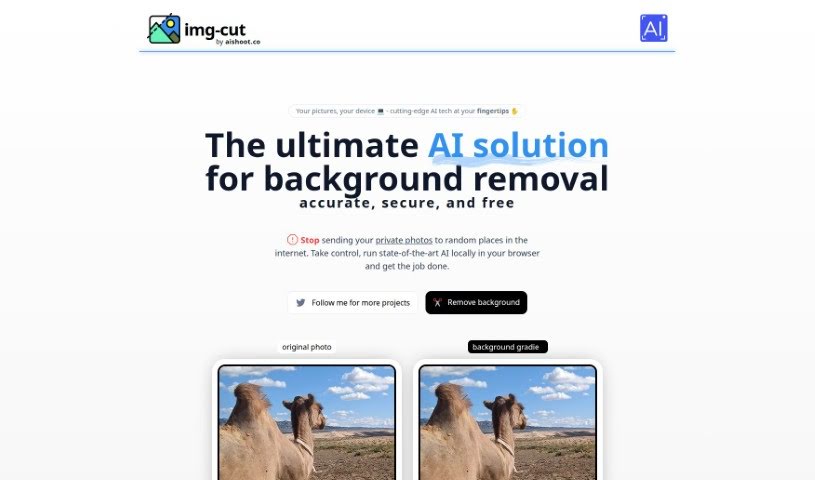
Img-Cut, brought to you by aishoot.co, is a really neat AI tool that completely changes how you remove backgrounds from your pictures. This smart technology lets you work with your photos securely and easily, right in your browser. That means you don't have to upload any sensitive images online. Thanks to its simple interface, Img-Cut makes it super easy for anyone to remove backgrounds from photos precisely and for free. It's perfect for design pros, photographers, or even just folks who enjoy editing images, all while keeping your privacy safe and delivering great results.

Screenshot of AISnap

AISnap

Freemium

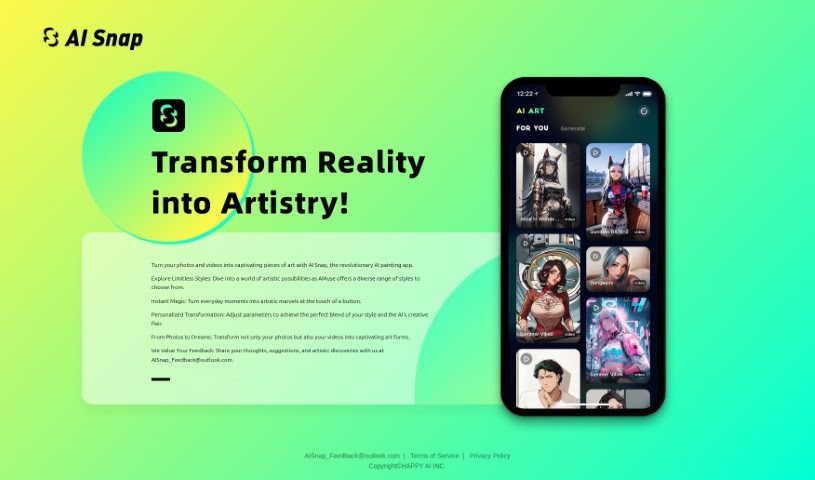
AISnap is a really neat app from HAPPY AI INC. that uses artificial intelligence to turn your photos and videos into all sorts of cool art styles. You can tweak settings to get the exact look you want, making each transformation uniquely yours. They're also big on listening to users, so your feedback really helps them make the app even better. What makes AISnap special is its ability to work with both still images and moving videos, letting you create expressive art from whatever you've got. They're always evolving the app based on what people like you discover and share.

Screenshot of Altersnap

Altersnap

Freemium

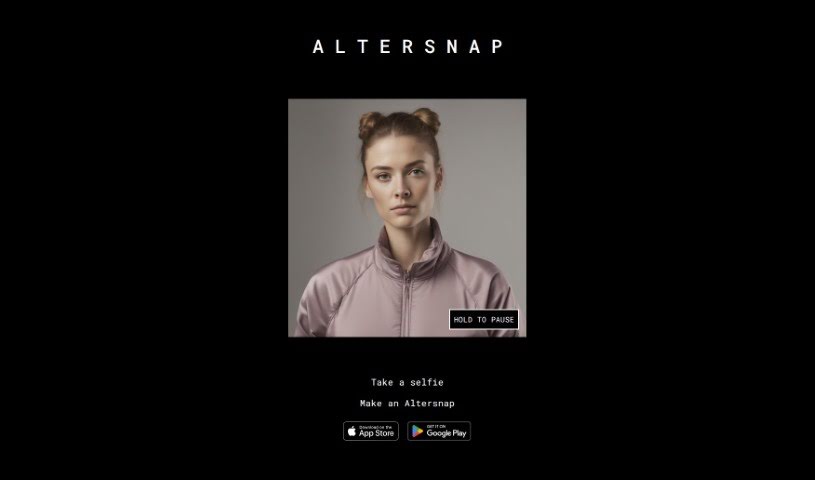
Altersnap is a really neat mobile app from Altered Labs AI. It's designed to help you create unique and super creative selfies. The app itself is pretty straightforward and easy to use. You can snap a selfie right within the app and then transform it into something special – an Altersnap! There are tons of filters, cool effects, and editing tools you can play around with to change your picture. This lets you make personalized, visually stunning photos that really stand out. Plus, Altersnap cares about your privacy, offering a space where you can really let your creativity flow and make one-of-a-kind selfies. You can grab it from both the App Store and Google Play.

Stay Updated with AI Tools

Get weekly updates on the latest AI tools, trends, and insights delivered to your inbox

Join 25,000+ AI enthusiasts. No spam, unsubscribe anytime.