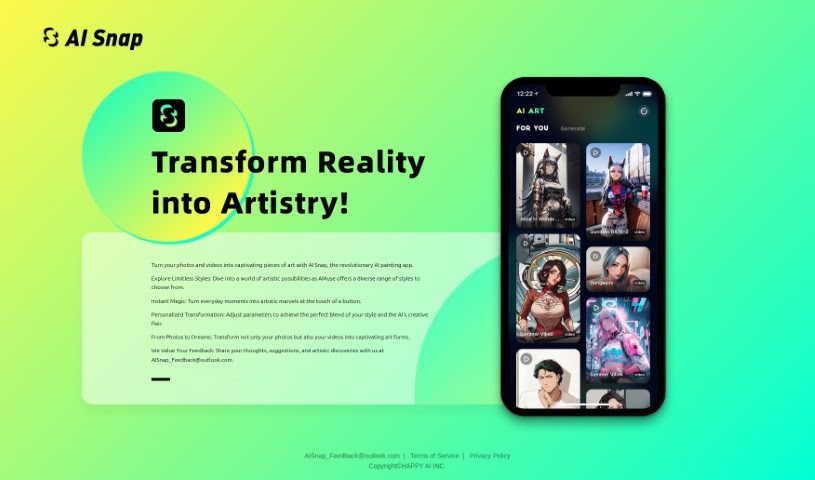
Screenshot of AISnap

AISnap

Discover what AISnap is and how to use it effectively in 2025. We'll dive into its features and see how it stacks up against other photo editors.

Screenshot

What is AISnap?

AISnap is a really neat app from HAPPY AI INC. that uses artificial intelligence to turn your photos and videos into all sorts of cool art styles. You can tweak settings to get the exact look you want, making each transformation uniquely yours. They’re also big on listening to users, so your feedback really helps them make the app even better. What makes AISnap special is its ability to work with both still images and moving videos, letting you create expressive art from whatever you’ve got. They’re always evolving the app based on what people like you discover and share.

Who created AISnap?

HAPPY AI INC. is the team behind AISnap. They launched it on December 10, 2023. Basically, it’s an AI tool that lets you transform photos and videos into unique art pieces. You get to pick from a bunch of different artistic styles and really personalize how your content looks. If you have any ideas or suggestions, you can always reach out to them at [email protected] to help them improve the app.

What is AISnap used for?

  • Transforming content instantly
  • Making visual content look even better
  • Creating expressive art
  • Tools for interactive creativity
  • Developing an app with users in mind
  • Getting a wide variety of results
  • Including what users discover
  • Making art quickly

Who is AISnap for?

AISnap is great for anyone working with visual content, whether you’re in:

  • Visual content enhancement
  • Expressive art production
  • Instant transformation projects
  • Interactive creativity tools
  • User-focused app development

It’s designed for professionals in these fields who want to explore new creative possibilities.

How to use AISnap?

Using AISnap is pretty straightforward. Here’s how you can get started:

  1. First, download and install the AISnap app from its official source.
  2. Then, open up the AISnap app on your device.
  3. You’ll find tons of different styles to choose from – explore them all to see the wide range of artistic possibilities!
  4. Next, import the photo or video you want to turn into art.
  5. Now, you can play around with the style settings to make the transformation exactly how you like it.
  6. With just a tap, you can instantly transform your content into something artistic.
  7. Enjoy the unique look you’ve created by mixing your personal style with the AI’s creative touch.
  8. To help them keep making the app better, please share your feedback, ideas, and any cool artistic discoveries you make by emailing [email protected].
  9. You can also share your thoughts directly with the AISnap team to help shape the app’s future.
  10. If you need any help, just reach out to Aisnap support by emailing [email protected].

Don’t forget to check out their privacy policy at https://landing.aisnap.art/privacy-policy.html and the terms of service at https://landing.aisnap.art/terms-of-service.html for more details. Have fun turning your photos and videos into amazing art with AISnap!

Related AI Tools

Discover more tools in similar categories that might interest you

123RF AI Image Generator

Creative Image Generation
Learn More

Stay Updated with AI Tools

Get weekly updates on the latest AI tools, trends, and insights delivered to your inbox

Join 25,000+ AI enthusiasts. No spam, unsubscribe anytime.