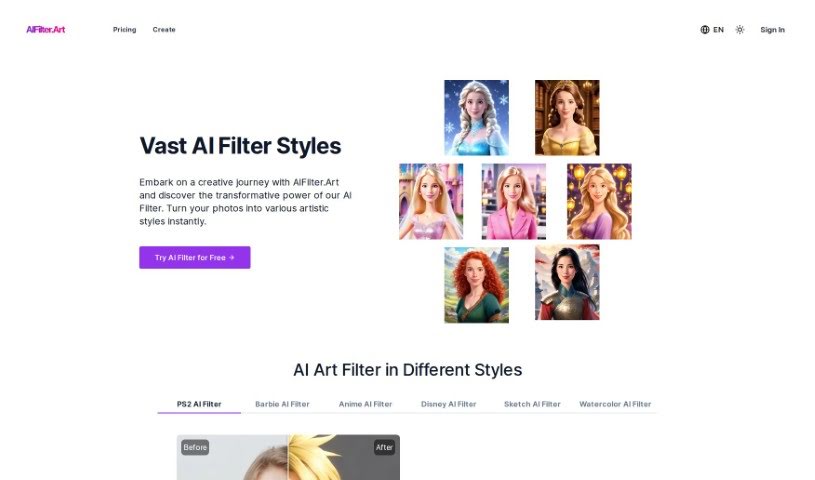
Screenshot of Aifilter.art

Aifilter.art

Discover what Aifilter.art is and how to make the most of it in 2025. We'll explore its features and see how it stacks up against other photo editors.

Screenshot

What is Aifilter.art?

AIFilter.Art is a really cool AI platform that takes your selfies and turns them into unique AI Art Portraits. It’s got over 500 different artistic filter styles you can play with! If you want to create personalized art for your profile picture, social media posts, or just to have a cool digital gallery, this is the place. You just upload a clear, front-facing selfie, pick an artistic AI filter style, and the platform quickly transforms your photo into a piece of AI-crafted art. You can then save and share your amazing creations. People like AIFilter.Art because it respects your privacy and delivers these detailed, AI-crafted portraits in all sorts of styles – from classic and elegant to bold and edgy pop art.

Who created Aifilter.art?

AIFilter.art itself is an artificial intelligence platform designed specifically to transform user-uploaded selfies into AI Art Portraits. It first launched on February 29, 2024, and since then, it’s been offering a huge selection of over 500 artistic filter styles for creating personalized art. Right now, the specific founder or company details aren’t readily available in the information we have.

Who is Aifilter.art for?

  • Artists looking for new ways to express themselves.
  • Social media influencers wanting eye-catching content.
  • Photographers exploring digital art techniques.
  • Digital content creators seeking unique visuals.

How to use Aifilter.art?

Using AIFilter.Art is pretty straightforward. Here’s a simple, step-by-step guide to get you started:

  1. Upload Your Photo: First, pick a clear, front-facing photo of yourself. The platform works best with PNG, JPG, or WebP formats. Once you have your photo, upload it to the site.
  2. Apply an AI Filter: Now for the fun part! Browse through the extensive library of over 500 AI Filters available on AIFilter.Art. When you find a style you love, just select it and hit the ‘Generate’ button. The AI will then work its magic on your photo.
  3. Download and Share: Once the AI has finished transforming your photo into a unique art portrait, you can download your new creation. Feel free to share this one-of-a-kind piece on your social media to show off your personalized AI art!

Just a heads-up, AIFilter.Art offers different plans with various credit options and access periods. You can pick the plan that best suits you, whether it’s the Starter, Basic, or Pro Plan, each offering different features and extra bonuses.

By following these easy steps, you can really explore how powerful AI Filters can be on AIFilter.Art. You’ll be able to turn your everyday photos into truly remarkable pieces of AI-crafted art. Have a fantastic time on your creative journey with AIFilter.Art!

Related AI Tools

Discover more tools in similar categories that might interest you

123RF AI Image Generator

Creative Image Generation
Learn More

Stay Updated with AI Tools

Get weekly updates on the latest AI tools, trends, and insights delivered to your inbox

Join 25,000+ AI enthusiasts. No spam, unsubscribe anytime.