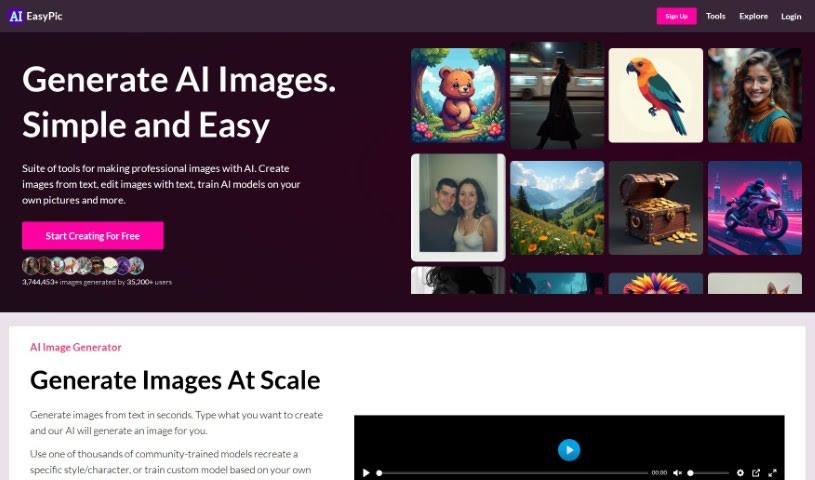
Screenshot of AIEasyPic

AIEasyPic

Discover what AIEasyPic is and how to use it effectively in 2025. We'll walk through its features, compare it to other AI image generators, and show you how to get started.

Screenshot

What is AIEasyPic?

AIEasyPic is a really user-friendly tool that connects with the latest AI image technology. It makes it super simple for you to process and create all sorts of images. You can generate things like Instagram-ready models, classic black and white photos, professional headshots, or even fun selfies with famous landmarks, like posing in front of the Eiffel Tower. It’s also great for crafting unique dating profile pictures. The process is straightforward: you upload your own images, tweak the settings to get exactly what you want, and you can easily look back at anything you’ve made before in the ‘RECENT CREATIONS’ section. Just a heads-up, you’ll need to sign in to use AIEasyPic, and generating images uses credits. It offers a good range of ways to customize your prompts and the final look of your images, and it handles different image sizes well. Plus, there’s a handy drag-and-drop feature and an interactive way to select your prompts. On the flip side, you do need to sign in, the exact number of images you get and how much they cost aren’t always clear, customization has its limits, and you can’t use it offline or integrate it with other tools via an API.

Who created AIEasyPic?

Nobody knows exactly who created AIEasyPic. This platform first appeared on June 18, 2023, offering people a way to work with AI for image creation. It provides a custom interface for generating images, supports various image dimensions, and lets you personalize your creations. You can upload your pictures by simply dragging them into the designated space or by picking a file from your computer. AIEasyPic is known for generating a variety of images, including those that look like Instagram models, black and white shots, professional headshots, pictures of you with landmarks, and images for dating profiles.

What is AIEasyPic used for?

  • You can create fun selfies with famous spots like the Eiffel Tower.
  • It’s great for making images that look like popular Instagram models.
  • You can generate professional-looking headshots.
  • It helps you create striking black and white images.
  • You can craft unique pictures specifically for your dating profile.

Who is AIEasyPic for?

  • People who want to create content for Instagram, perhaps looking like models.
  • Anyone needing professional headshots for their career.
  • Individuals looking to make their dating profiles stand out.

How to use AIEasyPic?

Here’s a simple guide to using AIEasyPic:

  1. Upload Your Images: Just drag and drop your photos into the provided area, or click to select them from your computer.
  2. Customize Your Images: You’ve got choices for image size and can pick specific prompts to tailor your results.
  3. Select Your Gender: After uploading, you can choose your gender from the options given.
  4. Generate Your Images: AIEasyPic can then create all sorts of images for you – think Instagram models, black and white photos, professional headshots, selfies with landmarks, and dating profile pictures.
  5. Sign In to Your Account: You’ll need to sign in because generating images uses credits, which you get when you sign up.
  6. See Your Past Work: You can easily find all your previously generated images in the ‘RECENT CREATIONS’ section.
  7. Understand the Costs: While the exact prices aren’t listed, the tool gives you a good idea of what you’ll be spending.

Following these steps should give you a smooth experience using AIEasyPic to create custom images with lots of different ways to personalize them.

Related AI Tools

Discover more tools in similar categories that might interest you

123RF AI Image Generator

Creative Image Generation
Learn More

Stay Updated with AI Tools

Get weekly updates on the latest AI tools, trends, and insights delivered to your inbox

Join 25,000+ AI enthusiasts. No spam, unsubscribe anytime.