AI Tools for No Code

Discover the best No Code AI tools to enhance your productivity and creativity.

Page 4 of 7 • 75 total tools

In today’s fast-moving digital world, it’s easier than ever to build powerful applications. No-code AI tools are leading this charge, letting people without programming skills tap into artificial intelligence. You can automate boring tasks, create smart data analyses, and open up a whole new world of possibilities.

Many AI tasks that used to be really complex can now be built using simple, intuitive interfaces and drag-and-drop features. This has totally changed how small businesses, entrepreneurs, and even big companies approach tech development. With no-code, anyone can create something new.

After trying out a bunch of no-code AI solutions, I’ve put together a list of the top options out there right now. Whether you want to make your operations smoother, make customers happier, or get better insights from your data, these tools can help you bring your ideas to life without needing technical know-how.

If you’re ready to jump into the world of no-code AI, let’s look at these platforms and see how they can make your projects simpler and better.

The best AI No Code Tools

  1. Softr: Build no-code apps easily.
  2. Lightning AI: Deploy AI models without coding skills.
  3. Universe Website Builder: Create a portfolio without coding skills.
  4. Scade.pro: Build AI chatbots without coding.
  5. Lutra AI: Create custom AI workflows without coding.
  6. Gigasheet: Get effortless data insights without coding.
  7. Promptitude.io: Streamline prompt creation without coding.
  8. Markov ML: Automate data analysis insights.
  9. Airparser: Seamlessly extract data for your workflows.
  10. Liner.ai: Train ML models with no code.
  11. Autotab: Effortlessly automate browser tasks for everyone.
  12. GoLess: Automate workflows using visual interfaces.
  13. Cradl AI: Streamline workflows with drag-and-drop ease.
  14. Toolbuilder: Build apps without writing code.
  15. Aivia: Build AI solutions without coding skills.

How do AI no code tools work?

AI no-code tools let you build applications and automate tasks without needing to know how to program. They use artificial intelligence to simplify processes, allowing anyone to create solutions with easy-to-use drag-and-drop interfaces. This makes technology accessible to more people, not just those with technical backgrounds, really democratizing development.

At their heart, these tools use powerful algorithms that handle complex jobs behind the scenes. They let you set up workflows, automate repetitive tasks, and connect different platforms smoothly. You can link up data sources, set triggers, and define actions without writing a single line of code.

Many no-code platforms use machine learning models to improve how you use them. This means getting smart suggestions, predictive analytics, and understanding natural language. By using these features, you can build custom solutions that fit your specific needs, and you can often adjust them as things change.

AI also makes more advanced features possible, like chatbots or better data processing. This can help businesses connect with customers more effectively and make their operations run more smoothly. As these tools get better, platforms like Zapier, Airtable, and Bubble are adding more advanced AI capabilities.

Basically, AI no-code tools are changing how we solve problems and build applications. They remove the need for coding skills and give you direct access to innovation. With more and more demand for efficient solutions, these tools will likely keep shaping the future of work and creativity in big ways.

Our best AI no code tools at a glance

RankNameBest forPlans and PricingRating
1SoftrBuilding no-code apps with easePaid plans start at $Free/month.4.33 (6 reviews)
2Lightning AIDeploying AI models without coding skills.Paid plans start at $Free/Month.4.73 (51 reviews)
3Universe Website BuilderCreating a portfolio without coding skillsN/A4.73 (11 reviews)
4Scade.proBuilding AI chatbots without coding.N/A4.00 (5 reviews)
5Lutra AICustom AI workflows without codingN/A4.73 (11 reviews)
6GigasheetEffortless data insights without codingPaid plans start at $25/month.4.77 (43 reviews)
7Promptitude.ioStreamlining prompt creation without codingN/A4.20 (5 reviews)
8MarkovMLAutomating data analysis insights.N/A3.89 (9 reviews)
9AirparserSeamless data extraction for workflowsPaid plans start at $33/month.4.82 (11 reviews)
10Liner.aiNo-code ML model trainingN/A4.62 (13 reviews)
11AutotabEffortless browser automation for everyoneN/A3.14 (7 reviews)
12GoLessAutomating workflows with visual interfaces.N/A4.79 (29 reviews)
13Cradl AIStreamlined workflows with drag-and-drop easeN/A3.40 (5 reviews)
14ToolbuilderBuilding apps without writing codeN/A3.82 (11 reviews)
15AiviaBuilding AI solutions without coding skills.N/A3.40 (5 reviews)
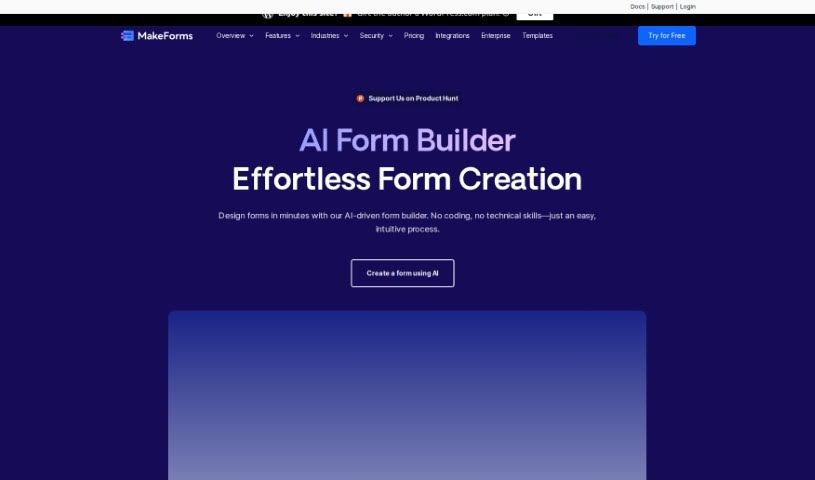
Screenshot of MakeForms AI Form Builder

MakeForms AI Form Builder

Freemium

MakeForms is a really handy platform for building forms. What makes it stand out are features like no-code AMP forms that work right in your email – pretty neat, huh? You also get over 160 templates and 100 design themes to choose from, plus advanced ways to connect it with other tools and get great reporting. For businesses that need extra security, enterprise accounts come with 128-bit data encryption. The best part? People can fill out and send your forms without ever leaving their inbox. When it comes to paying, MakeForms accepts all the usual suspects: major credit cards, PayPal, ACH, and direct debit. You've also got flexibility with your subscription; you can cancel or upgrade whenever you like, and if you switch plans, you won't lose any time you've already paid for. Just a heads-up, though: MakeForms doesn't offer a way to keep all your data on your own server and database. To make sure everything runs smoothly and can handle growth, MakeForms is hosted on AWS. Your subscriptions will automatically renew each month or year. They also offer discounts for NGOs, and if you have any questions at all, their support team is there to help.

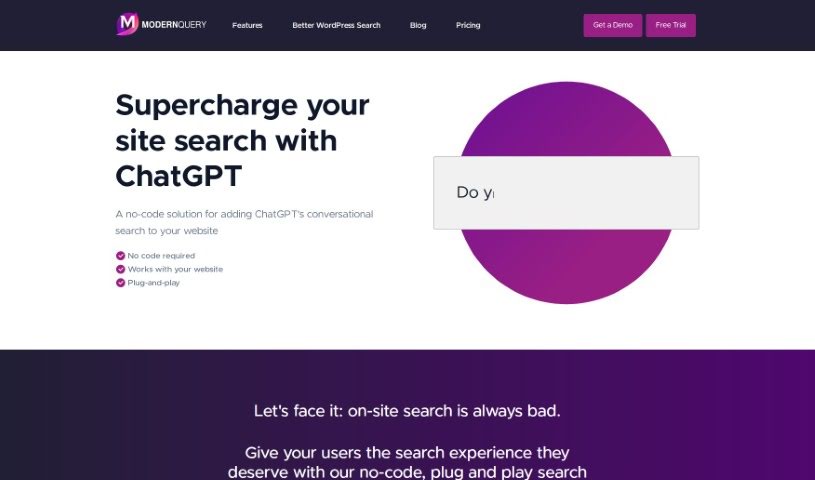
Screenshot of Modern Query

Modern Query

Freemium

ModernQuery is a tool built to make your website's search function much better. It uses generative AI and conversational search, kind of like chatting with ChatGPT, right on your site. It's a no-code solution, meaning you don't need to be a programmer to use it. You can easily tweak search results with a simple point-and-click interface, and it even offers autocomplete suggestions to help visitors find what they're looking for faster. Whether you have a small business site, a personal blog, or a larger company website, ModernQuery is designed to improve the search experience for everyone.

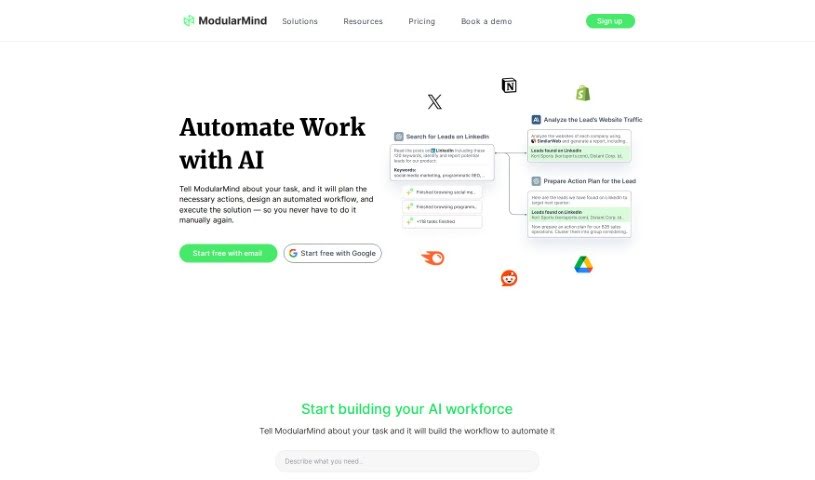
Screenshot of ModularMind

ModularMind

Freemium

ModularMind is a really neat No-Code AI Builder tool designed to make your productivity workflows simpler and more efficient. It is your personal assistant for automating repetitive tasks, so you don't have to start from scratch every time. What's cool is that it taps into community insights, lets you build workflows piece by piece (hence 'modular'), and connects easily with various AI models, including advanced machine learning ones. The best part? You don't need to be a coder to use it. Its user-friendly interface means you can quickly build custom workflows and automate tasks, making it super accessible, especially with its budget-friendly pricing.

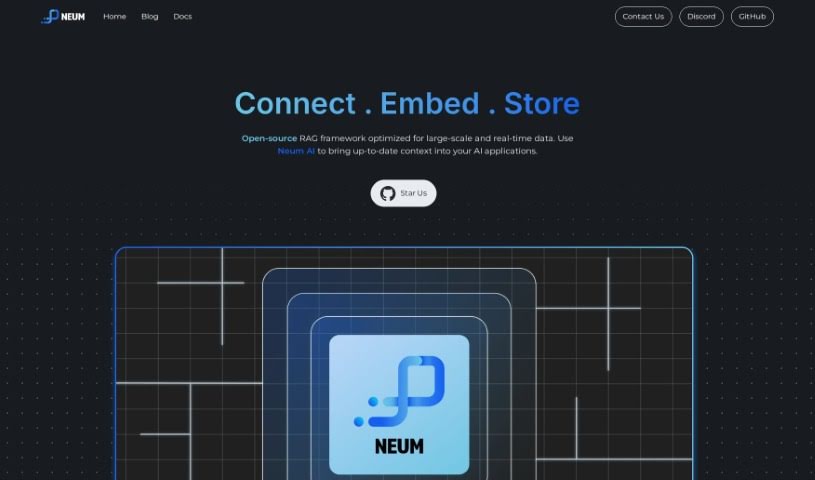
Screenshot of Neum AI

Neum AI

Freemium

Neum AI is a really useful tool that helps you sync up your vector stores, like Pinecone, Weaviate, and ElasticSearch, with your data sources, such as Azure Blob Storage and Amazon S3. It's designed to be flexible, offering both no-code and pro-code options, making data management and analysis much more efficient. It is a bridge that lets you easily connect your vector stores and data sources, so you can access and work with your data without a hassle. Its standout feature is this synchronization capability, which keeps your data accurate and saves you from the tedious work of manually managing different data locations. Plus, whether you're a tech whiz or just starting out, Neum AI has something for you with its no-code and pro-code choices for custom solutions.

Screenshot of NextBrain AI

NextBrain AI

Freemium

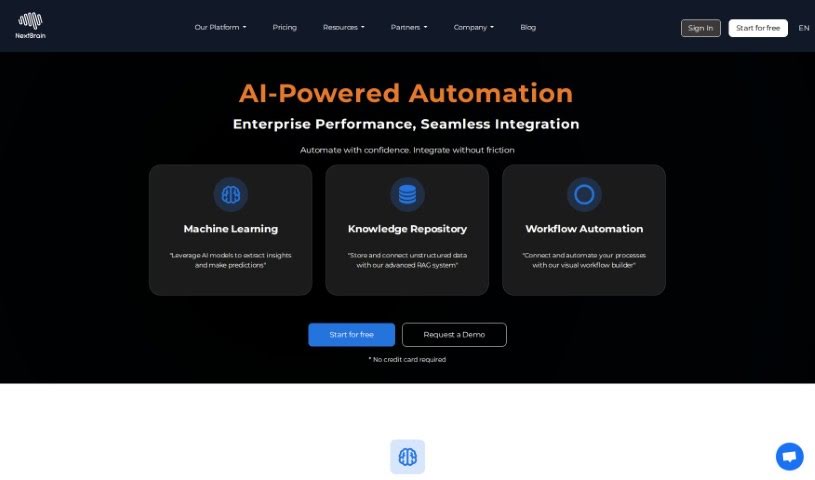
NextBrain AI is a platform designed to make machine learning accessible to everyone, even if you don't have any coding experience. It offers user-friendly, no-code solutions that simplify the entire machine learning process. What's really great is that it explains how the machine learning works and gives you actionable insights. This means you can easily understand what the AI is telling you and make smarter decisions for your business. The platform is built for speed and accuracy, with an intuitive interface that helps you achieve impressive results without needing to be a tech expert. Plus, NextBrain AI makes it easy to connect with your existing data sources and applications, so you can tailor AI solutions precisely to what you need. It also includes a powerful Generative AI Assistant, powered by advanced Language Model technology, which helps you effortlessly reshape your data tables, giving you complete control.

Screenshot of Nicelyformed

Nicelyformed

Freemium

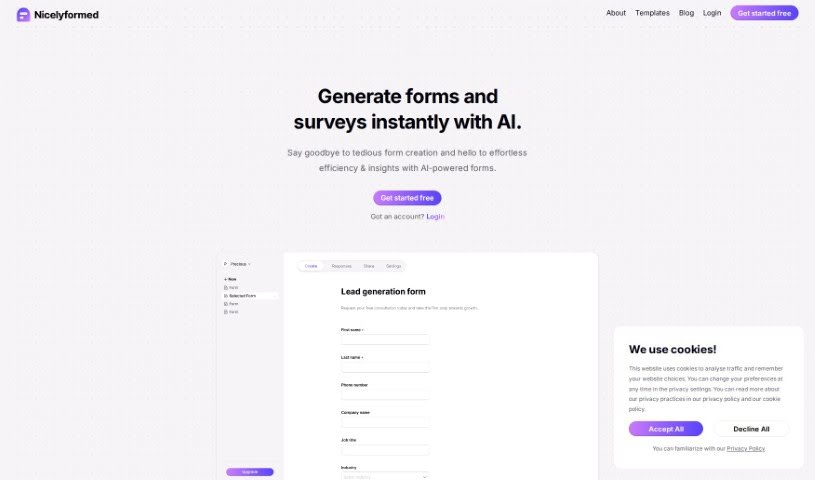
Nicelyformed is a really user-friendly tool that helps you create AI-powered forms quickly and easily. It's pretty versatile, letting you add all sorts of input types, from basic text fields to more advanced options like rating scales and even file uploads. What's neat is that Nicelyformed uses natural language processing – basically, it understands what you're asking for in plain English – to generate forms based on your prompts. This means you can tweak and customize them without any fuss. The whole idea behind Nicelyformed is to make collecting and organizing data simpler with AI, giving you useful insights and just making the whole form-building process a much better experience.

Screenshot of Nocoai

Nocoai

Freemium

NocoAI is a platform that really changes how businesses deploy GPT-based applications. It uses a no-code, serverless approach, which means you don't need to be a coding expert to build custom models and API endpoints that fit exactly what you need. You can set up prompt templates using the Mustache template engine to personalize inputs, and you can keep an eye on your OpenAI costs by setting request and user limits. Plus, the NocoAI team is there to help you add datasets if you want to fine-tune your models. Essentially, it offers a no-code environment, easy API generation, customizable templates, great cost control, and helpful support for people who aren't developers.

Screenshot of One Connect Solution

One Connect Solution

Freemium

One Connect Solution is a data analytics platform developed by One Connect Solutions. Its main goal is to create a better workplace experience by using machine learning and customized setups. This platform offers features like automated machine learning, which means it can handle a lot of the complex work for you. It also provides no-code/low-code options for transforming data, making it easier for more people to work with. Plus, it can connect to various data sources, which really helps when you're trying to analyze information and make smart decisions. Ultimately, One Connect Solution aims to boost your workplace experience, make things more efficient, increase productivity, help maintain profit margins, and improve products, processes, and overall decision-making within your organization. It’s designed to support different ways of working and various workplace setups, all to help boost productivity and achieve those important company goals.

Screenshot of Onu

Onu

Freemium

Onu is a platform designed to make turning your scripts into internal tools incredibly simple. You don't need any frontend coding skills at all. It really smooths out the process of creating applications that are easy for people to use, straight from your scripts. It is a way to build useful tools without needing to be a coder or designer. Onu is great for automating those tasks that eat up your time, like digging into data, putting together reports, or keeping track of tasks. It helps your team work more efficiently and get more done. Plus, it makes it easier for everyone to work together and communicate, thanks to features like interactive dashboards, ways to visualize your data, and simple forms for collecting information. A big plus for Onu is that it lets you use the scripts you already have, cutting down on the need for a lot of new coding and getting your tools ready much faster.

Screenshot of Parallel GPT

Parallel GPT

Freemium

Parallel GPT is a platform built to help teams process ChatGPT queries in bulk, all through a familiar spreadsheet interface. It’s designed to make handling complex tasks much easier by letting you import and export data in CSV or JSON formats. Whether you're new to this or a seasoned developer, Parallel GPT works for you. You can start with very little technical know-how and then add more features as you go with its low-code options. Your data, including the prompts you send and the responses you get, stays private and is stored securely within your own Google Cloud project. It also makes it simple for teams to work together, offering custom roles and ways to scale up your ChatGPT interactions. Some of the main things it does include importing and exporting CSV/JSON, managing your conversations in a spreadsheet, keeping your data safe in Google Cloud, offering low-code ways to customize things, and supporting collaboration to boost team productivity.

Screenshot of Parsagon

Parsagon

Freemium

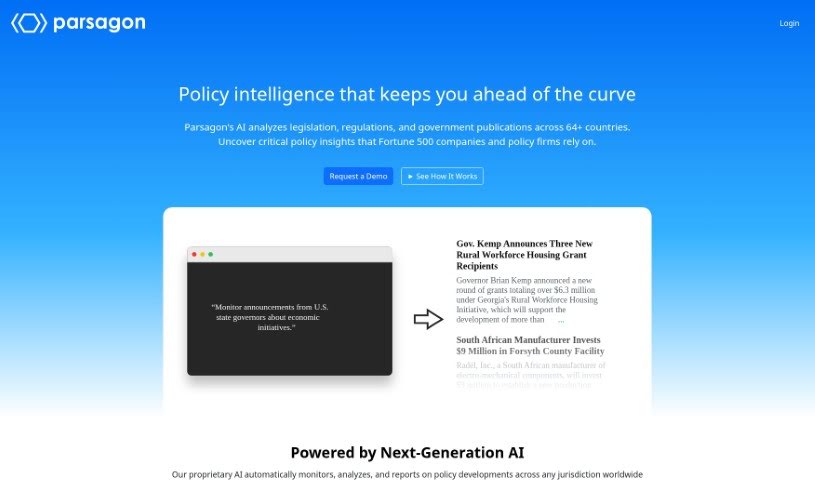
Parsagon is a really neat platform that makes creating browser automations super simple, all by using plain English. If you're looking to automate what you do online but don't want to get bogged down in complicated code or technical stuff, Parsagon is for you. It's designed to be easy to use and efficient, letting you automate all sorts of things, whether it's filling out forms or pulling data from websites. Because Parsagon understands natural language, you can just describe what you need done in simple terms, and it'll get it done precisely and quickly – no coding required at all. It’s a great tool for anyone, from beginners just starting out to more experienced users, really boosting productivity for both individuals and businesses.

Screenshot of Plugbear

Plugbear

Freemium

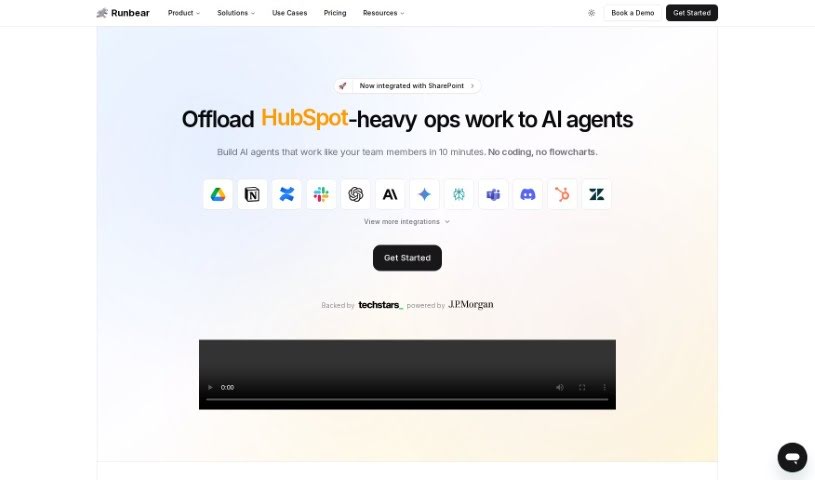
Plugbear is a platform designed to help companies easily integrate custom AI models, like ChatGPT, Claude, and Assistants, directly into their everyday communication tools. Think Slack, Microsoft Teams, Discord, or even HubSpot. The real magic here is that it lets you bring your AI ideas to life quickly, without needing to write a single line of code. This means your teams can boost their workflows, work more efficiently, and stay ahead of the curve. Plugbear connects your LLM apps to all sorts of channels – Slack, Discord, Zendesk, email, you name it. It supports a wide range of AI app builders and frameworks, including OpenAI's GPTs and LangChain. Essentially, it's all about making your work life smoother by bringing OpenAI, Claude, or Gemini right into the tools you already use every day. You get seamless AI integration and a big boost in efficiency, all without the hassle of coding.

Stay Updated with AI Tools

Get weekly updates on the latest AI tools, trends, and insights delivered to your inbox

Join 25,000+ AI enthusiasts. No spam, unsubscribe anytime.