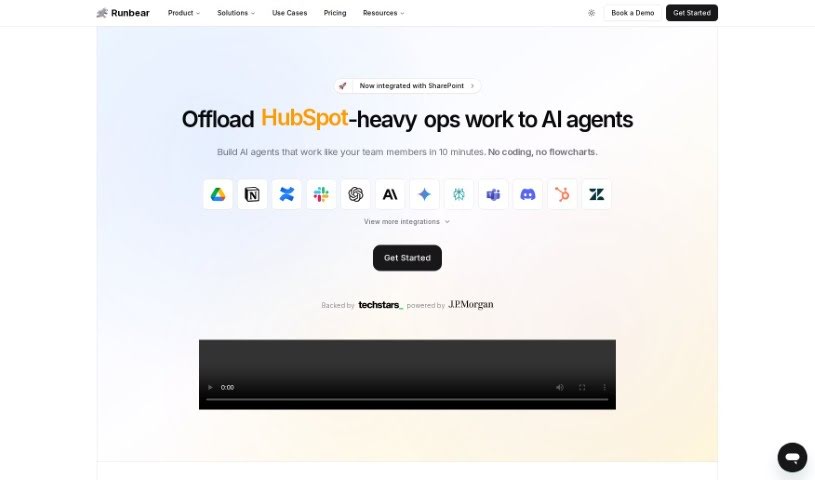
Screenshot of Plugbear

Plugbear

Discover what Plugbear is and how to use it effectively in 2025. We'll explore its features and see how it stacks up against other automation tools.

Screenshot

What is Plugbear?

Plugbear is a platform designed to help companies easily integrate custom AI models, like ChatGPT, Claude, and Assistants, directly into their everyday communication tools. Think Slack, Microsoft Teams, Discord, or even HubSpot. The real magic here is that it lets you bring your AI ideas to life quickly, without needing to write a single line of code. This means your teams can boost their workflows, work more efficiently, and stay ahead of the curve. Plugbear connects your LLM apps to all sorts of channels – Slack, Discord, Zendesk, email, you name it. It supports a wide range of AI app builders and frameworks, including OpenAI’s GPTs and LangChain. Essentially, it’s all about making your work life smoother by bringing OpenAI, Claude, or Gemini right into the tools you already use every day. You get seamless AI integration and a big boost in efficiency, all without the hassle of coding.

Who created Plugbear?

Plugbear Overview:

Founder: Plugbear was developed by Runbear. This company specializes in helping businesses integrate custom ChatGPT into their communication platforms like Slack, Microsoft Teams, and HubSpot. They make it simple to put AI ideas into action fast, without requiring any coding skills. This approach empowers teams to improve how they work and stay competitive. Runbear recently launched Plugbear, a platform that makes it easy to use custom ChatGPT, Claude, and Assistants across many communication channels, including Slack, Microsoft Teams, Discord, HubSpot, and more. And yes, you can do all of this without needing to code.

Company Details:

  • What They Offer: Runbear helps you create AI Assistants for platforms like Slack, Teams, HubSpot, and others, all without coding. This really helps boost productivity and efficiency.
  • Key Features: You can create custom AI, integrate AI specifically to improve your workflows, and deploy AI smoothly within the systems you already use.
  • Trusted by Innovators: Leading companies trust Runbear to help their teams be more productive and innovative by integrating AI.
  • Pricing: They offer straightforward pricing plans that fit different team sizes and needs. You can start with free options for trying things out, or choose premium plans for larger teams that need more customization.

What is Plugbear used for?

  • It helps automate everyday tasks, freeing up your team to focus on more important work.
  • You can boost your team’s productivity by seamlessly integrating AI assistance.
  • Impress clients with quick and accurate responses.
  • Deploy AI assistants without needing any engineering help.
  • Tailor AI specifically to your team’s unique needs.
  • Integrate AI smoothly into your existing workflows.
  • Easily build AI models using OpenAI and Claude, and customize them with your own data and actions like browsing the web or using APIs.
  • Access AI from any platform thanks to a no-code Channel Connector.
  • Give your teams a boost with instant AI, cutting out integration headaches.
  • Launch AI effortlessly and connect it everywhere your team works.
  • Provide the best user experiences by linking AI to the work tools your team loves.
  • Create specialized AI in about an hour, no coding required.
  • Enhance your team’s AI workflows.
  • Integrate AI into daily communication tools to improve work performance and competitiveness.
  • Maximize productivity by bringing OpenAI, Claude, or Gemini into your daily tools.

Who is Plugbear for?

  • Teams that need to handle a high volume of AI interactions, want custom plan options, or plan to offer AI integrations to their own customers.
  • Companies that want to use custom ChatGPT, Claude, and Assistants within their communication platforms like Slack, Microsoft Teams, Discord, and HubSpot.
  • Businesses that already use communication platforms such as Slack, Microsoft Teams, Discord, HubSpot, or Zendesk.
  • Companies looking for high-volume solutions and custom plan features.
  • Teams that need business-focused features.
  • Medium-sized teams.
  • Larger teams that want to offer AI integrations to their clients.
  • Companies in general.
  • AI practitioners.
  • Team Managers.

How to use Plugbear?

Here’s how you can get started with Plugbear:

  1. Pick a Plan: First, choose the plan that best suits you. There’s a Free option if you just want to explore, a Team plan for medium-sized groups, and Pro/Enterprise plans for larger teams with higher volume needs and more customization.
  2. Sign Up: Head over to the Plugbear platform and create an account using your email address.
  3. Select Your Plan: Decide which plan you want – Free, Team, or Pro/Enterprise. Think about how many connections you’ll need, how many end users there will be, and how many messages you expect each month.
  4. Connect Your Tools: Plugbear works with lots of different integrations. You can connect channels like Slack, Discord, and MS Teams, CRMs like HubSpot and Zendesk, and various LLM apps. This makes everything connect smoothly.
  5. Customize Your AI: Make your AI user experiences unique. Depending on your plan, you can get customizable AI, help with implementation, and even extended support hours.
  6. Launch Your AI Assistants: Get your AI assistants up and running in platforms like Slack, Teams, HubSpot, and more, all without needing to code. You can easily tailor the AI to fit exactly what your team needs.
  7. Use OpenAI Models: Take advantage of models like ChatGPT, Claude, or Gemini right within your communication tools. This is a great way to boost productivity and make your workflows more efficient.
  8. Get the Most Efficiency: Automate those repetitive tasks, save valuable time, and impress clients with fast, accurate answers using Plugbear’s AI features.
  9. Get Support: If you’re on a Pro or Enterprise plan, you can get help 24/7 through a dedicated Slack channel. They’re there to provide timely assistance and guidance.
  10. Stay in the Loop: Keep up with the latest news, pricing changes, and new features on the Plugbear platform. This helps you get the most out of integrating AI into your workflows.

By following these steps, you’ll be able to effectively use Plugbear to make your team more efficient, automate tasks, and seamlessly bring AI into your daily communication tools.

Related AI Tools

Discover more tools in similar categories that might interest you

Stay Updated with AI Tools

Get weekly updates on the latest AI tools, trends, and insights delivered to your inbox

Join 25,000+ AI enthusiasts. No spam, unsubscribe anytime.