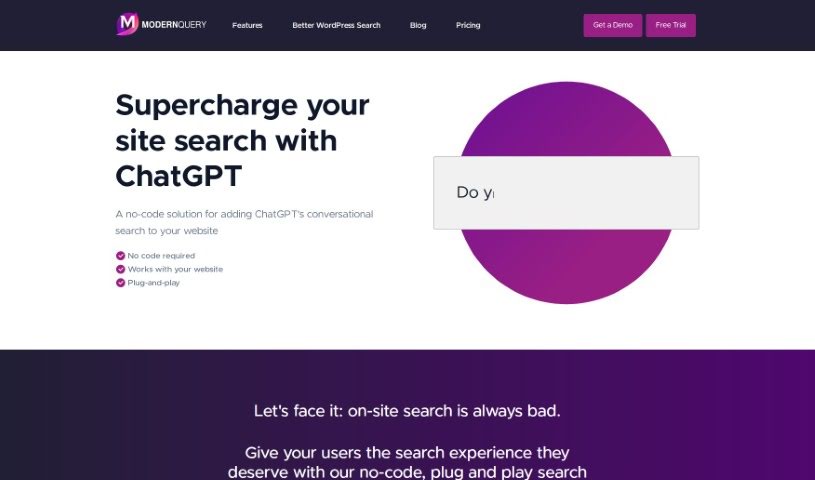
Screenshot of Modern Query

Modern Query

Discover what Modern Query is and how to use it to boost your website's search in 2025. We'll explore its features and compare it to other No Code Tools.

Screenshot

What is Modern Query?

ModernQuery is a tool built to make your website’s search function much better. It uses generative AI and conversational search, kind of like chatting with ChatGPT, right on your site. It’s a no-code solution, meaning you don’t need to be a programmer to use it. You can easily tweak search results with a simple point-and-click interface, and it even offers autocomplete suggestions to help visitors find what they’re looking for faster. Whether you have a small business site, a personal blog, or a larger company website, ModernQuery is designed to improve the search experience for everyone.

Who created Modern Query?

An undisclosed founder developed ModernQuery. The platform first launched on August 29, 2023. Essentially, ModernQuery is a company that offers a tool to improve website search using generative AI and conversational search. It’s a no-code way to add ChatGPT-like search capabilities to your site. The goal is to make searching easier for users, with options to manually adjust results and helpful autocomplete features.

What is Modern Query used for?

  • It makes your website’s search much better using generative AI and conversational search.
  • It’s a no-code way to add ChatGPT to your website’s search.
  • It works smoothly with your existing website, no coding needed.
  • You can manually adjust search results easily with a point-and-click tool.
  • It has an autocomplete feature to help users find content faster.
  • Plugins are available for popular content management systems like WordPress and Drupal.
  • It works with almost any website, just needing a simple JavaScript embed.
  • It improves the user search experience by suggesting terms as people type.
  • It’s great for small business websites, blogs, and even larger corporate sites.
  • It can really boost your site’s search, making users happier and more engaged.
  • It enhances website search functionality with generative AI and conversational search capabilities.
  • It provides a no-code solution for integrating ChatGPT into website search features.
  • It works seamlessly with existing websites without coding skills.
  • It supports manual adjustment of search results through a point-and-click interface.
  • It offers autocomplete features to help users find content faster.
  • It’s compatible with popular content management systems like WordPress and Drupal.
  • It can be integrated with any website using a simple JavaScript embed.
  • It improves user experience on small business websites, blogs, and corporate websites.
  • Plugins are available for WordPress and Drupal sites.
  • It supports search analytics and searching across multiple domains.

Who is Modern Query for?

  • Business professionals
  • Small editorial professionals

How to use Modern Query?

Here’s how to get the most out of ModernQuery:

  1. Try it Free for 30 Days: First off, sign up for ModernQuery’s 30-day free trial. You don’t need a credit card to start.
  2. Pick Your Plan: Choose a plan that fits your website. Options include Starter, Business, or Scale, depending on your site’s size and how you need search to work.
  3. Add it to Your Website: ModernQuery is made for people without coding experience. You can easily add it using plugins for popular systems like WordPress and Drupal, or with a simple JavaScript embed.
  4. Boost Your Search: Use ModernQuery to give your users a better search experience. It uses ChatGPT for conversational search, really improving how your website’s search works overall.
  5. Adjust Results and Get Autocomplete: You’re in control of search results – adjust them manually with a point-and-click interface. Plus, turn on the autocomplete feature to help users find things faster by suggesting search terms as they type.
  6. Upgrade if You Like It: Once your free trial is over, you can upgrade your account to keep using all of ModernQuery’s features.

Following these steps will help you use ModernQuery effectively to make your website’s search better and keep your users happy.

Related AI Tools

Discover more tools in similar categories that might interest you

Stay Updated with AI Tools

Get weekly updates on the latest AI tools, trends, and insights delivered to your inbox

Join 25,000+ AI enthusiasts. No spam, unsubscribe anytime.