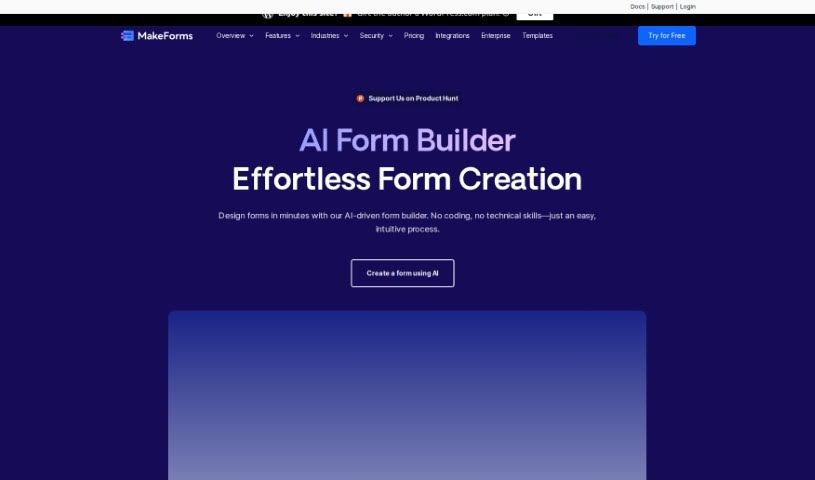
Screenshot of MakeForms AI Form Builder

MakeForms AI Form Builder

Discover what MakeForms AI Form Builder is and how to use it effectively in 2025. Explore its unique features, templates, and how it stacks up against other documentation tools.

Screenshot

What is MakeForms AI Form Builder?

MakeForms is a really handy platform for building forms. What makes it stand out are features like no-code AMP forms that work right in your email – pretty neat, huh? You also get over 160 templates and 100 design themes to choose from, plus advanced ways to connect it with other tools and get great reporting. For businesses that need extra security, enterprise accounts come with 128-bit data encryption. The best part? People can fill out and send your forms without ever leaving their inbox. When it comes to paying, MakeForms accepts all the usual suspects: major credit cards, PayPal, ACH, and direct debit. You’ve also got flexibility with your subscription; you can cancel or upgrade whenever you like, and if you switch plans, you won’t lose any time you’ve already paid for. Just a heads-up, though: MakeForms doesn’t offer a way to keep all your data on your own server and database. To make sure everything runs smoothly and can handle growth, MakeForms is hosted on AWS. Your subscriptions will automatically renew each month or year. They also offer discounts for NGOs, and if you have any questions at all, their support team is there to help.

Who created MakeForms AI Form Builder?

While the specific individual behind MakeForms isn’t named in the documents I have, the company itself is dedicated to form-building services. They’ve packed their platform with unique features, like those no-code AMP forms that work directly in emails, a huge library of 160+ templates, and over 100 design themes. They also offer advanced integrations and reporting tools to help you manage your data. Security is a big focus for them, especially for enterprise accounts, which get 128-bit encryption. They ensure your data is stored securely on their cloud-based servers, and they don’t share it with any third-party services.

What is MakeForms AI Form Builder used for?

  • Effortless Form Creation: You can quickly build forms that look great on any device. Just give your form a name and describe the sections you need, and MakeForms’ AI will help bring it to life, suggesting the best question types and fields. It’s a really smooth process.
  • Custom Branding: MakeForms offers a Custom Domain feature, so your forms can match your brand perfectly.
  • Connect with Other Tools: You can integrate with multiple other sources, making your workflow seamless.
  • Smart Logic: Use Conditional Logic to create forms that adapt based on user responses, making them more interactive and relevant.
  • Design Variety: Access a wide range of Form Designs to match your aesthetic.
  • In-Email Submissions: A standout feature is the ability to collect form submissions directly within emails, meaning users don’t even need to click away.
  • No-Code Building: You can build any form you need without writing a single line of code, thanks to the AI Form Builder.
  • Extensive Library: Take advantage of over 160 templates and 100 design themes to get started quickly or find inspiration.
  • Advanced Tools: MakeForms also provides advanced integrations and reporting tools to help you analyze your form data.

Who is MakeForms AI Form Builder for?

  • AI Enthusiasts: If you’re excited about how AI can simplify tasks and improve workflows, you’ll likely find MakeForms particularly interesting.

How to use MakeForms AI Form Builder?

Getting started with MakeForms is pretty straightforward. Here’s a simple breakdown:

  1. Sign Up: First, you’ll need to create a unique username and log in to your MakeForms account.
  2. Pick a Plan: Choose the pricing plan that best suits what you need. They offer Essentials, Pro, Agency, and Enterprise options.
  3. Start Creating Your Form: Give your form a name and describe the different sections you want. This is where you tell MakeForms what you’re building.
  4. Let the AI Help: Use the AI Form Builder. Just provide the basic details, and MakeForms’ AI will suggest how to create responsive forms quickly and efficiently.
  5. Explore the Features: Dive into features like Custom Domain for branding, integrating Multiple Sources, using Conditional Logic, choosing from various Form Designs, and the handy Collect inside email option.
  6. Secure Your Data (Enterprise): If you’re on an Enterprise plan, you get 128-bit data encryption, ensuring your information is stored securely on their cloud-based servers.
  7. Payments: MakeForms makes it easy to pay, accepting major credit cards, PayPal, ACH, and direct debit.
  8. Manage Your Subscription: You have the flexibility to cancel or upgrade your plan at any time. If you switch plans, your remaining subscription time will be prorated, so you don’t lose out.
  9. Automatic Renewal: Your monthly and annual subscriptions will automatically renew, so you don’t have to worry about missing a payment.
  10. Need Help? If you have any questions or need assistance with anything, don’t hesitate to reach out to their support team at [email protected].

Following these steps should give you a smooth experience with MakeForms, helping you create forms efficiently and keep your data safe. For even more details, you can always check out the MakeForms website.

Related AI Tools

Discover more tools in similar categories that might interest you

Stay Updated with AI Tools

Get weekly updates on the latest AI tools, trends, and insights delivered to your inbox

Join 25,000+ AI enthusiasts. No spam, unsubscribe anytime.