AI Tools for No Code

Discover the best No Code AI tools to enhance your productivity and creativity.

Page 3 of 7 • 75 total tools

In today’s fast-moving digital world, it’s easier than ever to build powerful applications. No-code AI tools are leading this charge, letting people without programming skills tap into artificial intelligence. You can automate boring tasks, create smart data analyses, and open up a whole new world of possibilities.

Many AI tasks that used to be really complex can now be built using simple, intuitive interfaces and drag-and-drop features. This has totally changed how small businesses, entrepreneurs, and even big companies approach tech development. With no-code, anyone can create something new.

After trying out a bunch of no-code AI solutions, I’ve put together a list of the top options out there right now. Whether you want to make your operations smoother, make customers happier, or get better insights from your data, these tools can help you bring your ideas to life without needing technical know-how.

If you’re ready to jump into the world of no-code AI, let’s look at these platforms and see how they can make your projects simpler and better.

The best AI No Code Tools

  1. Softr: Build no-code apps easily.
  2. Lightning AI: Deploy AI models without coding skills.
  3. Universe Website Builder: Create a portfolio without coding skills.
  4. Scade.pro: Build AI chatbots without coding.
  5. Lutra AI: Create custom AI workflows without coding.
  6. Gigasheet: Get effortless data insights without coding.
  7. Promptitude.io: Streamline prompt creation without coding.
  8. Markov ML: Automate data analysis insights.
  9. Airparser: Seamlessly extract data for your workflows.
  10. Liner.ai: Train ML models with no code.
  11. Autotab: Effortlessly automate browser tasks for everyone.
  12. GoLess: Automate workflows using visual interfaces.
  13. Cradl AI: Streamline workflows with drag-and-drop ease.
  14. Toolbuilder: Build apps without writing code.
  15. Aivia: Build AI solutions without coding skills.

How do AI no code tools work?

AI no-code tools let you build applications and automate tasks without needing to know how to program. They use artificial intelligence to simplify processes, allowing anyone to create solutions with easy-to-use drag-and-drop interfaces. This makes technology accessible to more people, not just those with technical backgrounds, really democratizing development.

At their heart, these tools use powerful algorithms that handle complex jobs behind the scenes. They let you set up workflows, automate repetitive tasks, and connect different platforms smoothly. You can link up data sources, set triggers, and define actions without writing a single line of code.

Many no-code platforms use machine learning models to improve how you use them. This means getting smart suggestions, predictive analytics, and understanding natural language. By using these features, you can build custom solutions that fit your specific needs, and you can often adjust them as things change.

AI also makes more advanced features possible, like chatbots or better data processing. This can help businesses connect with customers more effectively and make their operations run more smoothly. As these tools get better, platforms like Zapier, Airtable, and Bubble are adding more advanced AI capabilities.

Basically, AI no-code tools are changing how we solve problems and build applications. They remove the need for coding skills and give you direct access to innovation. With more and more demand for efficient solutions, these tools will likely keep shaping the future of work and creativity in big ways.

Our best AI no code tools at a glance

RankNameBest forPlans and PricingRating
1SoftrBuilding no-code apps with easePaid plans start at $Free/month.4.33 (6 reviews)
2Lightning AIDeploying AI models without coding skills.Paid plans start at $Free/Month.4.73 (51 reviews)
3Universe Website BuilderCreating a portfolio without coding skillsN/A4.73 (11 reviews)
4Scade.proBuilding AI chatbots without coding.N/A4.00 (5 reviews)
5Lutra AICustom AI workflows without codingN/A4.73 (11 reviews)
6GigasheetEffortless data insights without codingPaid plans start at $25/month.4.77 (43 reviews)
7Promptitude.ioStreamlining prompt creation without codingN/A4.20 (5 reviews)
8MarkovMLAutomating data analysis insights.N/A3.89 (9 reviews)
9AirparserSeamless data extraction for workflowsPaid plans start at $33/month.4.82 (11 reviews)
10Liner.aiNo-code ML model trainingN/A4.62 (13 reviews)
11AutotabEffortless browser automation for everyoneN/A3.14 (7 reviews)
12GoLessAutomating workflows with visual interfaces.N/A4.79 (29 reviews)
13Cradl AIStreamlined workflows with drag-and-drop easeN/A3.40 (5 reviews)
14ToolbuilderBuilding apps without writing codeN/A3.82 (11 reviews)
15AiviaBuilding AI solutions without coding skills.N/A3.40 (5 reviews)
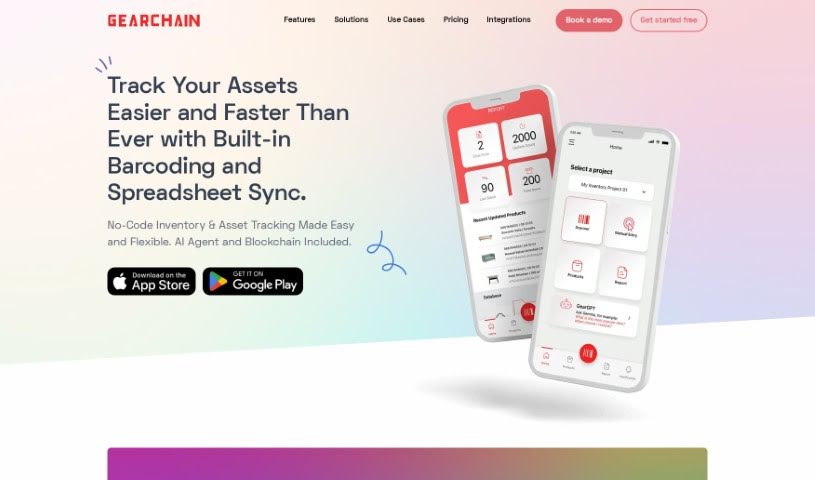
Screenshot of GearChain

GearChain

Freemium

GearChain is a mobile inventory management platform that really shines because it uses artificial intelligence and blockchain technology. This combination helps boost how well you track inventory and makes sure your data is super reliable. You can get it for both Android and iOS devices. To use it, you'll download the GearChain Decentralized App (DApp) right from your device's app store. What's neat is that it comes with a no-code builder, letting you easily customize things for all sorts of inventory projects. Plus, it has barcode scanning that's made smarter with AI and machine learning. It also plays nicely with Google Sheets, Excel, older applications, and even ERP systems if you use an API. Thanks to blockchain, you get great transparency, security, and traceability for all your inventory data.

Screenshot of Gigasheet

Gigasheet

Freemium

Gigasheet is a really neat tool in the data analytics world. It gives you a no-code way to dig into huge amounts of data, meaning you don't need to be a coding whiz to use it. You can work with structured data and analyze billions of data points right from a simple interface that feels a lot like a spreadsheet. It's got a powerful engine that lets you manipulate, group, query, and analyze data all in one place, online. This makes it super intuitive but also really capable for all sorts of users.

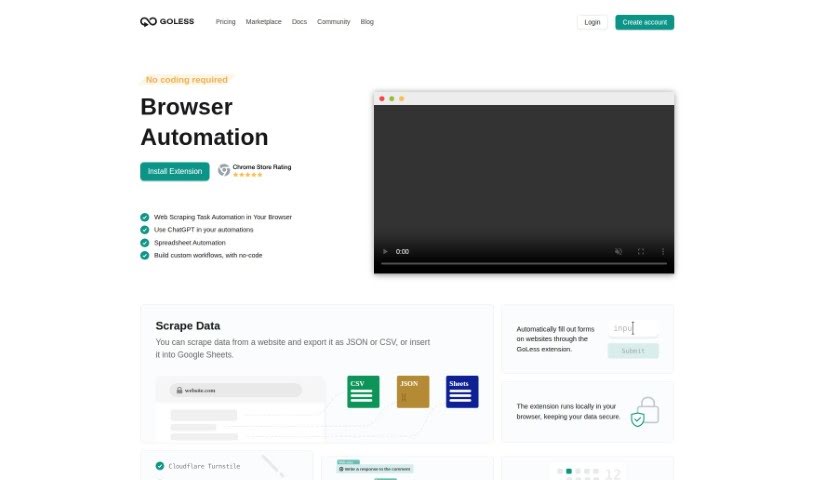
Screenshot of GoLess

GoLess

Freemium

GoLess is a handy web automation tool designed to make your daily tasks simpler and save you precious time. It does this by automating all sorts of browser actions. The best part? You can build these automated workflows yourself, right from the GoLess Chrome extension, without needing to write a single line of code. It is your personal browser assistant!

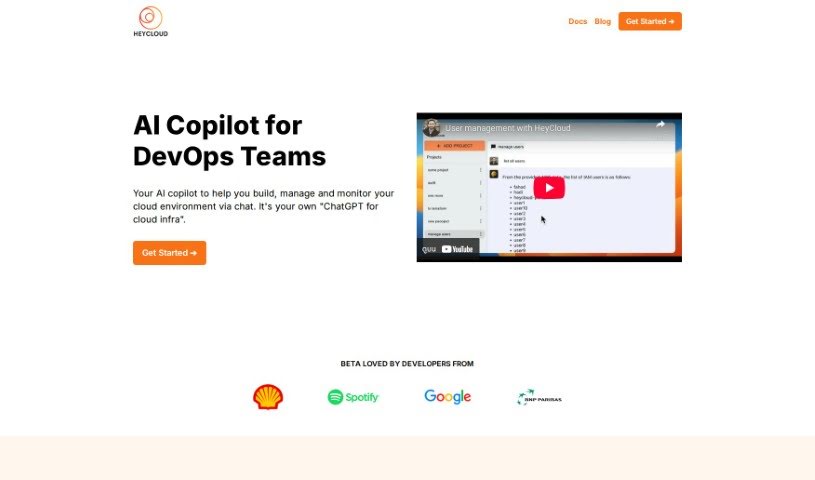
Screenshot of Heycloud

Heycloud

Freemium

HeyCloud is your AI assistant for managing AWS accounts. It's designed to make things much simpler, even if you're not an AWS expert. You can just ask it questions in plain English, whether they're general or super specific. For example, you could ask it to list all your users, check how much you're spending on EC2 instances, or even set up a specific cluster. The whole idea is to make DevOps and cloud management tasks smoother. It cuts out the need for coding, lowers the learning curve, helps you use your cloud resources more efficiently, and generally makes interacting with your AWS setup a lot easier. HeyCloud also plays nicely with other DevOps tools, gives you answers that are relevant to your specific setup, and lets you use natural language commands, making it super accessible for everyone, no matter their technical background. Plus, the way HeyCloud communicates really boosts the user experience, speeding up cloud management tasks and saving you a ton of time.

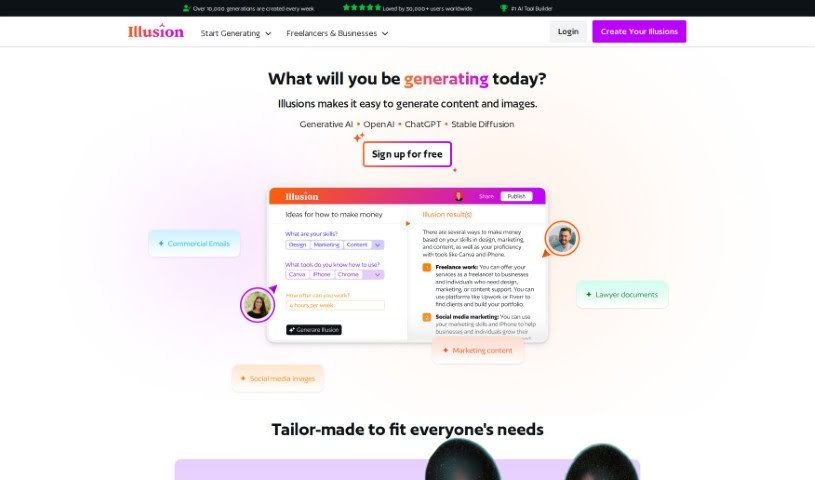
Screenshot of Illusion AI

Illusion AI

Freemium

Illusion AI is a really user-friendly platform that lets you bring your generative AI ideas to life without needing to code. It is a powerful no-code tool that's super versatile. Whether you're in architecture, gaming, marketing, or even health and fitness, this platform has you covered. You can easily create custom tools and applications for all sorts of things, including generating text and images. Signing up is free, so you can jump right in and start creating content and visuals that perfectly match what you have in mind. What makes it stand out are its no-code capabilities, its use of generative AI, its wide range of applications across different fields, and its ability to create both text and image content. Plus, since it's free to sign up, pretty much anyone can give it a try.

Screenshot of KonnectzIT

KonnectzIT

Freemium

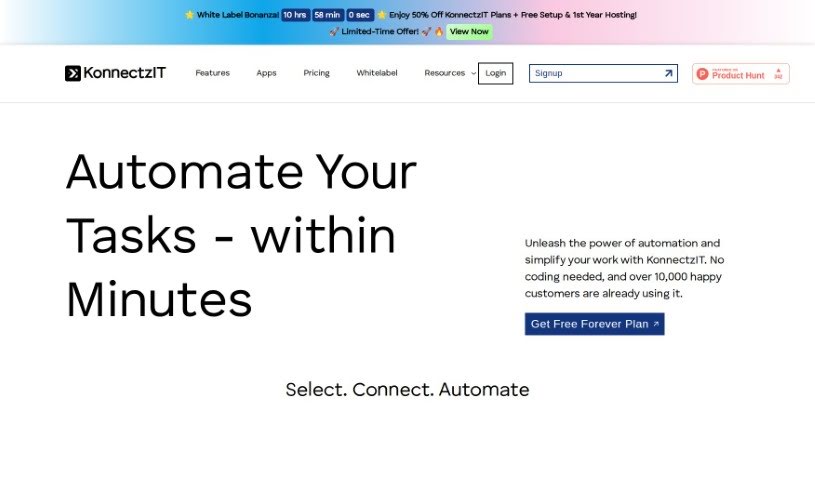
KonnectzIT is a platform built to make connecting different software applications much simpler. It helps you automate your workflows and boost how efficiently your business runs. The great thing is, it lets you automate tasks without needing to write any code, so you can really focus on growing your business. Over 10,000 customers are already using it, and KonnectzIT offers a visual builder, connections to more than 1,000 apps, conditional logic, and the ability to create as many workflows as you need. You can even try out the premium features with a 14-day free trial, and changing your plan up or down is easy.

Screenshot of Lemonado

Lemonado

Freemium

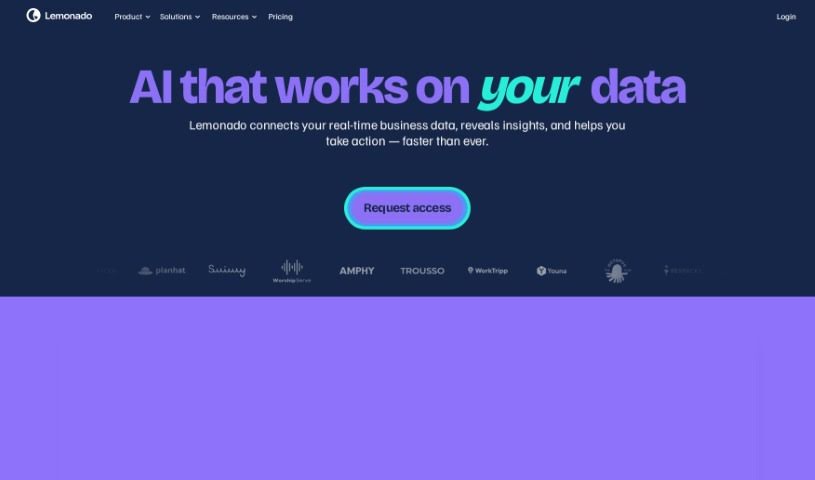
Lemonado is a no-code platform built to help you create apps without needing to be a coding expert. It's perfect for people who know their business inside and out, letting them customize apps using simple drag-and-drop tools and AI. With Lemonado, you can easily connect different data sources, automate tasks, work with others in real-time, and build apps using ready-made components. Plus, it helps you make the most of your data with AI assistance and lets you create dashboards you can share directly from Google Sheets. Essentially, Lemonado makes app development and managing your data much simpler for everyone.

Screenshot of Lightning AI

Lightning AI

Freemium

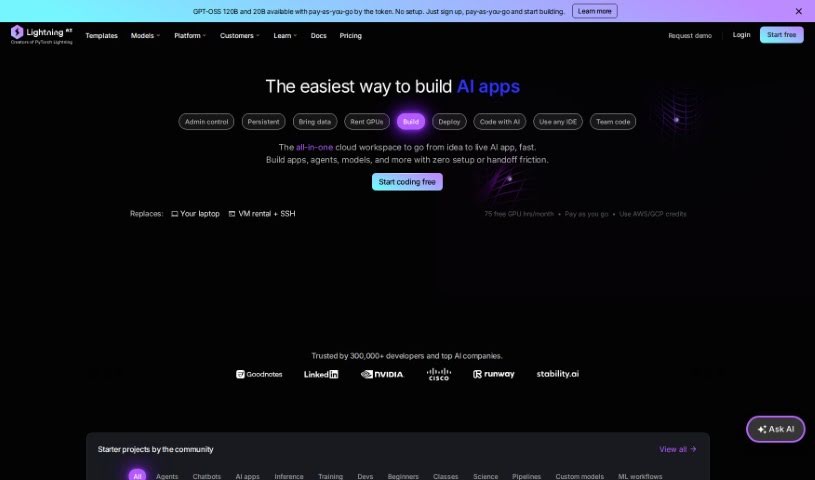
Lightning AI is a smart tool designed to really boost your website's SEO. It is your AI assistant for search engines. It uses clever algorithms and strategies based on real data to help your site rank higher, which means more people finding you organically. It offers a bunch of helpful features like in-depth SEO analysis, ways to find and use the best keywords, and even lets you check out what your competitors are doing. Plus, you can customize it to fit your needs, and it's super easy to use, making it a great choice for any business looking to improve its online presence.

Screenshot of Liner.ai

Liner.ai

Freemium

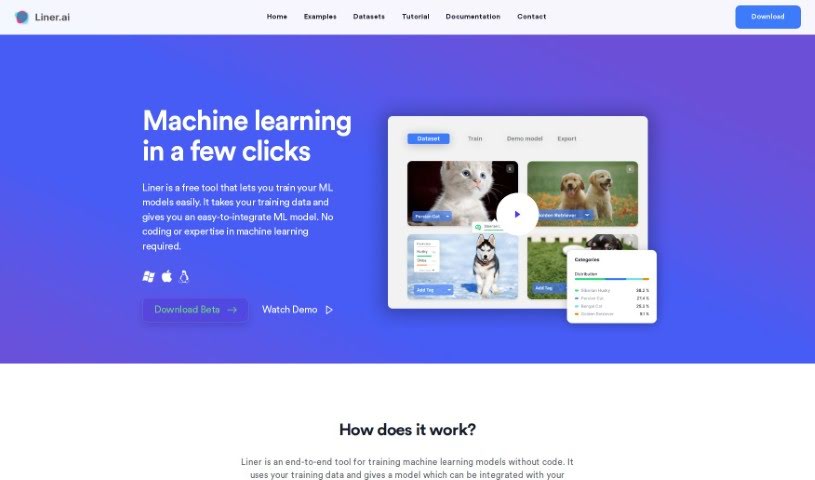
Liner.ai is a really user-friendly tool that uses machine learning, making it easy for anyone to build and deploy applications. You don't need to be a coding wizard or a machine learning expert to use it. It's got this intuitive interface that lets you train models using your own data, or you can use datasets provided by Liner.ai itself. Plus, it comes with pre-trained models and algorithms, which is a great way to get your projects started quickly.

Screenshot of Lutra AI

Lutra AI

Freemium

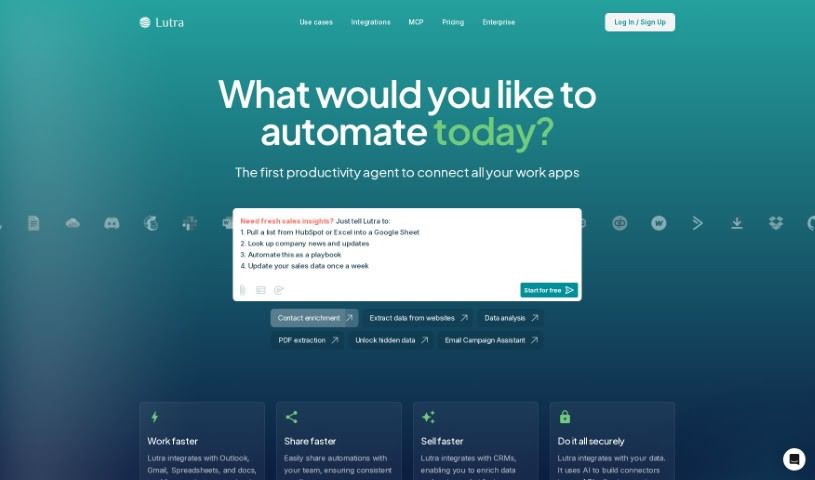
Lutra AI is a platform designed to make incorporating AI into your daily work super easy, even if you're not technical. It is your personal AI assistant builder. You can create and customize AI workflows in just minutes, and the best part? No coding required! Lutra AI works by taking your plain English instructions and turning them into the code needed to build these custom AI workflows. These workflows are built to be reliable, secure, and specifically tailored to help you with all sorts of tasks. The goal is to give you the power to have a personal developer who can create and tweak workflows just for you, really boosting your productivity and making things run smoother.

Screenshot of Magik Kraft

Magik Kraft

Freemium

MagikKraft is an AI-powered platform that lets you personalize how your programmable devices, like drones, smart appliances, and self-driving cars, perform sequences of actions. It is adding your own custom instructions or 'recipes' to your devices. You can create these custom sequences, test them out in a virtual environment to make sure they work just right, and then send them to your actual devices. MagikKraft doesn't change what your devices can already do; it just adds this extra layer of custom sequences on top. Plus, they offer early access to alpha and beta versions, so you can try out new features before anyone else. The whole idea is to make technology easier to use and understand, simplifying complex controls and letting your creativity shine.

Screenshot of Magpai

Magpai

Freemium

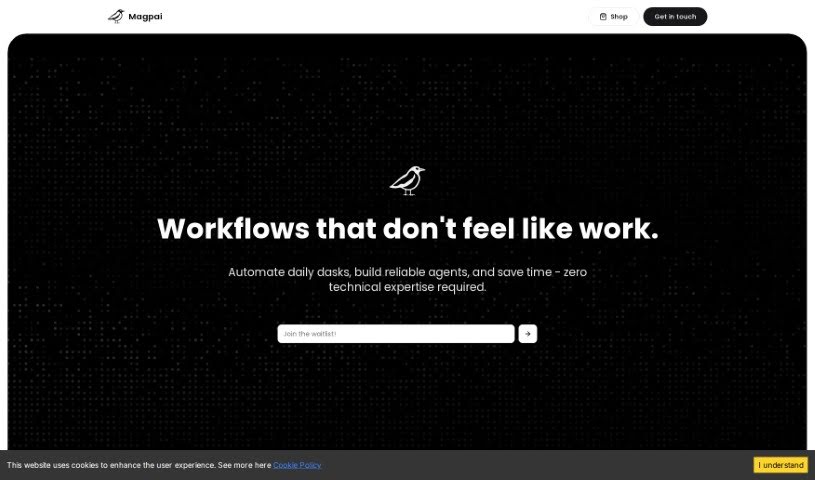
Magpai is a really neat web-based tool that lets you build AI workflows visually. It is a creative playground where you can easily put together multimedia content, and it's built for teamwork too! It brings together image and video editing tools with AI and machine learning, all running in the cloud. You get features that feel like presentation software, AI art generators, and graphic design apps, all rolled into one. The best part? You don't need to be a tech wizard to create your own custom workflows. You can collaborate with your team, and then run these workflows online, on the go, or even connect them to other apps and platforms you already use, like Canva, Figma, or GSuite. Magpai offers different subscription plans, each with its own set of features and credits for using premium tools like Google Translate or AWS services. Ultimately, Magpai's goal is to make content creation and automation much simpler for everyone, whether you're an individual or a business.

Stay Updated with AI Tools

Get weekly updates on the latest AI tools, trends, and insights delivered to your inbox

Join 25,000+ AI enthusiasts. No spam, unsubscribe anytime.