What is Gigasheet?
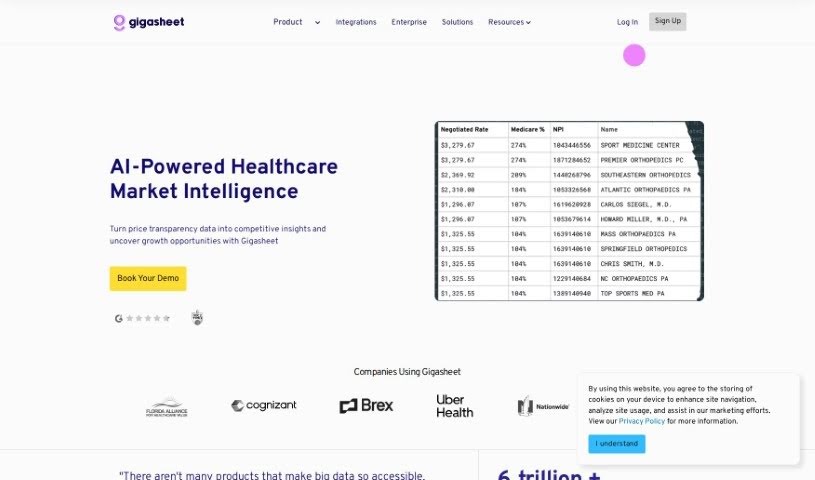
Gigasheet is a really neat tool in the data analytics world. It gives you a no-code way to dig into huge amounts of data, meaning you don’t need to be a coding whiz to use it. You can work with structured data and analyze billions of data points right from a simple interface that feels a lot like a spreadsheet. It’s got a powerful engine that lets you manipulate, group, query, and analyze data all in one place, online. This makes it super intuitive but also really capable for all sorts of users.
What’s cool is that this platform is designed to help business folks, developers, and data engineers all work together. It really makes big data analysis accessible to more people, no extensive coding knowledge needed. Gigasheet also offers different pricing plans to fit what you need, from a free version to enterprise options. These higher tiers come with advanced features like automated workflows, data governance tools, and ways to connect with popular platforms like Databricks, Snowflake, and Salesforce.
Who created Gigasheet?
Gianni Perez founded Gigasheet. The company’s main goal is to offer a no-code platform for big data analytics, making it easier for more people to analyze data without needing specialized coding skills. Gigasheet lets you connect your data to a spreadsheet-like interface, automate tasks using APIs, and makes it simple for teams to collaborate on data analysis.
What is Gigasheet used for?
- Previewing massive datasets: You can preview up to 1 billion rows.
- Editing data: You can edit sheets with up to 1,000 rows, and even work with sheets containing 1 billion rows.
- Getting data in: Upload files from cloud drives or your local computer.
- File management: Convert files with fewer than 1,000 rows to CSV format.
- Combining files: You can combine up to 5 files at once, or even up to 100 files at a time.
- Viewing data: See up to 1,000 rows on each page.
- Sharing: Share your sheets either publicly or privately.
- Exporting: Export sheets after you’ve filtered and grouped them.
- Enrichment: Get bundles of credits for data enrichment.
- Specific Use Cases: It’s great for data providers and DaaS companies facing challenges, offers no-code big data analytics, and allows for automation at scale with its API. You can get instant data insights for your business.
- Integrations: It works well with Snowflake, and you can use it for big data analysis in enterprises. You can access Gigasheet’s API.
- Data Delivery: It serves as a data delivery solution for data providers and DaaS companies, offering live URLs for BI tools and spreadsheets.
- Snowflake Data: Clean and analyze messy Snowflake data without needing SQL.
- Broad Connectivity: Upload data from CRMs, SaaS platforms, and databases.
- File Conversion: Convert files to CSV format.
- Task Automation: Automate repetitive tasks at scale using the API.
- Platform Connections: Connect to MySQL, PostGres, Google Analytics, FreshSales, and Hubspot.
- Data Governance: Implement data governance policies.
- Efficient Delivery: Provide data efficiently to customers with clear pricing.
- Data Organization: Filter and group your sheets easily.
- Cloud Integration: Connect Gigasheet to cloud data for secure big data analysis.
Who is Gigasheet for?
Gigasheet is a great tool for a variety of professionals who work with data:
- Data Analysts
- Data engineers
- Business analysts
- Data scientists
- Developers
- Business Teams
- Data Providers
How to use Gigasheet?
Here’s a simple guide to using Gigasheet effectively:
- Get Started Easily: Gigasheet is built as a no-code environment, so you don’t need to be a coder. Just sign up for an account on their platform.
- Analyze Your Data: Connect your data sources – whether they’re files, data warehouses, or CRMs. You can manage and analyze large datasets easily within a familiar spreadsheet-like interface.
- Automate Tasks: Use Gigasheet’s API to automate tasks that you do over and over. This helps turn complicated data challenges into clear insights, letting you focus on what the data tells you.
- Collaborate with Your Team: Gigasheet helps teams work together better by removing barriers. Business users, developers, and data engineers can all work smoothly with the same data, no code or SQL required.
- Explore Premium Options: If you need more, check out the premium plans. They offer things like more storage, priority support, automated workflows, and advanced analytics.
By following these steps, you can really make the most of Gigasheet for efficient data analysis and teamwork, without the usual headaches of traditional data tools. So, sign up, connect your data, automate what you can, and collaborate smoothly with your team using Gigasheet’s user-friendly platform.