What is GearChain?
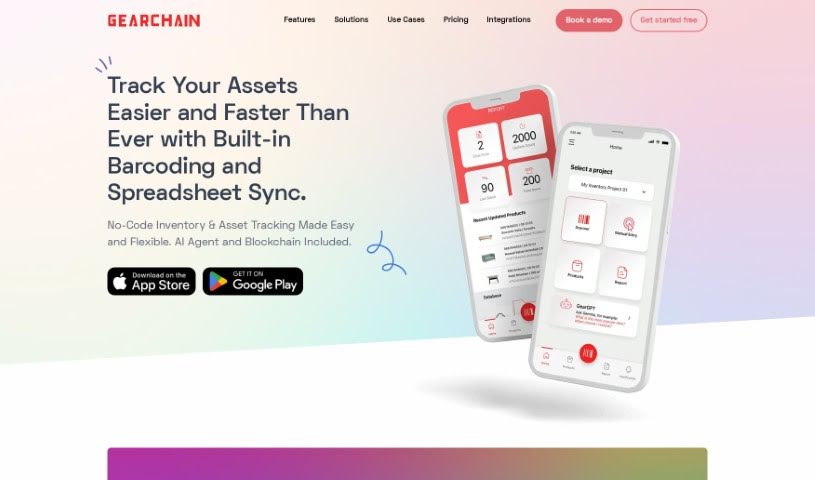
GearChain is a mobile inventory management platform that really shines because it uses artificial intelligence and blockchain technology. This combination helps boost how well you track inventory and makes sure your data is super reliable. You can get it for both Android and iOS devices. To use it, you’ll download the GearChain Decentralized App (DApp) right from your device’s app store. What’s neat is that it comes with a no-code builder, letting you easily customize things for all sorts of inventory projects. Plus, it has barcode scanning that’s made smarter with AI and machine learning. It also plays nicely with Google Sheets, Excel, older applications, and even ERP systems if you use an API. Thanks to blockchain, you get great transparency, security, and traceability for all your inventory data.
Who created GearChain?
A company based in San Jose, California, in the United States, developed GearChain. They first launched the platform on November 9, 2023. Essentially, GearChain is a mobile app for managing inventory, built with small business owners and operations managers in mind. It cleverly mixes AI and blockchain tech to give you features like tracking inventory in real-time, scanning barcodes, ensuring data integrity, and providing transparency. The platform also lets you create custom forms for your specific projects and connects with Google Sheets, Excel, and older applications through its API.
What is GearChain used for?
GearChain is incredibly versatile, helping you with:
- Data Security: Keeping your information safe and sound.
- Mobile Inventory Management: Handle your inventory right from your phone.
- Real-time Tracking: See what’s happening with your stock as it happens.
- Blockchain Data Integrity: Trust that your data is accurate and hasn’t been tampered with.
- Automated Inventory/Supply Chain: Streamline your stock and supply chain processes.
- Legacy Application Integration: Connect with your older systems.
- Customizable Aspects for Projects: Tailor the app to fit your specific needs.
- Data Transparency: Everyone involved can see the same, accurate information.
- Fast Form Building: Quickly create forms without needing to code.
- Optimized Workflows: Make your processes smoother and more efficient.
- Real-time Inventory Tracking: Always know your stock levels.
- Barcode Scanning with AI/ML Algorithms: Get accurate scans powered by smart tech.
- Inventory Management for Small Businesses and Operations Managers: Designed specifically for your needs.
- Blockchain Integration: Benefit from security, data integrity, transparency, and traceability.
- Automated Inventory and Supply Chain Processes: Let the tech handle repetitive tasks.
- Role-Based Access Control: Control who sees and does what.
- Customizable Forms and Projects: Adapt it to any inventory task.
- Integration with Google Sheets, Excel, Legacy Applications, and ERPs: Connect with the tools you already use.
- No-Code App Building for Mobile Devices: Create custom solutions easily on your phone.
- Forecasting Capabilities: Predict future needs for restocking.
- Barcode Scanning with AI Technology: Smart scanning for better accuracy.
- Blockchain Data Integrity and Transparency: Reliable and open data.
- Customizable Inventory Forms: Build forms that match your workflow.
- Role-Based Access Control for Security: Keep your data secure with permissions.
- Integration with Google Sheets and Excel: Sync your data effortlessly.
- Legacy Application Integration via API: Connect older systems smoothly.
- Forecasting Capabilities for Restocking: Plan your inventory needs ahead of time.
- Custom Fields for Assets: Add specific details relevant to your items.
- Seamless Data Syncing: Keep all your information up-to-date everywhere.
- Accurate Scanning: Rely on precise barcode readings.
- Real-time Spreadsheet Sync: Your spreadsheets reflect inventory changes instantly.
Who is GearChain for?
GearChain is a great tool for:
- Small Business Owners
- Operations Managers
How to use GearChain?
Getting started with GearChain is straightforward. Just follow these steps:
- First, download the GearChain DApp. You can find it in the App Store or Google Play Store on your mobile device.
- Next, you’ll need to register. You can log in easily using your existing Google or Microsoft account.
- Now, let’s create your custom forms. Use the handy no-code builder to set them up for whatever inventory projects you have.
- Time to scan! Use the AI-assisted barcode scanner built right into your mobile device to scan 1D or 2D barcodes.
- Record the information you scan, or sync it directly with your spreadsheet. This keeps your tracking up-to-date in real-time.
- Need to change things for different projects? No problem. You can customize fields easily using that same no-code builder.
- Keep your data secure. Make sure to use the role-based access control and the blockchain technology for maximum safety.
- Sync your data smoothly by integrating with Google Sheets and Excel.
- Boost your efficiency! Optimize your workflows, let AI handle tasks automatically, and generally improve how you manage inventory.
- Want to do even more? Check out extra features like chatbot integration, forecasting tools, and personalized user experiences.
Overall, GearChain really changes how you work. Its no-code builder, smart AI barcode scanning, role-based access control, and blockchain integration make managing inventory both efficient and secure. It’s designed to be a user-friendly experience that helps you get the job done right.