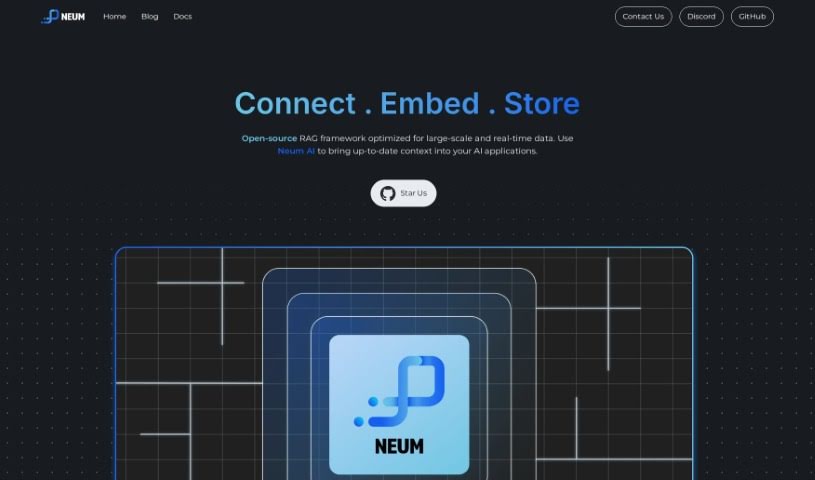
Screenshot of Neum AI

Neum AI

Discover what Neum AI is and how to use it effectively in 2025. We'll explore its features and see how it stacks up against other Data Analytics Tools.

Screenshot

What is Neum AI?

Neum AI is a really useful tool that helps you sync up your vector stores, like Pinecone, Weaviate, and ElasticSearch, with your data sources, such as Azure Blob Storage and Amazon S3. It’s designed to be flexible, offering both no-code and pro-code options, making data management and analysis much more efficient. It is a bridge that lets you easily connect your vector stores and data sources, so you can access and work with your data without a hassle. Its standout feature is this synchronization capability, which keeps your data accurate and saves you from the tedious work of manually managing different data locations. Plus, whether you’re a tech whiz or just starting out, Neum AI has something for you with its no-code and pro-code choices for custom solutions.

Who created Neum AI?

We don’t know exactly who founded Neum AI, as that information isn’t public. What we do know is that the company is focused on building a RAG-first framework for creating data pipelines. They offer some powerful tools to help you set up these pipelines, along with built-in connectors for various data sources. They also provide a production-ready cloud platform, which is great for deploying your pipelines.

What is Neum AI used for?

  • It helps you manage and analyze data efficiently by syncing up vector stores like Pinecone, Weaviate, and ElasticSearch with data sources like Azure Blob Storage and Amazon S3.
  • You can seamlessly connect your vector stores and data sources to easily access and work with data, which is a big help for data scientists, developers, and business users alike.
  • By syncing vector stores with your data sources, you ensure your data stays accurate and you avoid the manual work of managing different places where your data lives.
  • It offers both no-code and pro-code options, so it’s accessible for people with different levels of technical know-how.
  • Neum AI helps you get the most out of your data management and analysis by keeping your vector stores in sync with your data sources. This means you can do real-time analysis and make decisions based on the latest information.
  • It really streamlines your data workflows and helps you get more insights by using its powerful syncing capabilities.
  • If you’re testing different ways to set up RAG pipelines, Neum AI gives you the tools you need to test, evaluate, and compare them.
  • You can sync embeddings into vector databases in real-time, which makes managing and analyzing your data much smoother.
  • Neum AI’s RAG-first framework is built to help you create data pipelines that are performant, scalable, and reliable.
  • It also includes features for monitoring and making sure your data is syncing correctly into vector databases, so you always know what’s going on.

Who is Neum AI for?

  • Data Scientists
  • Developers
  • Business users

How to use Neum AI?

To get the most out of Neum AI, here’s a straightforward guide:

  1. Get to Know What It Can Do: Neum AI provides a RAG-first framework for building data pipelines and comes with built-in connectors for many different services.
  2. Setting Up Your Pipelines: You can configure your RAG pipelines by trying out various settings, like different pre-processing loaders and chunkers, and then picking the best embedding model for your needs.
  3. Testing and Launching: Use the tools Neum AI offers to test, evaluate, and compare your pipelines. You can run your data pipelines locally using open-source SDKs, and then deploy them to the Neum AI cloud.
  4. Syncing in Real-Time: Take advantage of Neum AI’s real-time syncing to easily push embeddings into vector databases like Pinecone, Weaviate, and ElasticSearch.
  5. Flexible Connections: Neum AI lets you easily connect your vector stores and data sources, like Azure Blob Storage and Amazon S3. This makes it a great fit for data scientists, developers, and business users.
  6. No-Code and Pro-Code Choices: Neum AI offers both no-code and pro-code options. The no-code features are great for easily setting up and managing your data workflows, while the pro-code options give developers more advanced customization possibilities.
  7. Improve Your Data Management: By using Neum AI’s syncing features, you can keep your data current. This allows for real-time analysis and helps you make better decisions, whether you’re looking at customer behavior or developing machine learning models.

By following these steps, you’ll be able to effectively use Neum AI to make your data workflows smoother and get more valuable insights.

Related AI Tools

Discover more tools in similar categories that might interest you

Stay Updated with AI Tools

Get weekly updates on the latest AI tools, trends, and insights delivered to your inbox

Join 25,000+ AI enthusiasts. No spam, unsubscribe anytime.