AI Tools for Design

Discover the best Design AI tools to enhance your productivity and creativity.

Page 9 of 19 • 227 total tools

Designing visuals used to be something only artists or those with advanced software skills could do. But AI design generators are changing all that for everyone. Now, creating amazing graphics, logos, and layouts can be as simple as typing in a prompt.

These tools have gotten really good, really fast, making design more accessible and way less time-consuming. You no longer have to struggle with complicated software or spend hours perfecting an idea. With just a few clicks, you can generate professional-looking designs.

After spending weeks exploring and testing a bunch of AI design generators, I’ve put together a list of the best ones out there right now. Whether you’re looking for easy-to-use apps or powerful tools for experienced designers, there’s something here for you.

So, if you want to jazz up your social media posts or need eye-catching marketing materials, this guide will help you find the right AI design assistant to make your visuals stand out. Let’s dive in and see what the future of design looks like!

The Best AI Design Generators

  1. Canva for easily creating social media graphics.
  2. Ideogram for custom logo creation for brands.
  3. Renderforest for custom logo design for startups.
  4. BeFunky for effortlessly creating custom graphics.
  5. Icons8 for generating unique design templates.
  6. Microsoft Designer for quickly generating unique social media graphics.
  7. Imagine AI Art Generator for designing prototypes for branding.
  8. Meshy for rapid 3D design creation from prompts.
  9. Kittl for creating custom logos in seconds.
  10. Shakker AI for dynamic logo creation for brands.
  11. Stylar for instantly generating unique art styles.
  12. Tripo AI for creating custom product prototypes.
  13. Homestyler for creating custom room layouts and styles.
  14. Phot Ai for dynamic vector art creation from prompts.
  15. Designs AI for instant graphic design for social media.

How Do AI Design Generators Work?

AI design generators use advanced algorithms and huge datasets to create visual content. Basically, they use deep learning and neural networks to understand your input and then create new images, graphics, or designs. These generators often rely on convolutional neural networks (CNNs), which are great at processing visual information.

To get designs made, users usually give prompts – think keywords or style preferences. The AI then looks at existing design elements like colors, patterns, and shapes to create something unique and relevant. This ability to learn from countless designs means the AI can copy different styles and adapt to various aesthetics.

Many design generators are built using pre-trained models that have processed large databases of artwork, photos, and design templates. By learning from all this visual information, the AI can spot patterns and understand what makes a design appealing. It then uses this knowledge to create new pieces.

It’s important to remember that while AI design tools can produce striking results, they still need human input. Users have to choose the right input, refine their prompts, and pick the results that best match their vision. Ultimately, these tools act as collaborators, enhancing the creative process instead of completely replacing human designers.

If you’re curious to explore this technology more, lots of platforms let you try out AI design tools yourself. You can see how they turn simple ideas into compelling visuals. As technology keeps advancing, the possibilities for AI in design keep growing, pushing what we can do.

Our Best AI Design Generators at a Glance

RankNameBest ForPlans and PricingRating
1CanvaCreating social media graphics easily.N/A4.73 (11 reviews)
2IdeogramCustom logo creation for brands.N/A4.85 (26 reviews)
3RenderforestCustom logo design for startups.N/A4.50 (14 reviews)
4BeFunkyEffortlessly create custom graphics.Paid plans start at $83.88/year.4.69 (13 reviews)
5Icons8Generate unique design templates.N/A3.64 (11 reviews)
6Microsoft DesignerQuickly generate unique social media graphics.N/A4.64 (11 reviews)
7Imagine AI Art GeneratorDesign prototypes for branding.N/A4.80 (5 reviews)
8MeshyRapid 3D design creation from prompts.Paid plans start at $1.60/100 credits (billed yearly).4.58 (12 reviews)
9KittlCreate custom logos in seconds.Paid plans start at $120/annually.4.80 (10 reviews)
10Shakker AIDynamic logo creation for brands.N/A4.67 (21 reviews)
11StylarInstantly generate unique art styles.Paid plans start at $50/month.4.11 (9 reviews)
12Tripo AICreating custom product prototypes.N/A4.42 (12 reviews)
13HomestylerCustom room layouts and styles creation.Paid plans start at $9.9/month.4.77 (13 reviews)
14Phot AiDynamic vector art creation from prompts.N/A4.77 (13 reviews)
15Designs AIInstant graphic design for social media.N/A4.27 (11 reviews)
Screenshot of Icons8

Icons8

Freemium

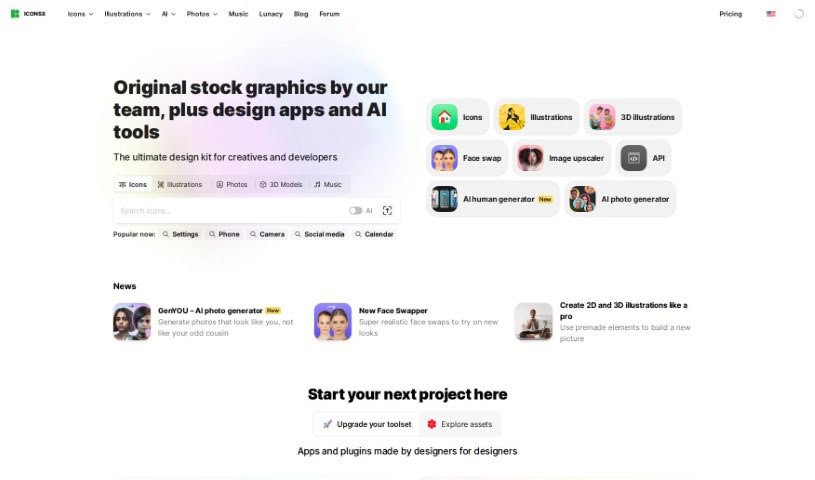
Icons8 is a really handy tool that uses artificial intelligence to automatically remove backgrounds from all sorts of graphics. Think logos, illustrations, lettering, you name it – it handles them all. You can upload your images as JPG, PNG, or WebP files, and if you have a bunch, you can even upload them all at once, which is super efficient. What makes Icons8 stand out is how well it handles different kinds of graphics, unlike some other tools that are mostly for photos. It offers a web-based version and a Mac app for background removal, plus an API so you can plug it into other products you use. This means you won't have to send your images out to someone else just to get the background taken care of. While it's great with most images, it might have a little trouble with really fine details, like wisps of hair. Just so you know, it won't change your image size or make it look better quality, but it does offer a free version for up to three images. If you need more, there are subscription plans that give you priority processing, email support, and store your uploaded images for 60 days.

Screenshot of Ideator Ai

Ideator Ai

Freemium

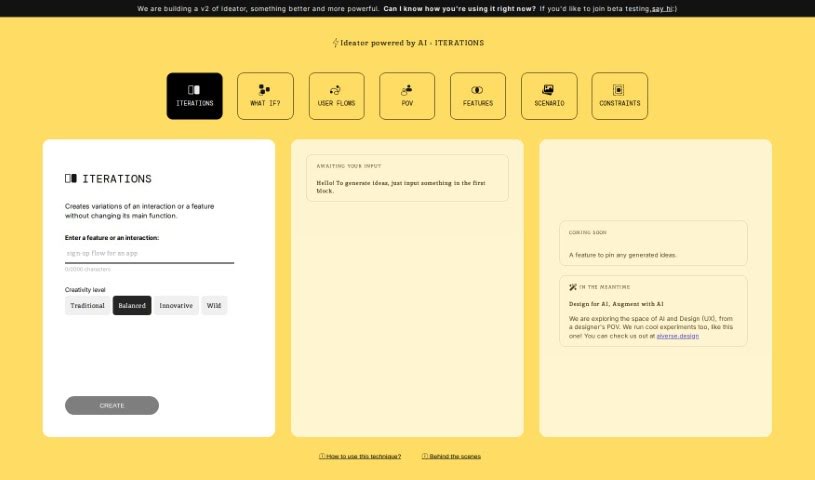
Ideator AI is a smart design and innovation tool that uses artificial intelligence to help you come up with lots of different design ideas. You start by giving it your initial concept or a feature you have in mind, and then you pick how creative you want the AI to be. After that, Ideator AI will create several versions of your design, making sure the core function stays the same. It's built using GPT4 technology, which really helps make the design variations better and more varied. The team behind it is aiverse.design, and it's a fantastic tool for designers and innovators who want to explore a wide range of design possibilities with a little help from AI.

Screenshot of Ideogram

Ideogram

Freemium

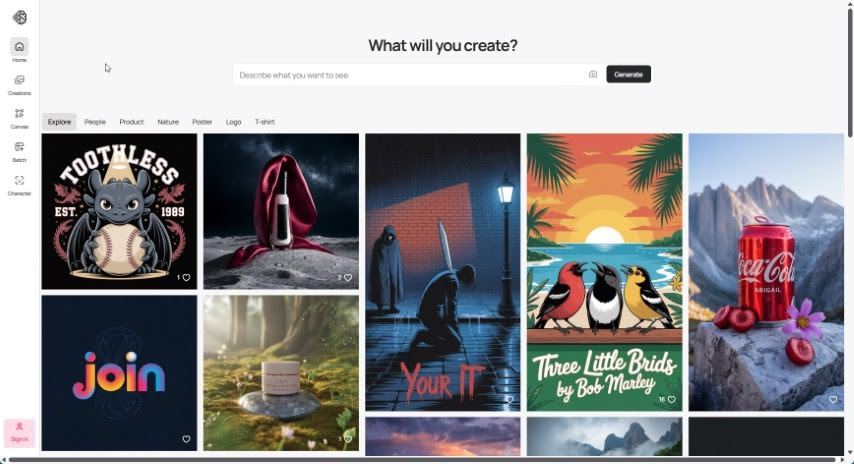
Ideogram is your creative partner, an AI tool built to spark your imagination. It’s designed to help you come up with new ideas, see your concepts visually, and work better with others. It’s packed with features like instant creative prompts, ways to customize how your ideas look, and suggestions tailored just for you based on how you use it. Ideogram really helps you think outside the box, explore different viewpoints, and generate creative ideas you might not have thought of on your own. Plus, it makes communicating and collaborating a breeze with tools for real-time editing, leaving comments, and keeping track of different versions. This means sharing and building on ideas together becomes super smooth.

Screenshot of Idesigns AI Witty

Idesigns AI Witty

Freemium

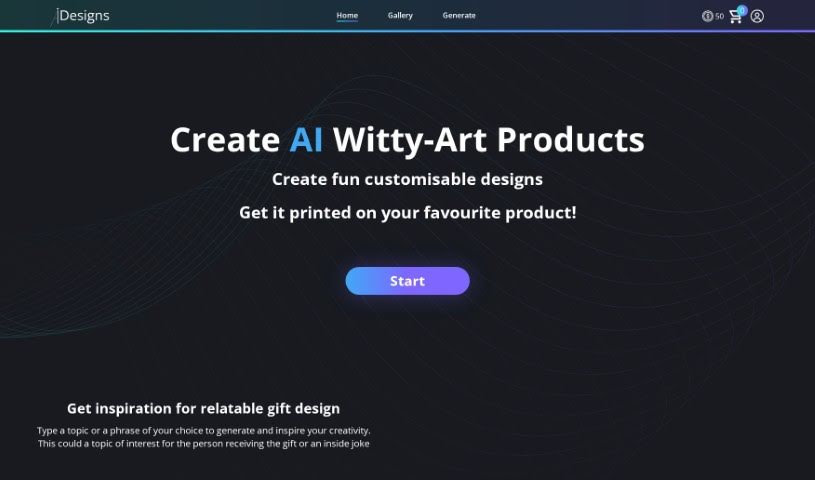
IDesigns AI Witty is a really neat AI tool that helps you create personalized designs. It uses some pretty advanced technology to make it super easy and efficient to come up with and tweak your own designs. Whether you're a seasoned pro or just starting out, you'll find its interface straightforward and its features quite comprehensive, making the whole design process feel smooth. What really sets this platform apart are its smart algorithms, all the ways you can customize things, how well it works with other design tools, and how it helps speed up your workflow. If you want to learn more, you can check out their website: [IDesigns AI Witty](https://www.idesigns.shop/?ref=aitools.fyi&utm_source=aitools.fyi).

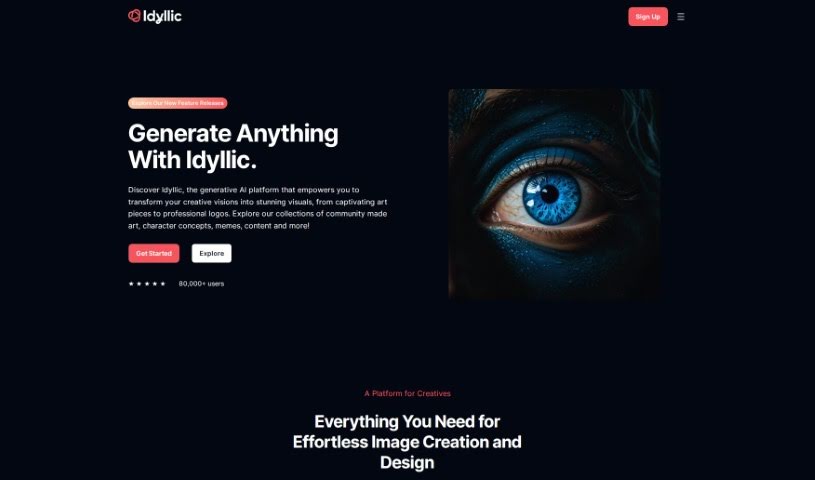
Screenshot of Idyllic

Idyllic

Freemium

Idyllic is a really cool generative AI platform that lets you bring your creative ideas to life with stunning visuals. You don't need any design experience to use it – it's super user-friendly! You can easily make your images better, blend different elements together, and turn text descriptions into artwork in just seconds. Whether you're aiming for 90s rave fashion vibes or need AI-generated interior design mockups, Idyllic has you covered. It's perfect for anyone who creates, designs, markets, or runs a business and wants to boost their visual content without a fuss. Plus, it offers smart edits, element blending, text-to-image generation, adaptive memory, and even conversational editing, so it's great for everyone, no matter their skill level. And don't worry, the images it creates are unique to your inputs.

Screenshot of Illustroke

Illustroke

Freemium

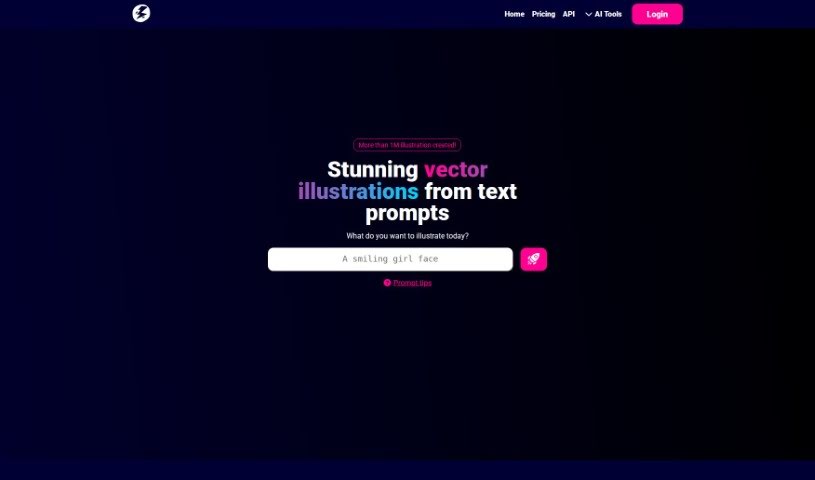
Illustroke is a really powerful AI tool built for digital artists and illustrators. It's packed with features to boost your creativity and help you get more done, making it easy to create amazing illustrations and artwork. The interface is super intuitive, and it comes with customizable brushes, ready-to-use presets, and templates to give you a great starting point. Plus, it boasts an extensive library of brushes and textures, a robust engine for generating strokes, and the ability to create vector images. You can easily generate vector illustrations just by typing in what you want and picking a style. Illustroke then whips up three different illustration variations in vector format (SVG), which you can scale and tweak however you like. If you need to do more editing, you can also download a pixelated version (PNG). Illustroke is part of a larger collection of AI tools designed to cover all sorts of design needs.

Screenshot of Imagin

Imagin

Freemium

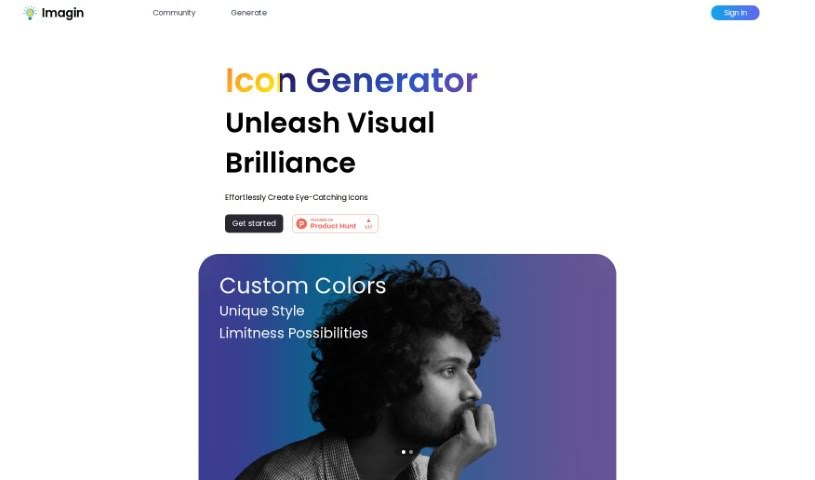
Imagin is a platform built for creative folks who love design. It lets you easily create your own personalized icons. The interface is super user-friendly, offering lots of customization options and ready-made styles. You can whip up professional-looking icons with amazing results in just a few clicks, making the whole process quick and visually pleasing.

Screenshot of Imagine AI Art Generator

Imagine AI Art Generator

Freemium

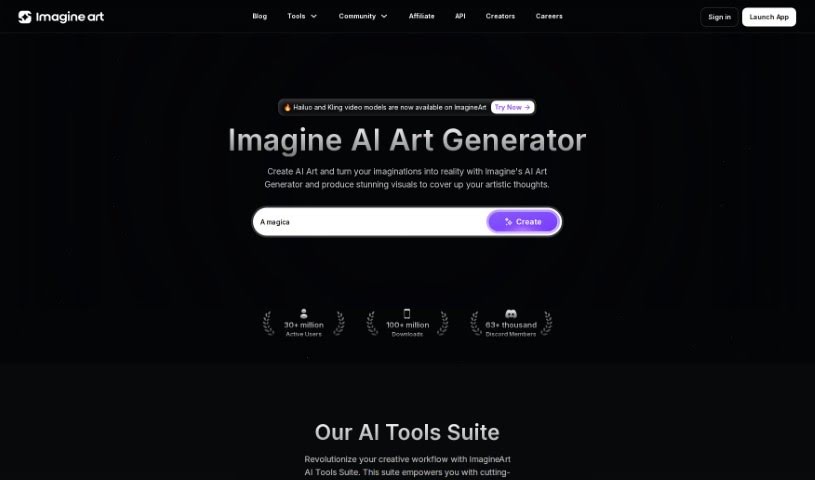
Imagine AI Art Generator is a tool that uses artificial intelligence to help you create art. It is a digital paintbrush powered by smart technology. It uses advanced algorithms and machine learning to turn your ideas into beautiful, eye-catching artwork. You can play around with lots of different art styles and techniques, making it super easy for anyone, whether you're a seasoned artist or just starting out. You can even tweak things like the colors, how the brush strokes look, and the overall layout. The AI looks at what you input and offers helpful suggestions to make your art even better, resulting in professional-looking pieces you'll be proud to show off anywhere.

Screenshot of Imajinn AI

Imajinn AI

Freemium

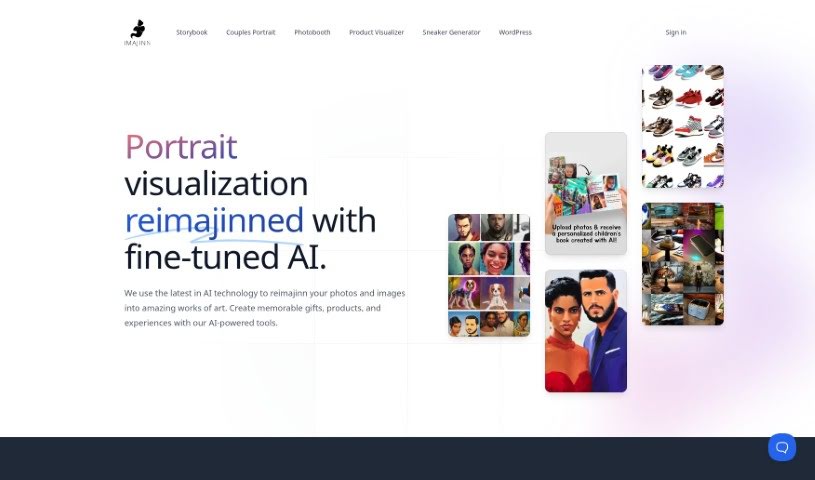
Imajinn AI offers a really cool Sneaker Generator tool. It uses AI to help you create custom sneaker designs based on exactly what you like – think colors, styles, and even specific details like logos and laces. You just type in your design ideas, and the AI figures out what you want to create visual mockups of your dream sneakers, and it does it pretty fast. This tool gives you complete control over the design process. You can pick out all sorts of things, like themes inspired by popular brands, movies, or even historical moments.

Screenshot of Industrial Render AI

Industrial Render AI

Freemium

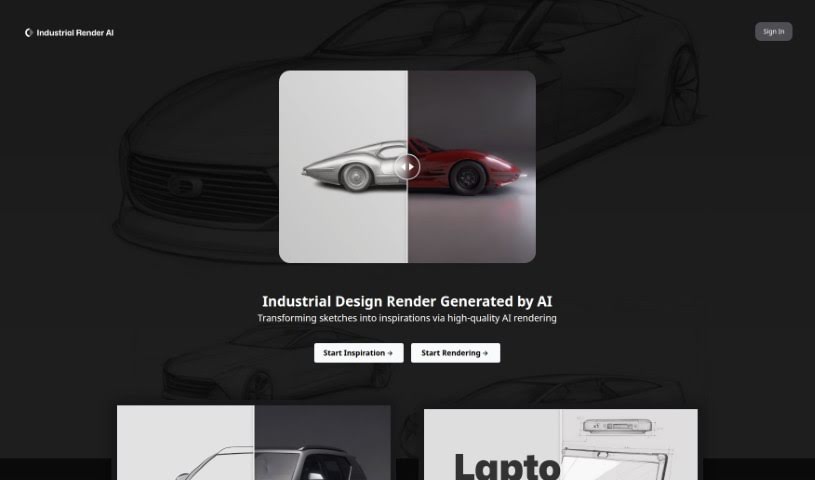
Industrial Render AI is a specialized tool for industrial design. It takes your conceptual product design sketches and turns them into high-quality renderings. It uses technology inspired by Generative Pretraining Transformer (GPT) models. The goal here is to really boost creativity, make communication smoother during the design process, and generally improve the quality and efficiency of your designs. You can upload your hand-drawn drafts, tweak some settings, and then generate all sorts of renders, perfect for your portfolio. By understanding and improving your sketches with GPT-based tech, Industrial Render AI is changing the game for industrial design, making it much faster to get great-looking renders.

Screenshot of Inkdrop

Inkdrop

Freemium

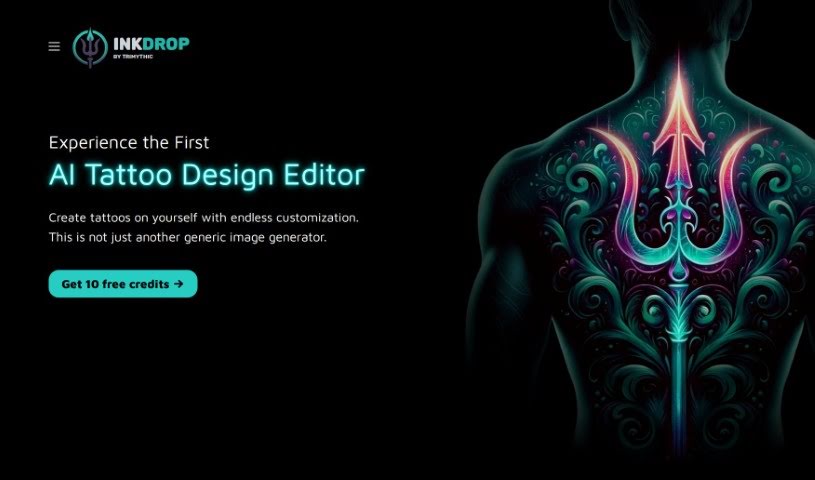
Inkdrop is a really cool AI tool that helps you design tattoos. It is your personal tattoo design studio, offering endless creative options. You can easily mix and match different styles, subjects, and design elements to craft truly custom tattoos that are uniquely yours. It’s designed to make the whole process of coming up with and seeing your tattoo ideas much simpler, more user-friendly, and incredibly flexible.

Screenshot of Interior AI

Interior AI

Freemium

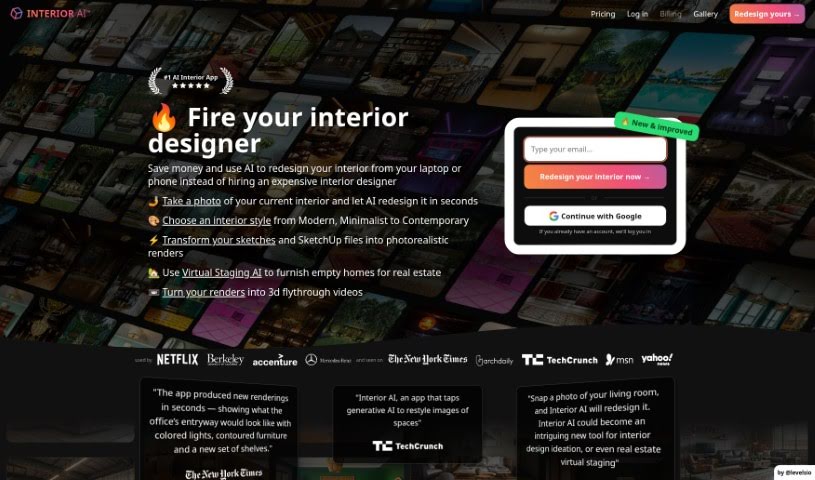
Interior AI is a smart software that uses artificial intelligence to help with virtual staging, coming up with interior design ideas, and sparking inspiration. It lets you see how furniture and decor would look in your own space. You can try out different design styles and get realistic pictures of what your interiors could look like. It’s a really helpful tool if you're thinking about redecorating your home or even just a single room. It opens up tons of design possibilities and gives you plenty of fresh ideas. With Interior AI, you can quickly find design inspiration and visualize all sorts of options for your living areas.

Stay Updated with AI Tools

Get weekly updates on the latest AI tools, trends, and insights delivered to your inbox

Join 25,000+ AI enthusiasts. No spam, unsubscribe anytime.