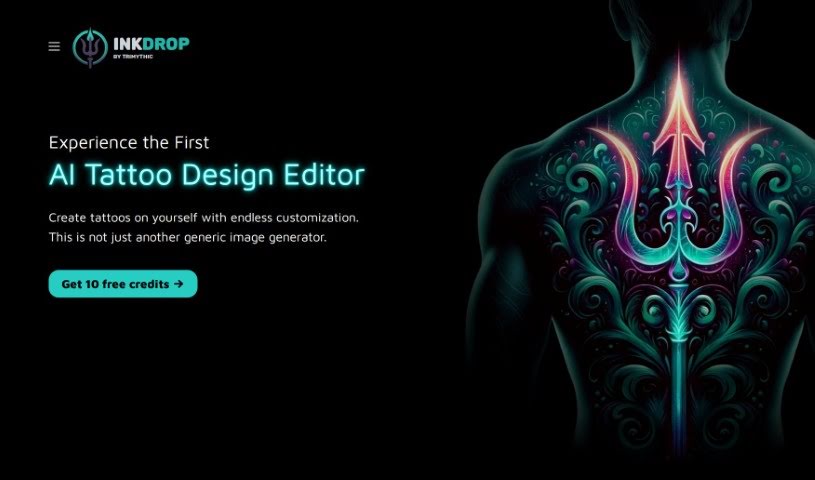
What is Inkdrop?
Inkdrop is a really cool AI tool that helps you design tattoos. It is your personal tattoo design studio, offering endless creative options. You can easily mix and match different styles, subjects, and design elements to craft truly custom tattoos that are uniquely yours. It’s designed to make the whole process of coming up with and seeing your tattoo ideas much simpler, more user-friendly, and incredibly flexible.
What makes Inkdrop stand out?
- Super Personalized: You get to tailor the design process exactly how you like it.
- Inspiration Galore: There’s a gallery packed with design ideas to get your creativity flowing.
- Placement Options: You can see how your design would look on different parts of the body.
- Flexible Subscriptions: They offer various plans, and you can even try it out with a free limited trial just by signing up.
Inkdrop really lets you play around with styles, subjects, and elements to create one-of-a-kind tattoo designs. You can even visualize these designs in different ways to see what fits your personal taste best.
Curious to try it? You get a free trial with 30 credits to design tattoos, and you don’t even need a credit card to get started. Just a friendly reminder, though: it’s always a good idea to chat with a tattoo professional before you make any final decisions about your tattoo design.
Inkdrop covers a huge range of tattoo styles, whether you’re into realism, tribal, neo-traditional, anime, floral, ornamental, or geometric patterns. It also has a wide variety of subjects, from animals and nature to symbols and abstract artistic elements.
How does the credit system work? When you subscribe, you get a set number of credits. Each credit lets you generate one tattoo design. These credits typically refresh at the start of your next subscription period, so you always have fresh ones to work with.
Who created Inkdrop?
Inkdrop was developed by a company called Trimythic. They launched this AI tattoo design editor on December 17, 2023. Essentially, Inkdrop provides a platform where you can explore an unlimited number of tattoo design possibilities, mixing and matching various styles, subjects, and design elements to create custom tattoos.
What is Inkdrop used for?
Inkdrop is your go-to for:
- Mixing and Matching: Combine different tattoo styles, subjects, and design elements to create something totally new.
- Visualizing Designs: See how your tattoo ideas look in various formats.
- Custom Creations: Design unique tattoos with endless possibilities.
- Streamlining Ideas: It helps standardize how you conceptualize and visualize tattoo designs.
- Trying it Out: You can grab a free limited trial to experiment with tattoo design.
- Exploring Styles: It supports a wide array of styles, like realism, tribal, neo-traditional, anime, and more.
- Diverse Subjects: Pick from a broad range of design subjects, including geometric patterns, animals, nature, and symbols.
- Placement Visualization: Easily see how designs would look on different body parts.
- Revamping Ideas: It’s great for tweaking and improving your tattoo concepts.
- Boosting Creativity: Encourages unique artistic approaches and sparks creativity in tattoo design.
- Infinite Possibilities: Explore a world of endless tattoo design options.
- Mix & Match: Freely combine styles, subjects, and elements.
- Custom Elements: Tailor design elements to your liking.
- Varied Visualizations: See your designs in different forms.
- Personalized Service: Enjoy a flexible and personalized design experience.
- Professional Ready: Get designs ready for professional consultation.
- Designer Support: It’s a tool that encourages designer creativity.
- Easier Conceptualization: Streamlines the process of thinking up tattoo designs.
- Quality Visuals: It’s a great tool for creating quality tattoo visual art.
- Concept to Creation: A tool that guides your idea from concept all the way to creation.
- Style, Subject, Element Combinations: Mix and match styles, subjects, and design elements.
- Standardized Process: Helps standardize how you conceptualize and visualize tattoos.
- Flexibility & Personalization: Offers flexibility and personalization in your design journey.
- Inspiration Gallery: Find design inspiration in the available gallery.
- Style & Subject Variety: Supports diverse design styles and a wide range of subjects.
- Credit System: Use credits to generate your tattoo designs.
- Professional Advice: It’s recommended to consult with a tattoo professional.
- Artistic Expression: Encourages unique artistic approaches.
- AI Tattoo Design: It’s an AI-based tool specifically for designing tattoos.
- Endless Combinations: Mix and match various styles, subjects, and design elements.
- Custom Tattoos: Create your own custom tattoos.
- Visualize Concepts: Conceptualize and visualize tattoo designs.
- Personalized Process: Enjoy a flexible and personalized design process.
- Multiple Visualizations: Visualize designs in a variety of forms.
- Inspiration Gallery: Access a gallery for design inspiration.
- Trial Offer: Get a trial version with 30 credits for tattoo design generations.
- Style & Subject Support: Supports a variety of design styles and subjects.
- Professional Consult: Consultation with tattoo professionals is recommended.
- Design Visualization Forms: Visualize designs in a variety of forms.
- Inspirational Gallery: Make use of the inspirational design gallery.
- Style Diversity: Supports diverse design styles.
- Experimentation: Great for design experimentation.
- New Inspirations: Imbibe new style inspirations.
- Professional Consult Favored: Promotes consultation with a tattoo professional.
- Unique Approach: Favors a unique artistic approach.
Who is Inkdrop for?
Inkdrop is a fantastic tool for anyone involved in the tattoo world or interested in art and design:
- Tattoo Artists: Perfect for sketching ideas and presenting concepts to clients.
- Designers: A great resource for exploring new visual styles and elements.
- Artists: Anyone looking to experiment with tattoo aesthetics.
- Tattoo Enthusiasts: Ideal for visualizing dream tattoos before committing.
- Professional Tattoo Consultants: Helps in the conceptualization phase with clients.
- Creative Professionals: Broadly useful for anyone in a creative field.
- Tattoo Designers: Specifically built for those focused on tattoo art.
- Art Professionals: A valuable tool for art-related work and exploration.
How to use Inkdrop?
Getting started with Inkdrop is pretty straightforward. Just follow these steps:
- Create Your Designs: Dive into the AI platform and start exploring the vast tattoo design possibilities. You can mix and match different styles, subjects, and design elements to create something truly custom.
- Grab the Free Trial: Sign up for the free limited trial. You’ll get 30 credits to play around with, and the best part is, no credit card is needed to access it.
- Consult a Pro: Once you’ve got a design you love, it’s always a good idea to consult with a professional tattoo artist. They can help finalize the design and discuss the best placement for it.
- Explore the Styles: Inkdrop supports a wide variety of tattoo styles, so whether you’re into realism, tribal, neo-traditional, anime, floral, ornamental, or geometric patterns, you’ll find something you like.
- Choose Your Subjects: You can pick from a broad range of design subjects, including geometric patterns, nature elements, symbols, and more.
- Understand the Credits: When you subscribe, you’ll get credits that are essentially your currency for generating designs. One credit equals one design generation.
- Visualize with Placement: Inkdrop lets you see how your designs would look on different body parts, like your shoulder, forearm, chest, or back, making visualization clear and easy.
- Need Help? If you run into any trouble while using the tool, don’t hesitate to reach out to customer support at [email protected].
- Get Inspired: Inkdrop offers a gallery filled with design inspiration, and you can visualize your creations in different forms to get a better feel for them.
- Make an Account: To start designing, you’ll need to create a user account. This gives you access to the tool and your free trial credits.
Overall, Inkdrop really simplifies the tattoo design process. It offers flexible customization, a wide array of design elements, and helps you visualize your unique tattoo ideas with ease.