AI Tools for Data Visualization

Discover the best Data Visualization AI tools to enhance your productivity and creativity.

Page 14 of 15 • 178 total tools

Data’s everywhere these days, but just having it doesn’t really help. To turn that raw information into useful insights, you need the right tools. And with AI becoming so common, we now have some really powerful data visualization tools. They can take complicated data and turn it into simple, eye-catching visuals without much fuss.

You know, gone are the days when you needed a ton of technical skill just to make a basic graph. Today’s AI-powered platforms let anyone—whether you’re a business analyst or just curious—create visuals that quickly get the main points across. The best part? They make the whole process feel natural and straightforward.

I’ve spent a good chunk of time playing around with different AI data visualization tools to see which ones really stand out. From real-time updates to fancy charting options, these tools are ready to tackle all sorts of data challenges.

So, whether you want to make your presentations pop or just get a better handle on your own data, these tools have you covered. Let’s jump into some of the most impressive AI data visualization tools out there right now.

The best AI Data Visualization Tools

  1. Databricks: Great for interactive dashboards that give you sales insights.
  2. Visme: Helps you turn data into stunning visuals.
  3. Julius AI: Lets you craft dynamic graphs for clear insights.
  4. Scale AI: Useful for visualizing security threat patterns efficiently.
  5. Text Cortex: Streamlines creating visuals for reports, effortlessly.
  6. Dataminr: Offers visual analytics tools for crisis response.
  7. Rapidminer: Provides interactive dashboards for sales performance.
  8. KNIME: Offers interactive dashboards for sales analysis.
  9. Kanaries: Delivers streamlined visual insights for data trends.
  10. Piktochart AI Infographic Maker: Perfect for data dashboard infographics.
  11. Strawpoll: Lets you create engaging visual reports from polls.
  12. Powerdrill: Helps with dynamic data dashboard creation.
  13. Quadratic: Ideal for visualizing quadratic regression trends.
  14. Insightjini: Generates dynamic charts from your datasets.
  15. Aitable: Transforms data into insightful charts.

How do AI data visualization tools work?

AI data visualization tools are built to make it simple to turn complex data into visuals that are easy to understand. They use algorithms and machine learning to look at data, finding patterns, trends, and insights you might not spot otherwise. By sifting through lots of information, these tools help you grasp important findings quickly.

Basically, these tools often use different statistical methods to make sense of data. They pull information from databases or spreadsheets and use these methods to change raw numbers into useful visuals like charts, graphs, and infographics. This makes it much easier to intuitively understand what the data is telling you.

Many of these apps have smart systems that automatically suggest visualizations based on the type of data you give them. For example, if your data shows a trend over time, the tool might suggest a line chart. This flexibility makes them accessible even if you don’t have a deep background in data analysis.

AI data visualization tools also get better with user feedback. They learn from how people use the visuals they create, constantly improving their accuracy and relevance. This ongoing process makes the insights they offer more precise and tailored to what you need.

By integrating AI, these tools can even offer predictive analytics. This means they can forecast future trends based on past data, giving businesses a heads-up on potential opportunities or problems. So, they don’t just show you the past; they help you plan for the future, too.

Ultimately, AI’s strength in data visualization is making data more accessible and actionable. With more and more information being generated every day, these tools will keep playing a key role in helping us make decisions more smoothly.

Our best AI data visualization tools at a glance

RankNameBest forPlans and PricingRating
1Databricksinteractive dashboards for sales insightsN/A4.82 (11 reviews)
2Vismetransform data into stunning visuals.N/A4.50 (12 reviews)
3Julius AIcraft dynamic graphs for clear insightsN/A4.84 (61 reviews)
4Scale AIvisualizing security threat patterns efficientlyN/A4.73 (11 reviews)
5TextCortexstreamlining report visuals effortlessly.Paid plans start at $23.99/month.4.50 (10 reviews)
6Dataminrcrisis response with visual analytics toolsN/A3.80 (5 reviews)
7Rapidminerinteractive sales performance dashboardsN/A4.69 (39 reviews)
8KNIMEinteractive dashboards for sales analysisN/A4.73 (26 reviews)
9Kanariesstreamlined visual insights for data trendsN/A4.54 (24 reviews)
10Piktochart AI Infographic Makerdata dashboard infographicN/A4.60 (10 reviews)
11Strawpollcreate engaging visual reports from polls.Paid plans start at $10/mo.4.73 (33 reviews)
12Powerdrilldynamic data dashboards creationN/A4.71 (28 reviews)
13Quadraticvisualizing quadratic regression trendsN/A4.78 (27 reviews)
14Insightjinigenerate dynamic charts from datasetsN/A4.00 (6 reviews)
15Aitabletransform data into insightful charts.N/A4.09 (11 reviews)
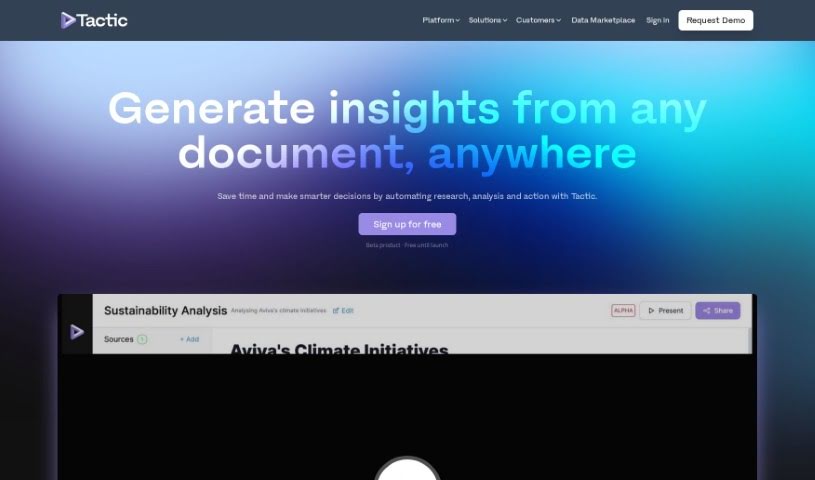
Screenshot of Tactic

Tactic

Freemium

A tactic is essentially a smart strategy or a specific method you use to reach a particular goal. When we talk about technology, a tactic might be a particular plan or technique designed to get tasks done more efficiently. For example, if you're using an AI app builder like Tactic, some common tactics could involve using its features to import data, pull out important information from text that isn't neatly organized, create visual representations of your data, and connect different information sources. All of this helps to make your work smoother and boost your productivity.

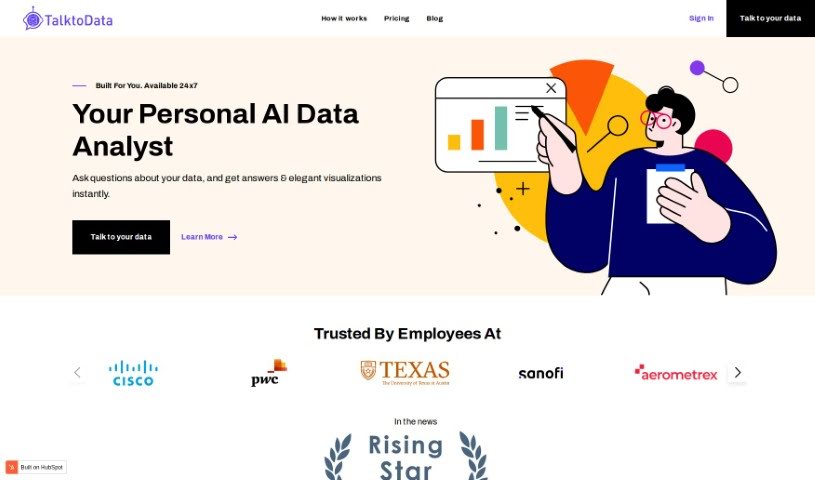
Screenshot of Talktodata Ai

Talktodata Ai

Freemium

TalktoData AI is your always-on AI Data Analyst. It's designed to help you dig into your data and find important insights without needing to write any code. You can easily connect your spreadsheets or SQL databases, then just ask your data questions. TalktoData AI will give you answers and create visualizations in real-time, whenever you need them.

Screenshot of Talktotables

Talktotables

Freemium

Talktotables is a really handy AI application that helps you manage and analyze your databases. It's built specifically to work with the Chinook database, offering features like seeing your data visualized in real-time, exporting it as CSV or JSON files, and even handling errors gracefully. You can also plug in your own custom queries. This tool makes data interchange and API development much smoother, handling various data needs efficiently. While it's currently focused on the Chinook database, it boasts a user-friendly interface, a modular design that's easy to adapt, and is accessible on GitHub for all your database manipulation tasks. Plus, it's great for tackling those tricky relational database operations and includes a helpful error detection feature.

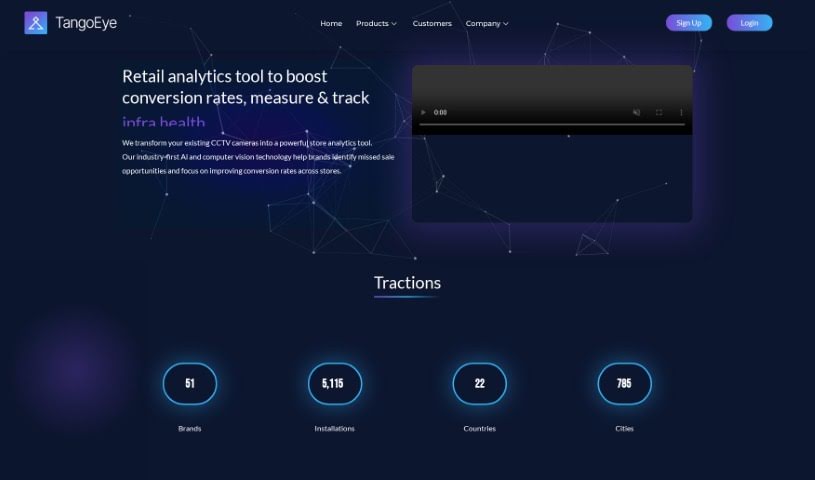
Screenshot of Tango Eye

Tango Eye

Freemium

Tango Eye is a retail analytics solution from Tango IT Solutions India Pvt Ltd. It's designed to give you practical insights by using artificial intelligence and advanced real-time analytics. The product suite includes Tango Traffic, Tango Zone, Tango RevOp, and Tango StoreOps. Together, these tools offer a deep dive into customer behavior and help boost store performance. Some of its standout features are AI-powered analysis of CCTV data, precise tracking of store traffic, customer engagement levels, and even missed sales opportunities. Plus, you get zone-wise customer activity insights, which are great for making specific improvements. Essentially, Tango Eye helps retail brands improve their in-store experience by using the latest AI and computer vision technologies.

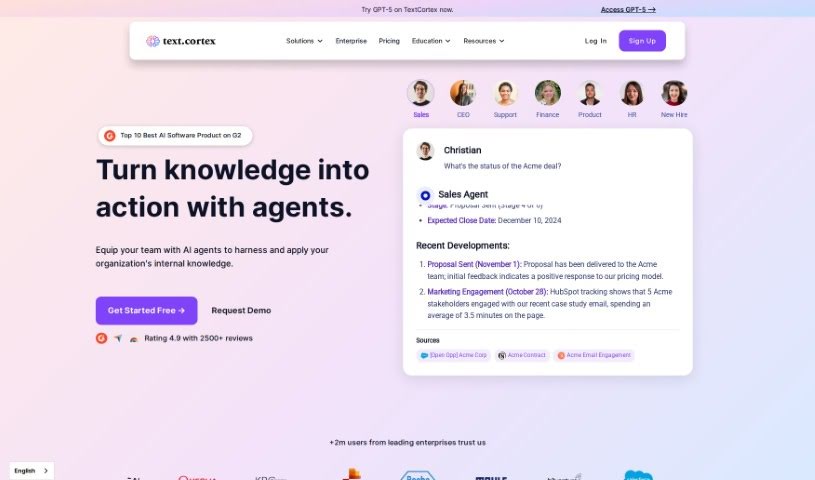
Screenshot of TextCortex

TextCortex

Freemium

TextCortex is your go-to AI writing assistant. It's built to help you slash writing time, tackle those big projects, and churn out great content without the usual typos or grammatical slip-ups. What's really neat is that it's customizable, offering a personalized AI experience tailored just for you. It boasts advanced writing and research skills, all while ensuring your content is error-free and unique, even in over 25 languages. Just remember, while the AI does the heavy lifting, it's always a good idea for a human to give it a final fact-check. You can start with a free plan that gives you 100 creations right away, plus 20 more every day. Plus, TextCortex learns your writing style and what you know, making it easier than ever to create content that's both high-quality and feels like you.

Screenshot of TextQL

TextQL

Freemium

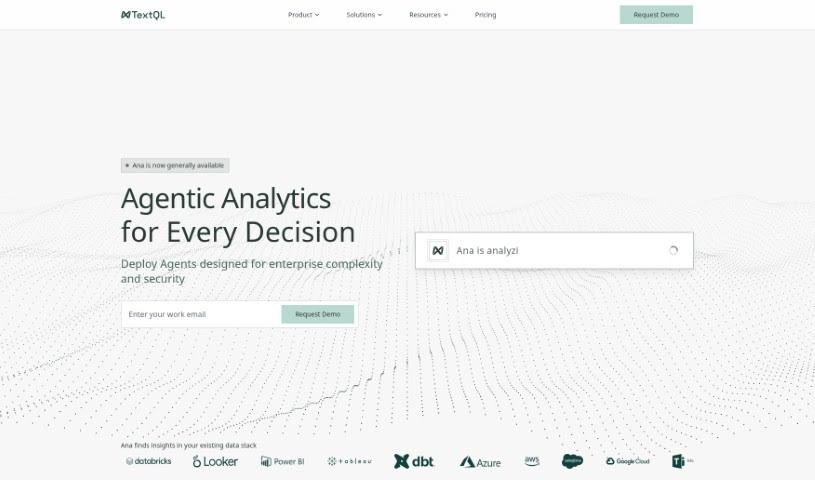
TextQL is your company's own virtual data analyst, powered by AI. It makes getting insights from your business data super easy, letting you ask questions in plain English. It fits right in with your current data setups and tools like Slack and Teams. TextQL helps manage all your data, making sure everything follows the right rules. Its AI brain, named Ana, understands what you're asking, runs the analysis, and even creates charts for you. You can set it up to meet specific compliance needs, protect data with strong privacy features, and customize how it works for your team.

Screenshot of Texts From My Ex

Texts From My Ex

Freemium

"Texts From My Ex" is a really insightful look back at your past relationships, all through your text message history. It’s a neat tool that helps you dig into how you and your ex communicated, spotting patterns and little details you might have missed. The goal? To help you learn from those past exchanges, maybe understand things a bit better, and hopefully find some closure. It offers a user-friendly way to explore your old messages, giving you insights into communication styles, what made the relationship tick (or not tick!), and ultimately, helping you move forward with more clarity.

Screenshot of The Visualizer AI

The Visualizer AI

Freemium

The Visualizer AI is a really neat tool that turns complicated ideas into easy-to-understand visual maps. It's designed to help you grasp concepts faster, learn more quickly, and even tackle problems creatively. It is your go-to for making sense of things in fields like education, scientific research, and project management. People love how it can map out project structures, scientific findings, or even the flow of a book, really sparking creativity along the way. It's great for brainstorming new ideas, reducing that mental overload we all feel sometimes, and helping information stick in your memory. Plus, users appreciate that it's plagiarism-free, helps teams work together better, offers flexible pricing, and even plays nicely with other tools like ChatGPT.

Screenshot of ThinkTask

ThinkTask

Freemium

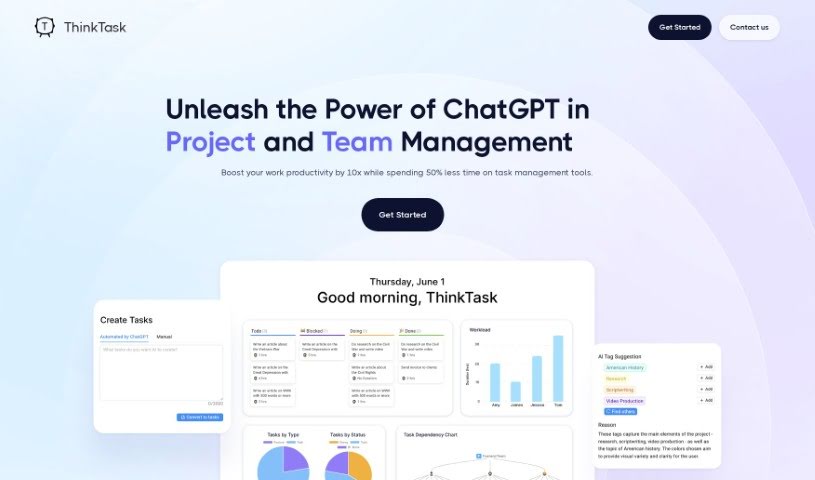
ThinkTask is a really smart tool designed to completely change how teams and projects are managed. It does this by bringing ChatGPT right into the mix, which seriously boosts productivity and makes everything run more smoothly. This dynamic tool automatically generates performance reports by looking at past data, helps you make better decisions, and keeps an eye on how AI is being used to make your workflows as efficient as possible. You can easily see how engaged your team is and where projects stand thanks to visual tools like the AI usage chart and Team Pulse. The Project Progress Table gives you the nitty-gritty on how projects are advancing, including hours spent and costs, while Task Insights uses tree diagrams to help you plan tasks like a pro. Need to create a task quickly? Just type a note, and ThinkTask can generate the task for you with pre-filled details. Plus, AI-generated tags make categorizing and assigning tasks a breeze. ThinkTask's Workpage is your all-in-one spot for notes, tasks, databases, and team collaboration, all aimed at making your team more productive and your projects run like clockwork.

Screenshot of Tidepool

Tidepool

Freemium

Tidepool, developed by Aquarium, is a specialized AI tool designed for product analytics, particularly for AI text interfaces. It's built to give you automated insights using embeddings, making it easier to understand user interactions. You get an intuitive visual interface that helps you track trends in user activity and see how different text attributes connect with key metrics. Tidepool really cuts down on the manual work involved in analysis. It uses advanced algorithms and embeddings to group similar user text together and point out the important details in your data. Plus, it’s built with enterprise-grade security, holding SOC 2 Type II certification, and even offers options for self-hosting. Essentially, Tidepool helps you make better product decisions by offering deep insights into how users interact with text, linking those text details directly to your product metrics.

Screenshot of Trade Foresight

Trade Foresight

Freemium

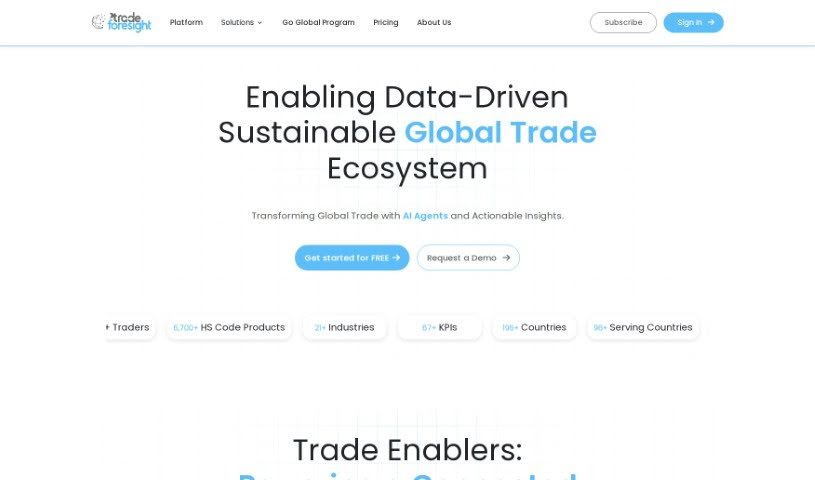
Trade Foresight is a leading data analytics company that's really changing the game for businesses looking to understand trade intelligence. Their platform offers deep dives into trade data, industry analysis, and specific product insights. This helps businesses make smarter decisions, save money, and handle risks more effectively. They cover data from over 190 countries, and their pricing is more competitive than many other options out there, making them a top choice for B2B clients worldwide. The data they use comes from trusted sources like the World Bank, World Trade Organization, Dun & Bradstreet, and UN Comtrade, so you know you're getting reliable information. Trade Foresight also works with governments and banks, offering white-label solutions that are perfect for sectors like logistics, trade, and manufacturing.

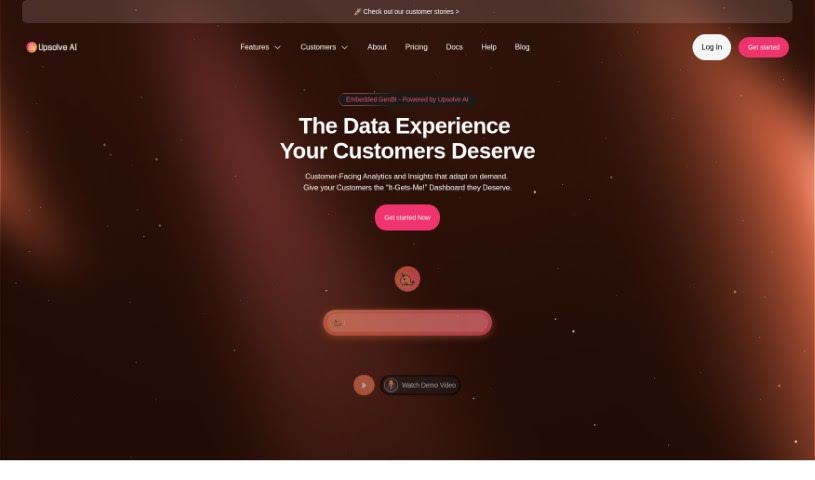
Screenshot of Upsolve AI

Upsolve AI

Freemium

Upsolve AI is a smart tool that uses artificial intelligence to help businesses manage customer-facing analytics smoothly. It is a helpful assistant that can answer questions about your product data without you needing to ask your engineering team. This really boosts your product's value, and you don't need extra engineering work to make it happen. One of its coolest features is how easy it makes creating charts and graphs – you just click around, and your dashboards come to life. It also helps you dig into your data and make smarter choices, thanks to the AI's suggestions. Plus, Upsolve AI connects easily to your databases and data warehouses, making data integration a breeze. Ultimately, the goal is to give businesses more power by automating analytics tasks, so your team can concentrate on what they do best.

Stay Updated with AI Tools

Get weekly updates on the latest AI tools, trends, and insights delivered to your inbox

Join 25,000+ AI enthusiasts. No spam, unsubscribe anytime.