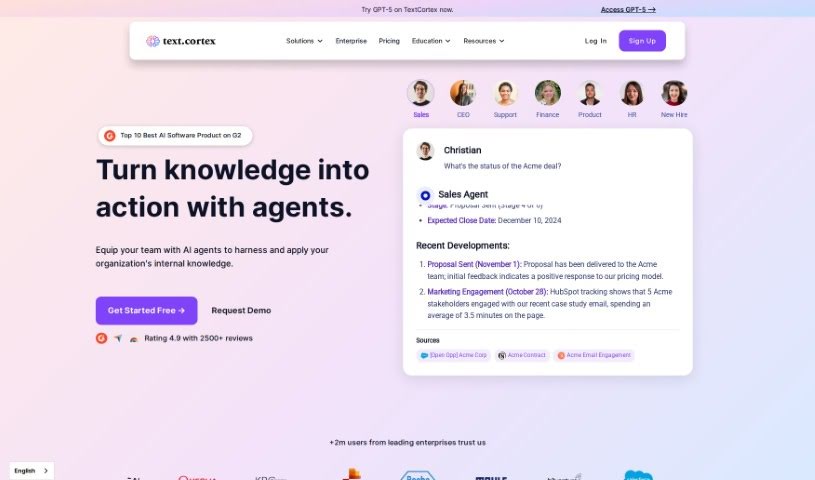
Screenshot of TextCortex

TextCortex

Discover what TextCortex is and how to use it effectively in 2025. We'll explore its features and see how it stacks up against other Data Analytics Tools.

Screenshot

What is TextCortex?

TextCortex is your go-to AI writing assistant. It’s built to help you slash writing time, tackle those big projects, and churn out great content without the usual typos or grammatical slip-ups. What’s really neat is that it’s customizable, offering a personalized AI experience tailored just for you. It boasts advanced writing and research skills, all while ensuring your content is error-free and unique, even in over 25 languages. Just remember, while the AI does the heavy lifting, it’s always a good idea for a human to give it a final fact-check. You can start with a free plan that gives you 100 creations right away, plus 20 more every day. Plus, TextCortex learns your writing style and what you know, making it easier than ever to create content that’s both high-quality and feels like you.

Who created TextCortex?

TextCortex was started by a team who really wanted to create a personalized AI experience. Their goal is to make it easy for people and AI to work together smoothly. They imagine a future where AI is a natural part of our everyday lives and jobs, leading to smart, efficient, and creative partnerships.

What is TextCortex used for?

TextCortex is incredibly versatile! Here’s a look at what people use it for:

  • Generating Reports: Whether it’s for business, team updates, or strategic planning, TextCortex can help.
  • Boosting Productivity: It’s designed to help you get more done, faster.
  • Marketing: Use it as your AI marketing sidekick to quickly bring your ideas to life across different platforms.
  • Overcoming Writer’s Block: If you’re stuck, TextCortex can help spark inspiration and get your creative juices flowing.
  • Saving Time: It can cut your writing time by more than half!
  • Personalized Intelligence: It learns your style and knowledge, making your work more efficient and productive.
  • First Drafts & Inspiration: Professionals can use it to quickly get initial ideas down and find new inspiration.
  • Virtual Coworker: It can step in to fill various roles, helping you achieve more even with limited resources.
  • Academic Writing: Students can improve the quality of their papers and adapt the AI to their unique writing style.
  • Personal & Professional Growth: Its user-friendly interface and adaptable features can help you excel in all areas of life.
  • Research: It helps filter out the noise from academic sources, letting you focus on what’s most important.
  • Tailoring Content: Need content that fits specific client needs? TextCortex can do that.
  • Unlocking Academic Potential: Create polished, professional work for your studies.
  • Improving Writing Speed: Make content creation simpler and faster.
  • Marketing & Sales: Craft unique communications that resonate.
  • Freelancers & Students: Get help with all sorts of writing tasks.
  • Neurodiverse Support: It can help break down barriers and empower neurodiverse individuals by leveraging their unique strengths.
  • Text-to-Speech & Speech-to-Text: Connect your voice with your writing.
  • Scaling Content: Revolutionize how corporate teams work and scale content creation.
  • Narrating Your Business: Help tell your business’s story.
  • Hiring a Virtual Coworker: Fill gaps and get more done.

Who is TextCortex for?

TextCortex is a fantastic tool for a wide range of people:

  • Creative professionals
  • Writers
  • Marketers
  • Students (including PhD students!)
  • Business professionals
  • Managers
  • Business owners
  • Freelancers
  • Teachers
  • Freelance Translators

How to use TextCortex?

Getting the most out of TextCortex is pretty straightforward. Here’s a simple guide:

  1. Sign Up: First, create an account on the TextCortex website to get started.
  2. Free Creations: When you sign up, you’ll get a certain number of free creations, depending on the plan you pick. It’s a great way to try it out!
  3. Write Smarter: Use the AI writing tool to cut down your writing time, manage big projects, and produce high-quality, error-free content.
  4. Personalize It: Make the most of the customizable platform and the personalized AI experience to really boost your creativity.
  5. Boost Workflow: Take advantage of the advanced writing and research features to make your work smoother and increase your productivity.
  • Adapt to You: Play around with how the AI learns your unique writing style and knowledge. This helps ensure the content you create is both personalized and top-notch.
  • Multilingual Support: Don’t forget it supports over 25 languages, giving you lots of flexibility.
  • API Options: If you need even more tailored solutions, check out the Text Generation API.
  • Important Note: Remember, you can’t share your account. If you need multiple users, you’ll need to contact TextCortex directly.
  • Free Trial: You get a 14-day free trial, which is plenty of time to really explore everything the tool has to offer before you decide on a plan.

Related AI Tools

Discover more tools in similar categories that might interest you

Stay Updated with AI Tools

Get weekly updates on the latest AI tools, trends, and insights delivered to your inbox

Join 25,000+ AI enthusiasts. No spam, unsubscribe anytime.