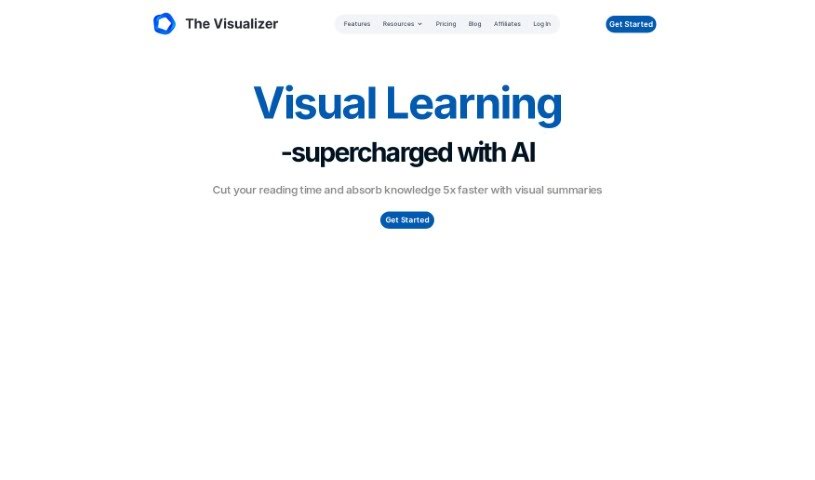
Screenshot of The Visualizer AI

The Visualizer AI

Discover what The Visualizer AI is and learn how to use it effectively in 2025. We'll explore its features and see how it stacks up against other project management tools.

Screenshot

What is The Visualizer AI?

The Visualizer AI is a really neat tool that turns complicated ideas into easy-to-understand visual maps. It’s designed to help you grasp concepts faster, learn more quickly, and even tackle problems creatively. It is your go-to for making sense of things in fields like education, scientific research, and project management. People love how it can map out project structures, scientific findings, or even the flow of a book, really sparking creativity along the way. It’s great for brainstorming new ideas, reducing that mental overload we all feel sometimes, and helping information stick in your memory. Plus, users appreciate that it’s plagiarism-free, helps teams work together better, offers flexible pricing, and even plays nicely with other tools like ChatGPT.

Many users have shared how The Visualizer AI has made a big difference in their work, whether they’re trying to break down complex information, coach others, strategize, or develop different scenarios. It just makes things clearer.

Who created The Visualizer AI?

Arpit Choudhury, the founder of Databeats, is the mind behind The Visualizer. It officially launched on June 19, 2024. Essentially, The Visualizer is an AI tool that takes complex concepts and transforms them into clear visual formats, making learning and creativity much more accessible. The company, also called The Visualizer AI, offers some cool features, including support for GPT-4o and Claude 3 models, and the ability to visualize URLs, PDFs, and all sorts of other media. People often praise how simple and useful it is, and how it really boosts learning and strategic thinking.

What is The Visualizer AI used for?

This tool is incredibly versatile! Here’s a breakdown of what it’s great for:

  • Project Management: It helps you visualize project connections, dependencies, tasks, and priorities, making it easier to manage everything.
  • Visualizing Complex Concepts: It turns difficult ideas into clear visual maps, which really helps with understanding.
  • Scientific Research: You can visualize scientific research, making complex findings more accessible.
  • Fostering Creativity: It’s a fantastic tool for generating new ideas and creative thinking, often by creating mind maps that visually link concepts.
  • Structuring Books: Authors can use it to map out their book structures, ensuring comprehensive coverage without the worry of plagiarism.
  • Coaching, Team Engagement, and Communication: It supports multi-dimensional communication and is highly valued for coaching sessions and team engagement.
  • Comprehensive Coverage without Plagiarism: The AI-generated maps ensure you cover all necessary points without accidentally plagiarizing.
  • Accelerated Learning: It speeds up the learning process by making information easier to digest.
  • Visualizing Project Connections, Dependencies, Tasks, and Priorities: Get a clear picture of how everything fits together.
  • Innovative Problem-Solving and Idea Generation: It helps you think outside the box by visually linking ideas and spotting patterns.
  • Enhancing Comprehension and Retention of Information: By transforming text into visual maps, it makes information much easier to understand and remember.
  • Visualizing Scientific Research: Makes complex research more approachable.
  • Visualizing Project Structures: See the big picture of your projects.
  • Supports Creative Problem-Solving: Helps you brainstorm and find solutions.
  • Visualizes Book Structures: Great for authors planning their next book.
  • Supports Multi-Dimensional Communication: Communicate ideas in a richer way.
  • Enhances Comprehension: Makes understanding easier.
  • Promotes Information Retention: Helps you remember what you learn.
  • Visualizes Task Dependencies: Understand how tasks relate to each other.
  • Coaching, Team Engagement, Communication: Facilitates better interaction and understanding.
  • Visualizing URLs and PDFs: Makes online content and documents more digestible.
  • Accelerated Learning in Educational Settings: Students and educators can benefit from faster comprehension.
  • Comprehensive Coverage without Plagiarism Risk: Ensures originality in your work.
  • Enhancing Comprehension and Communication of Scientific Research: Bridges the gap between complex research and understanding.
  • Aiding Project Management by Visualizing Connections, Dependencies, Tasks, Priorities, and Resources: Provides a clear overview for better project control.
  • Fostering Creativity by Generating Mind Maps that Visually Link Ideas and Reduce Cognitive Load: Sparks new ideas and makes thinking less taxing.
  • Effectively Structuring Books with AI-Generated Visual Maps: Offers a structured approach to writing.
  • Transforming Text into Unique Mind Maps to Ensure Comprehensive Coverage without Risk of Plagiarism: A smart way to organize and create original content.
  • Valued for Coaching, Team Engagement, and Communication Purposes by Providing a Multidimensional Perception of Information: Offers deeper insights for better interactions.
  • Creating a Clearer Understanding of Overall Project Structure and Progress: Keep everyone on the same page.
  • Assisting in Innovative Problem-Solving and Idea Generation by Visually Linking Ideas and Identifying Patterns: A powerful tool for innovation.
  • Visualizing URLs and PDFs to Enhance the Understanding of Complex Information: Makes web content and documents easier to grasp.
  • Enhancing Comprehension and Retention of Information by Transforming Complex Text into Easily Digestible Visual Maps: A key benefit for learning and memory.

Who is The Visualizer AI for?

This tool is a fantastic resource for a wide range of professionals and creatives:

  • Scientists
  • Project managers
  • Authors and writers
  • Educators and professors
  • Coaches
  • Team managers and leaders
  • Scientific researchers
  • Content creators (including AI builders)
  • Consultants and global public speakers
  • Engineers
  • Founders
  • IE University Professor
  • Author, consultant, and global public speaker
  • Founder of Databeats
  • Writers and authors
  • Public speakers

Basically, anyone who needs to make complex information clearer, more engaging, or more organized will find value here.

How to use The Visualizer AI?

Using The Visualizer tool is pretty straightforward. Just follow these steps to get the most out of it:

  1. Open The Visualizer: First, launch the tool. You can usually do this by clicking a desktop shortcut or finding it in your software menu.
  2. Import Your Data: Ready to visualize? You can either copy and paste your data directly into the tool, or you can import it from a file you have saved on your computer.
  3. Choose Your Visualization Type: Based on the data you’ve imported, pick the kind of visual you want to create. You’ll typically have options like bar graphs, pie charts, line graphs, scatter plots, and more.
  4. Customize Your Visual: Make it your own! You can tweak settings like colors, labels, and fonts to make your visualization not only look good but also be super easy to understand.
  5. Add Titles and Labels: Clarity is key. Make sure to add clear titles to your visualization and label your axes so everyone knows what data they’re looking at.
  6. Interact with Your Data: Dive deeper into your visualization. Hover over data points to see specific values, or click on different elements to get more detailed information.
  7. Save or Export: Once you’re happy with how it looks, you can save your visualization within the tool for later use. You can also export it in various formats, like PNG or PDF, which are perfect for presentations or reports.
  8. Share Your Visualization: Share your creations with colleagues or clients by exporting the files and sending them via email or using them in presentation software.

By following these simple steps, you can really make the most of The Visualizer tool to create engaging and insightful visual representations of your data for whatever you need.

Related AI Tools

Discover more tools in similar categories that might interest you

Stay Updated with AI Tools

Get weekly updates on the latest AI tools, trends, and insights delivered to your inbox

Join 25,000+ AI enthusiasts. No spam, unsubscribe anytime.