AI Tools for Art Generation

Discover the best Art Generation AI tools to enhance your productivity and creativity.

Page 7 of 21 • 241 total tools

Art has always been a way to express creativity, but now there’s a new player: AI art generators. These tools take your ideas and turn them into amazing visuals, really pushing what we think of as art. Thanks to advances in machine learning, making your own unique art is easier and more exciting than ever.

AI art generation isn’t just a novelty anymore; it’s seen a huge surge in innovation. Big tech companies and independent creators are working together, offering all sorts of styles and abilities. Whether you’re an artist looking for inspiration or just curious, there’s something here for you.

I took a close look at this changing field, checking out different AI art generators to find the most impressive ones available right now. You’ll find a wide range of tools here, from fun illustrations to super-realistic images, all ready to help you bring your creative ideas to life.

As these technologies keep growing, the possibilities for artists and AI to work together seem endless. Let’s explore the best AI art generators that can help you create captivating visuals and really develop your artistic skills.

The Best AI Art Generators

  1. Leonardo AI: Great for creating custom artwork for brands.
  2. Openart: Offers tools for making AI-powered fan art.
  3. Tensor.art: Ideal for creating abstract art.
  4. Pix AI: Perfect for designing custom anime characters.
  5. Yodayo: Use this for creating unique digital art styles.
  6. Night Cafe Creator: Lets you make unique art from text prompts.
  7. Artguru AI: Good for creating anime art from descriptions.
  8. Imagine AI Art Generator: Offers endless artistic possibilities.
  9. Playground: Useful for custom artwork for digital projects.
  10. Dezgo: Helps you generate high-quality art from text.
  11. Deep Dream Generator: Transforms photos into detailed art.
  12. Autodraft AI: Turns text into unique artworks.
  13. Apob AI: Create unique art styles for your projects.
  14. Starry AI: Focuses on digital art creation.
  15. Meta Imagine: Lets you create unique art from text prompts.

How Do AI Art Generators Work?

AI art generators use complex algorithms and massive datasets. At their core, these tools rely on machine learning models trained on countless images, styles, and artistic techniques. By spotting patterns and features in visual data, they learn how to create unique artwork based on what you ask for.

Most AI art generators use models called Generative Adversarial Networks (GANs) or diffusion models. These have two parts: a generator that makes images and a discriminator that judges them. They work together, improving the output bit by bit until the generated images look just right, whether that’s realistic or creative.

When you give a prompt, the AI figures out what you want and uses its vast knowledge of art. It then combines this information to create a new image, mixing elements in fresh ways. The results can be anything from abstract designs to lifelike portraits, depending on what you ask for and what the tool can do.

AI art generators have really taken off thanks to advances in deep learning and the availability of diverse training data. This data includes everything from classic paintings to modern digital art. The algorithms use this rich information to copy styles, create new ideas, and explore artistic possibilities.

Plus, platforms like DALL-E and Midjourney have made art creation accessible to anyone with an idea. Users can make amazing art without needing traditional art skills, just by describing their vision. This mix of technology and creativity opens up new ways to express yourself and collaborate.

If you’re curious about the details, learning about neural networks and machine learning can give you a better idea of how these tools function. While still developing, AI art generators show huge potential for changing creative fields and inspiring new visual stories.

Our Best AI Art Generators at a Glance

RankNameBest ForPlans and PricingRating
1Leonardo AICustom artwork creation for brandsPaid plans start at $9/month.4.73 (11 reviews)
2OpenartAI-powered fanart creation toolsPaid plans start at $84/year.4.25 (8 reviews)
3Tensor.artAbstract art creationN/A4.78 (23 reviews)
4PixAICustom anime character designN/A4.80 (5 reviews)
5YodayoCreating unique digital artwork styles.N/A4.33 (6 reviews)
6NightCafe CreatorCreate unique art from text prompts.Paid plans start at $15.99/month.4.63 (32 reviews)
7Artguru AICreate anime art from descriptionsN/A4.58 (12 reviews)
8Imagine AI Art GeneratorEndless artistic possibilitiesN/A4.80 (5 reviews)
9PlaygroundCustom artwork for digital projectsPaid plans start at $432/month.4.82 (11 reviews)
10DezgoGenerate high-quality art from textsN/A4.79 (53 reviews)
11Deep Dream GeneratorTransforming photos into detailed artN/A4.73 (26 reviews)
12Autodraft AITransforming text into unique artworksN/A4.74 (27 reviews)
13Apob AICreating unique art styles for projects.N/A4.67 (12 reviews)
14StarryAIDigital art creationN/A4.77 (43 reviews)
15Meta ImagineCreate unique art from text prompts.N/A4.70 (10 reviews)
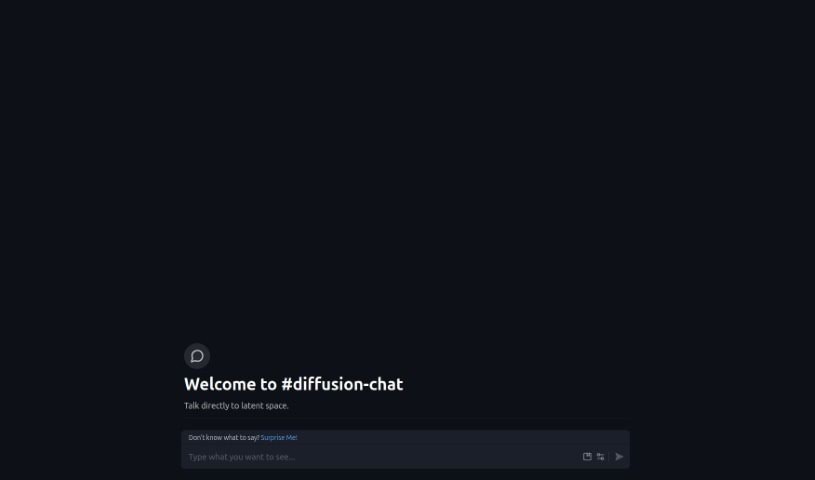
Screenshot of Diffusion Chat

Diffusion Chat

Freemium

Diffusion Chat is a neat AI tool that lets you have conversations with something called 'latent spaces.' Think of it as a way to directly talk to and shape how data is generated. You can guide this process by using prompts, which are like instructions, along with modifiers to fine-tune things and negative prompts to tell it what you don't want. It's particularly good at handling large images, especially anime-style ones, at 512x512 resolution. Each time you generate something, it goes through about 30 steps. While it offers cool features like prompt modification, negative prompts, and a 'Surprise Me' button to give you ideas, it's a bit of a bummer that it doesn't save your prompts. This means you'll need to re-enter them each time you want to start a new chat.

Screenshot of Diffusionart.co Anime Prompt Generator

Diffusionart.co Anime Prompt Generator

Freemium

The Anime Prompt Generator from DiffusionArt.co is a fantastic resource for artists and creators who need a spark of inspiration for their anime-focused projects. This generator isn't just about basic prompts; it's packed with features and supports a wide spectrum of art styles, from incredibly realistic looks to more abstract creations. You'll find handy tools like Text to Video, Image to Prompt, and Image Variations, all designed to make your creative process smoother and let you easily tweak the results to match exactly what you're looking for. Plus, it uses AI to come up with all sorts of artistic prompts and even offers support in multiple languages, making it accessible to a broader audience. All in all, it's a straightforward and adaptable tool for anyone wanting to bring their anime-inspired ideas to life.

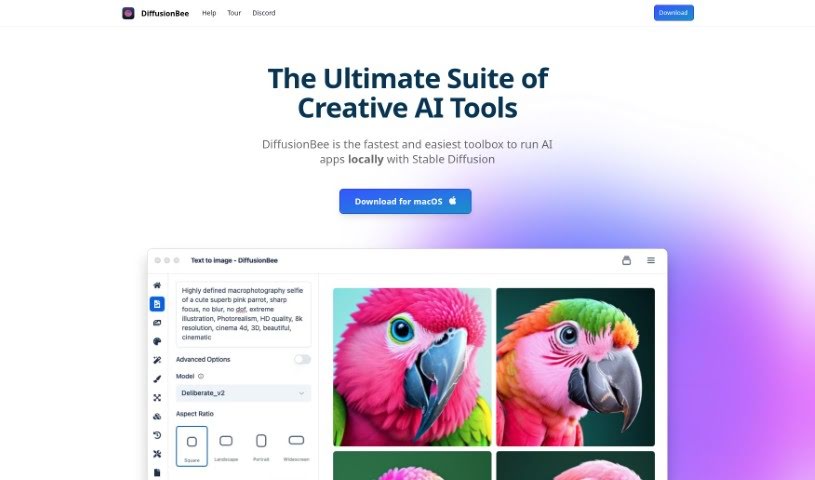
Screenshot of DiffusionBee

DiffusionBee

Freemium

DiffusionBee is a fantastic AI tool that lets you create really impressive images using Stable Diffusion technology, right on your own computer. It is your personal AI art studio! It's packed with advanced features, making it super easy to generate AI art from simple text descriptions. You can also tweak existing images, add or remove elements, expand your pictures creatively, boost their resolution, and even use your own custom AI models. What's really great about DiffusionBee is that it works entirely offline, meaning your creations and data stay private. Plus, it's completely free for anyone using macOS, offering unlimited use.

Screenshot of DiffusionHub

DiffusionHub

Freemium

DiffusionHub is a cloud-based platform that really shines when it comes to using Stable Diffusion technology for creating AI-powered images and videos. It's packed with features that make generating high-resolution AI art easier, even if you don't have a powerful GPU yourself. You can work with a node-based interface for detailed control over your creations, explore a variety of artistic styles, and even use in-painting and out-painting to refine your images. Plus, you can store all your generated work right on the platform's cloud storage. DiffusionHub also gives you access to different Stable Diffusion versions, like Automatic1111, ComfyUI, and Kohya, each offering a unique way to control the image generation process. It even integrates with extensions from Hugging Face and GitHub, so you've got pre-installed tools ready for fine-tuning your AI imagery and training models. People often choose DiffusionHub because it's straightforward to use, reasonably priced, and offers great value compared to other options out there.

Screenshot of Disney AI Poster

Disney AI Poster

Freemium

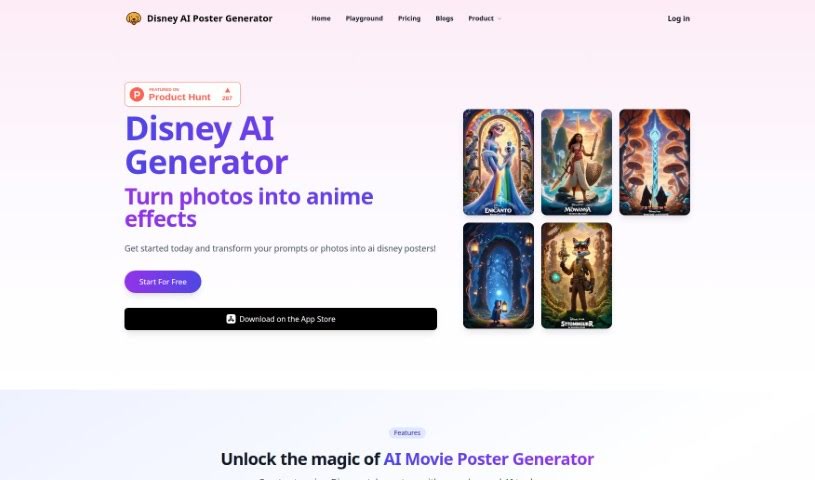
Disney AI Poster is a really user-friendly tool that lets you create images in the style of Disney Pixar movies, and it's super easy to use – you don't need any art or coding background at all! It offers two main ways to generate images: you can either use your own pictures or describe what you want with text. The image-based option lets you upload your own photos to make unique Disney Pixar artwork. If you prefer to describe your vision, the prompt-based feature lets you type in exactly what you're looking for, giving you lots of flexibility to communicate your creative ideas. The tool uses advanced AI models, like Stable DiffusionXL, which have been trained on millions of images. This means it understands patterns, shapes, and textures really well, ensuring you get high-quality results. It's also designed to be easy to integrate, with a simple interface that makes interacting with it a breeze. Plus, it connects you to a community of other AI fans and artists, so you can collaborate and share what you create. Disney AI Poster gives you lots of ways to customize your artwork, including uploading images, writing prompts and negative prompts (to tell it what not to include), choosing the image size, and even digging into advanced options for super detailed customization. This really empowers you to explore endless inspiration, especially if you're aiming for Disney Pixar-inspired movie posters or anime-style images.

Screenshot of DoDoBoo

DoDoBoo

Freemium

DoDoBoo is a really neat app created by a group of dads. Their goal? To give kids a fun and educational place where they can really boost their drawing skills. It’s a clever mix of learning and AI technology, designed to help children create artwork that means something to them and make learning an enjoyable experience. What makes DoDoBoo stand out are features like an AI model that's specifically tuned for children's drawings, a design that's super kid-friendly with colors and tools that are easy on the eyes, and strong child protection measures to keep everything safe. Plus, they’re always updating it to make sure it runs perfectly. DoDoBoo really aims to empower kids by transforming their drawings into bright, lively pieces of art. This process helps spark their imagination, improves their art education, introduces them to cool advanced technology, and gives their confidence a real boost with every single thing they create. You can choose from different subscription plans, like 'Apprentice' for a taste of what it offers, 'Go Pro' for more features, and 'Be Elite' for the full experience, each with its own set of benefits. The app also includes fun interactive elements like DoDoBuddy, which keeps kids engaged, Wonderpedia, where they can explore interesting facts, and Storyland, for interactive storytelling adventures.

Screenshot of Doodle Morph AI

Doodle Morph AI

Freemium

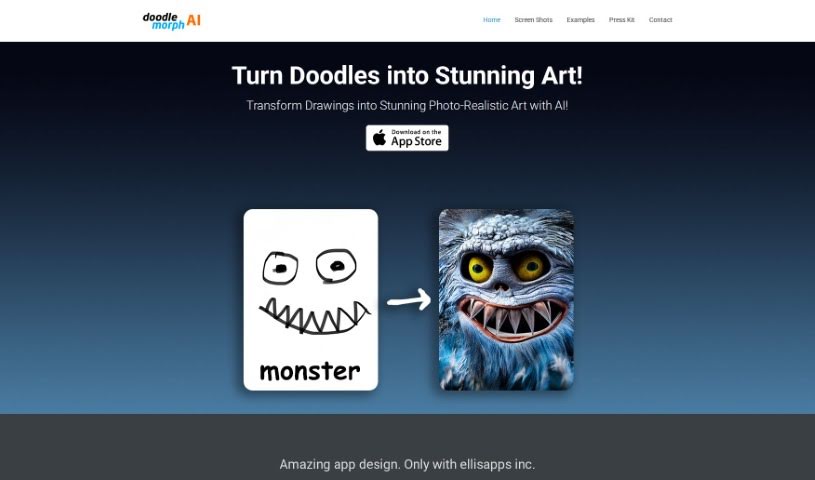
Doodle Morph AI is a neat AI-powered app from EllisApps Inc. that lets you turn your sketches, doodles, and drawings into really high-quality, photo-realistic digital art. It uses some pretty advanced artificial intelligence to do the magic. The app is super easy to use, processes your inputs as you draw, and even has good audio and visual features. Plus, they've got security measures in place to keep your creations safe. You can grab the Doodle Morph AI app right from Apple's App Store and start transforming your sketches into amazing digital artworks.

Screenshot of Draw Things

Draw Things

Freemium

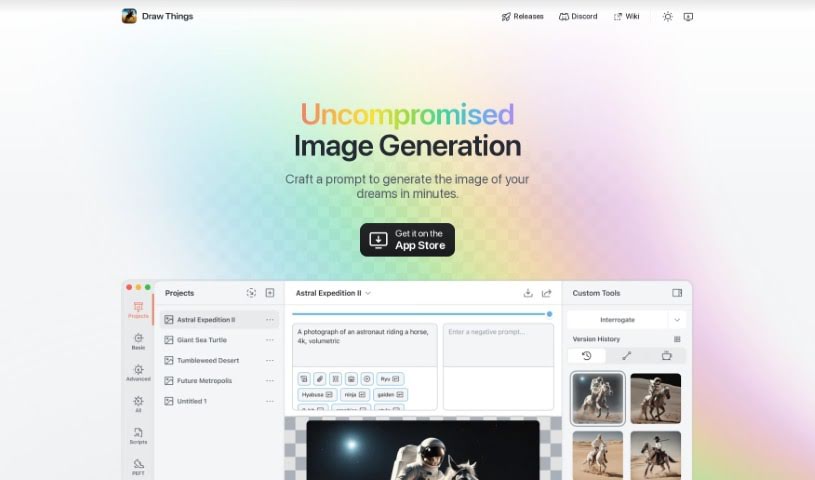
Draw Things is a really neat, free app that lets you create AI-generated images right on your phone, and the best part? It works offline! It uses Stable Diffusion models, which means it can whip up all sorts of cool pictures based on whatever you can imagine, and it does it pretty quickly. Before you download it, though, it's a good idea to check if your device is on the supported list – you can usually find that on their homepage. The app comes with a bunch of different models, so you can create images that look like anime, paintings, sketches, and lots of other styles.

Screenshot of Draw3D

Draw3D

Freemium

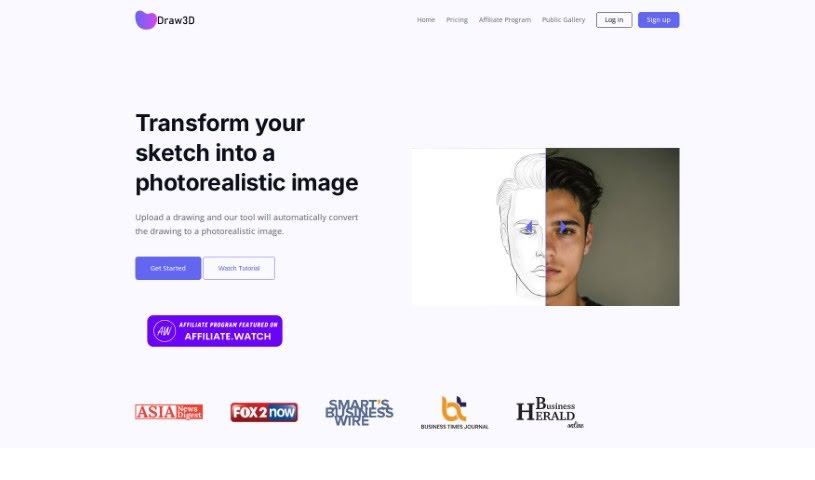
Draw3D is a digital art tool that makes it super easy to turn your sketches into photorealistic images. You'll find its interface really user-friendly, perfect for converting sketches into lifelike pictures. It handles even the most detailed sketches with no problem. Plus, it can even animate sketches of animals or other subjects, all while keeping the original structure intact. What's really neat is that Draw3D can also transform sculptures into photos and vice-versa, really opening up what you can create. It also comes with a handy built-in editor for filtering, resizing, and editing your images. Draw3D works with AI Tools Directory and is trusted by creative folks all over the world. It's truly where your imagination meets reality, helping artists bring their sketches to life in amazing ways.

Screenshot of Drawmeasheep

Drawmeasheep

Freemium

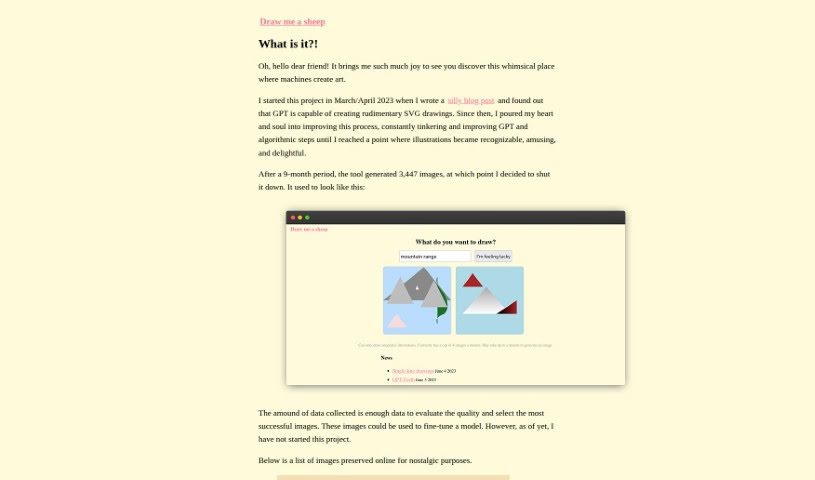
Drawmeasheep is a really neat online platform that gives you a simple, creative way to make your own hand-drawn sheep illustrations. You can tweak all sorts of things about the sheep – like its body shape, how its face looks, and even add accessories – to make it just the way you like. It's a super fun and interactive experience, perfect if you're looking to get creative or maybe make a special, personalized sheep drawing as a gift. Drawmeasheep really nails that sweet spot between being easy to use and letting your creativity shine, so you can easily generate charming, one-of-a-kind sheep without needing any fancy drawing skills.

Screenshot of Drawww

Drawww

Freemium

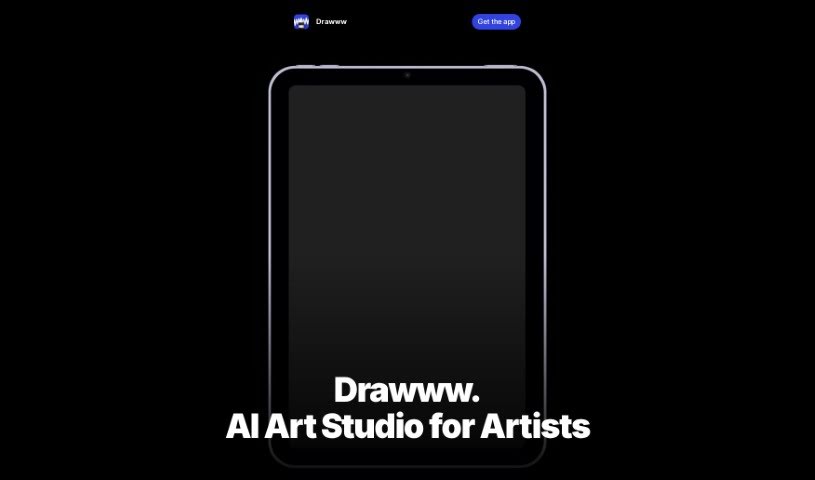
Drawww is a real-time drawing app powered by AI, built specifically for the iPad. It really aims to make drawing better by giving you tools that create artwork instantly, all with AI built right in. What's great is that Drawww keeps your data private because it processes everything on your device. This means you can work without an internet connection. You get unlimited layers, tools you can customize like brushes and pencils, and it handles both bitmap and vector formats. Plus, sharing your files across devices is a breeze thanks to the special .drawww AI-Ready File Format.

Screenshot of Dream AI

Dream AI

Freemium

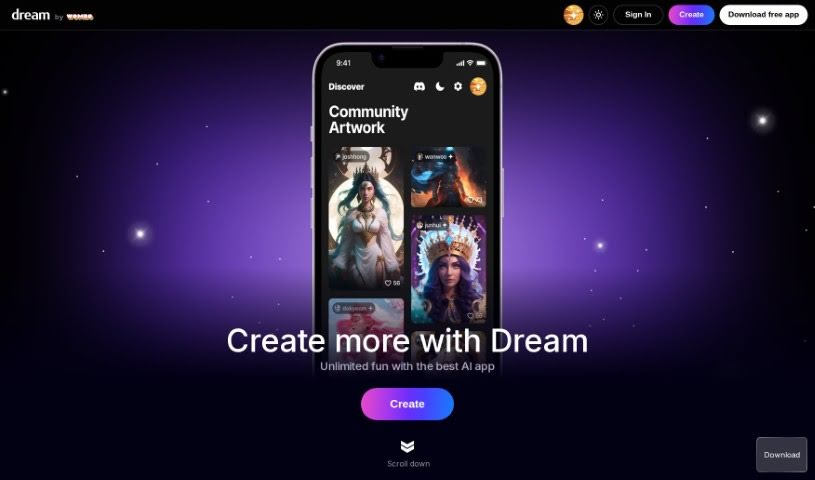
Dream AI, also known as Dream by WOMBO, is a really neat AI tool that lets you create your own unique artwork. All you have to do is give it your ideas and tell it what kind of art style you like. You can even upload your own pictures or use NFTs as inspiration for the paintings it generates. It offers a bunch of different art styles, including some special premium ones like VFX, Dystopia, and abstract fluid art. Dream by WOMBO uses AI to figure out what you want and then creates high-quality paintings in just seconds. The best part? You don't need any tech skills to use it – the interface is super easy to customize.

Stay Updated with AI Tools

Get weekly updates on the latest AI tools, trends, and insights delivered to your inbox

Join 25,000+ AI enthusiasts. No spam, unsubscribe anytime.