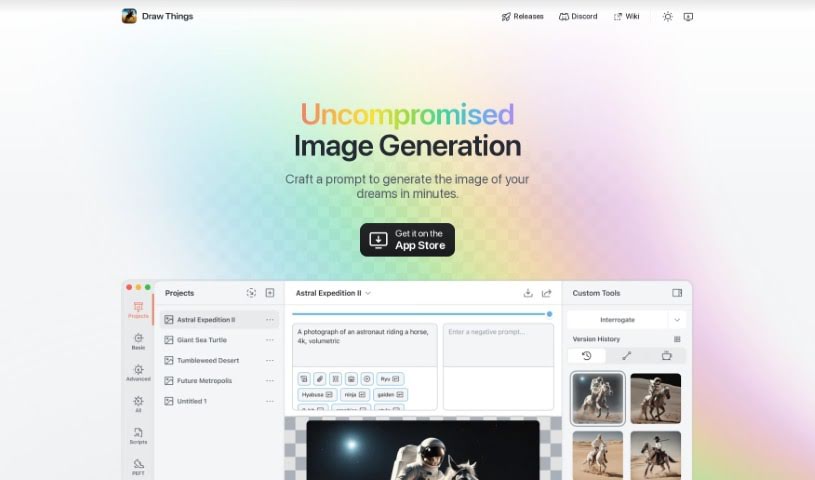
Screenshot of Draw Things

Draw Things

Discover Draw Things, a free AI image generator for mobile. Learn how to use its features, create various art styles, and see how it stacks up against other AI image generators in 2025.

Screenshot

What is Draw Things?

Draw Things is a really neat, free app that lets you create AI-generated images right on your phone, and the best part? It works offline! It uses Stable Diffusion models, which means it can whip up all sorts of cool pictures based on whatever you can imagine, and it does it pretty quickly. Before you download it, though, it’s a good idea to check if your device is on the supported list – you can usually find that on their homepage. The app comes with a bunch of different models, so you can create images that look like anime, paintings, sketches, and lots of other styles.

Who created Draw Things?

Draw Things was created as a free AI image generation app designed to run offline on mobile devices. It offers various image creation models, including styles like anime, paintings, and sketches. While the app itself is well-described, the specific founder of Draw Things isn’t mentioned in the information I have. If you’re looking for more details about the company behind it, you might need to do a bit more digging or check other sources.

What is Draw Things used for?

  • Creating anime-style images
  • Generating unique paintings
  • Producing hand-drawn sketches
  • Making all sorts of different image styles

Who is Draw Things for?

  • Anime artists
  • Painters
  • Sketch artists
  • Anyone interested in AI image generation
  • Users looking for AI mobile apps
  • People seeking free AI image generators
  • Those who enjoy free AI tools

How to use Draw Things?

Using Draw Things is pretty straightforward. Just follow these simple steps:

  1. Check if your device is compatible: Before you download Draw Things, make sure your phone or tablet is supported. You can find a list of compatible devices on the app’s homepage.
  2. Download and install the app: Head over to the Draw Things website, grab the app, and install it on your mobile device. Just follow the on-screen instructions.
  3. Open Draw Things: Once it’s installed, launch the app on your device to start creating images.
  4. Pick a model: Draw Things offers a variety of models. Choose the one that matches the style you’re going for, whether that’s anime, a painting, a sketch, or something else.
  5. Generate your images: Now, use the model you selected to create images just the way you like them. Don’t be afraid to play around with different styles and settings to come up with something truly unique!
  6. Save and share: When you’ve created an image you’re happy with, you can save it to your device. Feel free to share it with friends or online if you want!
  7. Explore other tools: If you’re curious about other AI image generation apps, you might want to check out tools like AI Pencil and Bright Eye, which are available on the Easy with AI website.

By following these steps, you’ll be able to effectively use Draw Things to create a wide range of images using Stable Diffusion models right on your mobile device.

Related AI Tools

Discover more tools in similar categories that might interest you

123RF AI Image Generator

Creative Image Generation
Learn More

Stay Updated with AI Tools

Get weekly updates on the latest AI tools, trends, and insights delivered to your inbox

Join 25,000+ AI enthusiasts. No spam, unsubscribe anytime.