AI Tools for AI Assistants

Discover the best AI Assistants AI tools to enhance your productivity and creativity.

Page 35 of 37 • 433 total tools

We’re living in an exciting time for digital assistants, with AI technology advancing fast to change how we handle our daily tasks. These virtual helpers have come a long way from simple voice recognition; they’re now sophisticated AI companions that can schedule appointments, answer questions, and even hold conversations.

With so many options out there, picking the right AI assistant for your needs can feel a bit overwhelming. You’ve got everything from voice-activated devices to powerful mobile apps – there really is something for everyone.

I spent some time checking out the most notable AI assistants available right now. I tested their features, how easy they are to use, and what makes them unique, all to help you sort through this busy market. Whether you need help getting organized or just want someone to chat with, you’ll find a good fit here.

So, let’s jump into the world of AI assistants and see which ones really stand out in this constantly changing digital space.

The best AI Assistants

  1. Monica: Great for easy chats with AI chatbots.
  2. Sider: Perfect for personalized virtual assistant conversations.
  3. Abacus.ai: Offers smart responses for users.
  4. Yeschat: Helps with smart scheduling and reminders.
  5. You.com: Streamlines everyday tasks with AI help.
  6. Merlin AI: Simplifies daily task management.
  7. MaxAI.me: Provides personalized virtual scheduling assistance.
  8. Chatgpt Online: Good for smart scheduling and task management.
  9. Casetext: Streamlines legal document review.
  10. Hume AI: Offers personalized customer support chatbots.
  11. Tavus: Features personalized AI assistant video interactions.
  12. Chatgpt For Google: Delivers quick answers through voice search.
  13. Retell AI: Provides smart voice control for daily tasks.
  14. Runway Research: Enhances AI assistant training data.
  15. Dola AI: Streamlines group event scheduling.

How do AI assistants work?

AI assistants work using a mix of natural language processing (NLP) and machine learning. These technologies are designed to understand and respond to what you say or type. Basically, they’re programmed to figure out your commands, questions, and what you’re trying to do, so they can give you the right information or get tasks done.

These assistants really depend on pre-trained models. These models look at huge amounts of data – text, audio, even images – to spot patterns and figure out the best way to respond. This training helps them grasp context and the subtle meanings in language, making interactions smoother.

When you give a command, the assistant breaks it down. It then uses different algorithms to decide the best response or action based on what you asked for.

Plus, many AI assistants use voice recognition. This means they can turn your spoken words into text. It makes using them feel more natural, as you can just talk instead of typing out your requests.

Behind the scenes, AI assistants get better over time through ongoing learning. As you use them, they collect data and learn from your interactions, tweaking their algorithms to give more accurate answers and understand your preferences better.

AI assistants also often connect with other services and apps, which makes them even more useful. This connection lets them do things like schedule appointments, send messages, or control smart home devices, making them handy tools for everyday life.

If you’re curious to learn more about how these technologies develop, check out the latest advancements in AI and machine learning. They keep changing how we interact with technology and each other, proving to be really helpful allies for our daily tasks and decisions.

Our best AI assistants at a glance

RankNameBest forPlans and PricingRating
1MonicaEasy chats with AI chatbotsN/A4.27 (11 reviews)
2SiderPersonalized virtual assistant chatsPaid plans start at $8.3/month.4.75 (12 reviews)
3Abacus.aiSmart response generation for usersN/A4.24 (21 reviews)
4YeschatSmart scheduling and remindersN/A4.18 (11 reviews)
5You.comStreamlining everyday tasks with AI helpN/A4.71 (17 reviews)
6Merlin AIStreamlining daily task managementPaid plans start at $19/month.4.33 (12 reviews)
7MaxAI.mePersonalized virtual scheduling help.N/A4.68 (19 reviews)
8Chatgpt OnlineSmart scheduling and task managementN/A4.30 (10 reviews)
9CasetextStreamline legal document review processes.Paid plans start at $250/month.4.79 (24 reviews)
10Hume AIPersonalized customer support chatbotsN/A4.78 (23 reviews)
11TavusPersonalized AI assistant video interactionsPaid plans start at $39/mo.4.81 (26 reviews)
12Chatgpt For GoogleQuick answers via voice searchN/A4.20 (5 reviews)
13Retell AISmart voice control for daily tasksN/A4.33 (9 reviews)
14Runway ResearchEnhancing AI assistant training data.N/A4.76 (21 reviews)
15Dola AIStreamlined group event schedulingN/A4.50 (6 reviews)
Screenshot of Wikivec

Wikivec

Freemium

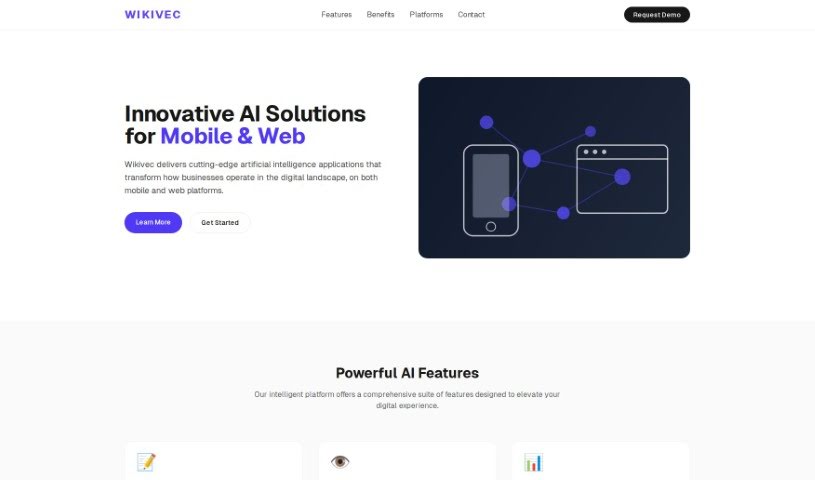
Wikivec is your go-to platform for easily chatting with GPTs. It covers a really broad spectrum of subjects, from the cutting edge of artificial intelligence and computer science to the depths of religion, spirituality, history, and culture. You can dive into programming, explore science and technology, get lost in classics and literature, or focus on education and learning. It also touches on health, wellness, business, economics, psychology, self-help, and even biographies and memoirs. Plus, there are sections for kids and young adults, fantasy and science fiction, mystery and thriller, technology and innovation, data science, analytics, philosophy, ethics, art, design, travel, adventure, and law. You can access everything through the provided links, whether you want to create something new or just chat. The goal here is to offer insights and resources on all sorts of subjects in a way that's super easy to understand.

Text Generation View Tool →
Screenshot of Wing AI

Wing AI

Freemium

Wing AI is a neat tool designed to make online dating a bit easier. It helps you craft personalized and engaging messages to start conversations with your matches. It is your AI wingman! It uses smart AI technology to look at your match's bio from a screenshot and then creates unique, natural-sounding opening lines. This really boosts your chances of getting a reply. Plus, the app takes your privacy seriously – it won't share or sell any of your personal info. With an easy-to-use interface, compatibility across different dating apps, and a focus on messages that really connect with people, Wing AI is here to simplify how you meet others online.

Text Generation View Tool →
Screenshot of Wingman

Wingman

Freemium

Wingman is an AI tool designed to make your conversations better. It works by giving you smart suggestions for replies based on what's already been said. You can upload screenshots of your chats, and Wingman will look at them to offer personalized suggestions. You can even pick the tone you want – whether it's casual, professional, or something a bit more unique. Plus, it supports many languages, so you can get suggestions in whatever language you prefer. If you're juggling multiple conversations, Wingman can handle them all. Just add more screenshots to keep the dialogue flowing smoothly. The pricing is straightforward, and they really focus on keeping your conversations private and secure. There isn't a free version because generating AI replies costs money, and they don't store your chats with the AI model to protect your privacy. You can cancel your subscription anytime, and you'll still be able to access any chats you've created with Wingman.

Text Generation View Tool →
Screenshot of WiseTalk

WiseTalk

Freemium

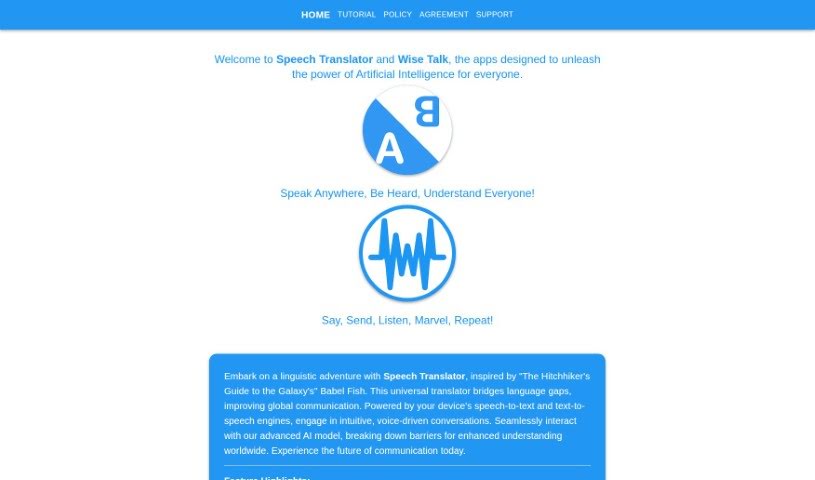
WiseTalk is a really neat app that acts like your own personal AI assistant, all controlled by your voice. It's designed to handle all your chat and assistant needs using simple voice commands. It is a smart helper that uses artificial intelligence to give you responsive, personalized help, making sure you get accurate and useful answers. The main idea behind WiseTalk is to make interacting with technology feel natural and easy. It comes with features like voice activation, smart AI for intelligent responses, a conversational design that feels like talking to a person, tools for managing your tasks, and the ability to quickly find information thanks to its AI-powered search.

Text Generation View Tool →
Screenshot of WittyWingMan

WittyWingMan

Freemium

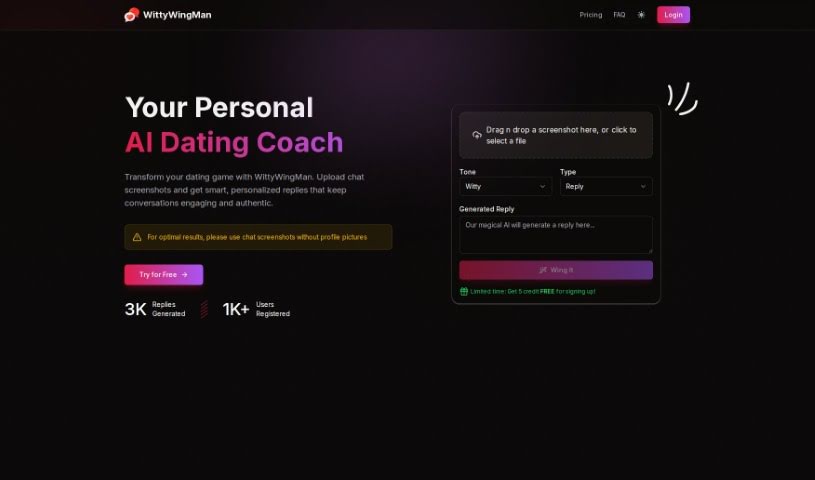
WittyWingMan is an AI chat assistant designed to help you navigate the world of online dating. It's all about helping you craft the perfect responses to your matches' messages. How does it do this? Well, it uses smart algorithms and machine learning to really get a feel for your chat style and what your match likes. Then, it generates witty and authentic replies that genuinely sound like you. You get real-time chat analysis, can use it in different languages, and it's built with secure features to keep your privacy safe. Basically, it offers personalized reply suggestions and makes interacting with people, even across different languages, much smoother and more meaningful.

Text Generation View Tool →
Screenshot of WizAI

WizAI

Freemium

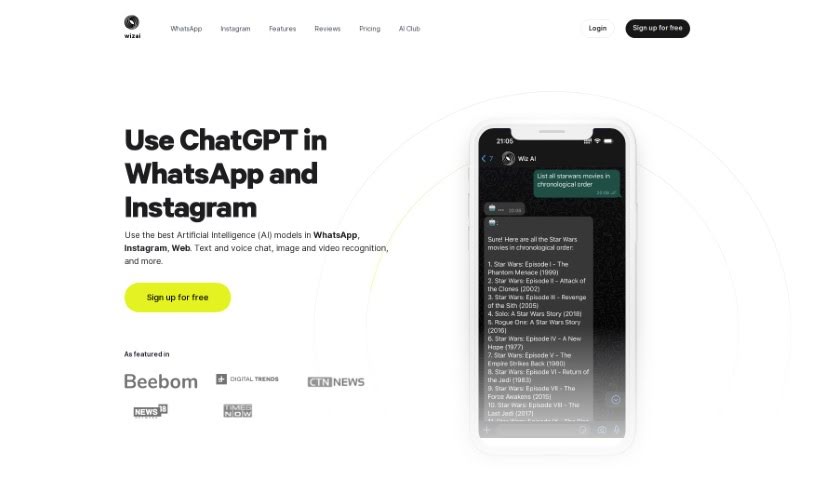
WizAI is an AI-powered chatbot service designed to make communication on platforms like WhatsApp, Instagram, and the web much smoother. It uses advanced AI models from OpenAI to offer smart replies and easy interactions, whether you're chatting via text or voice. Soon, you'll even be able to use images and videos! WizAI gives you access to cutting-edge AI capabilities with Chat GPT-4, lets you create images using DALL·E 3, understands your voice, and connects easily with your favorite messaging apps. Millions of messages are sent daily, so you can expect a really convenient chat experience.

Text Generation View Tool →
Screenshot of Wordscope

Wordscope

Freemium

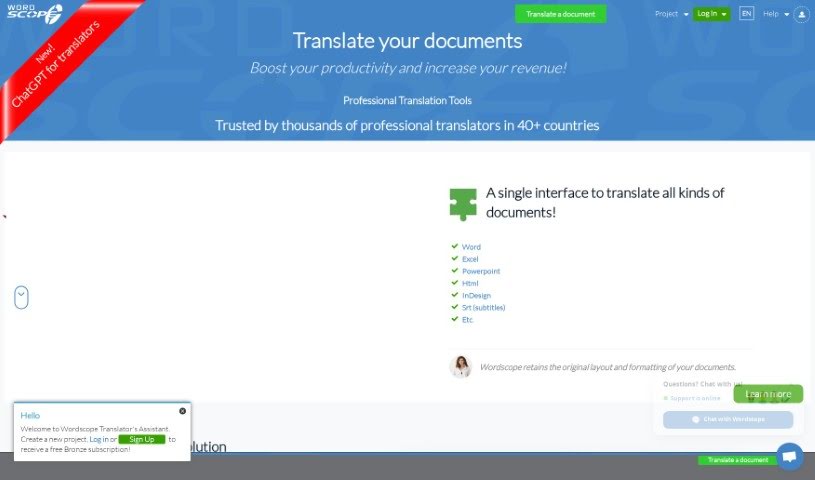
Wordscope's "ChatGPT for Translators" feature is your ultimate AI sidekick. It's built to help translators with all sorts of tasks. Need to quickly define a word, get your head around a tricky scientific concept, or just gather some background info on a topic? This tool can do that. It's also great for rephrasing sentences to sound more natural, asking specific questions, performing translations, and polishing your work by correcting grammar and spelling. Plus, it can suggest the right terminology, find synonyms, and even help you compose full sentences from just a few keywords. Essentially, it's designed to make the whole translation process smoother and help you get more done.

Text Generation View Tool →
Screenshot of Wp AI Chat

Wp AI Chat

Freemium

WP AI Chat is a really neat chat plugin designed to give your website some smart conversational abilities. It was created by Dr. Harlan Kilstein, who's a big name in online marketing, and Valentin Jed. Together, they developed WPCHAT.AI, a tool that aims to totally change how we create and organize content by using artificial intelligence. What's cool about this plugin is that it has a membership area where you can train the chat specifically for your own website. This makes it a powerful, yet easy-to-use, tool for anyone who owns a website and wants to boost how much people interact with it.

Text Generation View Tool →
Screenshot of Wraith Docs

Wraith Docs

Freemium

Wraith Docs is an AI assistant built to make your Google Docs experience much better. It helps you write and edit documents up to 10 times faster using a variety of AI tools. You can easily paraphrase sentences, expand on your ideas, simplify complicated text, optimize content for SEO, and quickly add text that matches your personal writing style. Plus, Wraith Docs has a Flexible Prompt Input feature for even more customization – you can type in prompts up to 4000 characters long for the AI to generate content. Right now, this add-on is in open beta, it's free to use, and it offers a pretty generous experience, letting you process around 187,500 words per account.

Text Generation View Tool →
Screenshot of Write Panda

Write Panda

Freemium

Write Panda is your own AI assistant, built to help you create all sorts of professional written content without breaking a sweat. It's packed with features like a huge library of ready-to-go templates that you can also tweak to your liking. Plus, it's accessible on your phone and through a handy Chrome extension. Whether you're writing blog posts, planning marketing campaigns, or need content for pretty much any industry, Write Panda has you covered. What really makes it stand out is how versatile it is and how easy it makes generating different kinds of written material quickly.

Text Generation View Tool →
Screenshot of Writely

Writely

Freemium

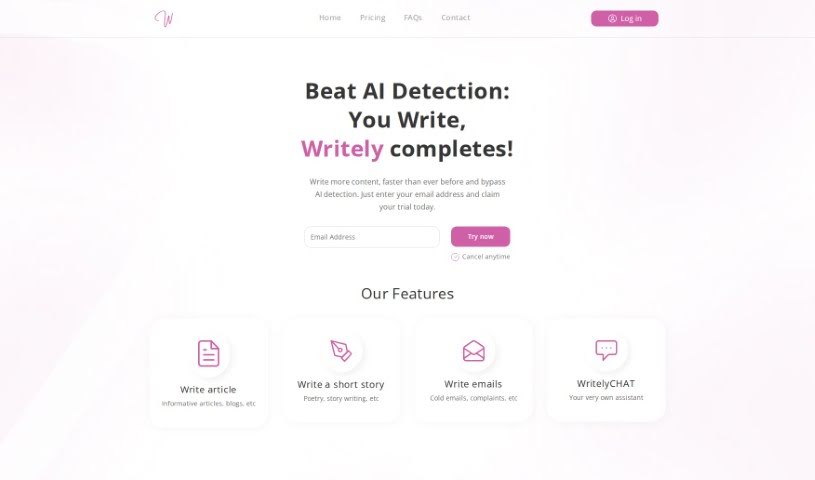
Writely is a really neat writing platform built to spark your creativity, help you get past that dreaded writer's block, and give you a whole bunch of prompts, exercises, and tools. It's all about helping you come up with fresh ideas and hit your writing targets. You can use it to write articles, short stories, emails, and so much more, with WritelyCHAT, your own AI writing buddy, right there to help. Plus, it's great for teamwork – you can write with others in real-time, set up your own workspaces, and invite people to join in. Writely uses machine learning to write in a way that feels very human, which helps cut down on plagiarism worries. They even have plans that offer AI completions that sound incredibly human and features designed to get past AI detectors. On top of all that, Writely offers a complete online experience that's easy for everyone to use. It's got a friendly interface, a huge collection of writing resources, smart help for your writing, tools for working together, ways to keep things organized, and you can access it from any device with an internet connection.

Text Generation View Tool →
Screenshot of Yack

Yack

Freemium

Yack is a handy MacOS app that makes it super easy to access ChatGPT right from your menu bar. It's a lightweight application, built with you in mind, offering quick and straightforward access to your AI assistant. Plus, Yack is private – your data stays on your device, never on external servers. You'll find features like multiple themes, a keyboard-first design, and Markdown support. And there's more coming soon, like cross-app integration, custom prompt templates, and even suggestions to help you complete your prompts!

Text Generation View Tool →

Stay Updated with AI Tools

Get weekly updates on the latest AI tools, trends, and insights delivered to your inbox

Join 25,000+ AI enthusiasts. No spam, unsubscribe anytime.